
Inspection management software doesn’t just capture your inspection data or help schedule inspections. It manages each stage of the processes, from how forms are built and assigned to how findings surface patterns across operations.
In this article, I’ll explain how each stage works in practice (and what features make it happen), having divided it into the main phases for your convenience: setup, data capture, post-submission workflows, analytics, and integrations.
New to the category? Start with how to choose inspection management software for the full evaluation framework, including what separates inspection software from a generic forms app.
Contents:
Pre-Inspection Setup: Forms, Scheduling, and Assignments
Before anyone goes to the site, the admin has to do the preparation: build the inspection form, schedule when it runs, and assign it to the right people.
Form Builder
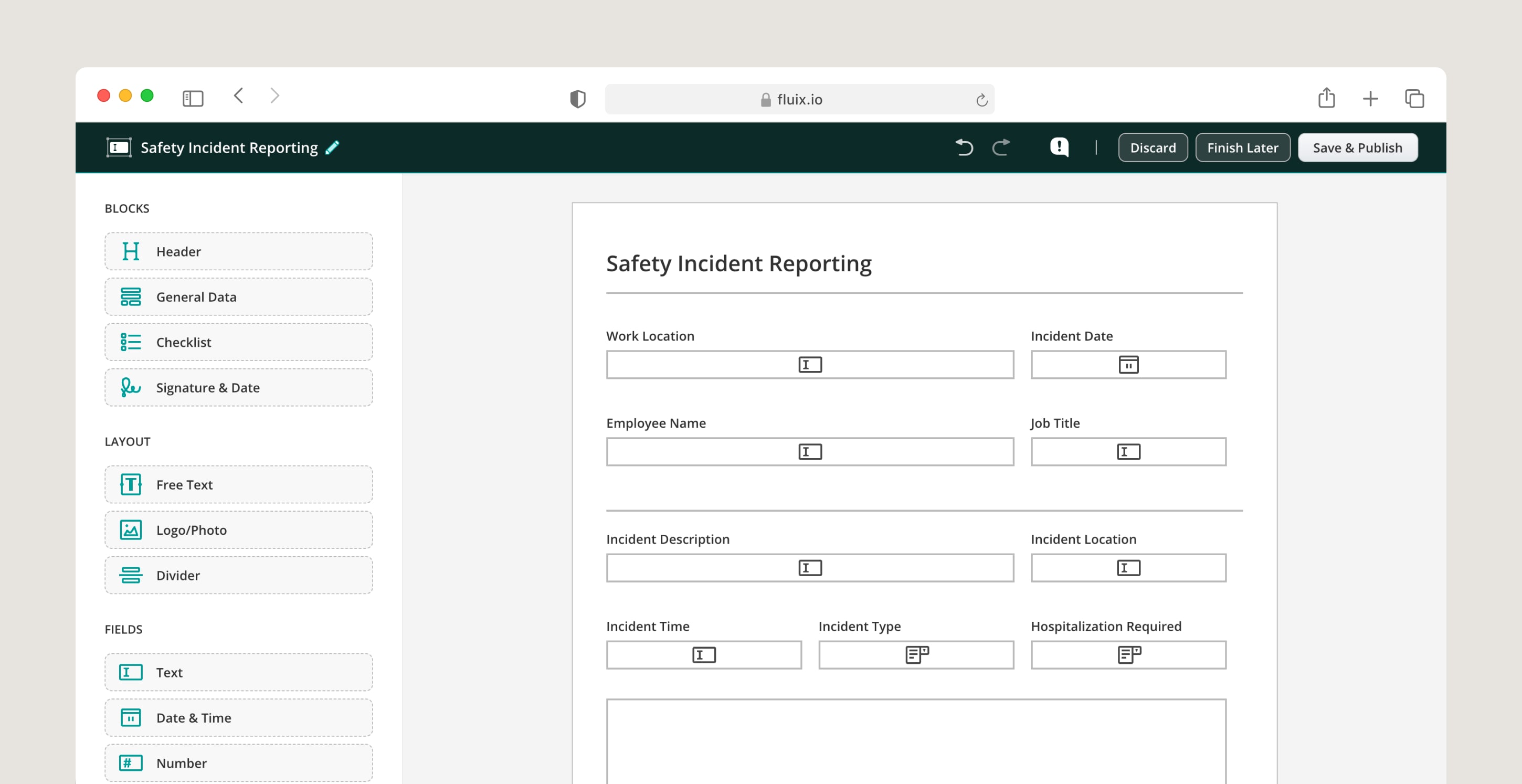
Most inspection management platforms include a no-code form builder — a drag-and-drop interface that lets you build and change checklists without development resources.
Fields include text, dropdowns, photo capture, signatures, barcodes, date pickers, and calculated values. The output is a mobile-optimised form that works on a phone or tablet in the field.
Today, most platforms, including Fluix, support AI-assisted form creation. Typically, it allows an administrator to describe the form they need in plain language or uploads an existing PDF, and the software generates a working form structure in seconds.
Conditional Logic in Forms
Conditional logic in forms is another feature that you can use while building your forms to simplify the filling process for your teams. Basically, it adapts the checklist in real time based on the inspector’s answers. If an inspector marks an item as fail, a mandatory photo field and corrective action note appear. If they select a specific equipment type, only the relevant inspection steps show — hiding the items that don’t apply. This keeps forms short and focused without sacrificing completeness on the items that matter.
I want to be direct about something here, though. Conditional logic solves a structural problem, not a judgment one. Liam Hook, HSE Manager at Marubeni Middle East and Africa Power Limited, makes this point in his interview for the Field Intelligence podcast:
“Checklists are good because they remind you of something to look for and to look at, but then you become very blinkered — is all of this OK, yes or no? It can lead to problems with the facility, the client, whoever you’re trying to tell is doing well or doing bad.”
Data Prefill
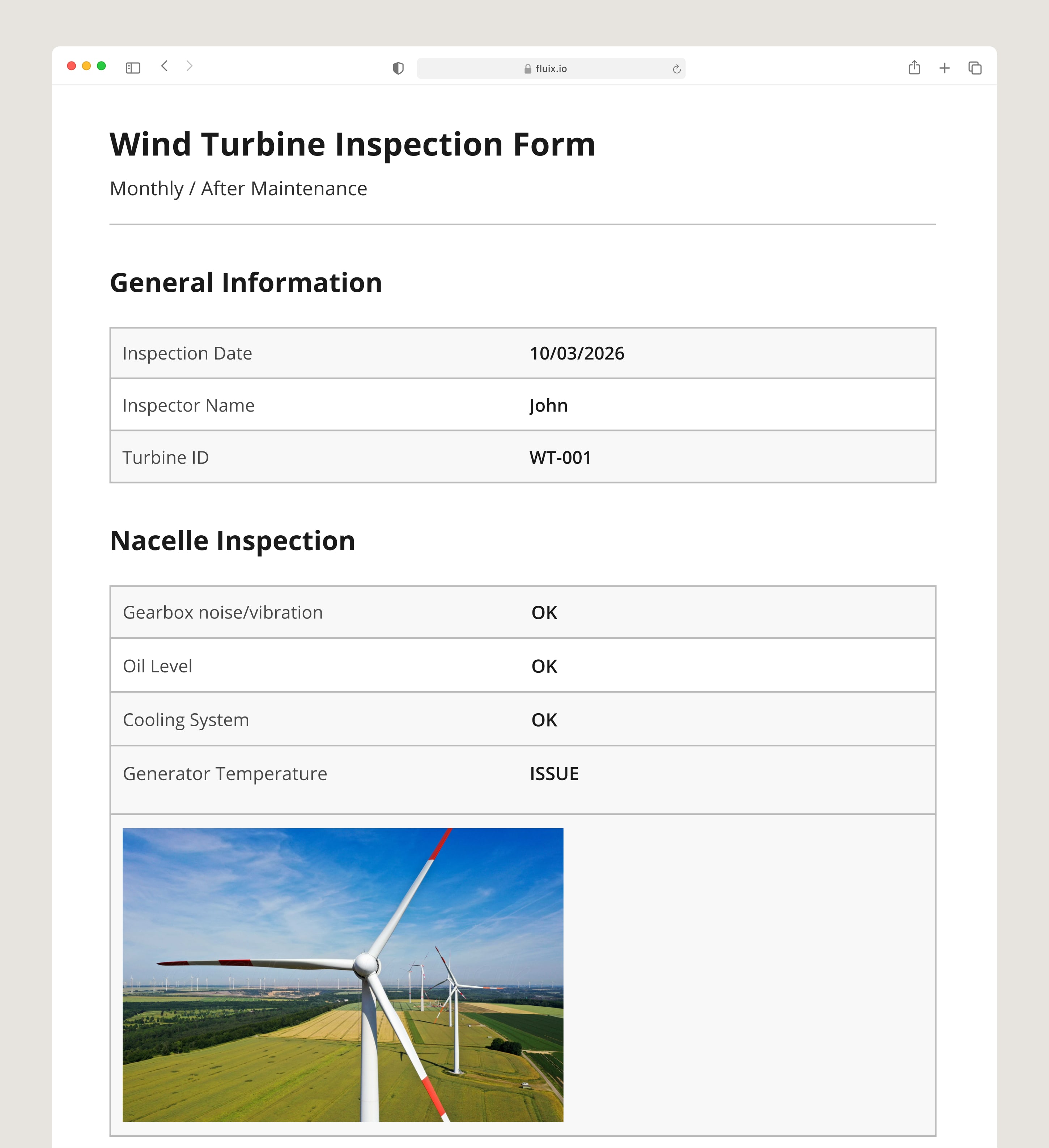
Data prefill reduces manual entry for repeat information. Turbine ID, site name, inspector name, asset codes, and previous inspection data populate automatically from the system or from prior submissions. Inspectors fill in what changed, not what stayed the same.
Scheduling and Assignment
Inspection management software routes inspections by frequency, team role, asset type, or due date — daily safety checks, monthly equipment surveys, and annual compliance audits each running on their own schedule. Inspectors receive notifications when they have pending tasks.
Admins see a scheduling dashboard showing what is due, what is overdue, and where workloads are uneven across sites or crews.
Related Related A guide to effective inspection scheduling
During the Inspection: Field Data Capture
The inspection itself runs on a mobile app — phone or tablet, iOS or Android. The inspector opens the assigned checklist, works through it in sequence, and submits. What they can capture within that workflow is where inspection management software differs from a basic forms tool.
Offline Mode
This is, in my opinion, the single most important feature to verify before choosing any inspection management platform.
True offline mode means the inspector can start a new inspection, fill it in entirely, and submit it without any prior connection at that location. Cached offline means forms downloaded earlier work, but the inspector cannot create new submissions or access anything not pre-loaded. For remote sites, only true offline is operationally reliable.
Photo Documentation
Photo documentation attach directly to the specific finding they document. The inspector taps the relevant field, captures or uploads the image, and the photo lives in the record linked to that finding. Each image captures GPS coordinates and a timestamp automatically at the point of capture.
Multiple photos are supported per field, with comments added in the same step. This matters for defect documentation: a finding on a blade, a leaking seal, a cracked weld — the inspector photographs it from multiple angles, adds a location note, and submits a record that requires no assembly back at the office.
PDF Annotation
In workflows that involve existing PDF documents — drawings, method statements, asset registers, permit forms — inspectors can annotate directly within the document. Annotations include mark-up tools, photo attachments, text comments, and stamps. The annotated PDF becomes part of the inspection record, useful for handover documentation, warranty claims, and compliance evidence where the original document format must be preserved.
Barcode and QR scanning
Asset IDs, serial numbers, and equipment codes scan directly from the field — eliminating manual entry of long reference numbers and the transcription errors that come with it. In asset-heavy inspection programmes, scanning is typically faster than typing and removes a common source of data quality issues.
Electronic Signatures
Sign-off happens at the point of completion, on the inspector’s device. Signatures are legally binding, cryptographically attributed, and time-stamped. In multi-step workflows, each stage can require a separate sign-off — inspector, supervisor, safety officer — with the form routing to the next signatory automatically on submission.
RWE Renewables reduced daily form completion time by 45% after standardising inspection workflows in Fluix across their renewable energy operations.
Related Related How to write an inspection report
After Submission: Automated Routing and Corrective Actions
This is where inspection management software creates value that a forms app cannot replicate. The submission is not the end of the process — it is the trigger for everything that follows.
Automated Workflow Routing
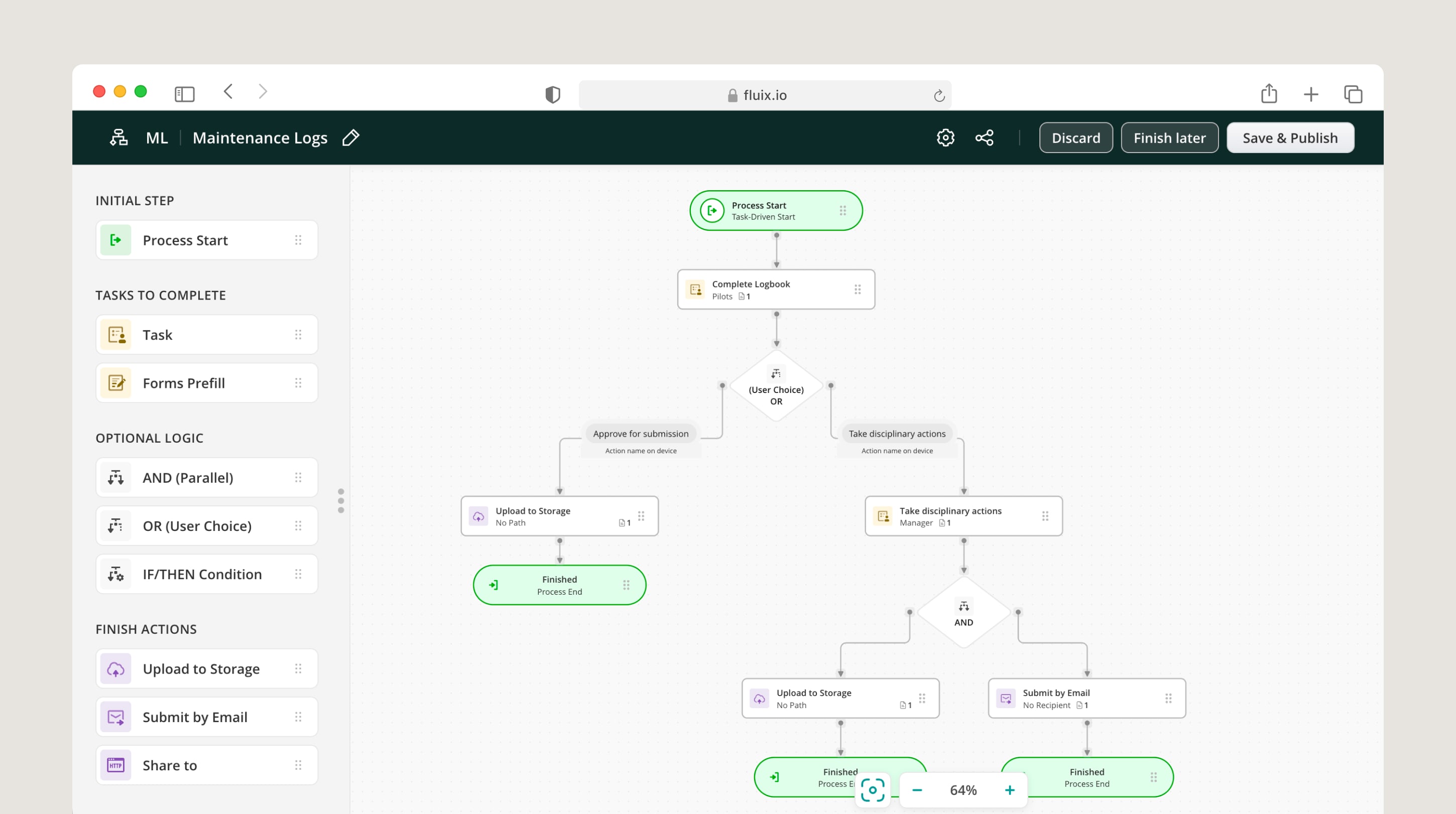
A completed form moves through the workflow automatically based on the rules configured by the admin. A passed inspection routes to cloud storage and triggers a completion notification. A failed check routes to the site supervisor, creates a corrective action, and sends a notification — without anyone having to forward an email or make a phone call.
Escalation logic applies the same automation to severity. A minor finding routes to the site team. A critical safety finding routes to the HSE manager and site director simultaneously, with a defined response window. The system tracks whether the escalation was acted on.
Corrective Action
A failed check in real inspection management software creates an owned task — not a note. The corrective action has a named responsible person, a deadline, a description of the finding, the photo evidence from the inspection, and a status that updates as the task progresses. The inspector who raised it, the person assigned to resolve it, and the supervisor overseeing the site all see the same record.
Corrective actions close when a verified resolution is logged — not when the task is marked done by the assigned person. The “verified by” requirement ensures the fix was confirmed, not just claimed.
ZITON, a turbine blade repair specialist, made preventive maintenance reporting 3.5 times faster after moving corrective action management into Fluix from a paper-based process.
Automated File Naming
Every completed submission gets a consistent, descriptive file name generated from the data inside the form. An admin defines the naming rule once — inspection type, site name, asset ID, date, inspector name — and every submission that flows through that workflow follows the same convention. Files land in the right folder automatically. Auditors can find any record by turbine ID or inspection date without opening a folder of files labelled “Inspection_Final_v2.”
Related Related How automated file naming eliminates manual work across every record
Analytics: Dashboards and Reporting
Individual inspection records answer “what happened at this asset on this date.” The analytics layer answers “what is happening across all assets, all sites, and all crews over time” — and that is where inspection management software earns its place in an operations programme.
Live Dashboards
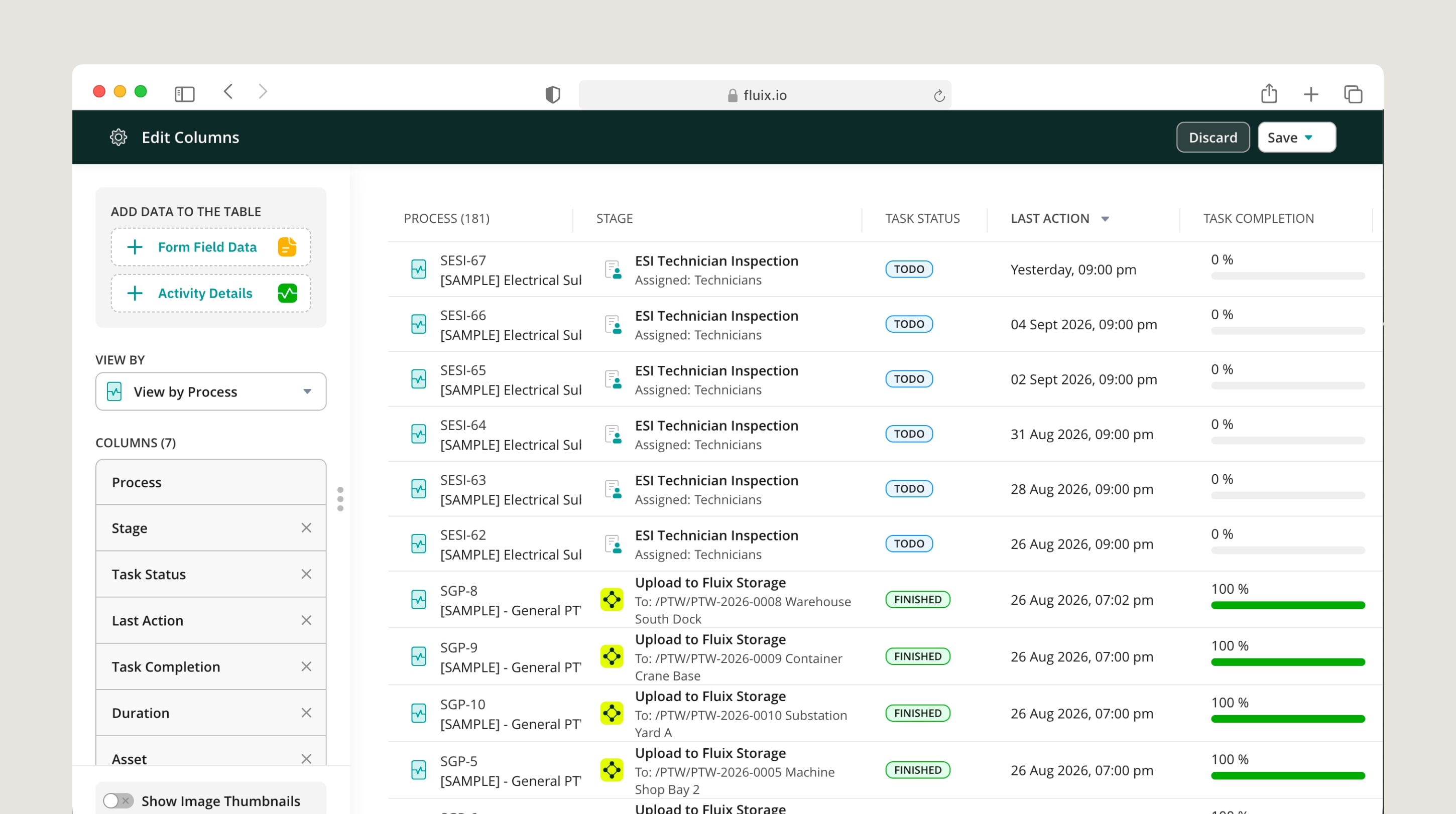
Dashboards in inspection management software show real-time completion rates, open corrective actions, overdue tasks, and inspection KPIs across sites without requiring a report to be compiled manually. A site manager sees their site’s picture. An operations director sees the whole fleet. The data updates as inspections are submitted, not on a reporting cycle.
Photo Compliance Monitoring
Dashboards surface photo compliance alongside completion rates — filtering for submissions where a required photo is missing, flagging them for follow-up before they enter the archive as incomplete records. Photos display as thumbnails directly in the report view, so a reviewer sees the evidence alongside the findings without switching between systems.
Charts and Trend Analysis
Inspection data builds charts that track finding frequency by asset, site, or crew — identifying which turbine is generating the most corrective actions, which inspection type has the highest failure rate, and which crew shows the most variability in completion times. These patterns are invisible in a paper-based or forms-only system because the data never aggregates.
Drax Power uses Fluix inspection data flowing directly into Power BI to build maintenance charts and spot issues across turbine cycles before they reach the corrective action stage.
Automated Reports
Completed inspection data compiles into reports automatically — photos, timestamps, GPS coordinates, findings, and sign-offs included — formatted for internal review or regulatory submission without manual assembly. Reports export as PDF or as structured data for BI tools.
Related Related Fluix Dashboard: track inspections, KPIs, and findings in real time
Integrations: Connecting to Existing Systems
Inspection data is most valuable when it flows into the systems operations teams already use, not when it lives in a separate inspection silo.
Cloud Storage
Automation rules route completed inspection records to SharePoint, OneDrive, Google Drive, Dropbox, or Box automatically on submission. Files land in the right folder with the right name, without manual transfer.
ERP and Project Management
Integrations connect inspection workflows to Procore, Salesforce, HubSpot, and similar platforms — so inspection status, corrective actions, and completion records feed into the project management layer where operations decisions are made.
BI Platforms
Analytical platforms including Power BI and Tableau receive inspection data via direct integration or API export, enabling cross-system dashboards that combine inspection performance with operational and financial data.
Automation Platforms
Tools including Zapier connect inspection events to any downstream tool — a completed form can trigger a Slack notification, a CRM update, or a work order in a maintenance system without custom development.
MCP Connectors
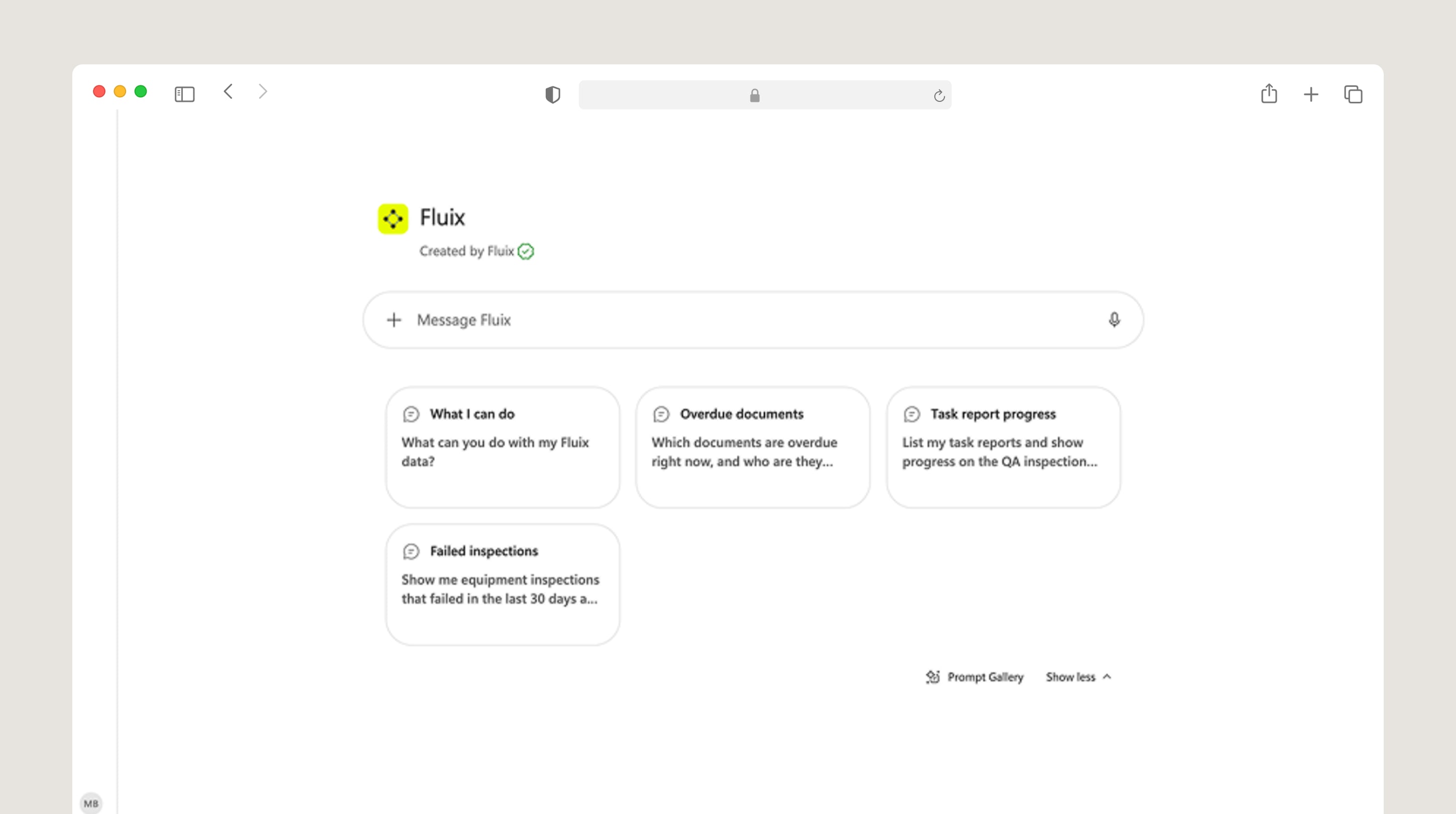
Connectors represent the most recent development in this integration layer. Platforms including Fluix now support natural-language querying of inspection data through an MCP connector — an operations manager can ask “which sites have open corrective actions older than 14 days” or “show inspection completion rates by crew for Q2” and receive an answer directly, without building a report or opening a dashboard. This closes the gap between data that exists and insight that reaches the person who needs to act on it.
Related Related How to ask your AI assistant anything about your field data
How Fluix Handles Inspection Management
Fluix is inspection management software trusted by 12, 000 field teams worldwide. What follows is how it specifically handles each stage described above so you can evaluate it against your own requirements.
Before the inspection: Fluix includes a no-code form builder with conditional logic, AI-assisted form generation from text prompts or uploaded PDFs, pre-filled fields from prior submissions or external systems, and a scheduling layer that assigns inspections by role, frequency, or asset type. Admins configure all of this without development resources. Siemens Gamesa manages technician logbooks and competency sign-offs across 26 countries using this layer.
During the inspection: Fluix runs on iOS and Android with true offline mode — inspectors create new forms, capture photos with GPS and timestamps, apply signatures, and submit without any connectivity at all. The sync happens automatically when signal returns. Photos attach to specific findings at point of capture, not as general attachments. PDF annotation, barcode scanning, and multi-step electronic sign-off are all available within the same app. RWE Renewables reduced daily form completion time by 45% using this.
After submission: A failed check triggers an automated corrective action — named owner, deadline, photo evidence attached — without manual intervention. The corrective action closes only when a verified resolution is logged, not when it’s self-certified. Completed forms route automatically to the right people and save with consistent, searchable file names. ZITON made preventive maintenance reporting 3.5 times faster after moving this process into Fluix.
Across inspections: Live dashboards show completion rates, open corrective actions, and finding trends across sites in real time. Photo compliance monitoring flags submissions with missing evidence before they enter the archive. Inspection data feeds directly into Power BI, as Drax Power does to track turbine maintenance trends. Reports compile automatically without manual formatting.
Security and compliance: Fluix holds ISO 27001 and SOC 2 Type II certification — not in progress, confirmed. Every record is timestamped, attributed to a named inspector, and retrievable by asset and date range in minutes.
Frequently Asked Questions
- What is inspection management software?
Inspection management software is a field operations platform that helps teams plan, conduct, document, and act on inspections in one system. It replaces paper checklists and manual routing with mobile data capture, automated corrective action workflows, and centralised, searchable records that produce a defensible audit trail for compliance reviews.
2. How does inspection workflow management work?
An inspection workflow moves from form assignment through mobile data capture, submission, automated routing, corrective action tracking, and analytics. The admin configures the workflow once — defining who receives each form, what happens when a check fails, and where completed records go. Every subsequent inspection runs through that workflow automatically without manual coordination.
3. What PDF annotation and form completion capabilities does inspection management software provide?
Inspection management software supports PDF annotation directly within the mobile app — inspectors mark up drawings, method statements, and permit forms with comments, photo attachments, and stamps. Annotations become part of the inspection record, preserving the original document format while adding field-captured evidence. Form completion on the same platform supports conditional logic, pre-filled fields, required photo capture, and electronic sign-off.
4. What customisable inspection checklist and corrective action workflow features does inspection management software provide?
Customisable checklists are built through a no-code form builder — drag-and-drop fields, conditional logic, required evidence fields, and dynamic sections that adapt to the inspector’s answers. Corrective action workflows trigger automatically when a check fails: a named person is assigned, a deadline is set, the original finding and photo evidence attach to the task, and the status tracks to verified resolution. Admins configure both the checklist structure and the corrective action routing without developer involvement.
5. What features matter most for teams tracking inspection scores across multiple locations?
Cross-site tracking requires consistent form templates so data is comparable across locations, live dashboards that aggregate completion rates and finding frequencies by site, and a corrective action system that gives site managers visibility into their own open items while giving ops directors a fleet-wide picture. The minimum viable set for multi-site programmes is standardised forms, automated routing, and a dashboard that shows completion and open actions without requiring manual report compilation.
6. How do audit and inspection tools reduce field checklist completion time?
Time reductions come from four specific mechanisms: pre-filled fields that populate repeat information automatically; conditional logic that hides irrelevant questions so inspectors only see what applies to their current task; photo capture embedded in the form at point of finding rather than managed separately; and offline submission that eliminates the connectivity wait that interrupts paper-to-digital handoff. Together these typically reduce completion time by 40–70% versus paper-based equivalents.
7. Which tool supports offline inspections with automatic syncing?
Inspection management platforms with true offline capability — including Fluix, SafetyCulture, and GoAudits — allow inspectors to complete forms, capture photos with GPS and timestamps, and apply signatures without a live connection. Submissions queue on the device and sync automatically when connectivity returns. The key distinction is true offline (new inspections can be created and completed without any prior connection at that location) versus cached offline (only forms downloaded in advance work without connectivity). For remote sites, turbine interiors, offshore installations, and underground environments, true offline is a functional requirement.
8. Which inspection management tools let managers create custom forms and track completion in real time?
Most dedicated inspection management platforms — Fluix, SafetyCulture, GoAudits, and Fulcrum among them — include no-code form builders and real-time completion dashboards. The differentiating factors are how deep the corrective action tracking goes, whether the form builder supports conditional logic without technical skills, and whether the dashboard is configurable by role so site managers and ops directors see the view relevant to them. Generic forms tools like Jotform and GoCanvas handle form creation but do not include corrective action tracking or cross-site completion dashboards.
10. How does inspection management software replace manual paper-based processes with real-time digital workflows?
The replacement happens at five points in the inspection process: form distribution (digital assignment replaces printing and distributing paper forms), data capture (mobile submission replaces handwritten records), routing (automated workflows replace email forwarding), corrective actions (tracked tasks replace follow-up phone calls), and reporting (automatic record compilation replaces manual report assembly). The result is a record that exists in the system at the moment of submission rather than arriving hours or days later after manual processing.