Photos are half of every field inspection. None of site conditions, equipment defects, PPE compliance, before-and-after evidence counts as documented without an image tied to the record. That’s why Fluix treats photo documentation as inspection data – captured inside the form, timestamped, geolocated, and linked to the submission.
In this guide, I’ll walk through how it works, where inspection teams use it most, and the habits that keep every photo findable years after the fact.
Note: Photo Documentation is available starting from the Crews plan. Compare Fluix pricing plans to see what’s included.
Contents:
- What Is Photo Documentation?
How Fluix Handles Photo Documentation
- What Problem Photo Documentation Solves
- Inspection Photo Documentation Best Practices
Fluix Photo Documentation FAQ
- Last Word
What Is Photo Documentation?
Photo documentation is the practice of capturing, organising, and preserving images as part of a formal record, usually to prove that something was inspected, was in a specific condition at a specific time, or was completed correctly.
In inspection workflows, photos serve as evidence: proof of PPE compliance, proof of a defect before repair, proof of installation quality, proof of a site’s condition before and after work.
Good photo documentation shares four traits, regardless of which tool you use:
- Photos are captured inside the record, not on personal camera rolls or shared drives that lose the connection to the inspection.
- Metadata attaches automatically — timestamped photos and geolocated photos with submitter details — so every image can be verified after the fact.
- Photos and forms stay linked permanently — if the inspection is exported, printed, or reviewed years later, the photos travel with it.
- The workflow doesn’t break offline — inspectors capture photos where inspections actually happen, then sync when signal returns.
Most inspection tools handle some of these. The ones that handle all four are the ones auditors and compliance teams trust.
Want to see how it works? Start a free trial in Fluix and capture your first inspection photo in under two minutes.
How Fluix Handles Photo Documentation
Fluix is inspection management software for field teams that implements all four traits above. Photos capture directly inside the form, sync with the completed inspection to your cloud storage, and stay linked to the record permanently.
If a photo gets deleted from the device, Fluix can recover it. If the network drops mid-inspection, photos still capture — and sync automatically when the connection returns.
A few things worth knowing up front:
- It works with fillable PDFs and dynamic forms. Both formats support photos as native form fields.
- It captures on iOS and Android. Take the photo directly, or upload from the device gallery.
- It works offline. Every photo captured offline lives on the device with its metadata until the app reconnects and syncs.
- It supports low- and high-resolution capture. Low-res for volume workflows (multi-page reports); high-res when defect detail is critical.
- Bulk upload. Add multiple photos all at once.
- You can add notes. Note to photos can be added in a format of text, date or even a signature.
On the admin side
When you build a form in Fluix, you add photo fields the same way you’d add any other field type. You can require a minimum number of photos, allow multiple photos in a single field, or set a photo field to appear only when a specific answer is given, if a technician marks a check as fail, a photo of the defect becomes mandatory before the form submits.
For submitted forms, you have two ways to review what came in.
The first is inside the report itself. Completed inspection records display photos as image thumbnails directly alongside the data. So when a site manager reviews a submission, they see the photo in context, next to the finding it documents, without opening a separate folder or downloading attachments.
The second is at the dashboard level. If you want to check photo compliance across submissions rather than inside a single record, you have two tools – filtering your processes or forms by image status or building a chart showing photo completion rates across forms and workflows.
For completed submissions, the routing works the same as any other inspection data: photos flow into Fluix cloud storage, SharePoint, Google Drive, Dropbox, Box, or push to a BI tool via API, depending on how your workflow is configured.
On the field side
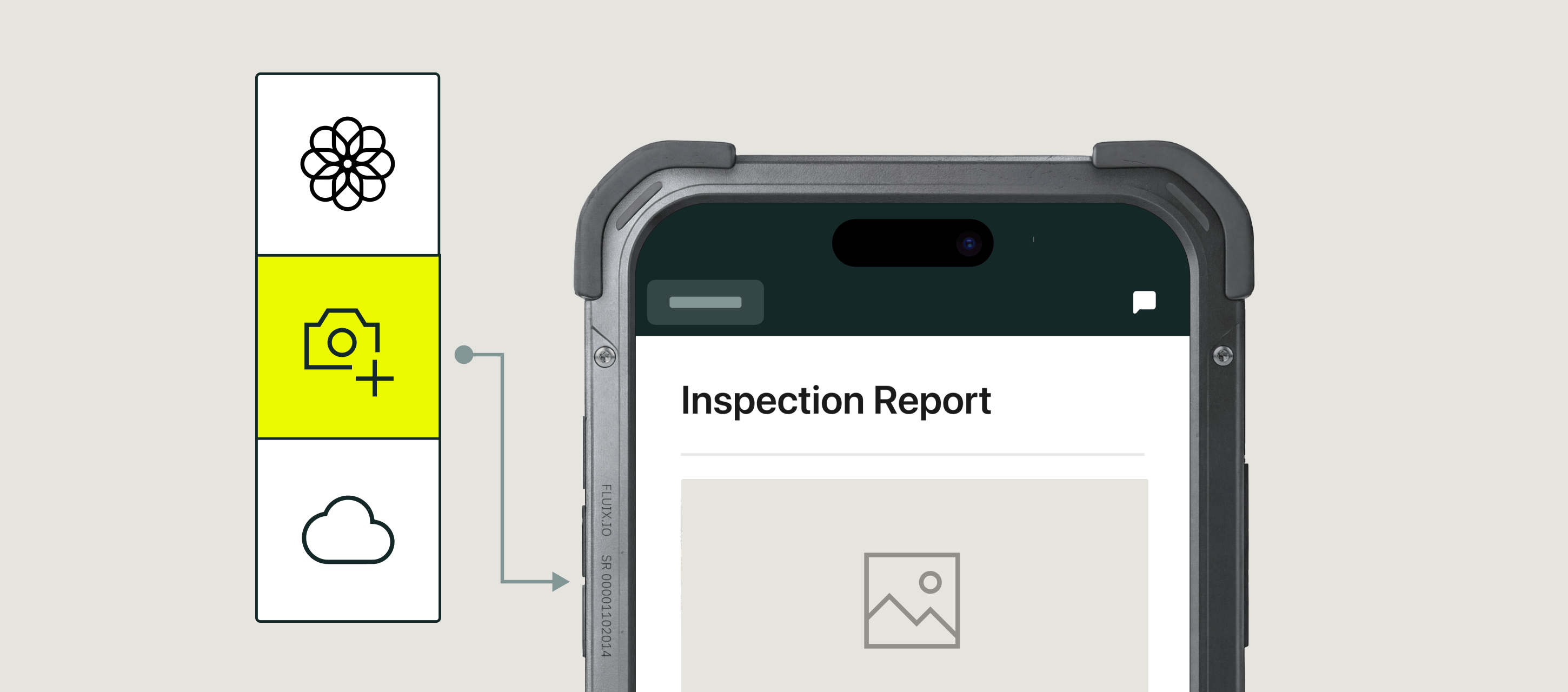
The inspector taps a photo field. The camera opens. They take the photo (or select one from the gallery), review it, add a comment if needed, and move to the next field. The photo saves locally with its timestamp and location metadata, and either uploads immediately (if online) or queues to sync later (if offline).
If a form allows multiple photos in one field, the inspector can chain photos in sequence — different angles of the same defect, stages of a process, before-and-after comparisons — each with its own comment. No app switching. No separate camera roll to manage.
Recovery
If a photo is deleted from the device before syncing — an accidental swipe, a device reset, a swap to a new phone — Fluix can recover it as long as the submission itself was preserved. Deleted photos are recoverable within Fluix cloud storage, not just from the device.
Take a look at this short product demo to see how you can add images to the forms while collecting the field data:
What Problem Photo Documentation Solves
These are the five patterns that show up across every inspection team we work with.
- Expensive photo retaking. Retaking a photo from a turbine top, an offshore rig, or a client’s completed installation is a return trip.
- Missing photo evidence. Audits and warranty claims that miss photos stall for days or weeks.
- Scattered photo storage. Photos live on personal phones, in email inboxes, and on shared drives with filenames like “IMG_20241014_143022.jpg.” Six months later, no one knows which is which.
- Unprofessional reporting. Twenty separate attachments in an email looks amateurish.
- Lost photo metadata. Photos exported from most systems lose their timestamps, GPS coordinates, and submitter info in the process. Photos stripped of metadata aren’t evidence.
Read More Read More How CPP Australia cut wind farm inspection time by 43% with Fluix
Inspection Photo Documentation Best Practices
These six practical habits make integrated photo capture work smoothly in the field.
1. Enable location permission on inspector devices during onboarding. Timestamps happen automatically. Location metadata requires the device to have GPS permission granted to the Fluix app. It’s worth doing once during onboarding so every photo captured afterward is geolocated by default.
2. Use low-resolution for volume, high-resolution for defect close-ups. For daily site walks with dozens of routine photos, low-resolution capture keeps report files small and shareable. For close-up defect photos where you need to see rust, hairline cracks, or wear patterns, switch to high-resolution. Fluix lets you configure this per form.
3. Use multi-photo fields for anything with context. A single photo of a damaged pallet is evidence. Three photos — wide, mid, close-up — is a story an auditor can follow. Fluix’s multi-photo fields with per-photo comments are built for this. Use them for defect documentation, incident reports, and any inspection where context matters.
4. Sync at least once a day, especially for offline-heavy days. Photos captured offline live on the device until the app reconnects. If the device is lost, damaged, or reset before sync, the photos go with it. Building a “sync at end of shift” habit — even a five-minute Wi-Fi stop — protects every photo captured that day.
5. Batch-sync photo-heavy days over Wi-Fi. A day of turbine inspections with 200+ photos consumes real mobile data when it syncs. For teams working in remote areas with cellular-only coverage, batch-syncing over Wi-Fi at the end of the day keeps mobile costs down without losing the day’s work.
6. Use photo comments as the audit narrative. The photo shows what. The comment says why. A photo of a cracked hose alone is evidence; a photo of the same hose captioned “cracked at coupling, running under vehicle chassis, replaced 2024-05-14” is documentation. It takes an extra 10 seconds per photo and saves 10 minutes explaining it later.
Fluix Photo Documentation FAQ
- Can Fluix recover deleted photos?
Yes. Photos deleted from the device can be restored from Fluix cloud storage, as long as the submission itself was preserved. This is one of the reasons integrated photo capture matters — photos on personal camera rolls or shared drives don’t have this recovery path.
2. Does Fluix work offline for photo capture?
Yes. Photos capture on the device with their timestamp and location metadata, and sync automatically when the app reconnects.
3. How does Fluix organize photos?
Photos are stored with the inspection record they belong to — the form, the checklist, or the report. Fluix’s automated file naming can name each photo consistently from form data (site, asset ID, date, inspector), so photos in cloud storage are as searchable as the forms themselves.
4. What file formats does Fluix support?
Standard image formats captured by iOS and Android devices — JPG and PNG primarily. Photos can be viewed, downloaded, or exported alongside their parent inspection record.
5. Can I attach photos as annotations?
Yes. In forms without predefined image fields, photos can be added as annotations — useful for freeform documentation of a job site, or for referencing specific objects, tools, or machinery that don’t fit an existing field. Annotations attach to tasks in workflows as well as forms.
6. What industries use Fluix photo documentation most?
Construction, renewable energy (particularly wind), utilities, aviation, and manufacturing. Any industry where photo evidence is part of the inspection or audit workflow benefits, but these are the sectors with the most photo-heavy inspection workloads.
7. Are the photos secure?
Yes. Photos captured in Fluix inherit the same security posture as the rest of the platform, covered by Fluix’s ISMS’s ISO 27001 certification and Fluix’s SOC 2 attestation. Access is role-based; only authorised users can view or export photos from a given form.
Last Word
The value of good photo documentation shows up two years later, when an auditor asks for evidence of a specific inspection and someone finds the record — with photos, timestamps, and locations — in seconds.
Photo documentation is part of Fluix – inspection management software trusted by 12,000 teams to run inspections, safety, and compliance in the field. Every inspection photo captured, timestamped, geolocated, and permanently linked to the submission that produced it — no shared drives, no email attachments, no lost evidence.
Want to see how photo documentation fits your inspection workflow? Start a free trial and capture your first inspection photo in under two minutes.