

Fieldwire is a solid field management tool. For punch lists and drawing markups on site, it does what it promises — cleanly and without much friction. The problem most teams run into is that their projects start demanding more than Fieldwire was built to deliver.
In this article I’m comparing five Fieldwire alternatives for teams that need more than field task management, for example, complex inspection workflows, full project financials, safety management, or end-to-end construction oversight. For each tool you’ll find a clear product description, key features, honest pros and cons, pricing, and real customer quotes.
Top Picks at a Glance
| Alternative | Best For | Key Strength | Price |
| Fluix | Construction inspections | End-to-end inspection workflows with offline reliability | From $29/user/mo |
| Procore | Construction management | Full project lifecycle | Custom |
| Raken | Contractors management | Daily reports, time tracking | Free trial; paid plans available |
| HCSS | Construction safety | Safety management built for heavy civil and infrastructure | Custom |
| Archdesk | Construction plans and financials | Financials from bid to handover, cost controls | From $790/mo |
How Did I Pick the Top Fieldwire Alternatives?
I analyzed Fieldwire reviews across G2, Capterra, and Reddit conversations — alongside hands-on evaluation — to understand where the platform falls short for growing teams. The patterns were consistent enough to build clear evaluation criteria from.
What Fieldwire users flag most often:
- Limited project coverage. Fieldwire doesn’t extend into financials, document workflows, or inspection management
- Minimal customization. Layered approvals, custom inspection types, and non-standard reporting formats hit a wall quickly
- Syncing and performance gaps. Syncing between mobile and desktop lags for multiple users, particularly when uploading large plan sets or working across devices simultaneously
- Integration friction. Getting Fieldwire data into other business systems requires workarounds that slow down coordination
- No corrective action tracking. Field issues get logged, but there’s no native mechanism to assign, track, and close out corrective actions within the platform. Checklists enforce task completion, but what happens after an issue is flagged is left entirely to manual follow-up
Criteria I used to evaluate each alternative:
- Workflow depth beyond task tracking — Does the platform support inspections, corrective actions, approvals, and follow-up?
- Construction-specific capability — Is this built for the industry, or adapted from a generic tool?
- Offline reliability — Does it work on site without a reliable connection?
- Integration with the rest of the tech stack — How well does it connect with other systems teams already use?
- Scalability — Does it handle growing teams, more sites, and more complex projects without breaking down?
- Speed of adoption — Can field staff use it without extended training?
1. Fluix: Best for Construction Inspections
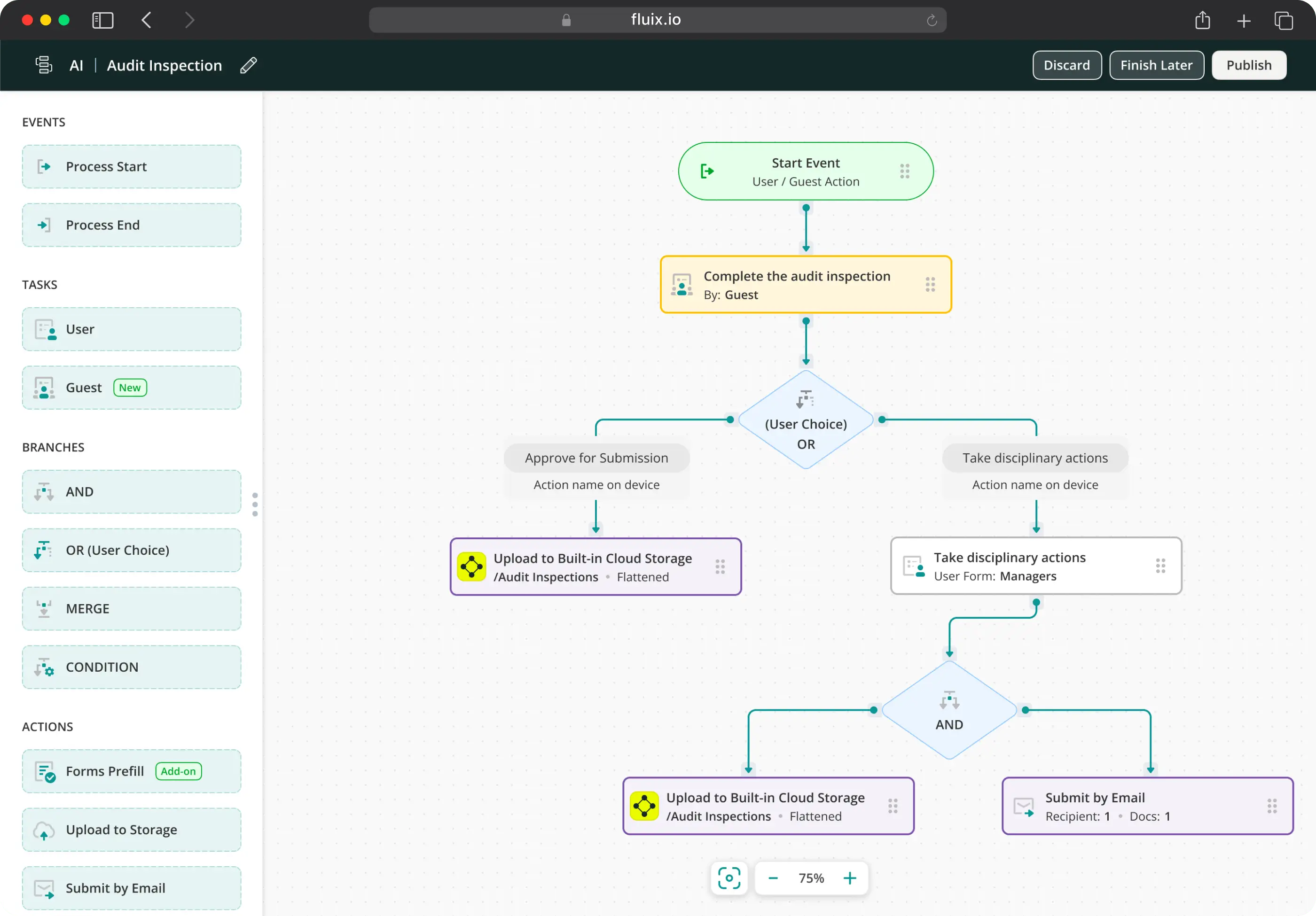
Fluix is inspection management software built for field teams running all kinds of inspections, including safety inspections, equipment checks, site audits, quality control walkthroughs, etc. It’s the alternative to Fieldwire for teams where the inspection itself is only the beginning and findings need to be resolved.
The distinction from Fieldwire is precise. Fieldwire tracks tasks and marks up drawings. Fluix manages what happens when an inspection finds something wrong: the issue gets logged, a corrective action gets assigned, an approval routes to the right person, and a report files automatically. For construction teams where safety and compliance documentation is as important as task completion, that closed loop is the difference.
I’ve seen teams running three separate tools alongside Fieldwire — a form builder for inspections, a task manager for follow-ups, a spreadsheet for reporting — consolidate all three into Fluix.
Deployment is fast: a named Customer Success Manager and Solutions Architect support most teams from day one so they’re fully operational within four weeks.
Key Features
- Mobile safety and site inspections
- Offline mode with reliable photo sync
- Multi-step review workflows and automated approvals
- Issue tracking and corrective actions
- Task scheduling and assignment
- Automated notifications and alerts
- Audit-ready reports, auto-generated on completion
- Charts and dashboards
- Analytics and integrations
Fluix Pros
- Inspections connect to corrective actions. A completed inspection in Fluix triggers a workflow — assignment, approval, report — without manual follow-up
- Offline reliability including photos. Forms complete and sync cleanly in poor site connectivity
- Fast deployment with real onboarding support. Four weeks to go live with dedicated implementation help
Fluix Cons
- Not a full construction management platform. Fluix handles inspections and workflows, not project financials or drawing management
- Android experience is still catching up to iOS. Worth checking against your team’s device mix before committing
Pricing
- Crews: $29/user/month (5+ users)
- Operations: $49/user/month (15+ users)
- Enterprise: Custom (25+ users)
What Do Customers Say About Fluix?
4.8 — Capterra, 4.8 — G2
“In our industry, safety is paramount; regulations are very strict, and audits are frequent. We use Fluix to create audit checklists and safety documents because it allows us to do immediate sign-offs onsite.” Leanne Lawrence, Administration Manager, Dyna Crane
“With Fluix, we decreased wind farm inspection time by 43%, that enabled us to cut project costs.” Paul Wilson, Project Manager, Consolidated Power Projects Australia
Still Closing Out Inspection Findings in a Spreadsheet?
Fluix connects inspections to corrective actions, approvals, and reports in one workflow
2. Procore: Best for Construction Management
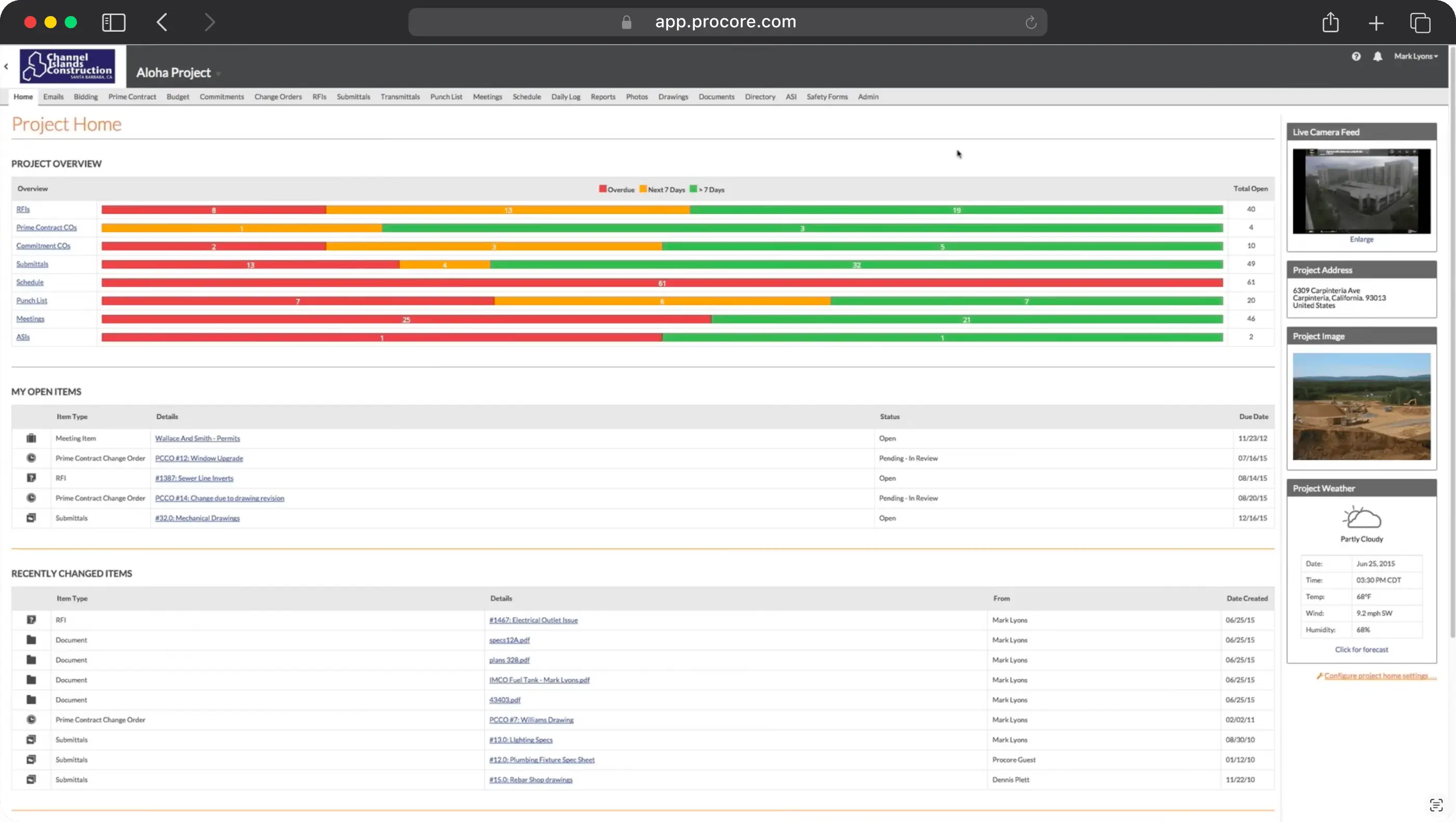
Procore is the most widely used construction management platform in the industry — and the most comprehensive on this list. Where Fieldwire covers the jobsite, Procore covers the entire project: preconstruction, cost management, resource allocation, field execution, and closeout.
Project managers track RFIs, submittals, and change orders from the same platform. Finance teams see budget movements and commitment costs in real time. That connection — between what’s happening on site and what it means for the project budget.
The reason teams move from Fieldwire to Procore though is as follows: the project got bigger. More stakeholders, more financial complexity, more coordination between office and site.
Procore’s pricing model is notably different from most competitors: you pay for the platform, not per seat. But exact pricing is custom and requires a conversation with their team.
Key Features
- Full project lifecycle management
- Cost management and financial controls
- Resource and schedule management
- Daily reporting
- Safety and quality management
- 500+ integrations via the Procore App Marketplace
- AI-powered project insights (Procore AI)
Procore Pros
- Deep feature set. Covers every phase of a construction project from a single platform
- Unlimited user model. No per-seat costs means collaboration across the whole project team without pricing penalties for adding stakeholders
- 500+ integrations. The App Marketplace connects Procore to virtually every other tool construction teams use
Procore Cons
- Implementation takes time. The platform’s depth is its strength, but it requires serious onboarding investment — this is not a tool you adopt in a week
- Cost is significant. Custom pricing means the number isn’t public, but Procore is positioned as an enterprise platform
- Complexity can overwhelm smaller operations. Teams that only need a subset of Procore’s capabilities may find themselves paying for features they never use
Pricing
Custom pricing — contact Procore directly.
What Do Customers Say About Procore?
4.5 — G2, 4.6 — Capterra
“Procore has given us the visibility we needed across projects.” G2 review, Main Contractor
“Implementation took longer than we expected, but once we were live, the platform has been rock solid. It genuinely connects our office and site teams.” Capterra review, Commercial Construction
3. Raken: Best for Field Reporting
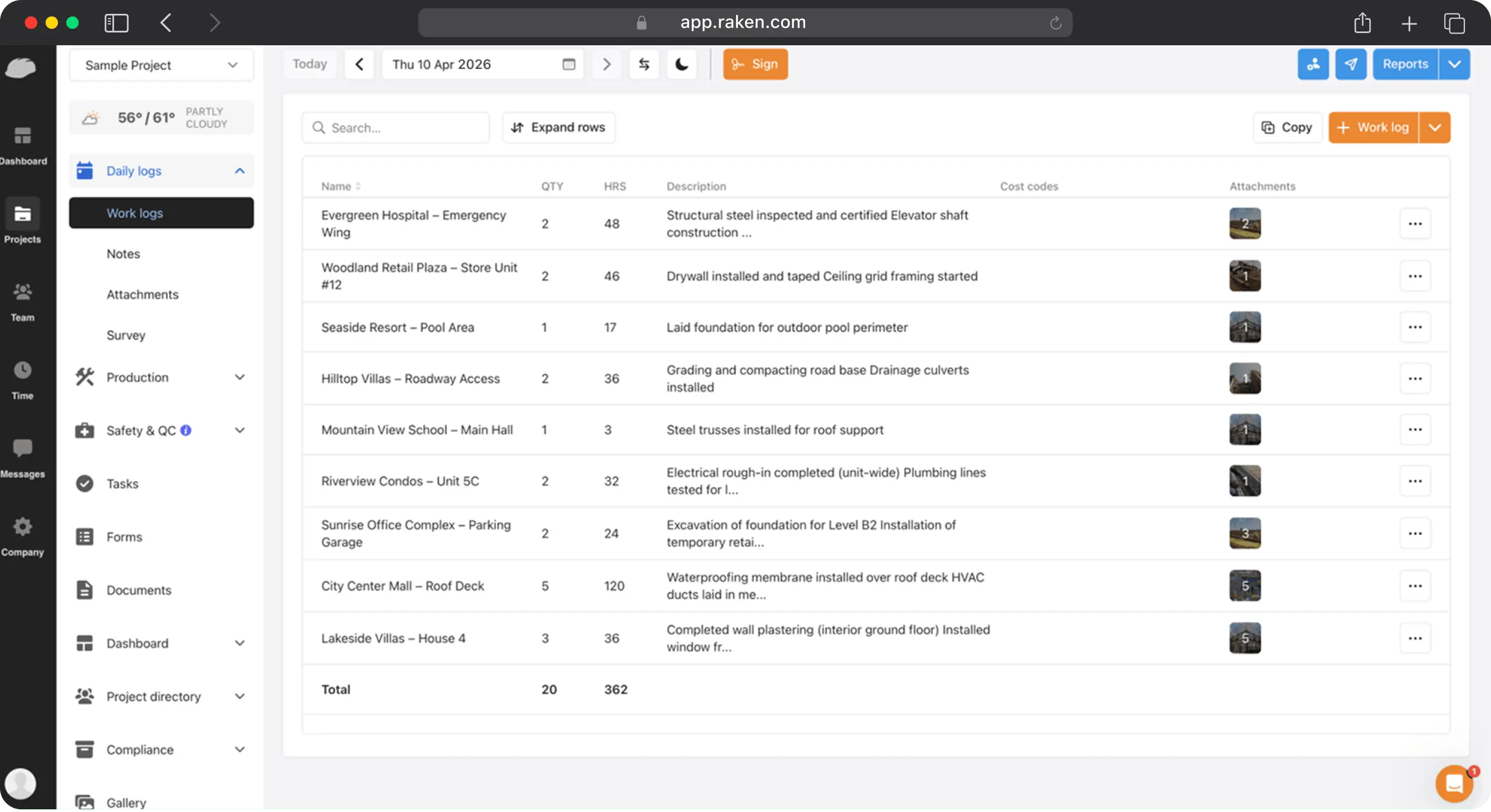
Raken is a field-first construction management platform purpose-built for getting timely data from the jobsite to the office. Daily reports, time tracking, production tracking, safety observations, toolbox talks — all captured on mobile and automatically compiled into shareable documentation.
Where Fieldwire focuses on task management and drawings, Raken focuses on field reporting and compliance documentation. The daily report that used to take 30 minutes at the end of a shift takes minutes during it.
Raken isn’t a full construction management platform — it won’t replace Procore or handle project financials. But for contractors where field documentation, daily logs, and compliance tracking are the primary pain points, it’s a focused tool that field crews actually adopt. Raken has a 4.7 rating on Apple with over 16,000 ratings, which tells you something about how it works for the people actually using it on site.
Key Features
- Daily progress reporting with photos and notes
- Time tracking and labor management
- Production and material tracking
- Safety checklists, toolbox talks, and observations
- Incident reporting and safety dashboards
- RFIs and document management
- Resource scheduling
- Budget management
- Integrations with accounting, project management, and cloud storage tools
- Mobile-first with offline capability
Raken Pros
- Field documentation. The mobile experience is genuinely fast and simple — which is why adoption rates are high compared to more complex platforms
- Automatic report generation. Daily reports compile from field inputs and generate as shareable PDFs automatically
- Safety and compliance built in. Toolbox talks, observations, and incident reporting are native, not add-ons
Raken Cons
- Limited customization for complex workflows. Teams with layered approval processes or highly specific reporting formats may find the platform constraining
- Integration dependent for full project visibility. Raken works best as part of a broader tech stack — it’s not designed to be the only tool a contractor uses
Pricing
Free trial available. Paid plans based on team size and features — contact Raken for current pricing.
What Do Customers Say About Raken?
4.7 — App Store, 4.3 — G2
“We have prevailed in almost every one of the disputes we’ve had because of Raken.” Tom M., Director of Corporate Safety
“Daily reports used to be the thing everyone put off. Now they get done on site before the crew leaves because it takes minutes, not a half hour.” G2 review, General Contractor
4. HCSS: Best for Construction Safety Management
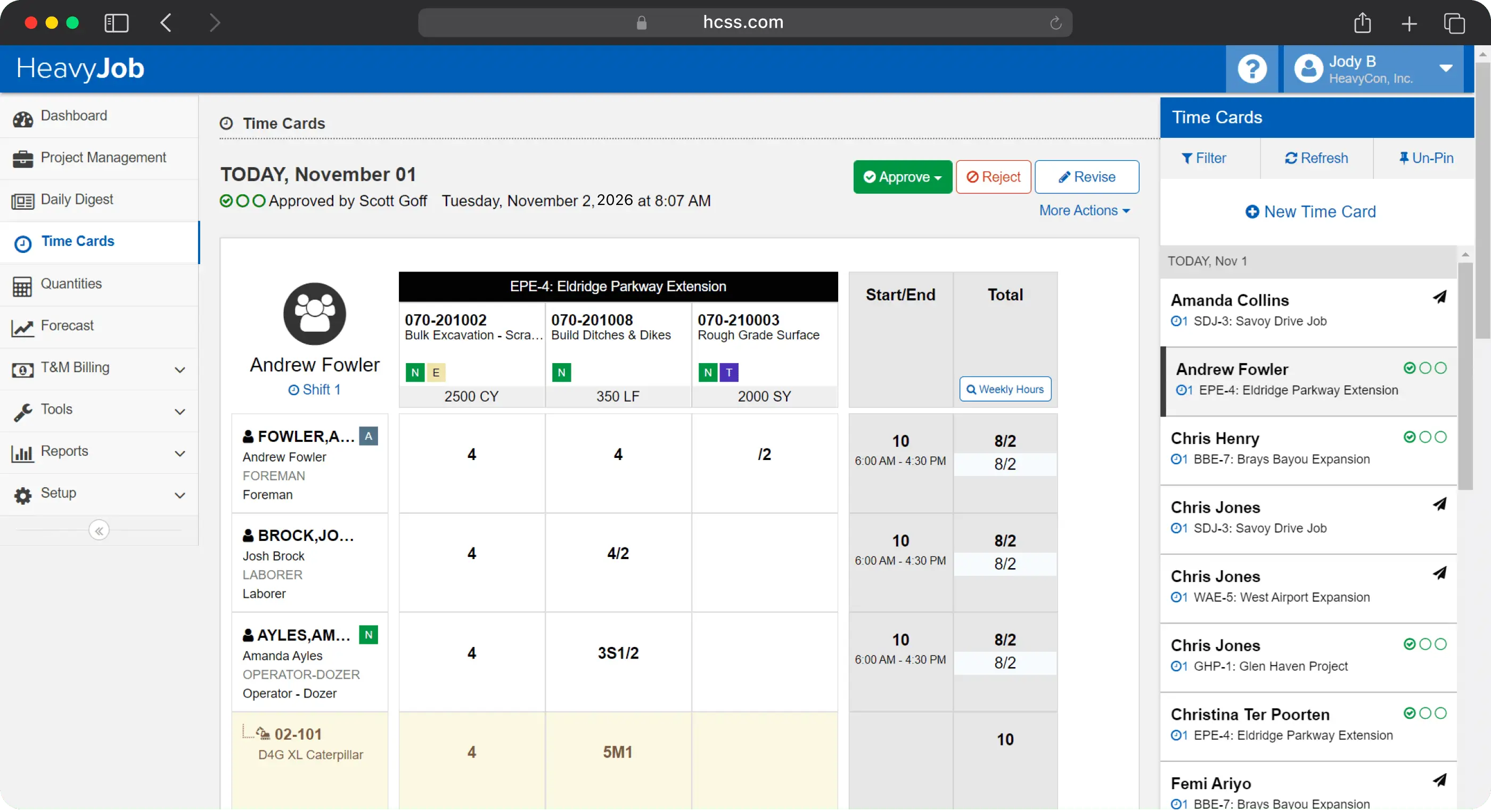
HCSS is a construction software company that’s been in the industry for over 35 years. Safety management, equipment tracking, bidding, field data, and time management are all purpose-built for the conditions heavy construction teams actually work in.
The reason HCSS appears as a Fieldwire alternative is scope: Fieldwire doesn’t have meaningful safety management capability. HCSS’s safety module — HSSEBuilder — covers safety plans, incident management, observations, training records, and compliance documentation at the depth that regulated industries and large infrastructure projects require. For teams where a safety incident has significant legal, financial, and operational consequences, that depth matters.
HCSS is not a lightweight tool for small teams. It’s built for contractors managing large workforces, heavy equipment fleets, and complex safety compliance requirements. Implementation reflects that.
Key Features
- Safety management — incident reporting, observations, safety plans, and training records
- Equipment tracking and fleet management
- Estimating and bid management
- Field time and production tracking
- Dispatch and resource scheduling
- Telematics and GPS for equipment
- Mobile-first field data capture
- Compliance and regulatory reporting
HCSS Pros
- Purpose-built for heavy civil. HCSS understands the specific workflows of infrastructure and utility contractors
- Safety management depth. Incident tracking, observation management, safety plan documentation, and training records go further than any other tool on this list
HCSS Cons
- Implementation is significant. The platform’s depth requires proper onboarding investment — this isn’t a tool for quick deployment
- Pricing is not transparent. Custom quotes only; smaller contractors may find the cost difficult to justify
Pricing
Custom pricing — contact HCSS directly.
What Do Customers Say About HCSS?
4.4 — G2, 4.5 — Capterra
“HCSS has become the backbone of how we manage safety across our sites. The incident tracking alone has changed how we handle near misses.” Capterra review, Infrastructure Contractor
“It took time to implement properly, but the depth of the safety module is unmatched for what we do.” G2 review, Heavy Civil
5. Archdesk: Best for Construction Plans and Financials
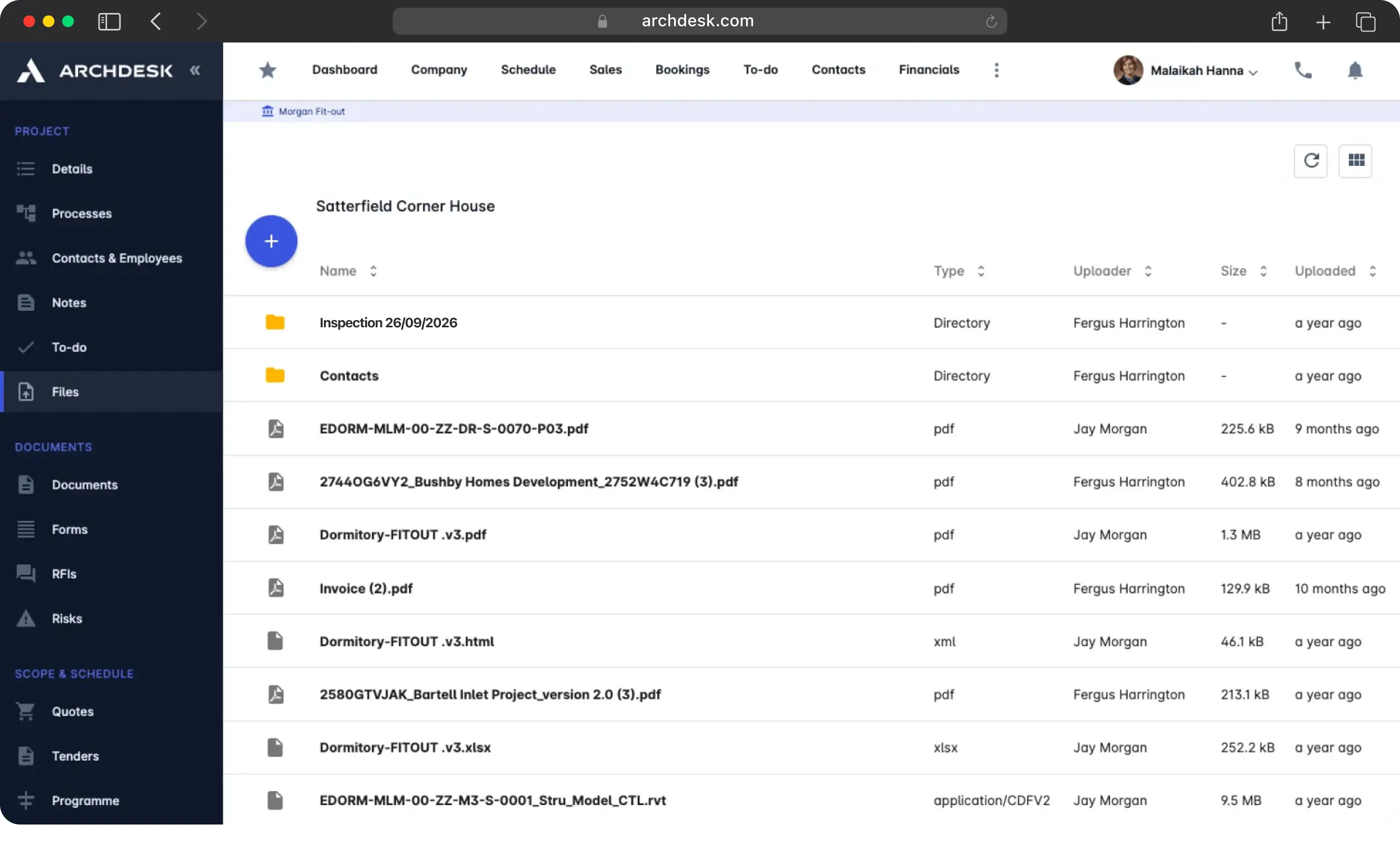
Archdesk is a construction management platform built to cover the full project lifecycle — from bid to handover. Where Fieldwire handles field execution, Archdesk handles the business of construction: cost controls, procurement, financial reporting, document management, and project scheduling.
The reason it stands out as a Fieldwire alternative is financial and document depth. Fieldwire has no meaningful cost management. Archdesk was built around it — job costing, budget tracking, change order management, commercial valuations, and revenue recognition are all native. For main contractors and subcontractors where project profitability is as important as site execution, that’s a different class of capability.
Archdesk also covers document management and BIM integration — drawings management, common data environment, version control, and access permissions are all included.
Key Features
- Construction project management
- Job costing and budget management
- Change order and procurement management
- Commercial valuations and financial reporting
- Document management with version control and BIM integration
- Construction scheduling and resource tracking
- Subcontractor and supplier management
- Live data dashboards and KPI reporting
- Site attendance and mobile field tools
- Work in progress (WIP) reporting
Archdesk Pros
- Full lifecycle coverage. From initial bid through to project handover
- Financial depth. Job costing, WIP reporting, and commercial valuations are built in
- Document management at scale. Version control, BIM integration, and a common data environment
Archdesk Cons
- Primarily built for Architecture, Engineering, Construction, and Operations (AECO). Teams outside this segment may find it over-specified
- More structured than lightweight tools. Teams used to Fieldwire’s simplicity will find Archdesk requires more configuration and process thinking upfront
- Essential plan has feature limits. The entry-level tier covers basic project management and financials; advanced modules, bespoke configuration, and external access require moving to a higher plan
Pricing
- Essential: From $790/month
- Professional: Custom pricing
- Enterprise: Custom pricing
What Do Customers Say About Archdesk?
4.5 — Software Advice, 4.6 — Capterra
“We finally have visibility into project financials that we just didn’t have before. The cost controls have changed how our project managers think about budget.” Capterra review, Main Contractor
“The transition took some adjustment, but having estimating, project management, and financials in one place has removed a lot of the friction between our teams.” G2 review, General Contractor
How to Choose the Best Alternative to Fieldwire
The right Fieldwire alternative depends entirely on why Fieldwire stopped working for you. Before evaluating platforms, it’s worth being specific about the actual problem.
- If your primary frustration is inspection and safety workflows — findings get logged but nothing happens with them — Fluix is built for exactly that. It’s not a full construction management platform, but for inspection-to-corrective-action workflows, it’s the most focused option on this list.
- If you’ve outgrown the jobsite and need the whole project — financials, scheduling, RFIs, submittals — Procore is the most complete solution available. The investment in implementation and cost is real, but for large contractors managing complex projects, it’s justified.
- If field reporting and daily documentation are your bottleneck — your site data isn’t reaching the office fast or accurately enough — Raken solves that problem specifically without requiring a full platform replacement.
- If you’re in heavy civil and safety management is your primary concern — incident tracking, compliance documentation, equipment — HCSS is purpose-built for your industry in a way no other tool here matches.
- If you need the full financial and document picture — job costing, change orders, WIP reporting, BIM — Archdesk covers the business of construction comprehensively.
A few questions worth working through before you commit to anything:
- What specifically isn’t working with Fieldwire — and will the new platform actually solve that?
- How quickly does the tool need to be live? Some alternatives require months of implementation; others are operational in weeks.
- What does your team’s device mix look like? iOS and Android experience varies meaningfully across these platforms.
- What does the tool need to connect to? ERPs, accounting software, BIM tools — integration requirements should be confirmed before you sign anything.
- What does success look like in measurable terms? Set that definition before go-live, not after.
How to Migrate from Fieldwire to Your Tool of Choice
Moving away from Fieldwire is manageable — the task data and drawings are typically straightforward to export. What takes more preparation is the informal process logic that lives in people’s heads rather than in the platform.
So before you start:
- Export your Fieldwire data. Tasks, drawings, photos, and project history — download everything before you begin. Access to historical data can become complicated once you’ve started a transition.
- Document which workflows you actually use. Most teams have built informal processes around Fieldwire’s limitations — manual steps, workarounds, “the way we do it” conventions. Write those down before you try to replicate or replace them.
- Map your integration requirements. If Fieldwire connects to other tools in your stack — even loosely — identify those dependencies before you configure anything new.
- Prioritize your highest-traffic use cases. Don’t try to migrate everything at once. Identify the two or three workflows your team uses every day and get those right first.
- Run a structured pilot before full rollout. Test with one project or one team, collect honest feedback, and resolve issues before expanding.
- Budget for training time. Field staff who’ve built habits around Fieldwire will need adjustment time — even with an intuitive replacement.
If you choose Fluix, the onboarding process is structured around getting you operational quickly. A named Customer Success Manager and Solutions Architect handle template migration, workflow configuration, and training alongside your team. Most teams are live within four weeks.