


What is Fluix MCP
Fluix MCP connects your inspection forms, checklists, and audit records to ChatGPT. Ask a question in plain language – get answers from live field data.


Fluix MCP connects your inspection forms, checklists, and audit records to ChatGPT. Ask a question in plain language – get answers from live field data.
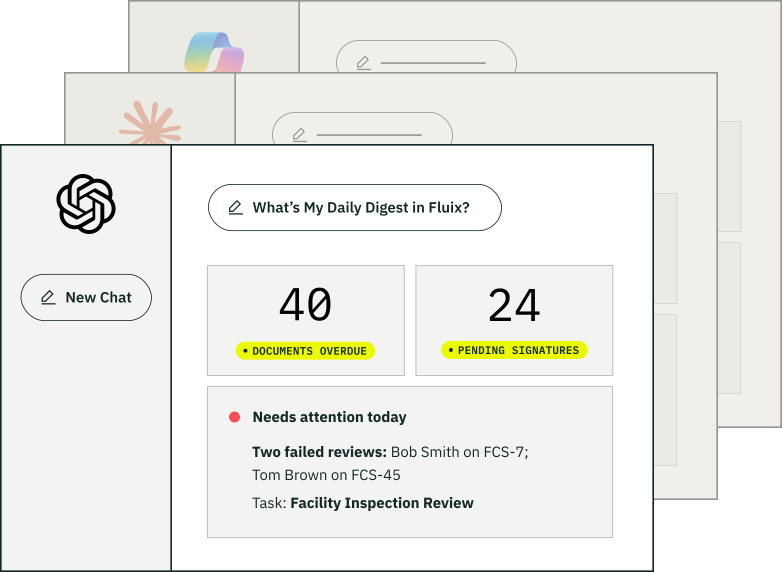



Set up in minutes. No terminal.
No config files
Connect Fluix MCP to ChatGPT
One-time setup in Fluix and the ChatGPT admin center – no terminal, no config files.
ChatGPT connects to your Fluix environment
Every inspection, PTW record, and report you’ve logged in Fluix is available the moment the connection is live.
Ask ChatGPT to do things
Describe what you need in plain language, right in ChatGPT and see the analysis come straight away.
Fluix MCP connects your inspection forms, checklists, and audit records to ChatGPT. Ask a question in plain language – get answers from live field data.
Fluix MCP connects your Fluix account to AI assistants. It relies on “skills”, short instruction files, that teach the AI exactly how to consistently pull, analyze, and format specific records, eliminating the need for manual data exports or complex dashboards.
for a team of one to an organization of thousands

Your AI is only as useful as the tools it can connect to. Set it up once, then describe things that you have been collecting manually. No code required

Your teams are already using approved AI agents to access business tools. Fluix MCP gives IT one governed connection across every AI agent your org uses: Claude, ChatGPT, Copilot. Account-level restrictions, managed connections, and workspace controls apply to all of them.
Put your AI to work on real field data

Built for ChatGPT
Fluix MCP works inside the ChatGPT your team already uses. No new AI tool to buy, learn, or govern.

Set-up in minutes
Install from the ChatGPT Plugins, connect your Fluix account, and start asking questions.

Permissions carry over
Your AI only sees what you’re allowed to see. Fluix roles and access controls apply automatically – no separate permission setup for AI connection.

Stop exporting to ask questions
No more CSV downloads and pivot tables. ChatGPT queries live Fluix data directly, so the answer reflects what the field submitted – no last week export.

See Fluix data in full context
Ask questions that span systems. Cross-reference inspection results with other MCP connected data sources and make decisions on the full picture, not one silo.

Your Data stays yours
Your inspection data stays in Fluix, we don’t read it, and it’s never used to train models. ChatGPT accesses it through your own AI tooling, under your corporate policies.
Three roles, three questions, one connection.
My audit prep takes a week every quarter
As your AI to pull every PTW signoff, photo, and timestamp for a site. The evidence already exists at Fluix.
My inspection packs come back incomplete
As you AI which inspections are missing a photo or signoff before the crew clocks out – not after the report’s already late.
Closeout always waits on
one signoff
Ask your AI which packages are stuck and why. It reads the same approval chain your team works in, live.
Your data is safe with us

Your hazard data handled with the utmost care.
Our AICPA-SOC 2 attestation applies to our entire SaaS platform. You can feel confident your safety data is well protected, backed by the most rigorous industry standards.

Security maintained to international standards.
Fluix’s ISMS is ISO 27001 certified, meaning that not only do we protect your hazard records, we constantly check for potential risks, and ensure that the security we have in place is ironclad.
Learn more Fluix MCP

MCP stands for Model Context Protocol. It’s an open standard from Anthropic that lets tools like Copilot, Claude and ChatGPT connect to external data sources. Fluix runs an MCP server, so you can ask your LLM questions about your inspections, faults, and any related inspection queries and get real answers pulled from your actual data.
Let’s talk
See how Fluix helps
businesses work smarter


