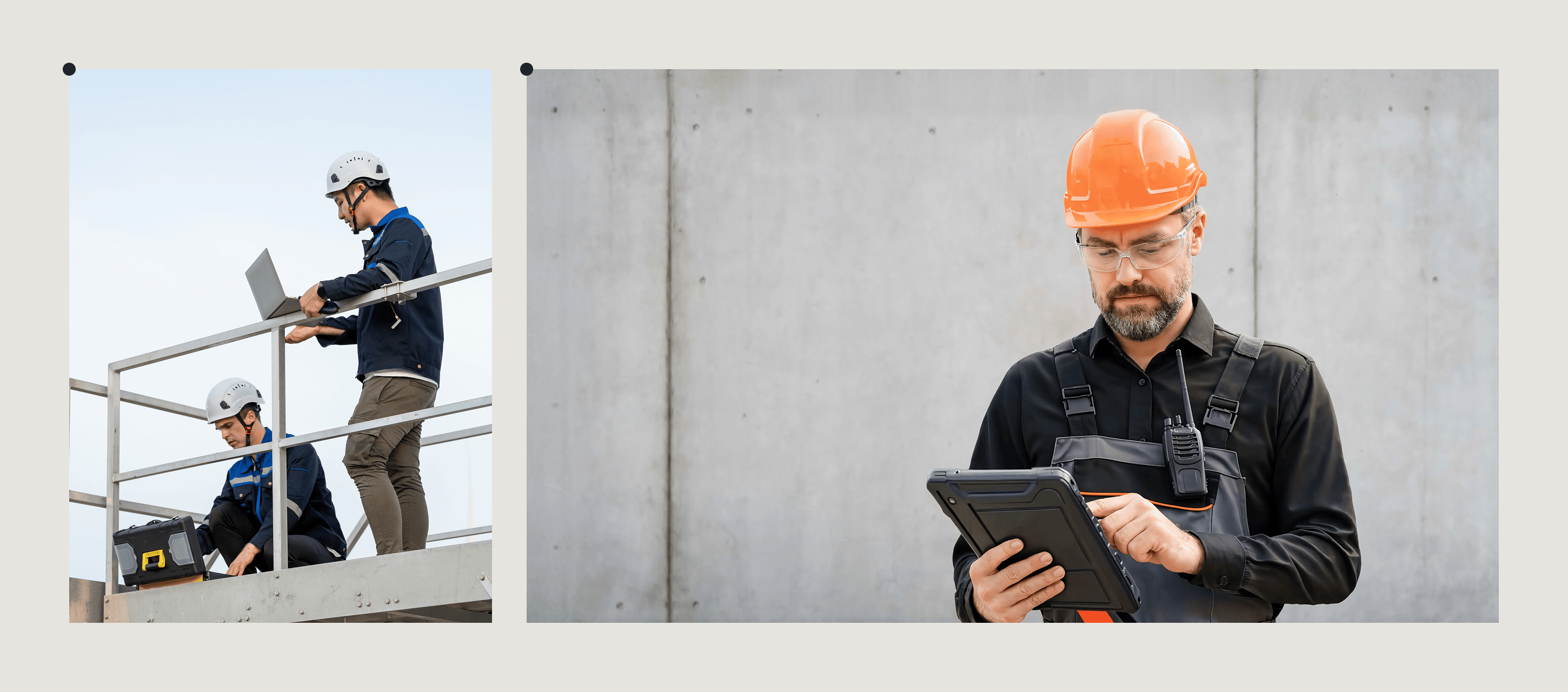
SafetyCulture (iAuditor) is a popular solution for automating inspections and safety workflows. Possibly, the most popular nowadays. However, as organizations grow and their operations mature, they often start looking for alternatives that better meet needs around customization, scalability, or cost-effectiveness.
I have spent over a decade as a Product Lead at Fluix, where evaluating inspection management platforms is a core part of my role. Teams ask me regularly which SafetyCulture alternatives are worth looking at. In this article, I’ll cover the six alternatives I recommend most, with assessments of where each one wins and where it falls short. I reviewed G2 and Capterra alongside my own product knowledge to make sure this reflects how these tools perform in practice.
Note: SafetyCulture rebranded to Mitti in August 2026. Throughout this article I use “SafetyCulture” where context requires it and “Mitti” where referring to the current product, and I have updated all product details, pricing, and features to reflect what is live today.
How I selected These Alternatives to SafetyCulture
Aside from my own knowledge and experience, I’ve analyzed software review sites like G2 and Capterra, along with community forums to understand strengths and weaknesses of the top Mitti alternatives. And a clear set of criteria helped me narrow down the final list. The main ones are:
- Offline performance — does it work without signal, and does it sync reliably when connectivity returns?
- Inspection depth — does it support structured checklists, conditional logic, and photo evidence as first-class features?
- Corrective action routing — do findings automatically route to the right person, or does someone create a follow-up task manually?
- Pricing transparency — is the per-user cost clear, and does it stay reasonable as the team scales?
- Integration capability — does inspection data flow into the systems operations teams already use?
List of the Best SafetyCulture Alternatives
Tables make it easy to compare strengths and trade-offs side by side, so I’ll start with this comparison before diving into the details of each tool.
| SafetyCulture | Fluix | MaintainX | Fieldwire | VelocityEHS | Connecteam | Fulcrum | |
| Digital inspections & checklists | ✅ | ✅ | ⚠️ Available within work orders | ⚠️Available, task/photo-based | ✅ | ⚠️ Available, with basic forms | ✅ |
| Formatting / template flexibility | ⚠️ More rigid layouts | ✅ | ✅ | ⚠️ Limited | ⚠️ More rigid layouts | ⚠️ Simple forms | ✅ |
| Mobile app (iOS / Android) | ✅ | ✅ | ✅ | ✅ | ✅ | ✅ | ✅ |
| Offline mode | ⚠️ Sync issues (esp. with photos) | ✅ | ⚠️Tier-dependent | ⚠️ Sync delays | ✅ | ⚠️ Limited | ✅ |
| Photo capture | ✅ | ✅ | ✅ | ✅ | ✅ | ✅ | ✅ |
| Corrective actions | ✅ | ⚠️Workflow-based | ✅ | ⚠️ Task-based | ✅ | ⚠️Task- based | ⚠️ Workflow-based |
| Task scheduling | ✅ | ✅ | ✅ | ✅ | ✅ | ✅ | ✅ |
| Guest / external access | ⚠️ Seat-based | ✅ | ⚠️ Per-user pricing | ⚠️ Seat-based | ⚠️ Licensed users | ⚠️ Seat-based | ⚠️ Per-user licensing |
| Charts & dashboards | ✅ | ⚠️ Configurable | ⚠️ Tier-gated | ✅ | ✅ | ⚠️ Basic | ✅ |
| Reporting & exports | ✅ | ✅ | ✅ | ✅ | ⚠️ Requires setup | ⚠️ Requires setup | ✅ |
| Integrations | ✅ | ✅ | ⚠️ APIs gated | ✅ | ✅ | ⚠️ Limited | ⚠️ Limited |
| Training & support | ⚠️ Seat-based | ✅ | ✅ | ✅ | ✅ | ✅ | ✅ |
1. Fluix: Best for Inspection Management
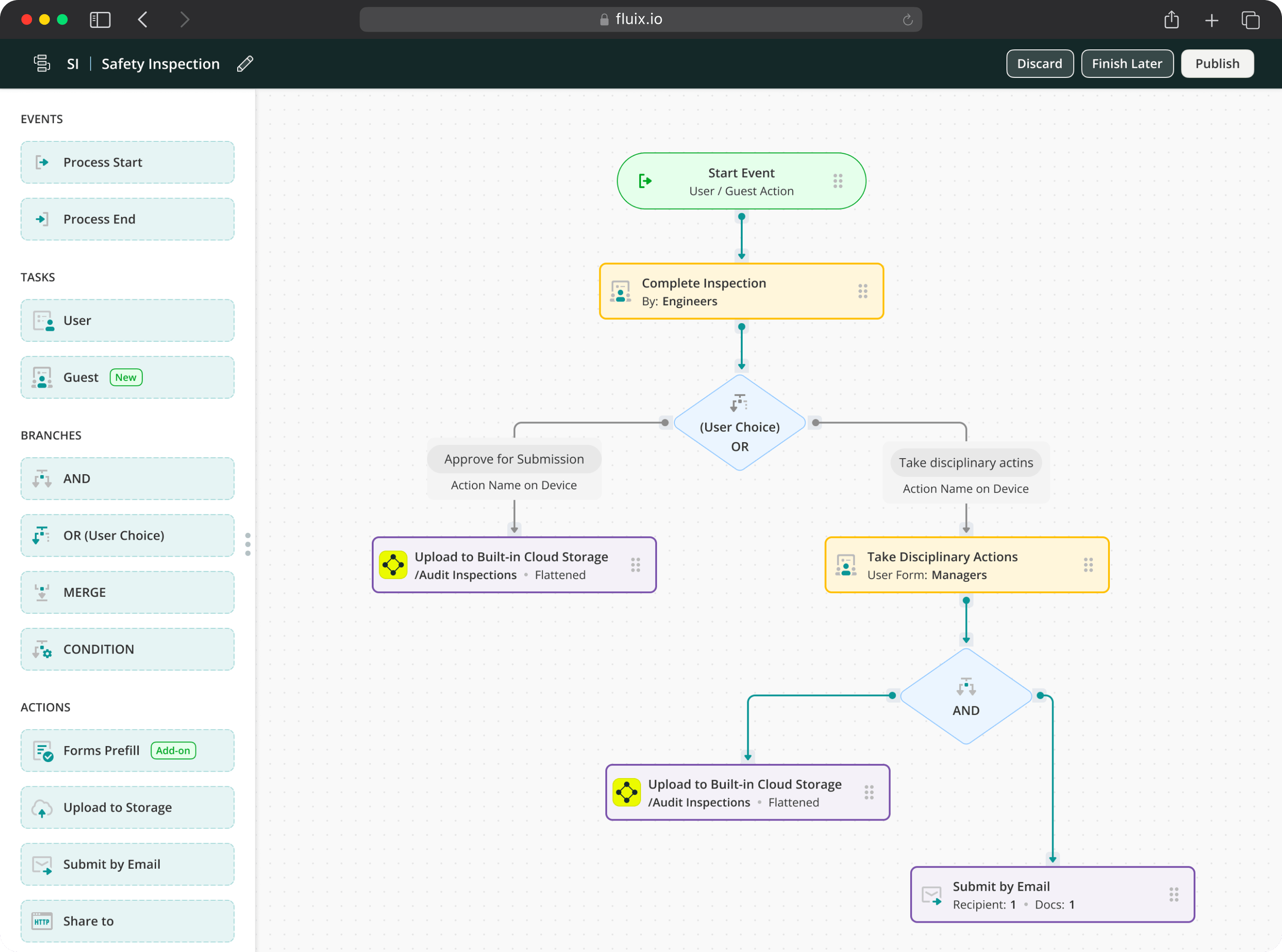
Fluix is inspection management software for used to run inspections, capture clean field data, and stay audit-ready.
Where Fluix differs from Mitti is focus. Fluix is built specifically for inspection workflows: the inspector completes a checklist, findings automatically route to corrective actions assigned to a named person with a due date, the corrective action closes, and the full audit trail is stored without manual intervention.
The two areas where this matters most in real field conditions are offline capability and corrective action routing. Fluix’s offline mode is fully featured — inspections, photo capture, e-signatures, and GPS timestamps all work without signal and sync automatically when connectivity returns. This is not relevant for office-based users, but it is a hard requirement for teams working on offshore platforms, wind turbines, aircraft hangars, and remote construction sites
And while I must admit Mitti is a giant in the space, a quick look through Capterra will tell you that many users aren’t entirely happy with rigid pricing, unreliable syncing in offline conditions, limited reporting flexibility, and a setup experience that can feel heavier than expected.
Fluix avoids many of these pain points by giving you flexible workflows, solid offline performance, and clearer control over how inspection data turns into follow-up work.
Fluix Key Features
- Mobile inspections with offline mode
- AI form builder
- Automated approvals
- Task scheduling
- Issue tracking and corrective actions
- Automated notifications and alerts
- Reports and live dashboards
- Integrations and MCP
Fluix Pricing
- Crews: $29 per user/month, 5+ users
- Operations: $49 per user/month, 15+ users
- Enterprize: Quote request, 25+ users
Ratings
4.8 – Capterra, 4.8 – G2
Looking for a reliable inspection tool built for field conditions?
Fluix gives you offline inspections, flexible workflows, and full control over follow-ups
2. MaintainX: Best for Maintenance
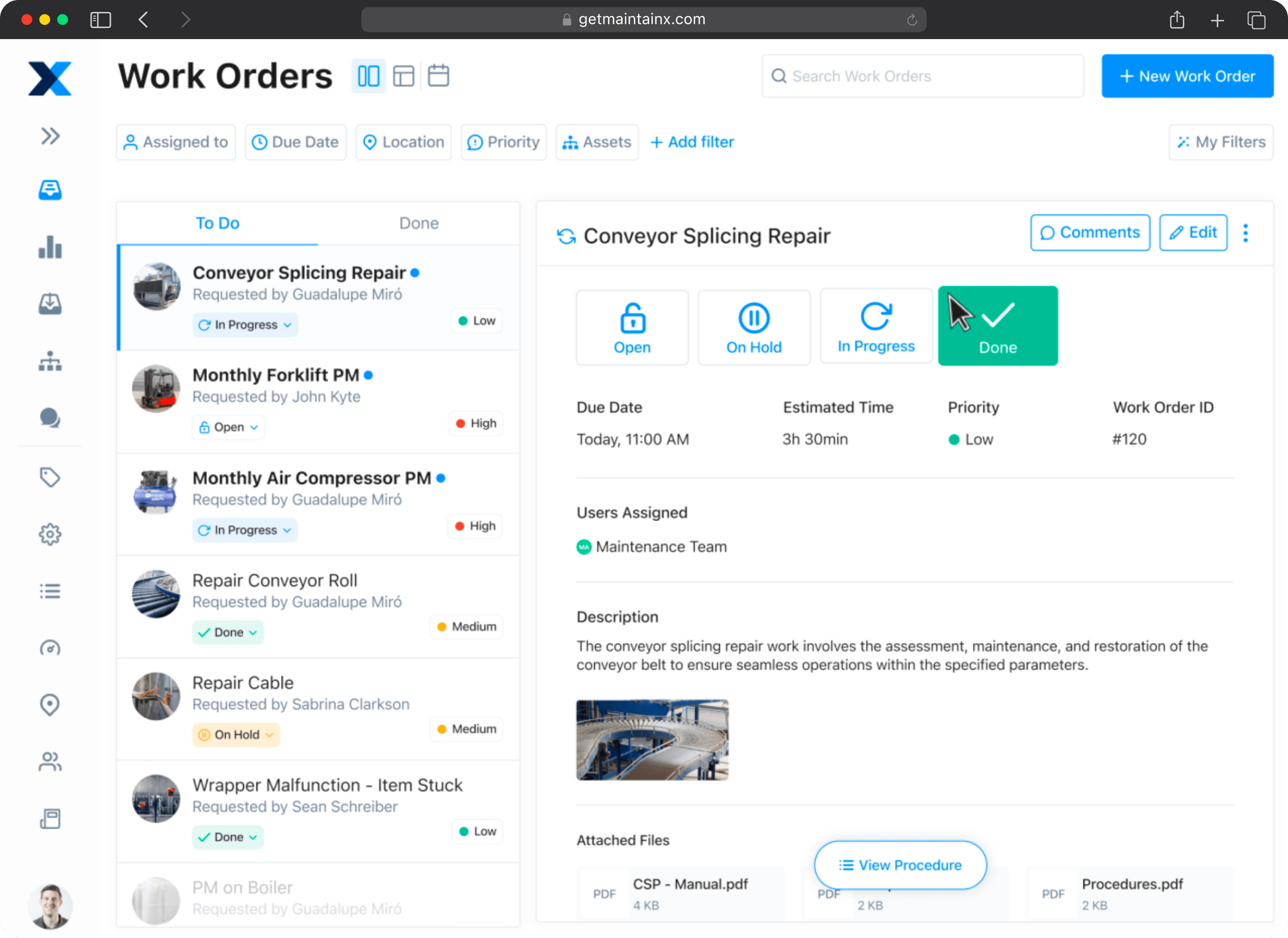
MaintainX is a CMMS (Computerised Maintenance Management System) built around work orders, asset tracking, and preventive maintenance. It is the right tool for facilities and manufacturing teams whose primary workflow is maintenance scheduling.
The distinction matters when evaluating it against Mitti. MaintainX handles inspections within work orders, which works well when an inspection is part of a maintenance activity but is less suited to independent inspection programmes that exist separately from maintenance.
Since February 2026, MaintainX has invested heavily in AI. AI Procedure Recommendations automatically searches the procedure library when a work order is created, surfacing the most relevant options based on work order title, description, and asset. The MaintainX Intelligence suite now includes AI-assisted work order descriptions, parts suggestions from historical data, natural-language reporting, failure prediction, and an in-app assistant for technicians. In July, the platform expanded OT Data Connectors with support for Ignition 8.3 and Custom MQTT, adding real-time machine data integration for SCADA-connected environments.
MaintainX Key Features
- Work order management
- Preventative and predictive maintenance
- AI Procedure Recommendations
- Asset and materials management
- Mobile access
- Asset tracking
- Performance analytics
MaintainX Pricing
- Basic — free for small teams (limited active repeating work orders, 1 month analytics)
- Essential — $20 per user/month billed annually ($25 monthly)
- Premium — $65 per user/month billed annually ($75 monthly)
- Enterprise — custom pricing — includes multi-site management, IoT integrations, SSO, AI tools
Ratings
4.8 – Capterra, 4.8 – G2
3. Fieldwire: Best for Construction Project Management
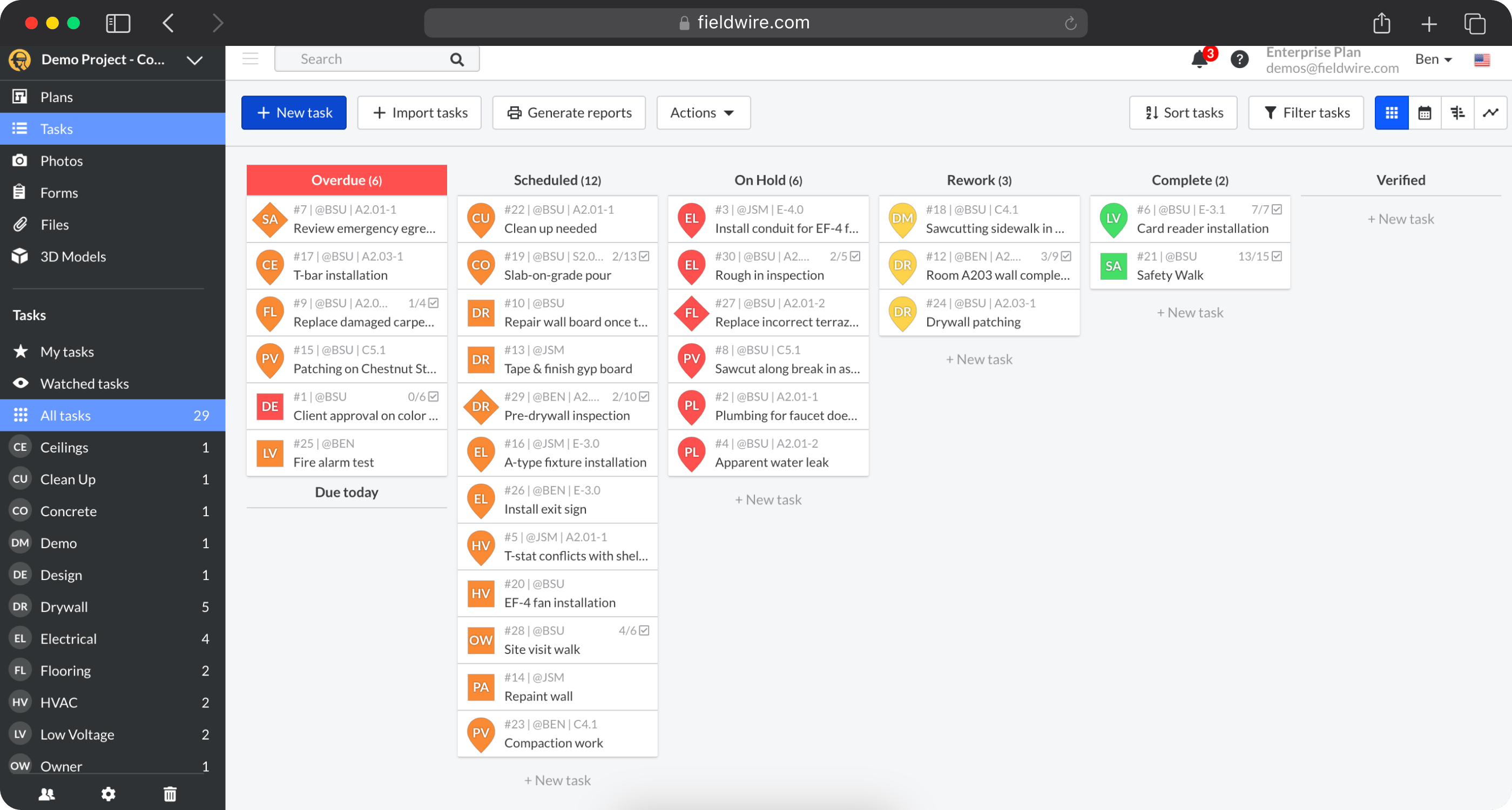
Fieldwire now part of Hilti, is a construction-first platform built around task management, plan markup, and subcontractor coordination. It covers the full construction project lifecycle from design review to punch list management.
For teams in construction evaluating a SafetyCulture/Mitti alternative, Fieldwire is a legitimate option for project coordination. For teams in other industries — energy, aviation, utilities, manufacturing — it is not a natural fit. Fieldwire’s product design, features, and integrations are built for construction and do not extend naturally to other sectors.
Since February 2026, Fieldwire has shipped its “Field Intelligence” AI layer — voice input for creating and completing tasks or forms with real-time translation, Primavera P6 schedule import, plan syncing between general contractor and subcontractor projects, and 3D task coordination. These are meaningful additions — and they are all construction-specific. If anything, the 2026 product investment confirms that Fieldwire is deepening its construction focus, not broadening its industry reach.
Fieldwire Key Features
- Task management and punch list management
- Document and drawing management with plan markup
- Inspection and issue tracking
- Voice-to-task AI
- Primavera P6 schedule import
- Subcontractor management and scheduling
Fieldwire Pricing
- Basic — free, limited users
- Pro — $39 per user/month (annual billing)
- Business — $64 per user/month (annual billing)
- Business Plus — $89 per user/month (annual billing)
Ratings
4.6 – Capterra, 4.5 – G2
4. VelocityEHS: Best for Enterprise EHS
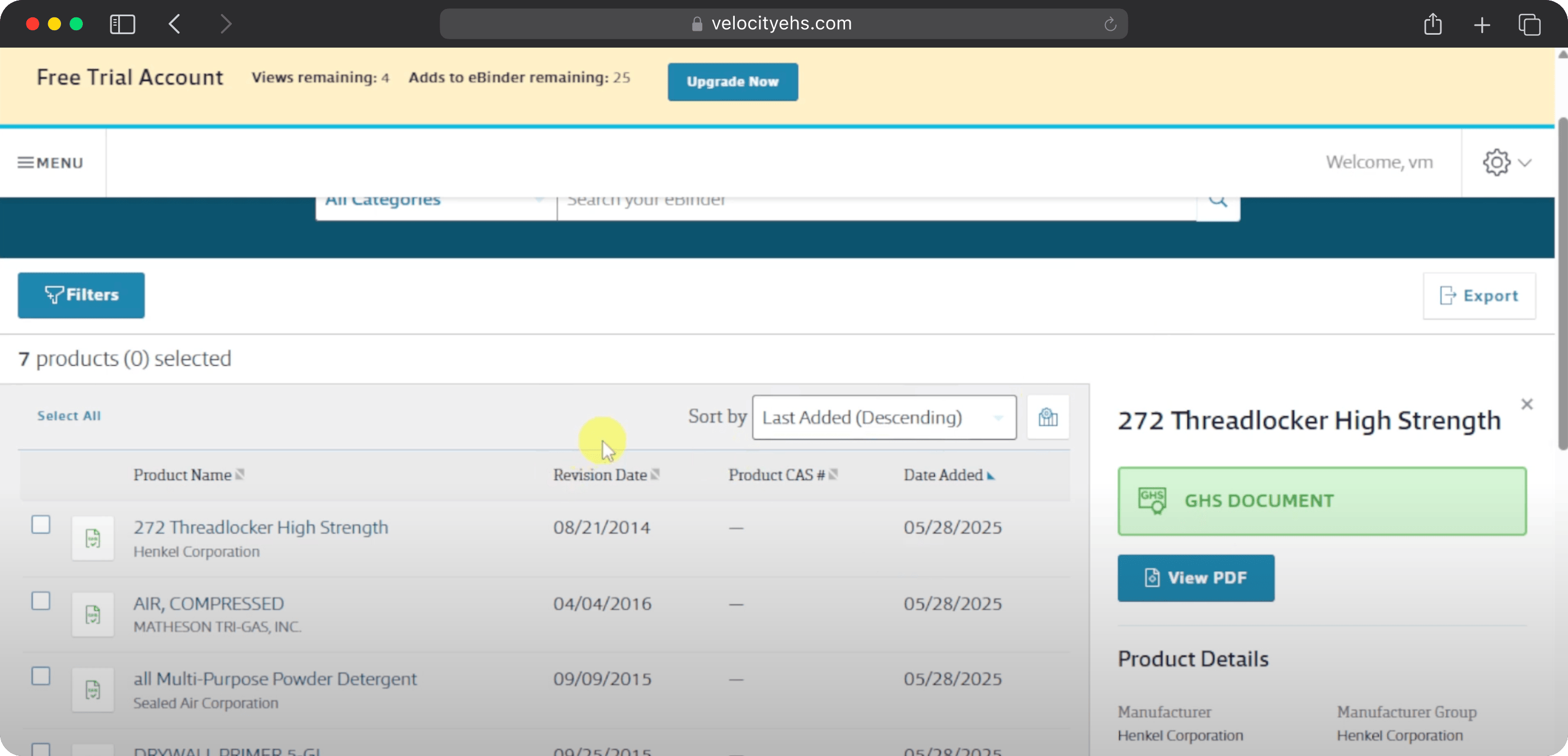
VelocityEHS is an enterprise EHS platform covering environment, health, safety, and sustainability programmes across large organisations with complex regulatory requirements. It is trusted by one-third of the Fortune Global 1000 and serves chemical, manufacturing, healthcare, and mining industries at scale.
For teams that use Mitti primarily for inspections and safety checklists, VelocityEHS is likely more than they need. It is designed for dedicated EHS departments managing ISO 14001, OSHA 1910, industrial hygiene, chemical management, and ergonomics programmes simultaneously — not for field operations teams running daily safety checks and equipment inspections.
Where it is the right choice: large enterprise organisations with a dedicated EHS team, complex multi-site regulatory requirements, and a need to manage chemical risk, environmental compliance, and operational safety in a single platform.
VelocityEHS Key Features
- Incident management and investigation
- Chemical and SDS management
- Environmental compliance and monitoring including air, water, and waste
- Risk assessment including ergonomics and industrial hygiene
- Permit to work management
- Contractor safety management
- ESG reporting and sustainability tracking
VelocityEHS Pricing
- Quote-based
Ratings
4.4 – Capterra, 4.4 – G2
5. Connecteam: Best for Workforce Management
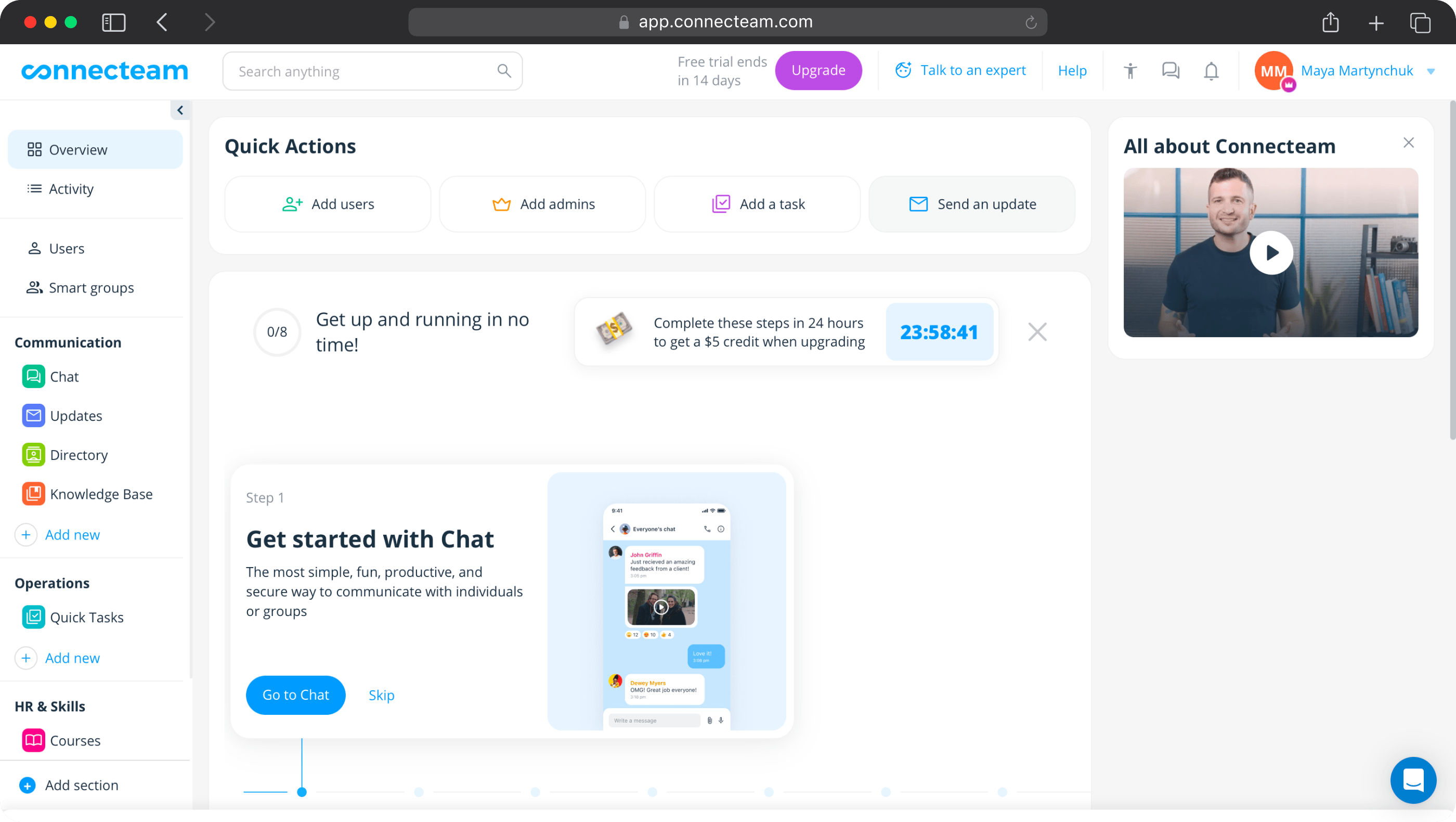
Connecteam is a workforce management platform built around employee scheduling, time tracking, HR processes, and team communication. Its primary users are in retail, hospitality, and restaurant businesses where managing a distributed hourly workforce is the main operational challenge.
It appears frequently in SafetyCulture/Mitti comparison searches but it is not a close alternative for teams using Mitti primarily for safety inspections and compliance documentation. Its inspection and checklist functionality is basic — the platform’s roadmap is oriented toward workforce coordination, not field safety depth.
If the primary reason for evaluating Mitti alternatives is cost and the need for basic forms alongside workforce scheduling, Connecteam is worth a look. If the primary reason is inspection depth, corrective actions, or audit readiness, it is not the right tool
Connecteam Key Features
- Employee scheduling and GPS-enabled time clock
- Team communication and surveys
- Compliance management
- Basic forms and checklists
- Training management and onboarding
Connecteam Pricing
Prices are per hub, per month, for up to 30 users. Most teams need more than one hub.
- Free — up to 10 users, all hubs included
- Basic — $29/month per hub for up to 30 users ($3/month per additional user)
- Advanced — $49/month per hub for up to 30 users
- Expert — $99/month per hub for up to 30 users
- Enterprise — custom pricing, 200+ users
Ratings
4.6 – Capterra, 4.6 – G2
6. Fulcrum: Best for GIS Data Capture
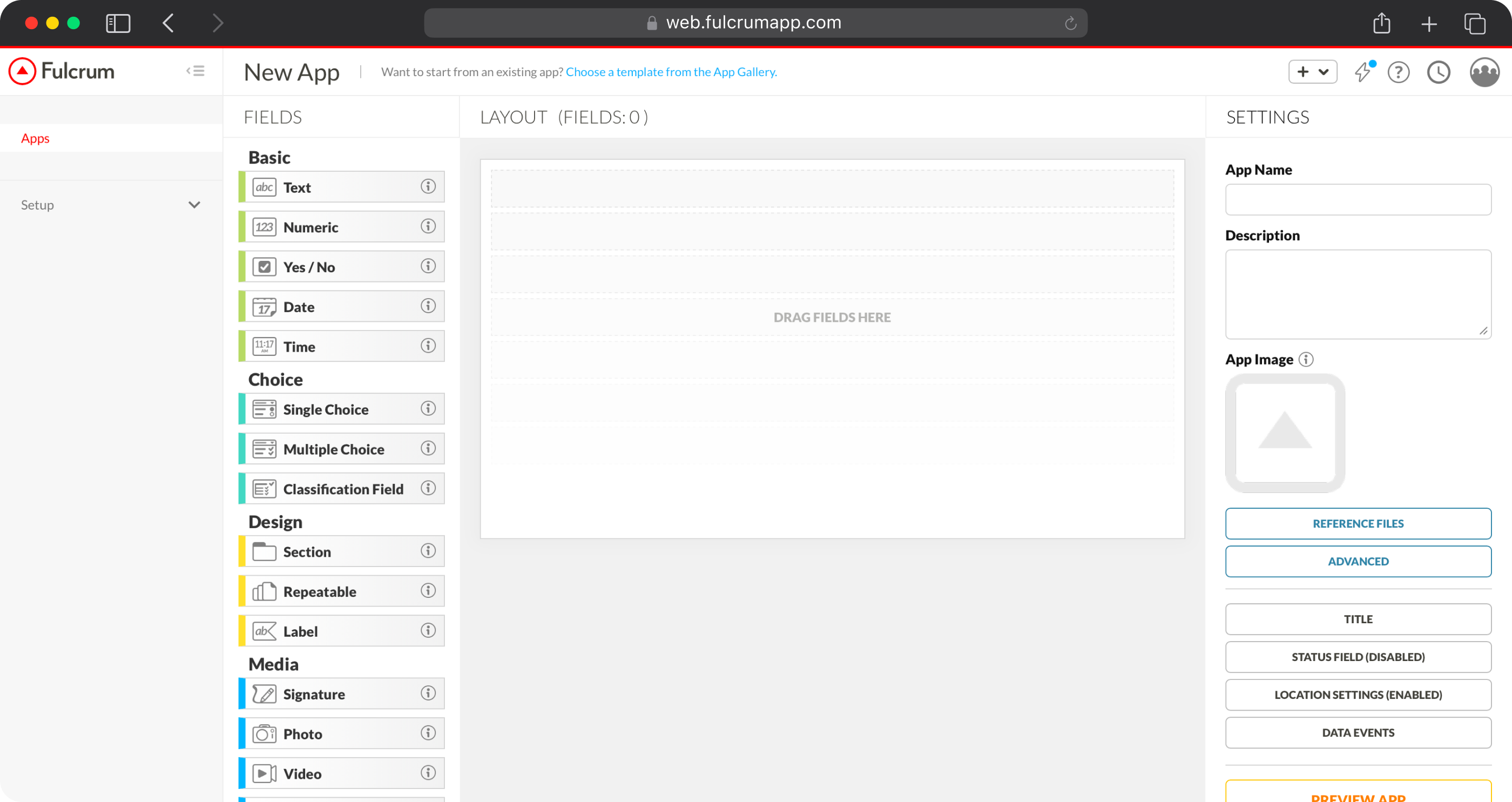
Fulcrum is a field data collection platform with strong GIS capabilities. It is used primarily by engineering, utilities, and environmental firms that need to capture geographic data — GPS coordinates, spatial attributes, asset locations — alongside inspection findings.
In 2026, Fulcrum has expanded its AI capabilities meaningfully. FastFill instantly populates forms with data extracted from photos, voice inputs, and text, eliminating manual entry. Object recognition classifies field assets automatically. Face blurring handles privacy compliance for photo capture. Importantly, Fulcrum’s AI works both online and offline — a meaningful differentiator for remote field conditions.
For teams that need inspection functionality combined with GIS capability and location-based asset tracking, Fulcrum is worth evaluating. For teams that primarily need safety inspections and corrective action management without a geographic dimension, it offers more platform than they need.
Fulcrum Key Features
- Mobile data collection with GPS and timestamps
- GIS integration and mapping
- FastFill AI — form population from photos, voice, and text
- Object recognition and offline AI capability
- Offline mode — including AI features offline
- Real-time data streaming
- Third-party integrations including ArcGIS, Power BI, and Google Sheets
Fulcrum Pricing
- Professional: $43 per user/month
- Elite: $55 per user/month
- Enterprise: custom pricing
Ratings
4.7 – Capterra, 4.6 – G2
How to Choose the Right SafetyCulture Alternative
My recommendations above will give you a decent head start. However, there’s still the matter of narrowing down the options among all of the Mitti competitors.
Once you’ve selected one or more of the platforms that look most suitable, I’d suggest properly scrutinizing them against your specific needs. Try these steps:
- Define the most crucial features for your organization.
For me, this is about considering things like the usability of interfaces and dashboards, external integrations, security, and the ability to customize.
- Find out about the onboarding process
You can have the best-rated solution on the market but if it’s a struggle to understand or use then it won’t be of much use. For this reason I think onboarding is critical. Find out how comprehensive it is. And is there ongoing training? - Will it scale with your organization?
I see this a lot with Fluix, as we are often adopted to tackle a specific business problem and then rolled out into other areas, such is the depth and flexibility of the platform. Does your solution do this? Will it help you grow as you eliminate pain points and free up your time for more important tasks? - Thoroughly assess your budget and understand pricing structures.
Free plans are enticing but often come with limitations on features or number of users. While there are a lot of similarities between the Mitt alternatives I’ve listed above, make sure you analyze exactly what’s offered with each pricing tier. - Make sure customer support and training options are top notch.
I can’t stress this enough. How accessible and available is customer support? Are there tutorials, and community forums? If you require assistance at any stage of the adoption and onboarding process will there be someone on hand to help.
How to Switch from SafetyCulture to a New Platform
Most of us break out in a sweat at the thought of transferring data to a new phone (I know I do), so the prospect of switching your company to another organizational system can obviously be a little daunting.
There are, however, a number of steps I can recommend to make the switch as seamless as possible.
First, you should clearly identify the pain points you want to address and solve. This will make the onboarding process much more targeted and help you assess outcomes and effectiveness. Additionally, I would suggest:
- Defining what success looks like for your organization. What are the results you’re aiming to hit?
- Taking the opportunity to assess your IT infrastructure and everything is up to date
- Identifying users in the organization and members of the implementation team, including supervisors and decision makers
- Ensuring you have a process in place to collect feedback during pilot testing
Gathering information like this, in the case of the onboarding process we have at Fluix, will set you up for a successful switch.
During the process, you’ll be partnered with a Customer Success Manager, Solutions Architect and Support Team who will guide you through integration with your existing tools, automation and set-up optimization, training, and address any requests or questions you have.
FAQ
- Is SafetyCulture still available in 2026?
SafetyCulture rebranded to Mitti in August 2026. The platform is still fully available — the product, features, pricing, and team are unchanged. The mobile app was renamed to Mitti and the website moved to mitti.com. Existing customers were migrated automatically with no disruption to data, logins, or workflows.
2. What is the difference between SafetyCulture and iAuditor?
iAuditor was the original name of SafetyCulture’s mobile inspection app, launched in 2012. The company later rebranded the platform to SafetyCulture. In August 2026, the company rebranded again to Mitti. All three names refer to the same product at different points in its history.
3. What is the cheapest SafetyCulture alternative?
Mitti itself offers a free plan for teams of up to 10 users. Fluix, MaintainX and Connecteam also offer free plans for small teams, though with meaningful feature limitations.
4. Which SafetyCulture alternative has the best offline mode?
Fluix and Fulcrum both have strong offline track records in high-risk field conditions. Fluix is used by RWE Renewables for offshore wind turbine inspections specifically because of its offline reliability. MaintainX offline capability is tier-dependent. Mitti’s offline mode works but has documented photo sync issues in G2 and Capterra reviews.
5. Can external contractors access SafetyCulture alternatives without a paid seat?
Fluix’s Operations plan includes guest access for external users — vendors, subcontractors, and third-party inspectors — without requiring a full paid licence. Most other platforms, including Mitti, Fieldwire, and MaintainX, charge for external user access on a per-seat basis.
6. Which SafetyCulture alternative is best for construction?
Fieldwire is the most construction-specific option, covering the full project lifecycle from plan review to punch list. For teams in construction who specifically need inspection management — safety walkthroughs, equipment checks, quality audits — Fluix is used by construction companies including Dyna Crane and Centuri for this purpose.
7. Which SafetyCulture alternative is best for wind energy?
Fluix is used by RWE Renewables, ZITON, Siemens Gamesa, and CPP Australia for wind energy inspections. Its full offline capability — including at height and offshore — is the primary reason wind energy teams choose it over alternatives. CPP Australia achieved 43% faster wind farm inspections after deploying Fluix.
8. How long does it take to switch from SafetyCulture to Fluix?
Most Fluix deployments are live within four weeks, including template migration, integrations, and team training. Fluix provides a dedicated Customer Success Manager, Solutions Architect, and Support Team throughout the onboarding process.