When inspectors spot issues during inspections, they need to report them, assign corrective actions, track resolutions, and share documentation for compliance or follow-up work. Too often, this means manual reports, duplicate data entry, and chasing updates across emails.
Issue Reports in Fluix eliminate that by automatically turning completed checklists into clear, actionable, and shareable reports.
Let’s learn what Issue Reports are, how different teams use them, and how they can simplify your inspections, safety, and maintenance workflows.
Note: Issue Reports are available under the Core plan. Compare Fluix plans on our pricing page to view all available features.
Contents:
WHAT ARE ISSUE REPORTS?
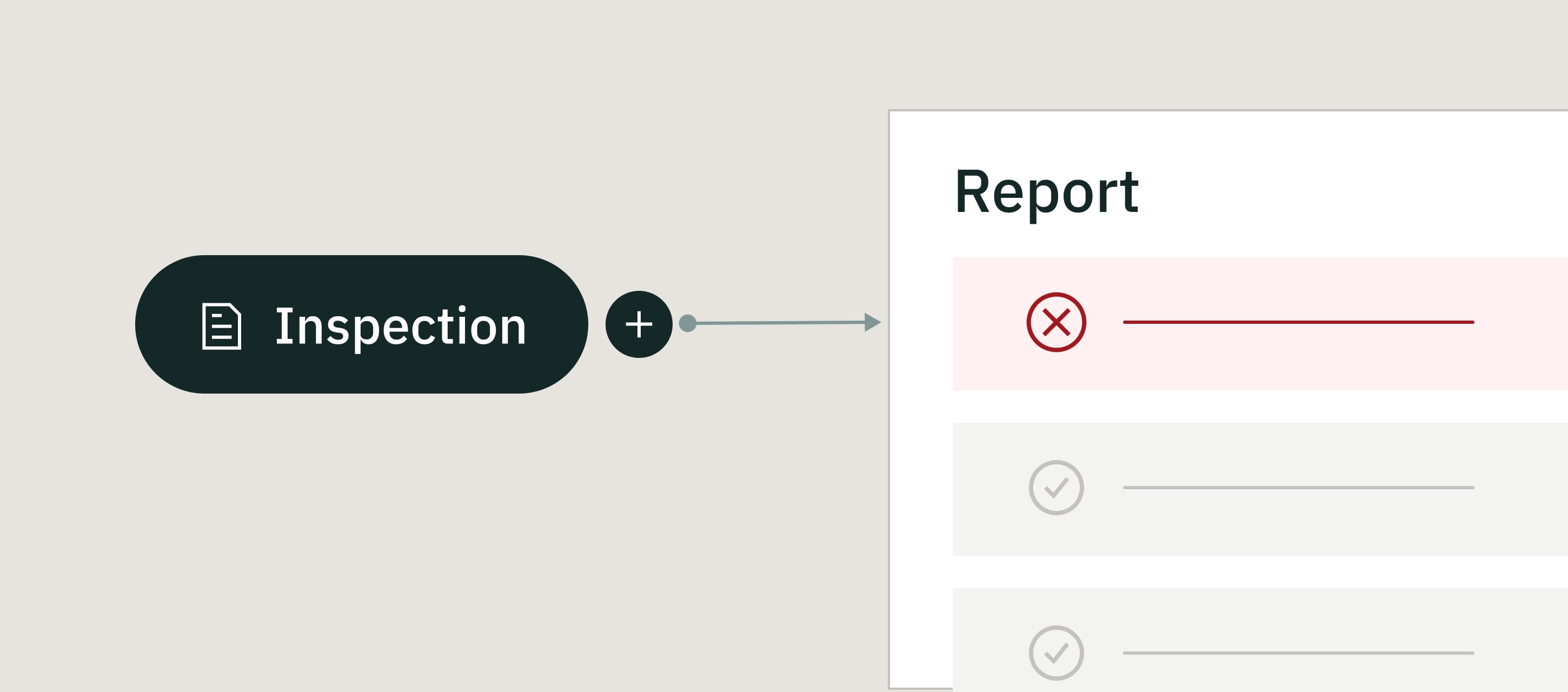
Issue Reports is a functionality that automatically creates an issue-focused summary from a completed inspection checklist.
Instead of writing incident reports or punch lists after the job, inspectors flag issues during the inspection, and Fluix does the rest. It pulls those flagged items into a clear report that teams can review, update with resolutions, and share.
How it works:
- Inspectors complete a checklist during an inspection
- They flag issues, failures, or non-conformities as they go
- Fluix generates a summary listing only the identified issues
- Teams add resolutions and move the report through review or approval
Admins set up report formats based on who needs the information (customers, supervisors, safety, or maintenance teams) so each audience gets the right level of detail without extra work.
Issue Reports cover common inspection outcomes like incident findings, defects, NCRs, and corrective actions, all in one consistent flow.
Key Issue Reports features
- Instant issue summaries. Automatically generate reports the moment an inspection is completed.
- Issues only reported. Reports include only flagged items. If no issues are found, Fluix doesn’t create a report.
- Resolution tracking. Add corrective actions based on the report settings. and track progress until issues are closed.
- Workflow-ready by default. Send reports to the next person to fix issues, review results, or approve actions.
- Easy sharing with customers. Email reports or share them as read-only documents.
- One source of truth. Updates in the report sync back to the original checklist automatically.
Already using Fluix? See how Issue Reports fit into your workflows. Activate Issue Reports now.
WHAT YOU CAN DO WITH ISSUE REPORTS
Issue Reports fit into existing inspection workflows and can support different roles across the operation. Here’s how teams like yours use them day to day.
1. Field teams and inspectors
- Generate a customer-ready issue summary as soon as the inspection ends
- Enter data once in the checklist and reuse it automatically
- Share findings immediately instead of writing reports after leaving the site
2. Service and maintenance teams
- Receive clear, structured issue lists from inspections and maintenance checks
- Add resolutions directly in Fluix and move issues toward closure faster
- Keep updates and communication in one system, not scattered across emails
3. Safety, compliance, and quality teams
- Apply a consistent structure to issue findings and corrective actions
- Ensure reports follow internal rules and regulatory requirements
- Track issues and resolutions across sites, teams, and time
4. Customer-facing teams
- Share professional, easy-to-read reports with customers
- Control access with editable or read-only formats
- Keep customers informed without extra admin work
Need More Details about Issue Reports?
Our team will show how they work for your inspection workflows
BENEFITS OF USING ISSUE REPORTS
Issue Reports work best when you run frequent inspections, involve multiple people, and need reliable follow-up.
- Spend less time on documentation
You don’t need to rewrite inspection findings after the job. When you flag issues in the checklist, Fluix carries them into the report automatically.
- Follow up on issues sooner
You see inspection findings as soon as they’re submitted, so you can start corrective actions without delay.
- Know who’s responsible for what
Each issue shows its status and resolution, helping you understand what’s done and what still needs attention.
- Keep reports consistent across teams
You get the same report structure every time, no matter who completed the inspection.
- Review and share information more easily
You can filter Activity Status to see only workflows with issue reports, which helps during reviews, audits, or when sharing updates with customers.
Read More Read More 7 best inspection management software for the field in 2026
WHAT CUSTOMERS SAY ABOUT MANAGING INSPECTIONS IN FLUIX
“With Fluix, we decreased wind farm inspection time by 43%, that enabled us to cut project costs. ”Paul Wilson, Project Manager, CPP
“We use Datasets in Fluix to help with operational inspections. We check the condition of all of the conveyors, and record findings using drop-downs and simple answers in a form in Fluix. Fluix then sends the data over to PowerBI, where we can build reports and identify trends.” Matthew Hobbs, Central EC&I Systems Team Manager, DRAX
“Now we can easily reference data to monitor effectiveness of service and aggregation of components within the renewables asset.” James Bird, Maintenance Engineer, RWE Renewables
ISSUE REPORTS FAQ
- Who sets up issue reports?
Admins configure checklists, report formats, and workflows. Field users focus on inspections and issue identification.
- Does Fluix create issue reports automatically?
Yes. When you complete an inspection checklist, Fluix automatically generates a summary report based on the issues you flagged.
- Can I assign issues to someone else to fix?
Yes. You can pass the report to the next person in the workflow so they can resolve issues and update the report.
- Can I track resolutions for each issue?
Each issue includes a resolution field, so you can see what’s been fixed and what’s still open.
- What happens if no issues are found?
If no issues are flagged, Fluix doesn’t create a report — keeping your data clean and focused.
- Can I share issue reports with customers?
You can email reports to customers or share them as read-only documents.
- Is Issue Report included in my plan?
Issue Reports are available starting with the Core Plan.
LAST WORD
Inspection work doesn’t stop when the checklist is complete. That’s when issues need follow-up, ownership, and resolution. And that’s where delays usually happen.
Issue Reports remove that friction. They keep issues visible, actionable, and moving forward, from the moment they’re found to the moment they’re fixed.
If you want to spend less time documenting problems and more time solving them, Issue Reports can help.