
InspectAll is a property and field inspection platform built around compliance checklists and report generation. For teams running straightforward inspections with predictable formats, it covers the basics. But the moment your operation grows, the gaps start to show.
In this article I’m comparing three alternatives across inspection workflow capability, reporting, offline reliability, and how well each platform handles what happens after the checklist is submitted. For each tool you’ll find a product description, feature breakdown, a list of pros and cons, pricing, and real customer quotes.
Top Picks at a Glance
| Alternative | Best For | Key Strengths | Price |
| Fluix | Field inspections in regulated industries | Automated approvals, reliable offline | From $29/user/mo |
| SafetyCulture (now Mitti) | EHS management | Big template library, | From $24/user/mo |
| TrueContext | Custom reporting and integrations | Branded reporting, enterprise integrations | From $400/mo (whole team) |
| CheckProof | Heavy industry maintenance | Governance-driven inspection model, RFID scanning | From $18/user/mo |
Why Look for InspectAll Alternatives?
InspectAll does what it says on the tin for property inspection workflows — checklist-based data collection, photo capture, and basic report output. I tested it, and for simple, single-step inspections it’s functional. Where it starts to strain is everything around the inspection itself.
- Workflow automation is limited. Once a form is submitted, InspectAll doesn’t do much with it. There’s no native mechanism to route findings to a reviewer, assign corrective actions, or track resolution.
- Report customization is basic. The report output is functional but rigid. Teams that submit inspection reports to clients or regulatory bodies on a regular cadence find themselves doing formatting work outside the platform.
- Scalability becomes an issue. InspectAll works well for smaller operations with consistent inspection types. Add more sites, more inspectors, or more varied workflows and the administrative overhead increases.
- Integration depth is limited. Connecting InspectAll to other business systems requires workarounds.
- Mobile experience has room to improve. Field staff report that the mobile app, while usable, lacks the polish and reliability of newer platforms — particularly in low-connectivity environments where offline performance matters most.
My Selection Framework
I analyzed InspectAll reviews across G2, Capterra, and relevant Reddit discussions, and confirmed the patterns above through hands-on testing. That translates directly into the criteria I used to evaluate each alternative.
- Workflow beyond the checklist — Does the platform support corrective actions, approvals, and follow-up tracking?
- Report quality and customization — Can teams produce professional reports without post-processing or additional fees?
- Offline reliability — How does the platform perform in low-connectivity environments, particularly with photo-heavy forms?
- Scalability — Does the platform handle growing teams without administrative strain?
- Integration capability — Can field data reach other business systems without manual steps?
- Ease of use for field staff — Is the mobile experience intuitive enough that inspectors adopt it without friction?
1. Fluix: Best for Field Inspections in Regulated Industries
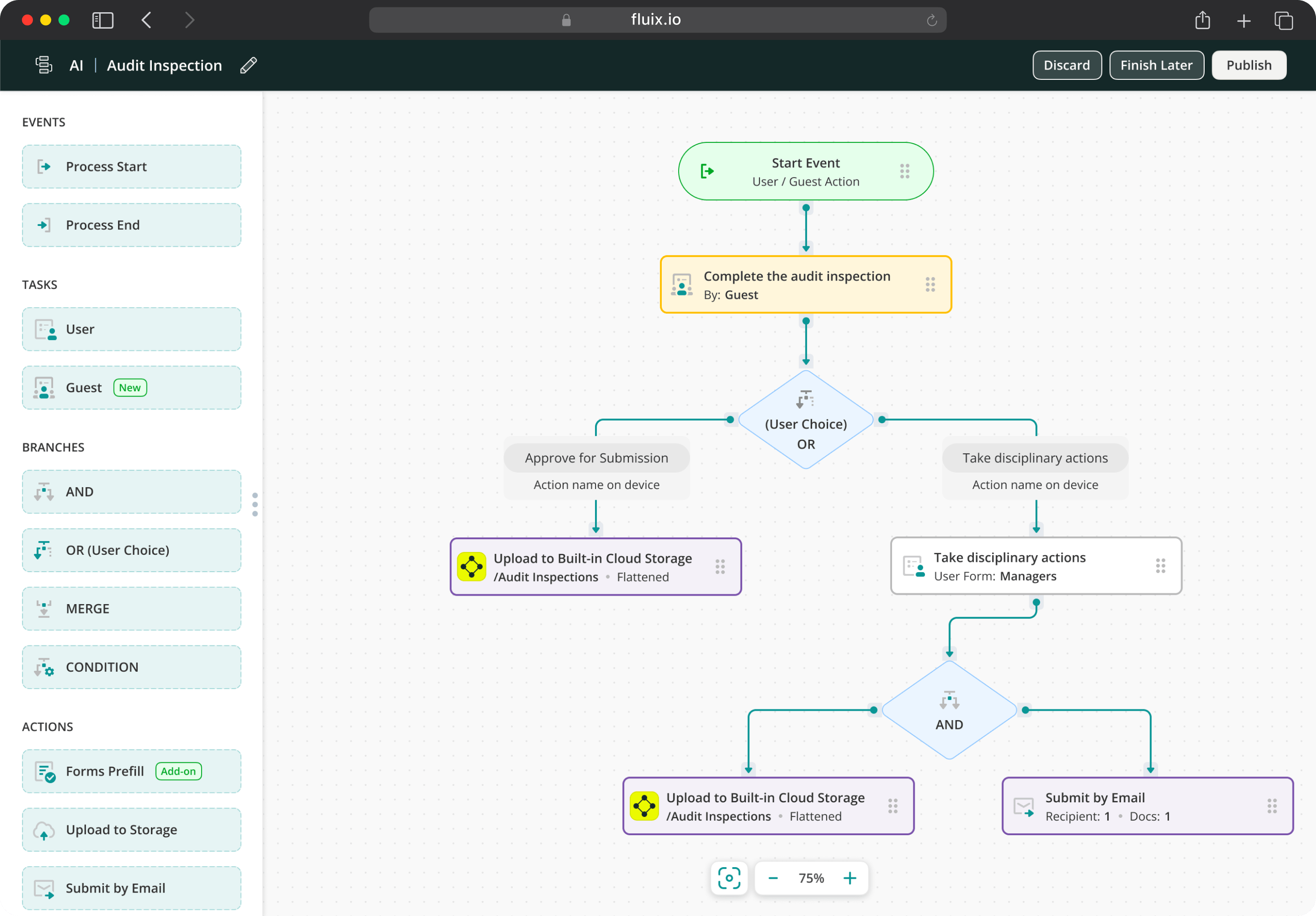
Fluix is inspection management software for field teams running different inspections, including safety, equipment, vehicle, and facility checks. The core difference from InspectAll is in what the platform does with data once a form is submitted.
The distinction from InspectAll is in what the platform does with data once a form is submitted. In InspectAll, a completed inspection produces a report. In Fluix, it triggers a process: the finding gets assigned to a named person with a due date, the corrective action is tracked, the approval routes through the right chain, and the report files automatically. For teams where the inspection is just the beginning of a safety or compliance workflow, that distinction is the reason teams choose Fluix over a simpler checklist tool.
Recently, Fluix has launched Field Intelligence, including an MCP connector that lets operations managers query live inspection data through Claude, Microsoft Copilot, or ChatGPT in plain language. “Which sites have open corrective actions older than 14 days?” or “Show inspection completion rates by site for Q3” — answered directly in the AI interface without building a report or opening a dashboard.
Key Features
- Mobile field inspections with AI form generation
- Full offline mode
- Multi-step review workflows
- Issue tracking and incident reporting
- Task scheduling and assignment with visual calendar
- Automated notifications and alerts
- Audit-ready reports generated automatically
- Field Intelligence MCP connector — query live inspection data through Claude, Copilot, or ChatGPT
Fluix Pros
- End-to-end inspection workflow. Data capture, corrective action, approval, and report in one place
- Offline reliability including photos. Inspections complete and sync reliably in poor connectivity — a genuine requirement for field teams
- Multi-step approval chains. A senior reviewer can push an inspection back with notes before it closes
- External user access included. Contractors and clients can participate in workflows without a paid seat via a link or QR code
Fluix Cons
- Android is still catching up to iOS. Some features are more limited on Android (worth checking if your team is Android-heavy)
- Not a CMMS. Teams that also need advanced asset management dispatching will need a separate tool alongside Fluix
Pricing
- Crews: $29/user/month (5+ users)
- Operations: $49/user/month (15+ users) — includes external user access
- Enterprise: Custom (25+ users)
What Do Customers Say About Fluix?
4.8 — Capterra, 4.8 — G2
“Fluix has transformed the way we work. We’ve got control over all documentation, and it’s one of the best tools we’ve invested in.” Arwel Jones, WTG Maintenance Manager, RWE
“With Fluix I get the time to do my job more effectively. Any time I can gain with automation is time I would not otherwise have.” Brendan Tilling, Project Proposals Engineer, MULTIVAC
Need Offline Inspections with Audit Trail?
Fluix is built exactly for that
2. SafetyCulture (Formerly iAuditor, Now Mitti): Best for Broad EHS Management
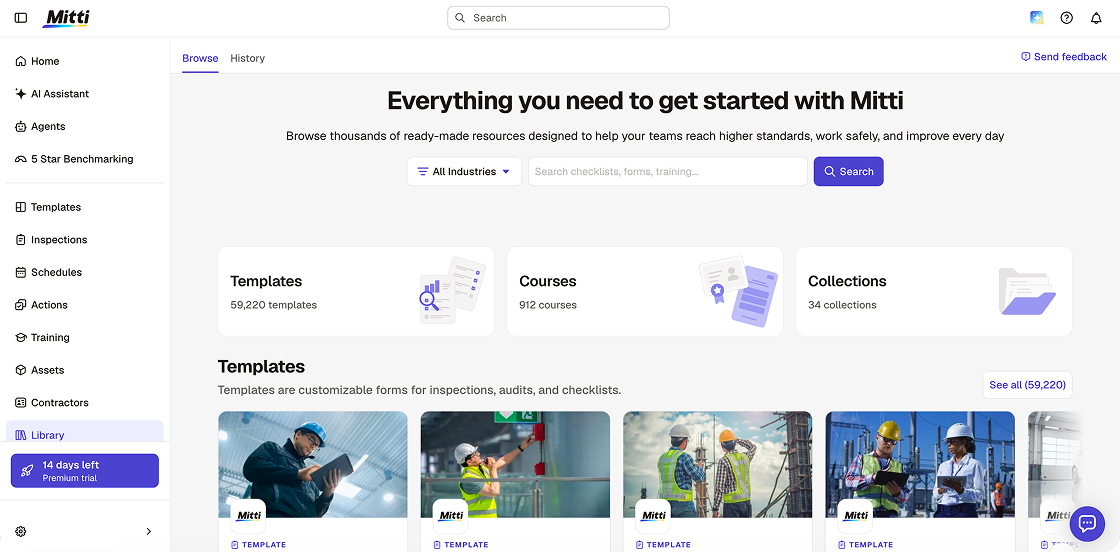
SafetyCulture (formerly iAuditor, now Mitti) is the largest platform on this list by scope.is the broadest platform on this list by scope. Where InspectAll is built around property inspection workflows, SafetyCulture has grown into a full environment, health, and safety operations platform — covering incident investigation, training, asset condition monitoring, and quality management alongside inspection workflows.
The reason it surfaces as an InspectAll alternative is breadth and template depth. The library now exceeds 59,000 customisable templates — most teams find a ready-made template for their inspection type and are running the same day they sign up. The free plan for up to 10 users is genuinely functional.
Alongside the rebrand to Mitti, SafetyCulture launched a significant AI suite: AI Agents that monitor site activity and run routine tasks in the background automatically, an AI Assistant that surfaces patterns and creates action plans, AI Issue Creation that converts photos and voice into structured issues automatically, and 5-Star Benchmarking that scores each site in a portfolio.
Where SafetyCulture gets complicated is for teams that need multi-step approval workflows. Once a worker completes an inspection or closes an action in SafetyCulture, it is effectively final — there is no native multi-tier review chain where a senior reviewer can push a completed inspection back with notes before it counts as resolved.
Key Features
- Audit checklists with drag-and-drop builder
- Customizable templates across all major industries
- AI template generation
- Investigation workflows
- Maintenance scheduling
- Corrective action tracking
- Real-time EHS analytics dashboards
- IoT sensor integration for condition-based monitoring
SafetyCulture Pros
- Broadest EHS feature set on this list. Inspections, training, incident management, and asset tracking in one platform
- Web application works as well as mobile. Administrative setup, template building, and analytics are fully functional on desktop
- Free tier is genuinely usable. Up to 10 users with core inspection features
SafetyCulture Cons
- Breadth adds complexity. Teams that only need inspections may find the full platform more than they need — and the setup time reflects that
- Advanced features are gated to paid plans. IoT integration, advanced analytics, and some compliance workflows require Premium or Enterprise tiers
- Can feel like a lot for smaller operations. The platform is designed to scale to enterprise — which is its strength, but also means smaller teams may be paying for capability they’re not using
Pricing
- Free: $0, up to 10 users
- Lite Seat: $5/user/month
- Premium: $24/user/month (annual billing) / $29/user/month (monthly)
- Enterprise: Custom
What Do Customers Say About SafetyCulture?
4.6 — Capterra, 4.6 — G2
“It does what it says. Templates are easy enough to build and the mobile app works well in the field.” Capterra review, Facilities Management
“Our team is motivated to use SafetyCulture because it’s easy, and they’re seeing the benefits of doing so.” Graham Berry, Group General Manager HSEQ Assurance, Thermosash Group
3. TrueContext (Formerly ProntoForms): Best for Custom Reporting
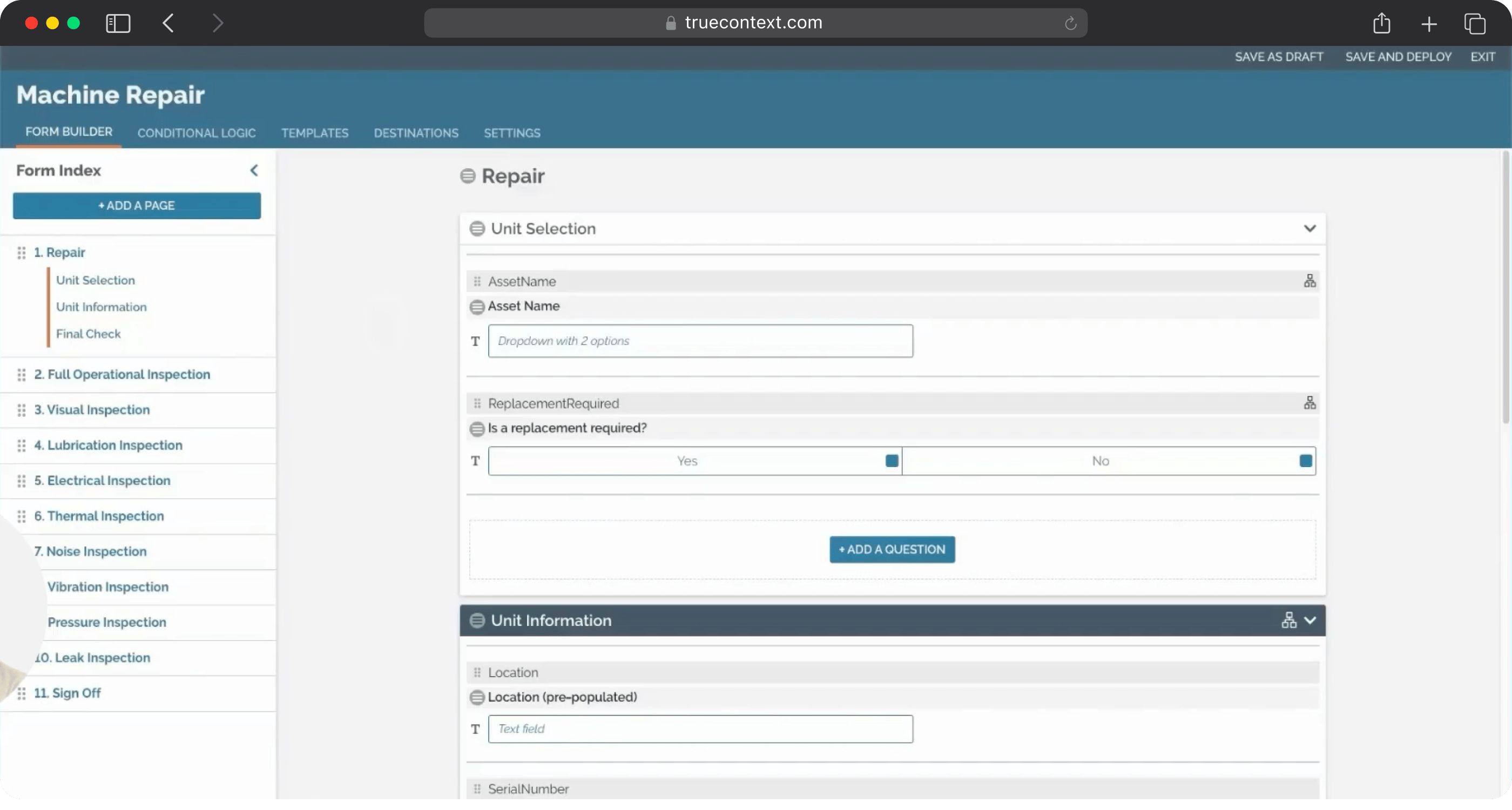
Rebranded from ProntoForms in 2022, TrueContext is a field service workflow platform for audits. Before a job, it sends technicians more context for the task. During it, AI guides them through the steps. Afterward, the data moves automatically into whatever enterprise system needs it.
The reason it shows up as an InspectAll alternative is reporting. InspectAll produces reports — but the format is fixed and the branding options are limited. TrueContext takes the opposite approach: PDF, Word, or Excel output; full layout control; your branding throughout — all configured at the platform level. For teams submitting inspection outputs to clients that removes a recurring cost and dependency that most people don’t think to evaluate until they’re already frustrated by it.
TrueContext has deepened its AI capabilities under the context layers framework. Core Context pre-populates workflows with job, asset, and customer details. Expand Context gives technicians access to Work History — what has been done on an asset previously — without leaving the workflow. Extend Context allows technicians to tap into external systems mid-workflow, with responses feeding directly back into the form. The platform now uses Anthropic Claude as its LLM provider for opted-in AI features.
Key Features
- Mobile forms with conditional logic and multi-step workflows
- AI-augmented workflows powered by Anthropic Claude — opted-in
- Work History
- Full control over report output
- Native integrations: Salesforce, SAP, Oracle, ServiceNow
- Offline data capture across all plans — iOS, Android, Windows, macOS
- Job dispatching and work management
- Multi-language forms (Elite plan)
TrueContext Pros
- Report customization. Full control over branding, layout, and output format
- Deep enterprise integration. Native connectors to Salesforce, SAP, and ServiceNow mean field data reaches business systems without Zapier chains or manual exports
- AI-guided workflows. Context-aware forms surface the right information at each step
TrueContext Cons
- Interface feels dated. Multiple reviewers note the mobile UI hasn’t kept pace with newer platforms — it’s functional, but less intuitive for non-technical field staff
- Team-based pricing requires a sales conversation. The headline number and the real cost of ownership diverge; budget accurately for the tier your operation actually needs
Pricing
- Digital: From $400/month
- Intelligent: Custom pricing
- Elite: Custom pricing
What Do Customers Say About TrueContext?
4.6 — Capterra, 4.5 — G2
“Gathering information for OSHA and client requests is easier as form data is automatically consolidated.” PrimeLine customer story
“The quality review process is much faster now. The errors have decreased and there’s much less rework for the engineers.” Luminex customer story
4. CheckProof: Best for Heavy Industry Maintenance
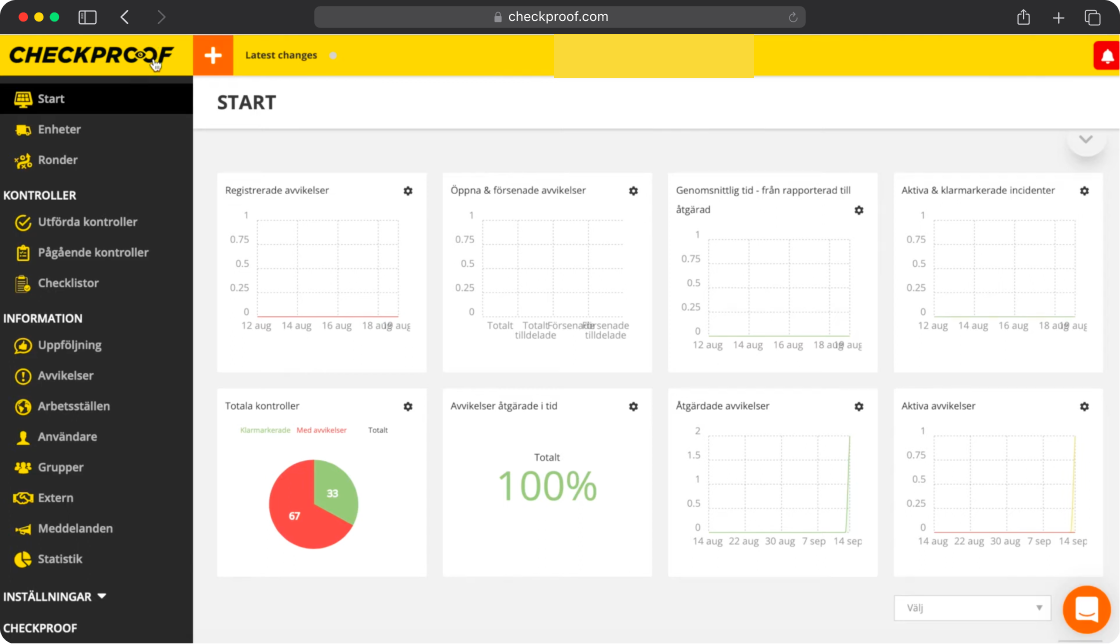
CheckProof is a cloud-based operations management platform for maintenance and HSEQ (Health, Safety, Environment, and Quality) processes, built specifically for the construction materials and heavy industries — quarrying, mining, ready-mix concrete, industrial recycling, and fleet-heavy operations.
CheckProof’s deviation model is its most distinctive feature. When a frontline worker spots an issue — a machine fault, a failed check, a safety hazard — it is captured as a deviation instantly from mobile, with photos and assignees. The deviation remains open and tracked until it is resolved and verified. RFID tag scanning adds a layer of traceability that ensures tasks are completed at the right equipment rather than reported from anywhere on site.
One important limitation is that CheckProof’s platform overview lists offline mode as “upcoming” rather than currently available. For field teams in remote or low-connectivity environments where offline capability is a hard requirement that may be something worth consideration.
Key Features
- Digital inspection checklists with AI Checklist Builder
- Deviation management
- Safety Alerts
- Maintenance scheduling and preventive maintenance
- Work order management
- Fleet optimisation and production management
- Incident and case management
- API and integrations for fleet and existing systems
CheckProof Pros
- Purpose-built for heavy industry. The construction materials and heavy industry focus means the platform reflects how these teams actually operate — not a general inspection tool retrofitted for their environment
- Governance-driven inspection model. Capterra reviewers consistently praise how CheckProof supports accountability and visibility on site
- Deviation tracking depth. The deviation workflow is more rigorous than InspectAll’s basic corrective action model
- AI Checklist Builder. Generate checklists from machine manuals and specifications — particularly useful for teams managing complex equipment with varied maintenance requirements
CheckProof Cons
- Offline mode is listed as upcoming — not yet confirmed as a current capability. Verify directly with CheckProof before committing if offline field work is a requirement
- Smaller reviewer base. 23 Capterra reviews versus 200+ for Fluix and Mitti — less peer validation available for independent assessment
- Initial setup requires investment. Reviewers note that configuration takes time to get right, particularly for teams merging or refining existing workflows
Pricing
CheckProof’s pricing varies across sources. Based on third-party aggregators (GetApp, Software Advice):
- Basic: from $18/user/month (annual billing)
- Core: from $29/user/month (annual billing)
- Pro: from $49/user/month (annual billing)
- Enterprise: custom pricing
CheckProof’s own pricing page shows Standard from $45/user/month for a broader feature set including insights dashboard and worktime reports. Contact CheckProof directly for current pricing — figures vary by region and team size.
Ratings: 4.8 — Capterra (23 reviews)
What Do Customers Say About CheckProof?
“CheckProof pushes efficiency and proactive actions. It provides a quick, user-friendly way of completing all our regulatory and company-wide inspections, compliance, and admin tasks.” Capterra reviewer, Construction
“My experience with CheckProof after taking it on over three years ago has been overall excellent.” Capterra reviewer, April 2026
How to Choose the Best Alternative to InspectAll?
The right InspectAll alternative depends on why the platform stopped fitting your team’s needs.
If your primary concern is inspection workflow depth — findings that go nowhere, corrective actions tracked in spreadsheets, no approval chain — Fluix is built for exactly that gap. Field inspections and safety inspections are its core focus, and the automated corrective action routing is the specific capability InspectAll lacks.
If you need a broader EHS programme beyond inspections alone — training, incident management, asset tracking, IoT monitoring — Mitti by SafetyCulture covers more ground than any other tool on this list. The free tier makes it easy to test before committing.
If report customisation and enterprise integrations are the priority — submitting branded inspection outputs to clients, feeding data into Salesforce or SAP without manual steps — TrueContext is the clearest choice.
If your operation is in heavy industry — quarrying, mining, construction materials, fleet management — and your primary need is deviation tracking and maintenance scheduling alongside inspections, CheckProof is purpose-built for that environment. Verify offline capability before committing.
Before signing anything: run a short bake-off rather than relying on a demo alone. Time how fast a field user completes one real inspection from start to finish, test offline mode in airplane mode with photo capture, and confirm a manager can pull recurring failures without reading through every report individually.
How to Migrate from InspectAll to Your Tool of Choice
Moving away from InspectAll is manageable as the inspection templates are usually straightforward to rebuild. What takes more care is the informal process logic that doesn’t live in the platform. That’s why my first suggestion is to get that documented before you touch anything new.
- Export your InspectAll data. Download completed inspection records and active templates before you begin
- Audit which inspection types are actually in use. Identify the business-critical ones and migrate those first
- Document your follow-up processes. If corrective actions happen after an inspection is submitted, write down exactly how — your new platform will need to replicate or improve on that
- Note your reporting requirements. If inspection reports go externally, document the exact format and content expectations before you configure anything
- Define what success looks like before go-live. Set measurable outcomes upfront — completion time, follow-up rate, report turnaround — so you can evaluate the switch objectively
- Run a pilot before full rollout. Test with one team or one inspection type, collect feedback formally, and resolve issues before expanding
Switching to Fluix is faster than most teams expect. Rather than handing you documentation and a support chat, Fluix pairs you with a named Customer Success Manager and Solutions Architect from day one. They help handle the technical side (building out templates, configuring workflows, connecting integrations) while your team focuses on learning the platform.
Most organizations are fully live within four weeks. For teams that have sat through drawn-out software rollouts before, that timeline tends to land as a surprise.
FAQ
- What is the best alternative to InspectAll for field inspection workflows?
Fluix is the closest alternative for teams whose primary frustration with InspectAll is what happens after the checklist — findings that do not route automatically, corrective actions tracked separately, no approval chain before a finding closes. For teams that need EHS breadth rather than inspection depth, Mitti (formerly SafetyCulture) covers more ground.
2. Which InspectAll alternatives work offline?
Fluix, Mitti, and TrueContext all offer confirmed offline capability. Fluix is specifically built for high-risk, low-connectivity field environments — offshore platforms, remote construction sites, and underground locations. CheckProof lists offline mode as “upcoming” — confirm current status directly with CheckProof before evaluating for offline use cases.
3. How does CheckProof compare to InspectAll?
CheckProof is purpose-built for heavy industry — quarrying, mining, and construction materials. Where InspectAll handles general property inspection workflows, CheckProof is stronger on deviation tracking, maintenance scheduling, RFID-verified task completion, and fleet management. CheckProof is the better fit for heavy equipment environments; InspectAll is more suited to property and facilities inspection.
4. Does InspectAll support multi-step approval workflows?
InspectAll does not offer native multi-step approval routing. Once a checklist is submitted, the workflow is essentially complete — there is no mechanism for a senior reviewer to push a finding back for correction before it closes. Fluix and TrueContext both support multi-step approval chains natively.
5. How do I choose between Fluix and Mitti as InspectAll alternatives?
Choose Fluix if your primary need is inspection management depth — multi-step approvals, automated corrective action routing, and regulated document integrity. Choose Mitti if your primary need is fast deployment across a non-technical workforce and broad EHS programme coverage — training, incident management, and a large template library. See our full Fluix vs SafetyCulture comparison for a detailed head-to-head.