In this article, I tested the top 7 health and safety software for its core features, pros and cons, and pricing. You’ll find a quick comparison table up top, followed by detailed reviews that spotlight what each tool does best and where it might fall short.
Contents:
How I Picked This List
I started with over 30 health and safety software and narrowed the list based on testing and real-world feedback. Each tool was evaluated for usability, feature depth, and relevance to field workforce safety activities, especially in industries like construction, energy, and aviation. To keep the list practical, I focused on platforms frequently mentioned by EHS pros across Reddit, review sites like G2, Capterra, and Software Advice, and community discussions on LinkedIn.
All selected tools allow you to manage safety programs, collect field data, and build safety reports. But I prioritized those with:
- Ease of use for teams in the field
- Offline mode for safety data capture in remote areas
- Customization and flexible safety workflows
- Reporting with clear, useful analytics
- Flexible pricing with feature add-ons that can be added or removed easily
The result: seven platforms that stand out for safety-focused teams who need reliable, efficient health and safety software.
Top Health and Safety Software Comparison at a Glance
| Software | Brief Overview | Standout Strength | Pricing |
|---|---|---|---|
| Fluix | Mobile‑first field safety, inspections & task scheduling | Mobile/offline, flexible workflows | 14-day free trial available, plans start at $29/user/month |
| Novara (formerly KPA) | Full EHS/LMS/SDS | Training modules and wide training content | No trial, quote-based |
| VelocityEHS | Enterprise-grade EHS+ESG platform | Extensive chemical/risk/training tools | No trial, quote-based |
| EHS Insight | Configurable EHS platform | Strong mobile, easy audit setup | Free trial available, plans start at $4,600/year |
| SiteDocs | Safety forms and doc management | Intuitive dashboards | No trial, quote-based |
| Mitti (by SafetyCulture) | Inspection-first platform with thousands of templates | Fast templates, AI assistance | Free plan available, paid plans start at $24/user/month |
| Benchmark Gensuite | Broad EHS & ESG suite for enterprises | Highly customizable, data‑rich | No trial, quote-based |
1. Fluix
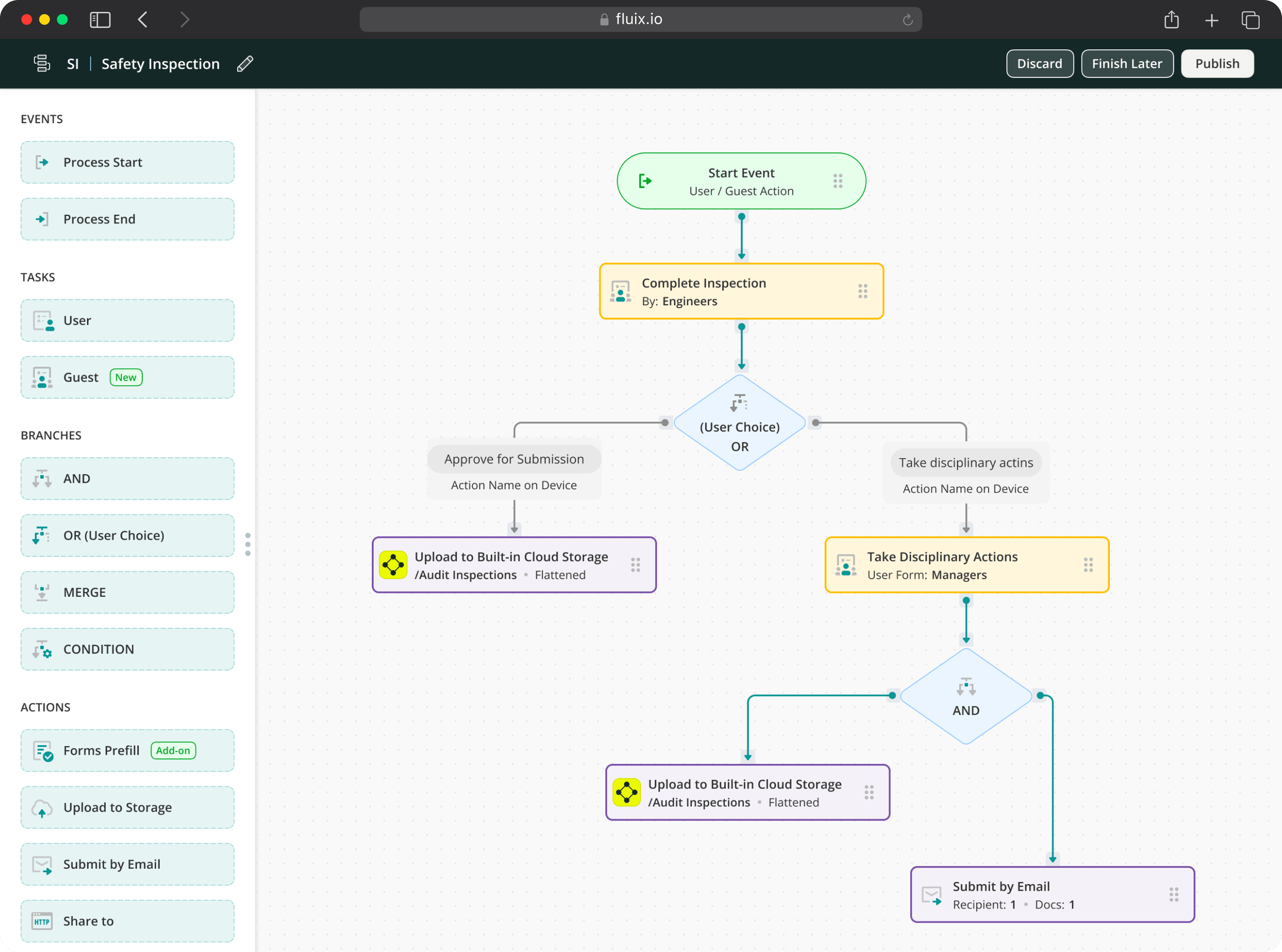
Fluix is a mobile-first inspection management software built for field service businesses. It streamlines safety inspections, incident management, work order management, and compliance with offline-ready mobile tools and flexible workflow automation.
What distinguishes Fluix for health and safety management in the field is the post-inspection workflow. When a technician flags a safety finding, it automatically routes to a corrective action assigned to a named person with a due date. A senior engineer or safety lead can review the inspection before it closes and push it back with notes if something is missing — this multi-step approval capability is not available natively in most health and safety platforms.
Fluix is used by 12,000 field service teams across construction, energy, aviation, utilities, and HVAC. Customer outcomes include a 72% reduction in inspection checklist completion time (ZITON), 45% reduction in daily form completion (RWE Renewables), and 43% faster wind farm inspections (CPP Australia). Fluix’s ISMS is ISO 27001 certified and the platform is SOC 2 Type II and GDPR compliant..
Key features
- Drag-and-drop form and workflow builder
- Desktop and mobile app — iOS and Android
- Full offline mode including photo capture, GPS, and e-signatures
- Incident and hazard reportingPDF and document repository
- Task scheduling with visual calendar
- Multi-step approvals with push-back capability
- Non-conformance reportingAI form generation and Field Intelligence
- Guest access for external contractors
- ISO 27001, SOC 2 Type II, HIPAA, GDPR
Pricing
- Crews: $29 per user/month, 5+ users
- Operations: $49 per user/month, 15+ users
- Enterprize: Quote request, 25+ users
Need inspections that go beyond checklists?
Fluix is built to automate approvals, routing, and document control for field teams.
2. Novara (Formerly KPA)
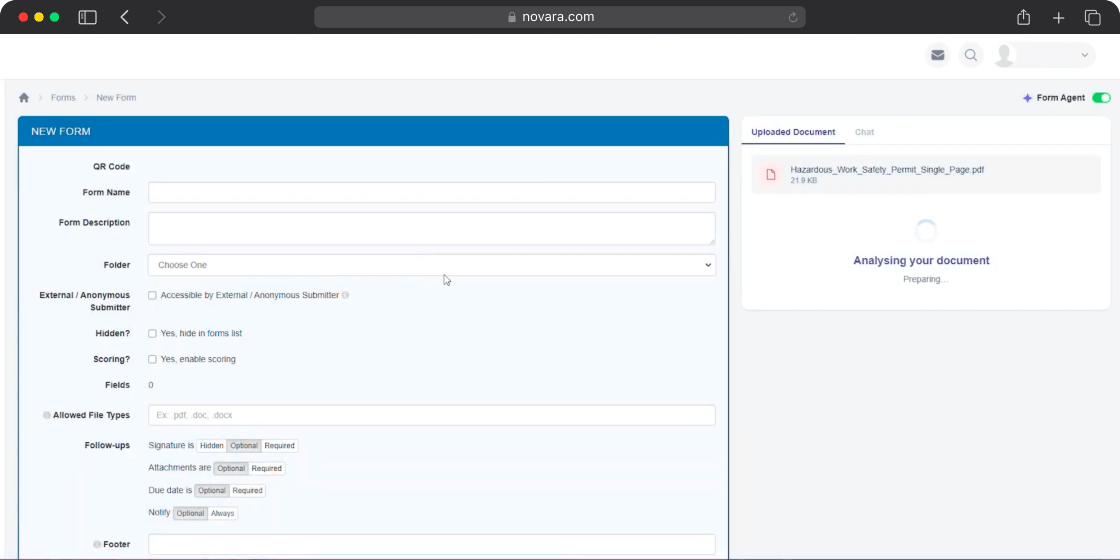
Novara (the former KPA Flex) is a cloud-based integrated platform offering EHS, LMS (training), and SDS management with single sign-on. It focuses on AI-embedded safety workflows and operational risk management for high-risk industries. The Flex platform helps organisations identify issues earlier, increase frontline participation, and move from reactive incident tracking to proactive risk management based on real-world conditions.
The platform is commonly used across manufacturing, construction, utilities, oil and gas, and transportation. It has access to over 70 million safety data sheets for documentation support. The training module is a strong differentiator — virtual and in-person training materials, compliance calendar, and SDS repository are all included is a cloud-based integrated platform offering EHS, LMS (training), and SDS management with a single sign-on. It consists of three core modules – KPA Flex, Vera Suite and Risk Management Center – and helps minimize workplace incidents. The tool is widely used across multiple industries and praised for its diverse safety functions.
Key features
- Incident tracking and corrective action management
- Compliance calendar and SDS repository
- Virtual and in-person training materials and LMS
- Facility safety audits and inspection tools
- Environmental reporting modules
- ISO compliance support
- AI-embedded safety workflows \
Pricing
- Quote-based upon a demo request
- Modules sold individually or bundled
- Third-party sources indicate starting from approximately $10/user/month, scaling by team size and modules selected
3. VelocityEHS
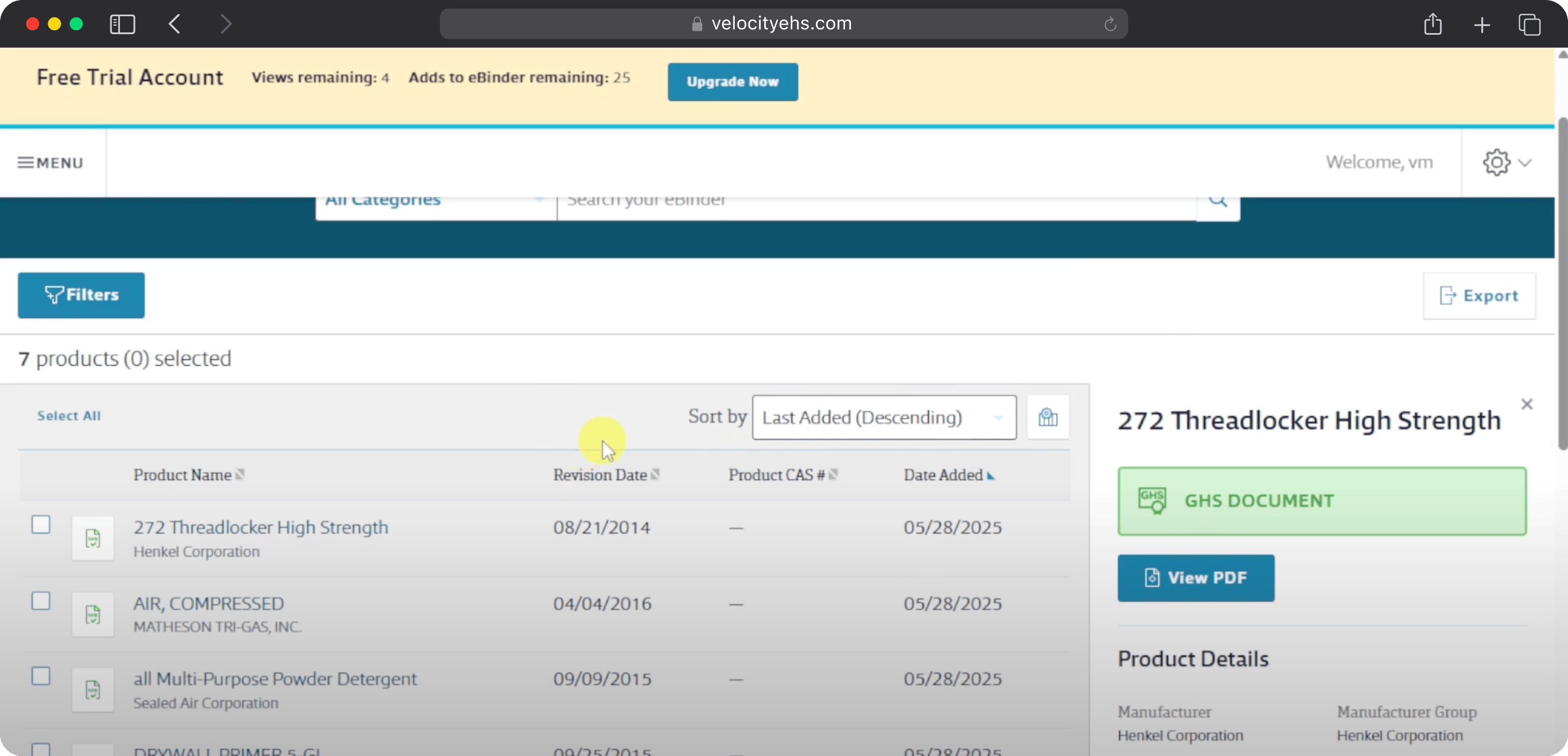
VelocityEHS is a cloud-based EHS and ESG platform combining compliance tools with ESG reporting and ergonomics. Trusted by one-third of the Fortune Global 1000, it is designed for enterprise organisations managing complex multi-site regulatory requirements across chemical, manufacturing, healthcare, and mining industries.
The platform supports incident tracking, environmental compliance, chemical and SDS management — access to over 16 million SDSs — risk assessment, industrial hygiene, and ergonomics with AI-powered video analysis. The ergonomics module (via Humantech) uses AI and video analysis to identify musculoskeletal disorder risks at scale, which is genuinely distinctive in the EHS market.
VelocityEHS is not the right tool for field-first inspection management. It is designed for dedicated EHS departments managing ISO 14001, OSHA 1910, and similar frameworks at enterprise scale. Teams that need daily mobile inspections, corrective action routing, and offline data capture for field crews will find a more focused tool better suited to that job.
Key features
- SDS and chemical management — 16M+ SDS database
- Incident and audit management tools
- Ergonomics risk assessment with AI and video analysis (Humantech)
- Contractor compliance modules
- ESG tracking and sustainability reporting aligned to CDP, GRI, TCFD, CSRD
- Data dashboards and custom reporting
- ISO 27001, SOC 2 Type II certified
Pricing
- Quote-based; often bundled per module with implementation fees
Learn more: 7 VelocityEHS Alternatives for safety management
4. EHS Insight
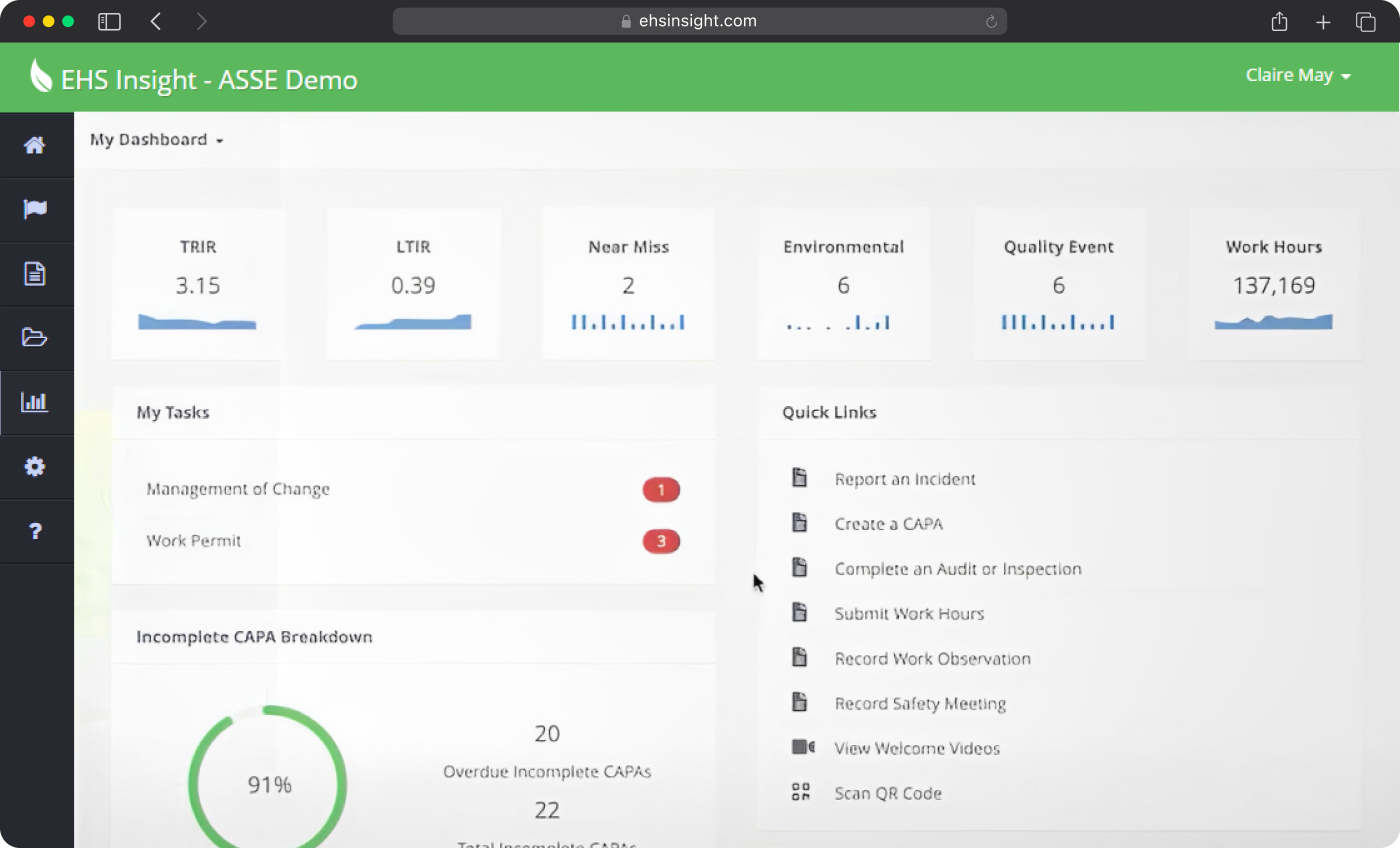
EHS Insight is a web-based EHS platform offering incident management, audits, root cause analysis, behaviour-based safety programmes, and OSHA/TRIR reporting. Designed to be configurable with offline mobile support, it is popular with mid-sized companies in oil and gas, chemical, and manufacturing seeking a balance between affordability and functionality.
EHS Insight was recognised as a 2026 Leader by both Capterra and Software Advice and rated number one for usability in G2’s mid-market EHS index — a meaningful signal that it performs well for the audience it is built for. It also appears in the Verdantix Green Quadrant for the second consecutive year.
Key features
- Audit and checklist designer
- Incident and near-miss logs
- Root cause analysis and CAPA workflows
- OSHA and TRIR reporting
- Hybrid LMS for training management
- Photo-enabled mobile app with full offline mode
- Configurable workflows across safety, environment, and compliance
Pricing
- Small and Medium Business Solution: Starting at $5,000 per year
- Enterprise Solution: Dependent on requirements and customizations
Learn more: 2026 best EHS Insight alternatives
5. SiteDocs
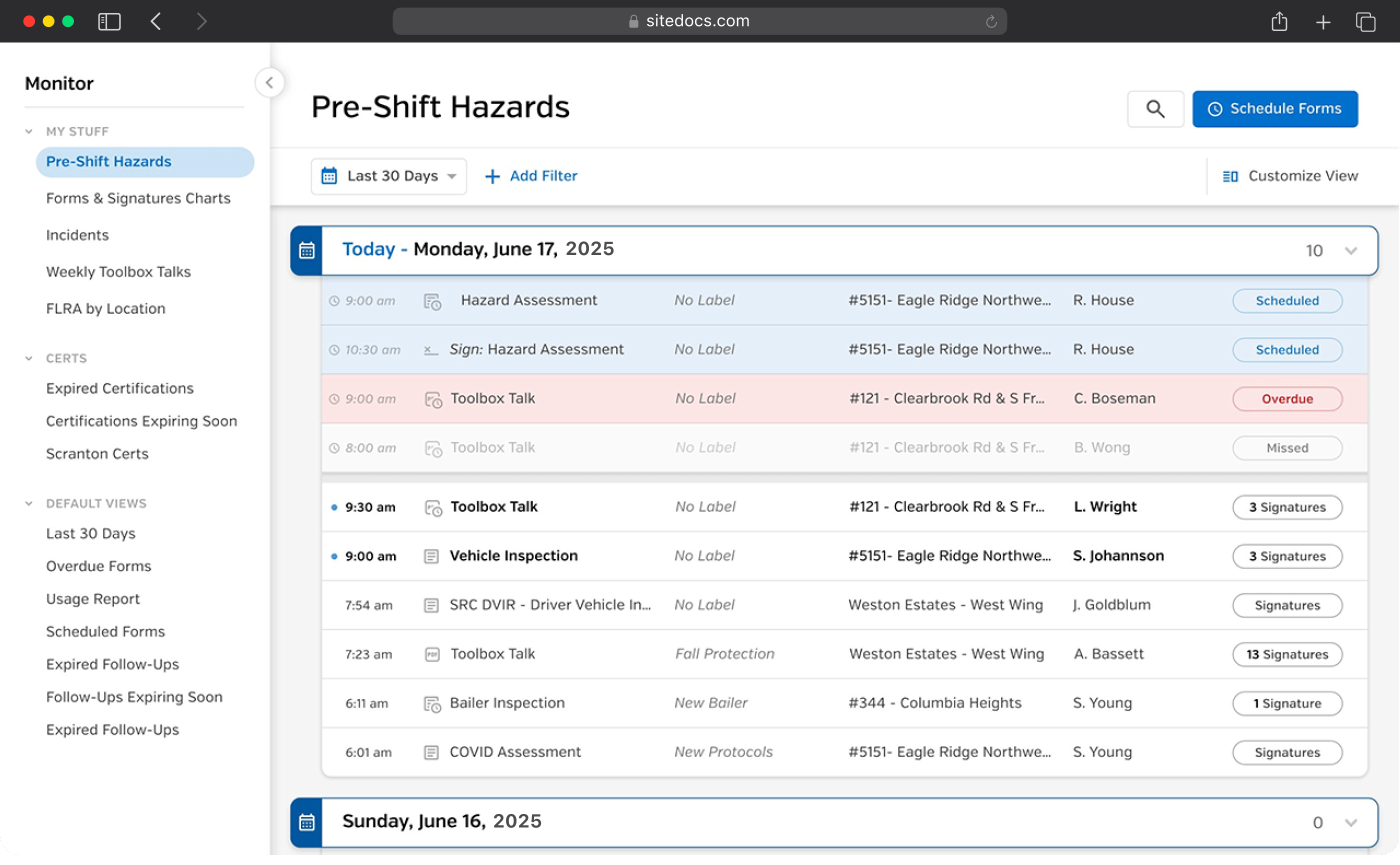
SiteDocs is a mobile and web-based safety management platform — now operating as a GoCanvas solution — that converts paper safety programmes into digital forms, workflows, and documentation. It is commonly used in construction and maintenance industries. SiteDocs is straightforward to set up and roll out, with 16 different form item types and various input fields for customisation.
SiteDocs holds a 98% positive review sentiment on Capterra across 241 reviews — one of the highest satisfaction rates in this category. Users consistently praise ease of use in the field and the quality of dashboard reporting. The most common limitation cited: data extraction beyond dashboards can be difficult for teams that need deeper analytics, and the platform is more report-centric than audit-centric for teams that need structured multi-step compliance workflows..
Key features
- Custom form builder — 16 different item types
- PDF and document storage and library
- SDS and safety manual access
- Worker certification tracking
- Offline-capable mobile app
- Dashboards and workflow notifications
- Corrective action capture
- Email inbox for filtered safety results
- Integration and automation engine
Pricing
- Quote-based upon booking a demo
6. Mitti (Formerly SafetyCulture)
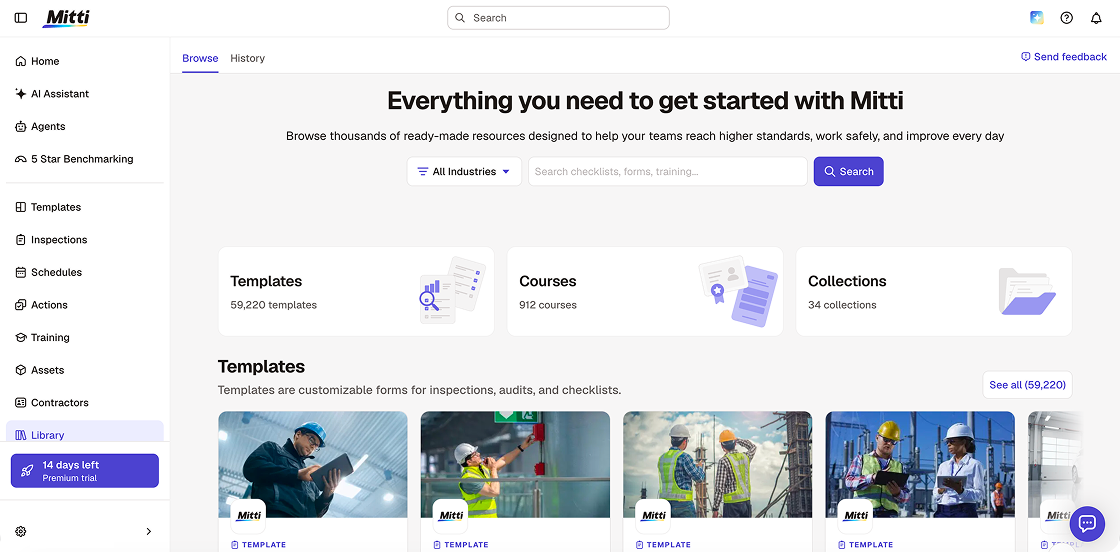
SafetyCulture rebranded to Mitti in August, 2026. Alongside the rebrand, Mitti launched a significant AI capability suite: AI Agents that monitor site activity and run routine tasks in the background, an AI Assistant that surfaces patterns and compares against standards, AI Issue Creation that converts photos, videos, and voice into structured issues automatically, and 5-Star Benchmarking that scores each site in a portfolio for portfolio-level visibility.
Mitti is one of the most popular inspection-first health and safety platforms on the market. Its template library exceeds 100,000 customisable options and the mobile app is genuinely excellent — fast, thumb-navigable, and built for crews who are not technology-savvy. The free plan for up to 10 users with basic features remains one of the best no-cost starting points in the category.
The platform is now explicitly positioned as a full operations system covering quality, maintenance, training, assets, and insurance in addition to safety and inspections. For teams that need a focused inspection management tool, this expanding scope adds complexity. For teams that want one platform for all frontline operations, the expanded scope is the value proposition..
Key features
- 100,000+ customisable inspection templates
- AI template generator
- Workplace hazard and corrective action tracking
- Issue reporting with AI Issue Creation — photos, videos, voice to structured issues
- AI Agents — background monitoring and automated routine tasks
- AI Assistant — pattern surfacing, standards comparison, action plans
- 5-Star Benchmarking — portfolio-level site performance scoring
- IoT sensor integration for real-time environmental data
Pricing
- Free plan: $0, up to 10 users — 5 active templates, basic inspections, 300 AI credits/seat/mo
- Lite Seat: $5/user/month — approximately 12 inspections per year, view-only access
- Premium: $24/user/month (annual billing) / $29/user/month (monthly) — unlimited templates, AI features, advanced analytics, SSO, 500 AI credits/seat/mo
- Enterprise: custom — 24/7 priority support, 99.9% uptime SLA, 800 AI credits/seat/mo
Learn more: Top SafetyCulture alternatives to look for in 2026
7. Benchmark Gensuite
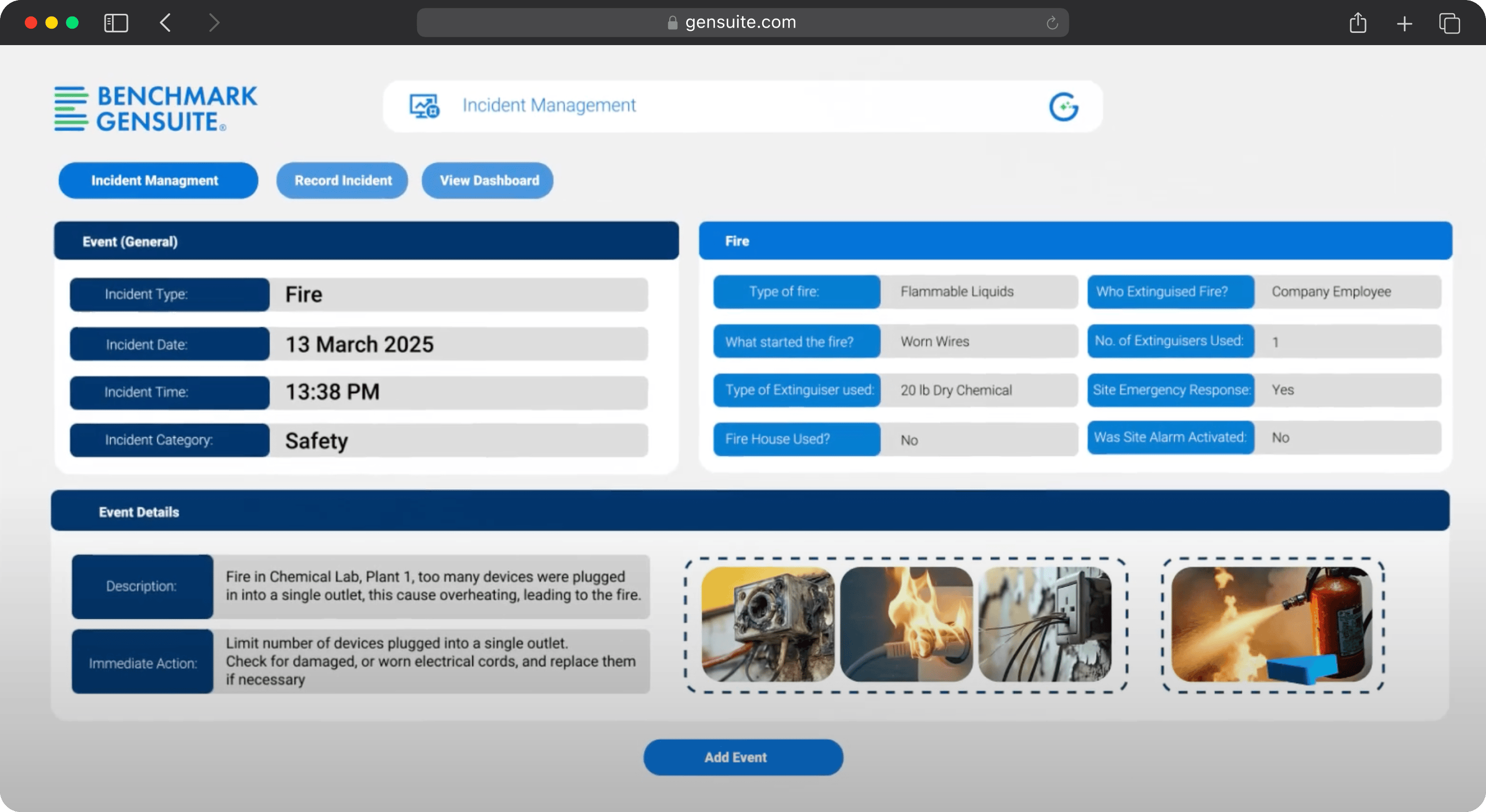
Benchmark Gensuite offers a full-scale EHS and ESG platform with compliance, environmental, asset management, and analytics tools across more than 3 million users worldwide. It is configurable, allowing teams to tailor modules to their specific industry and regulatory needs. The platform supports data integration with tools like Power BI for advanced reporting and aligns with global sustainability frameworks including CDP, GRI, TCFD, and CSRD.
In 2026, Benchmark Gensuite launched Genny AI — recognised by Occupational Health and Safety magazine as New Product of the Year in the EHS Software category. Genny AI is a generative AI suite that assists EHS teams with data collection, predictive insights, and proactive risk mitigation. The platform also updated its Refrigerant Leak Manager solution in 2026 ahead of new US EPA regulations under the Clean Air Act Section 608 and the American Innovation and Manufacturing Act — relevant for manufacturing and industrial customers with refrigerant management obligations.
Benchmark Gensuite’s own 2026 EHS Benchmarking Report found that workplace injury frequency and severity are increasing at two to three times the previous year’s rate, with 90% of incidents, hazards, or near misses going underreported — a finding that reflects the broader market the platform serves.
Key features
- Incident management and OSHA recordkeeping
- Compliance calendar and audit creation
- Risk assessments and corrective action management
- SDS management with OCR
- Training records and learning management
- Genny AI — generative AI for EHS data collection and predictive insights
- Refrigerant Leak Manager
- ESG tracking aligned to CDP, GRI, TCFD, CSRD
- Custom dashboards and Power BI integration
Pricing
- Quote-based upon booking a demo
What Is the Best Health and Safety Software?
What safety inspection software is best for you ultimately depends on your team’s specific needs.
- Best for mobile-first field teams: Fluix, SiteDocs, Mitti
- Best for customizable EHS modules: Novara, EHS Insight
- Best for enterprise risk, ESG, and advanced reporting: VelocityEHS, Benchmark Gensuite
- Budget-conscious and fast adoption needs: Fluix, SiteDocs, Mitti
But every software on this list is built to stand on its own, so you don’t need to patch in extra platforms to get the job done.
Our advice: Choose 3 platforms that align with your workflows and priorities, and take them for a test run. Most offer free trials and simple onboarding, so you can get hands-on fast and see which one clicks with your team before making a commitment.
And if you’d like help trying Fluix based on your industry or use case, our team is always here to help.
Frequently Asked Questions
- What is the best health and safety software for field teams?
Fluix, SiteDocs, and Mitti (formerly SafetyCulture) are the three strongest options for field-first safety management. Fluix is the best choice for teams that need multi-step approval chains and offline data capture in regulated environments. Mitti is the best choice for fast deployment and a large template library. SiteDocs is the best choice for construction and maintenance document management.
2. What is the difference between health and safety management software and inspection management software?
Health and safety management software covers the full EHS programme — incident management, training, chemical management, risk assessment, compliance tracking, and ESG reporting. Inspection management software focuses specifically on field inspections: checklists, findings, corrective actions, and audit trails. Fluix is an example of inspection management software. VelocityEHS and Benchmark Gensuite are examples of enterprise health and safety management platforms. Some tools like Mitti span both categories.
3. Which health and safety software works offline?
Fluix and SiteDocs both have strong offline capability for field environments. Fluix is specifically built for high-risk, remote, and low-connectivity conditions. Mitti’s offline mode works but has documented photo sync issues in reviews. Novara’s mobile app supports offline storage but sync issues have been reported.
4. Does health and safety software help with OSHA compliance?
Yes — most platforms on this list support OSHA recordkeeping, TRIR reporting, and incident documentation. EHS Insight and Benchmark Gensuite have the deepest OSHA-specific compliance tooling. Fluix and Mitti focus on the inspection and corrective action workflow that underpins OSHA compliance at the field level.