
ComplianceQuest is a quality and compliance platform used by regulated industries for audit management, CAPA tracking, and document control. It does a reasonable job for teams embedded in the Salesforce ecosystem. But when a team’s needs fall outside that dependency, the gaps start to show.
In my role evaluating inspection and compliance tools, the most consistent feedback I hear about ComplianceQuest is this: it’s often more complicated than teams need, and the Salesforce dependency is as often a constraint as it is a convenience.
In this article I’m comparing 6 ComplianceQuest alternatives across workflow depth, compliance coverage, offline reliability, and how each one fits different team types and sizes. For each tool you’ll find a product description, key features, honest pros and cons, verified pricing, and real customer quotes.
Contents:
Top Picks at a Glance
| Alternative | Best For | Key Strength | Price |
| Fluix | Field inspections | End-to-end inspections with offline reliability | From $29/user/mo |
| Mitti (by SafetyCulture) | Broad EHS processes | 10,000+ templates, full EHS platform | From $29/user/mo |
| MasterControl | Manufacturing quality management | Integrated QMS + MES + CMMS for regulated industries | Custom pricing |
| GoAudits | Checklist-based audits | Fast setup, branded PDF reports | From $12/user/mo |
| Cority | EHS and sustainability | Converged EHS+ platform for large organisations | Custom pricing |
| Qualio | Life sciences compliance | AI-powered gap analysis | Custom pricing |
How Did I Pick These ComplianceQuest Alternatives?
I tested free versions of the tools, and though most didn’t include the full functionality, it gave me enough understanding of the product. Also, I cross-referenced ComplianceQuest’s listed alternatives across multiple comparison platforms (G2, Software Advice, Capterra, and others) and cross-checked findings against Reddit discussions where practitioners share real implementation experiences.
One important not: the ComplianceQuest alternative landscape splits into two distinct buyer categories that rarely overlap – QMS/pharma buyers (who want MasterControl, Qualio, ETQ Reliance) and EHS/field operations buyers (who want Mitti (formerly SafetyCulture), Fluix, GoAudits). ComplianceQuest bridges both, which is why its alternatives list is pretty wide. My recommendation would be before evaluating any platform, confirm which problem you’re actually solving.
Criteria I used to evaluate each alternative:
- Salesforce dependency – Does the platform stand alone, or does it require an existing Salesforce investment to function?
- Workflow depth – Does it support inspections, corrective actions, approvals, and follow-up tracking?
- Compliance coverage – Which regulatory frameworks does it actually support?
- Implementation complexity – Can a lean team implement it without a months-long rollout and external consultants?
- Offline reliability – Does it work for field teams in low-connectivity environments?
- Pricing transparency – Are tiers published?
1. Fluix: Best for Field Inspections
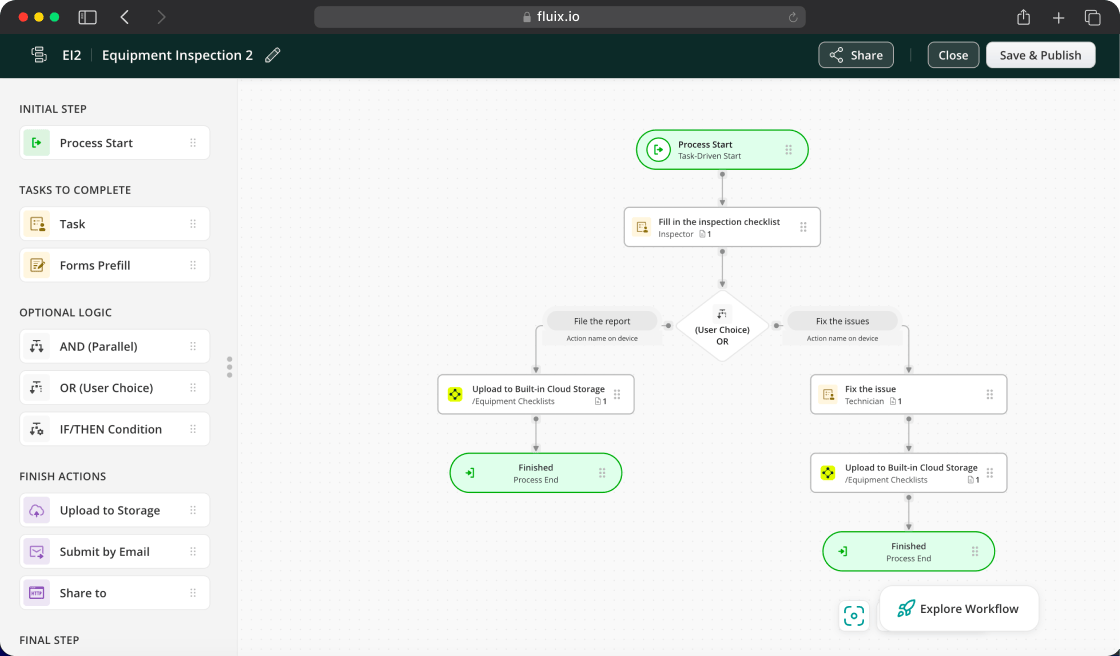
Fluix is inspection management software built for field teams running safety inspections, equipment checks, site audits, quality control walkthroughs, and compliance documentation. The distinction from ComplianceQuest is fundamental: ComplianceQuest is built around Salesforce-native quality processes. Fluix is built around what happens when a technician is doing an inspection – capturing findings, triggering corrective actions, routing approvals, and generating audit-ready reports automatically.
For teams where the primary compliance need is field-based, Fluix solves that problem more directly than a QMS with a more focused scope: task scheduling, field data capture, automated approvals and reporting.
Customers report saving $286,650 annually and reclaiming 3,185+ hours (Dyna Crane), achieving 43% faster inspections (CPP Australia), and a 72% reduction in checklist completion time (ZITON). Most teams are live within four weeks.
Key Features
- Mobile inspections with AI-generated forms
- Offline mode with reliable photo sync
- Multi-step review workflows and automated approvals
- Issue tracking and corrective actions
- Task scheduling and assignment
- Automated notifications and alerts
- Audit-ready reports, auto-generated on completion
- Analytics, integrations and MCP
Fluix Pros
- No platform dependency. Fluix stands alone, no CRM subscription required to function.
- Inspections connect to corrective actions automatically. A completed inspection can triggers an assignment, approval, report, without manual follow-up.
- Fast deployment. A named Customer Success Manager and Solutions Architect support most teams from day one, with most live within four weeks.
Fluix Cons
- Not a QMS platform. Fluix handles field inspection workflows and corrective actions, not pharmaceutical document control or FDA 21 CFR Part 11 compliance.
- Android experience is still catching up to iOS. Worth checking against your team’s device mix before committing.
- Minimum user requirement. The entry plan requires 5+ users, which may not suit very small or temporary teams.
Pricing
- Crews: $29/user/month (5+ users)
- Operations: $49/user/month (15+ users)
- Enterprise: Custom (25+ users)
What Do Customers Say About Fluix?
4.8 – Capterra, 4.8 – G2
“We use Fluix to create audit checklists and safety documents because it allows us to do immediate sign-offs onsite. This way, auditors can look at the records in one system, which is vital to cultivating and maintaining a proactive safety culture.” Leanne Lawrence, Administration Manager, Dyna Crane
“With Fluix, we decreased wind farm inspection time by 43%, that enabled us to cut project costs.” Paul Wilson, Project Manager, Consolidated Power Projects Australia
Already managing inspections in the field?
See how Fluix connects inspection findings to corrective actions and audit-ready reports
2. Mitti (formerly SafetyCulture): Broad EHS processes
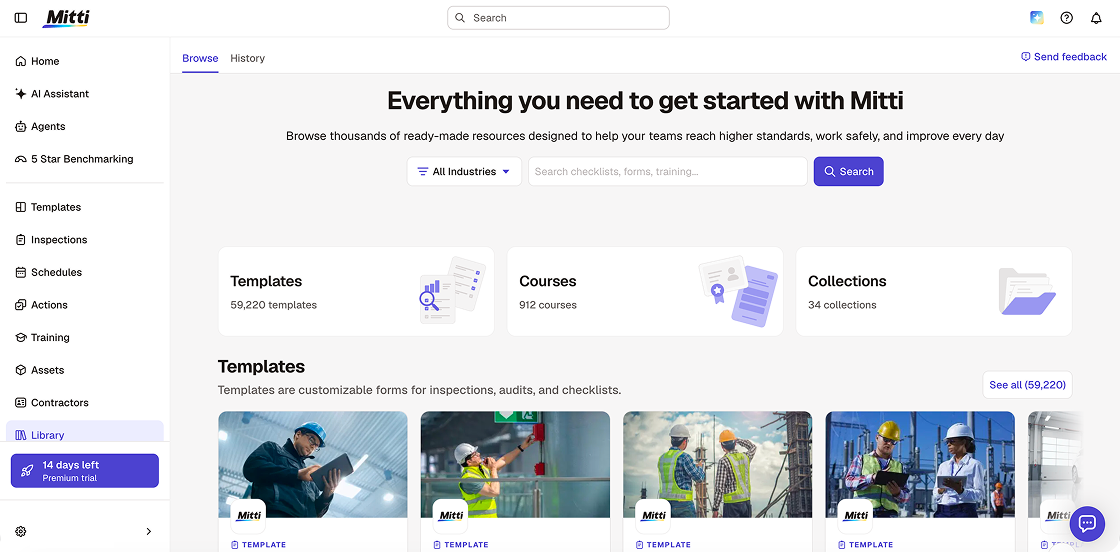
Mitti (formerly SafetyCulture, originally iAuditor) is the broadest platform on this list in terms of EHS scope. For teams replacing ComplianceQuest because they want broader coverage without the Salesforce dependency, Mitti is a well-resourced option. The template library — now exceeding 100,000 customisable templates, not the 10,000 listed in earlier versions of this article — means most teams can get started within hours rather than weeks.
Alongside the August 2026 rebrand, Mitti launched a significant AI capability suite: AI Agents that monitor site activity and run routine tasks in the background, an AI Assistant that surfaces patterns and compares against regulatory standards, AI Issue Creation that converts photos and voice into structured issues automatically, and 5-Star Benchmarking that scores each site in a portfolio.
The honest limitation from ComplianceQuest evaluators: Mitti’s task management is one-directional. Once a worker completes an inspection or closes an action, there is no native multi-tier review chain for a senior reviewer to push it back with notes before it counts as resolved. For teams coming from ComplianceQuest’s approval workflow model, that is a meaningful step down.
Key Features
- Audit checklists with drag-and-drop builder
- 10,000+ customizable templates across all major industries
- AI template generation
- Corrective action tracking
- EHS analytics dashboards and 5-Star Benchmarking
- AI Agents — background monitoring and automated routine task execution
- AI Assistant — pattern surfacing and standards comparison
- AI Issue Creation — photos and voice to structured issues automatically
Mitti Pros
- Broadest EHS feature set on this list. Training, incident management, and asset tracking in one platform.
- Fully functional web application. Administrative setup and analytics work on desktop, not just mobile.
- Free tier is genuinely usable. Up to 10 users with core inspection features.
Mitti Cons
- No multi-tier approval routing. A single user closes the check.
- Report layout is rigid. The final PDF keeps Mitti’s standard layout.
- Breadth adds complexity. Teams migrating from ComplianceQuest for a simpler solution may find Mitti’s module sprawl (Training, Assets, Sensors, Insurance) introduces a different kind of noise.
Pricing
- Free: Up to 10 users — basic inspections, 5 active templates
- Premium: $24/user/month (annual) / $29/user/month (monthly)
- Lite Seat: $5/user/month — approximately 12 inspections per year, view-only access
- Enterprise: Custom
What Do Customers Say About SafetyCulture (Now Mitti)?
4.6 – G2, 4.6 – Capterra
“Our team is motivated to use SafetyCulture because it’s easy, and they’re seeing the benefits of doing so.” Graham Berry, Group General Manager HSEQ Assurance, Thermosash Group
“Easy-to-use dashboard, streamlining configuring and completion of audits.” consistent pattern across G2 and Capterra reviews.
3. MasterControl: Best for Manufacturing Quality Management
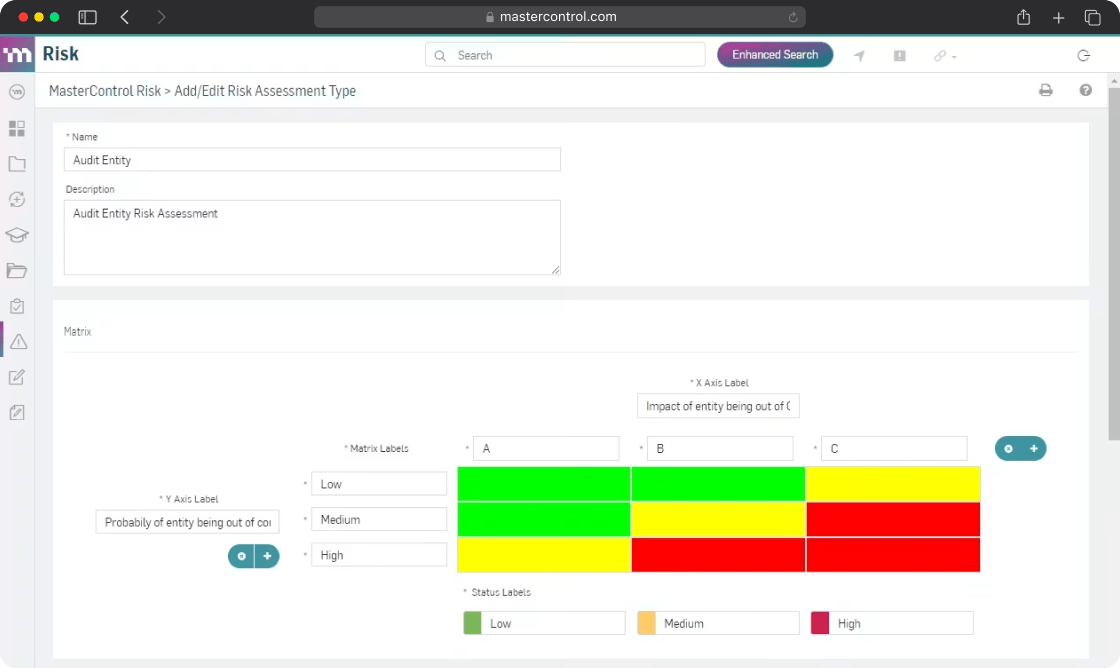
MasterControl is the leading QMS/MES/CMMS platform purpose-built for manufacturing. It is the most direct feature-level replacement for ComplianceQuest among teams with FDA, GxP, and ISO 13485 compliance requirements.
The platform combines Quality Excellence (QMS), Manufacturing Excellence (MES), and Asset Excellence (CMMS) in one connected environment, supported by ISO 42001-certified AI. For teams in regulated manufacturing where quality events, document control, CAPA workflows, and production records need to be deeply integrated and audit-ready by design, MasterControl is one of the most validated options in the market.
Where it diverges from Fluix and Mitti is scope and buyer: MasterControl is explicitly built for life sciences, not general field operations, EHS, or construction. If your ComplianceQuest use case is primarily pharmaceutical or medical device quality management, MasterControl is the most credible replacement. If your use case is field safety inspections, environmental compliance, or operational audits, it’s over-specified and under-suited.
Key Features
- Full QMS
- Manufacturing execution system (MES)
- Asset management
- Event summarizer, deviation analyzer, predictive intelligence
- Closed-loop quality event management
- Centralized audit prep
- Validated for FDA 21 CFR Part 11 and GxP compliance
MasterControl Pros
- Most complete QMS for regulated industries. Quality, manufacturing, and asset management on one connected platform.
- 30+ years in life sciences. Trusted by 1,200+ regulated organizations globally.
- ISO 42001-certified AI. Not generic AI tools adapted for quality.
MasterControl Cons
- Custom pricing with no published tiers. You need a sales conversation to understand what this costs.
- Built for manufacturing. Teams outside of this will find the platform over-specified.
- Implementation is significant. The platform’s depth requires proper onboarding investment.
Pricing
Custom pricing, contact MasterControl directly. Software Advice lists a starting price of $25,000/year, reflecting its enterprise life sciences positioning.
What Do Customers Say About MasterControl?
4.5 – Capterra, 4.7 – G2
“80% faster review and release.” Wellington Foods “50% reduction in processes.” Dendreon “6-month modernization achieved.” Carestream
4. GoAudits: Best for Checklist-Based Audits
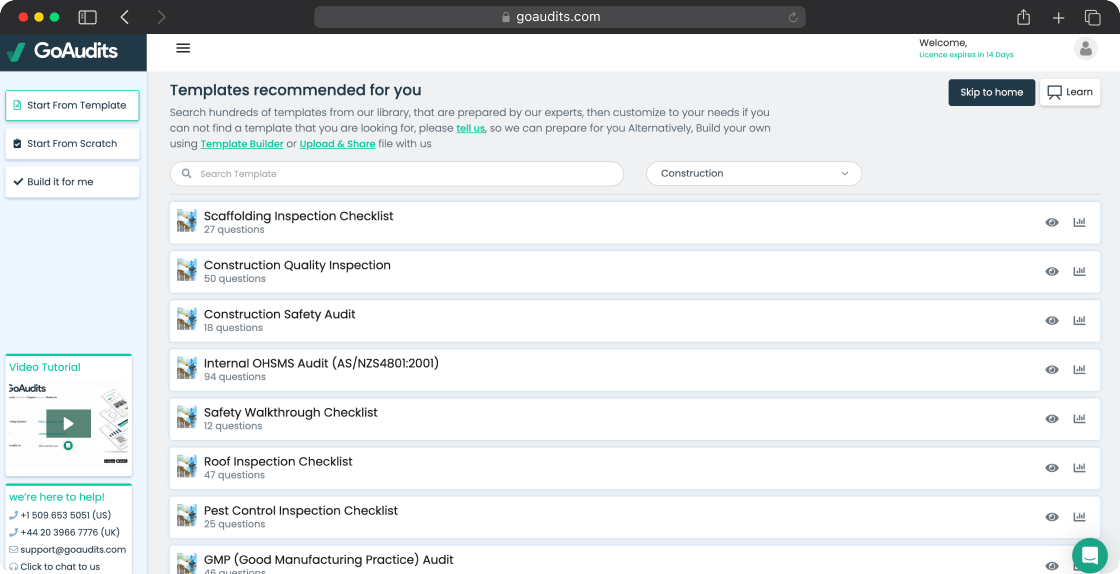
GoAudits is an audit and inspection platform used primarily by teams in retail, hospitality, food and beverage, and facilities management. For straightforward, checklist-based audits across multiple locations, it covers the requirement quickly and without the implementation overhead of a full QMS or EHS platform.
As a ComplianceQuest alternative, GoAudits makes most sense for teams who came to ComplianceQuest seeking checklist-based compliance auditing but found the platform significantly more complex than their actual needs. GoAudits won’t replace ComplianceQuest for CAPA management, supplier quality control, or pharmaceutical document control. But for operational audits, safety inspections, and compliance checklists across multiple sites, it’s a fast-deploying alternative at a significantly lower price point.
Key Features
- Mobile and offline audit checklists
- Signatures, timestamps, and geolocation
- Automatically generated branded PDF reports
- Corrective action tracking with due dates and priorities
- Scheduling and assignment across teams and locations
- Analytics dashboard with trends
GoAudits Pros
- Fast template setup. GoAudits will build your first checklist for you at no cost.
- Branded PDF reports generated automatically. Useful for teams submitting audits to clients or stakeholders.
- Significantly simpler than ComplianceQuest. No months-long implementation.
GoAudits Cons
- No asset tracking or QMS capability. Not a replacement for ComplianceQuest’s CAPA management.
- Workflow automation is limited. Once a form is submitted, routing and follow-up is relatively basic.
- Template and location limits on the Starter plan. Teams with larger operations need the Enterprise tier.
Pricing
- Starter: $12/user/month
- Enterprise: $30/user/month
What Do Customers Say About GoAudits?
“GoAudits has assisted us to move dramatically through our quality control scores, internal and external.” Remus Palimaru, Rosewood London
“With instantly compiled and emailed reports, we get real-time data that allows our supervisors to sign off corrective actions and resolve issues much quicker.” Eddie Odie, Nissin Foods
5. Cority: Best for EHS and Sustainability
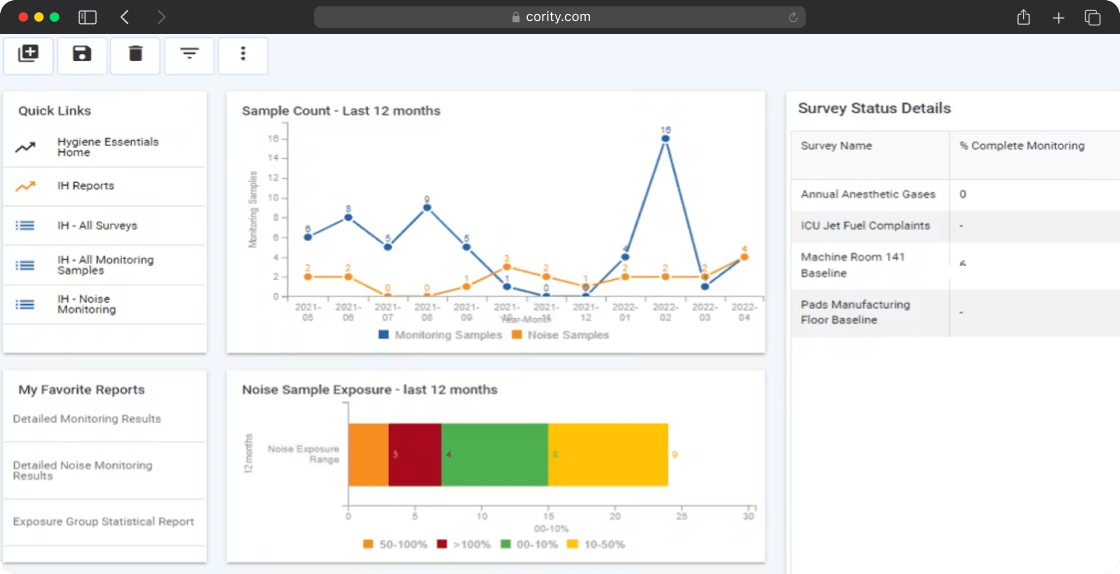
Cority is a converged EHS+ software platform — covering safety, health, environmental, quality, sustainability, and ESG in a single system. It is explicitly built for large, complex organizations in high-risk industries: manufacturing, mining, chemicals, oil and gas, construction, energy and utilities, and healthcare.
As a ComplianceQuest alternative, Cority is the most relevant option for enterprise teams whose compliance scope extends beyond quality management into environmental compliance, occupational health, industrial hygiene, and sustainability reporting. Where ComplianceQuest addresses quality and compliance from a Salesforce-native perspective, Cority addresses the full EHS+ lifecycle from an enterprise operations perspective.
In 2026, CorityOne gained FedRAMP authorization — relevant for government sector buyers and federal contractors with compliance requirements. The platform also expanded its SAP integrations to 60+ connections including SAP BTP and SAP BW/4HANA, and now connects natively to Microsoft SharePoint.
Key Features
- Compliance management
- Incident management and investigation workflows
- Risk management and assessments
- Environmental compliance
- Occupational health and industrial hygiene
- FedRAMP-authorized security
- Management of change (MOC)
- 60+ SAP integrations including SAP BTP, SAP Analytics Cloud, SAP BW/4HANA
Cority Pros
- Broadest compliance scope on this list. Safety, health, environmental, quality, and sustainability on one platform.
- Purpose-built for high-compliance industries. They are core verticals.
- Verdantix Green Quadrant Leader 2025. Independently recognized as a leader in sustainability reporting software.
Cority Cons
- Custom pricing only. No published tiers.
- Implementation is significant. The platform’s depth requires dedicated resources and a structured rollout. Not appropriate for teams that need to be live in four weeks.
- Overkill for most SME compliance needs. Teams replacing ComplianceQuest because it was too complex may find Cority is more complex, not less.
Pricing
Custom pricing, contact Cority directly. Rated 4.3 on Capterra across enterprise reviews.
What Do Customers Say About Cority?
4.3 – Capterra
“With myCority, reporting a hazard observation is now so simple — and is what’s driving our safety culture forward.” Sairene Boyd, HSE Program Advisor, Parkland Corporation
6. Qualio: Best for Life Sciences Compliance
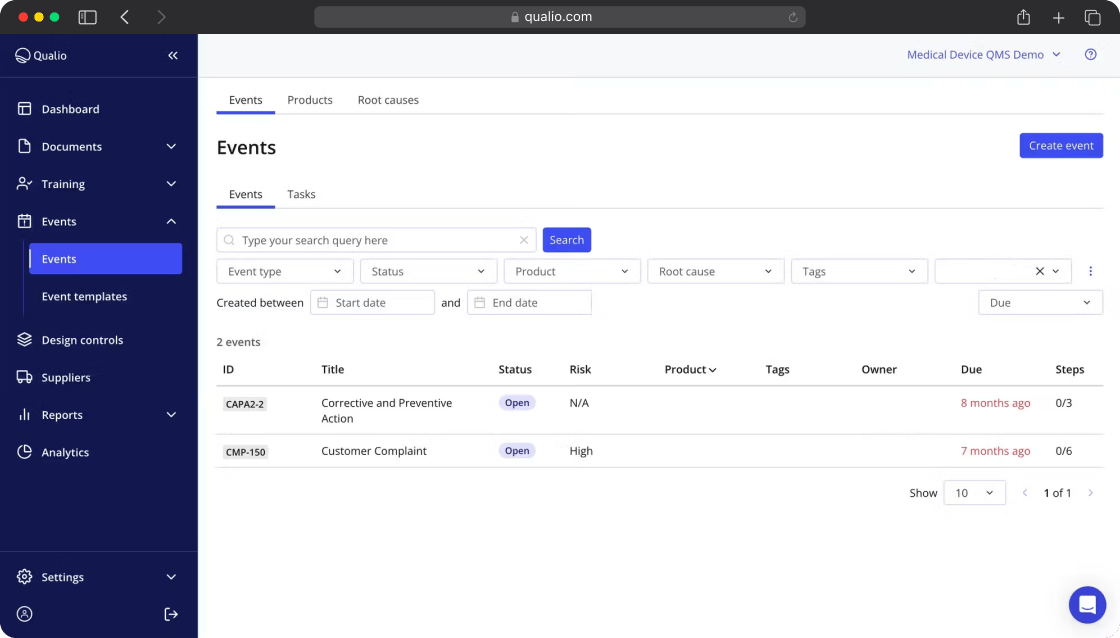
Qualio is a platform purpose-built for life sciences companies. Where MasterControl covers the full QMS + MES + CMMS stack at enterprise scale, Qualio targets a different segment: scaling life sciences organizations that need to get audit-ready fast without the implementation overhead of a full enterprise QMS.
The key differentiator from ComplianceQuest is Qualio’s Compliance Intelligence layer – AI agents that run automated gap analysis across FDA, ISO 13485, GxP, and 28+ other frameworks, map existing documentation to regulatory controls.
As a ComplianceQuest alternative specifically, Qualio makes most sense for teams that came to ComplianceQuest for its compliance management and audit capabilities, found it more complex than needed, and want something that delivers the same regulatory rigor with a faster implementation path. It is ISO 27001 certified and supports FDA QMSR, EU MDR, ISO 13485, IEC 62304, ICH Q10, and EU Annex 11.
Key Features
- Document control
- Quality event management
- Regulatory monitoring and automated evidence collection
- Supplier quality management
- Audit management and team collaboration on audit tasks
- Reporting and analytics dashboard
- Integrations
Qualio Prosf
- AI-powered compliance intelligence. Automated gap analysis cuts audit prep from months to weeks.
- Faster to implement than ComplianceQuest or MasterControl. Most customers are live within 30–60 days.
- Purpose-built for growing life sciences teams. Designed for organizations that don’t yet have a dedicated compliance function.
Qualio Cons
- Life sciences focused. If your compliance need is EHS or field operations, look elsewhere on this list.
- Custom pricing requires a conversation. No self-serve pricing on the website.
- Implementation fee applies to all plans — budget for this separately from the annual licence. Ranges from approximately €8,000 to €20,000 depending on scope.
Pricing
- Foundation: approximately $12,000/year base — includes 5 edit users
- Growth: approximately $25,000/year — includes 10 edit users
- Scale: custom pricing for larger organisations
What Do Customers Say About Qualio?
4.7 – G2
“Reduction in audit prep time” confirmed outcome across multiple Qualio customers.
How to Choose the Best ComplianceQuest Alternative
The right alternative depends on why ComplianceQuest stopped fitting you.
If your primary need is field inspection workflows – inspectors in the field, offline forms, corrective action tracking, audit-ready reports – Fluix solves that gap directly, without the Salesforce dependency or implementation overhead.
If you need broad EHS coverage — safety inspections, training, incident management, and analytics — Mitti by SafetyCulture is the most accessible option at scale.
If you’re in life sciences and need fast audit readiness — AI-powered gap analysis, automated evidence collection, and compliance intelligence across multiple frameworks — Qualio gets you audit-ready in weeks rather than months.
If you’re in life sciences and need the full QMS + MES + CMMS stack for FDA/GxP compliance at enterprise scale, MasterControl is the most validated replacement.
If your compliance need is simpler than ComplianceQuest — checklist-based audits across multiple locations, branded PDF reports, basic corrective action tracking — GoAudits gets you there.
If you’re a large enterprise with EHS, environmental, health, and sustainability compliance requirements across multiple sites and regions, Cority is the most comprehensive option.
Before you commit to anything, confirm whether you actually need Salesforce integration. If ComplianceQuest’s appeal was primarily its Salesforce-native model, the replacement question is different from “I need to move away from an expensive, complex QMS.” The answers point to entirely different platforms.
How to Migrate from ComplianceQuest to Your Tool of Choice
Moving away from ComplianceQuest is more involved than simpler inspection tools because the platform typically holds CAPA records, audit histories, document versions, and supplier quality data that spans years. Before you start:
- Export everything before you begin. Audit records, CAPA logs, document histories, supplier data — download all of it. Access to historical compliance records can become a legal and regulatory issue mid-migration if export is delayed.
- Document which modules you actually use. Identify which workflows your team runs every day versus which ones were configured and never adopted – you only need to replicate the former.
- Map your regulatory framework requirements. Before choosing a replacement, confirm exactly which standards (FDA, ISO, OSHA, EPA) your new platform needs to support.
- Identify your Salesforce dependencies. If ComplianceQuest’s value came partly from Salesforce integration (CRM data feeding quality records, for example), document those connections before you migrate.
- Run a structured pilot. Test with one audit type or one workflow before full rollout.
- Plan for training time. Teams coming from ComplianceQuest’s Salesforce-native model will need time to adjust to a different workflow paradigm.
If you choose Fluix, a named Customer Success Manager and Solutions Architect support the transition from day one, handling workflow configuration, template migration, and training alongside your team. Most teams are live within four weeks.