


Access to workflow Document Status can be provided to your admins by going to the Settings section of the Admin Portal -> Permissions.
Let’s explore how you can provide access to the Document Status:
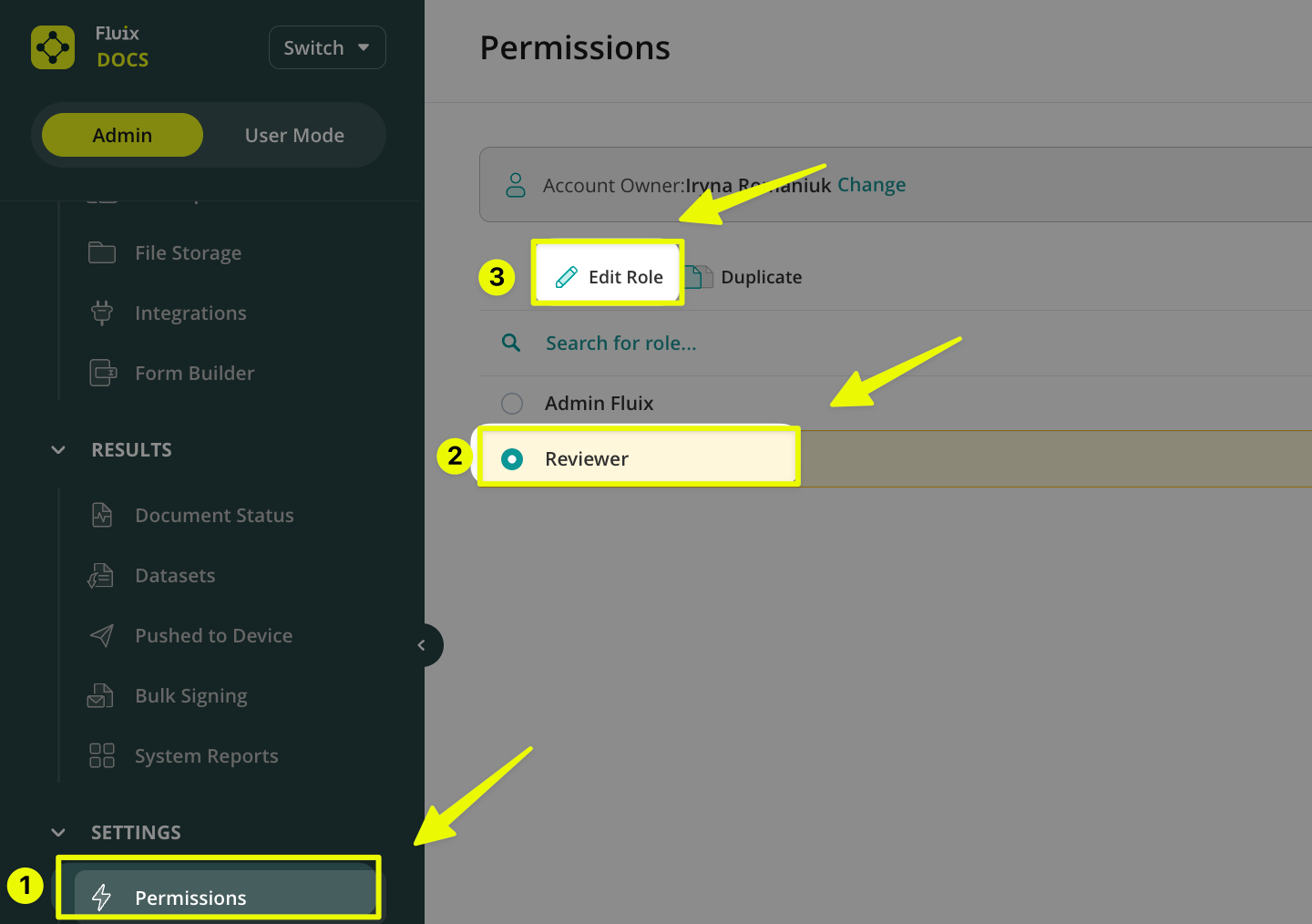
- Navigate to Permissions -> Click on the role name -> Choose Edit Role to edit its permissions.
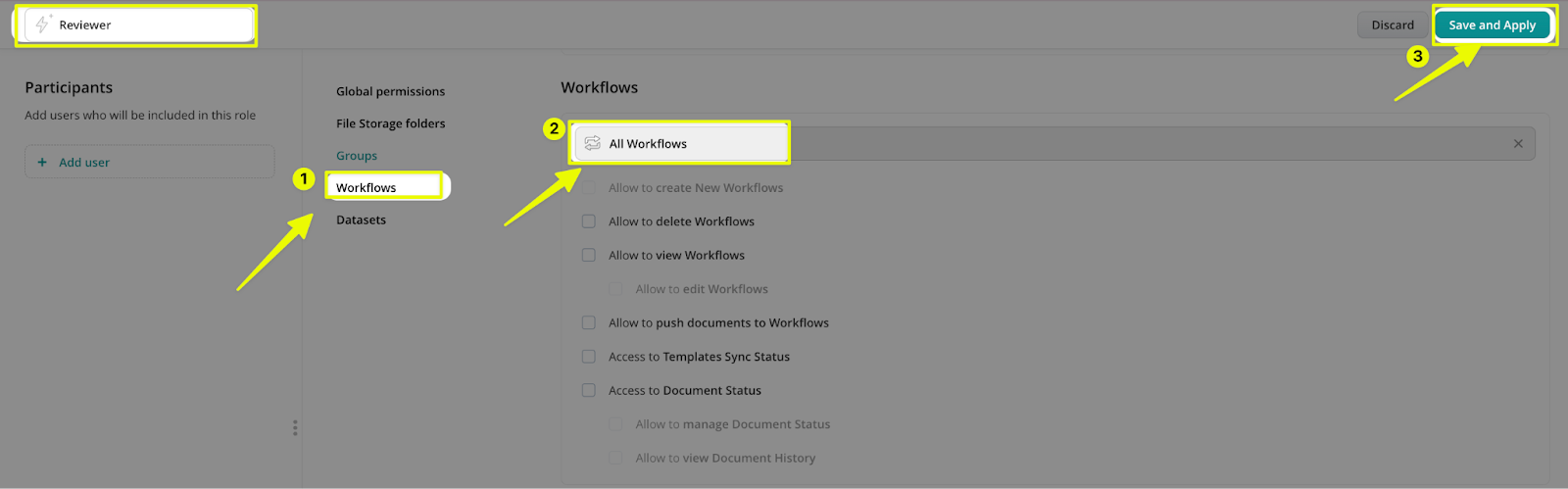
- Once you open the respective role, navigate to the Workflows section -> choose All Workflows from the list or select the specific workflows to which your admins should have access. Once ready, click Save and Apply in the upper right corner.
Can’t find what you’re looking for? Feel free to contact us at support@fluix.io if you have any questions or comments.