Inspectivity is asset and inspection management software used primarily by teams in oil and gas, energy, and other asset-heavy industries. It does a reasonable job tracking history against specific assets. But the moment a team’s needs extend beyond asset-centric tracking into corrective action routing, you can feel gaps exist.
In this article I’m comparing five Inspectivity alternatives across inspection workflow depth, offline reliability, reporting quality, and how each platform handles what happens after a checklist gets submitted. For each tool you’ll find a product description, key features, pros and cons, pricing, and real customer quotes.
Contents:
Top Picks at a Glance
| Alternative | Best For | Key Strength | Price |
| Fluix | Field inspections | End-to-end mobile inspection with reliable offline mode | From $29/user/mo |
| Mitti (formerly SafetyCulture) | Broad EHS inspections | 59,000+ templates, full EHS feature set | From $24/user/mo |
| MaintainX | Maintenance-heavy processes | CMMS + inspections in one platform | From $20/user/mo |
| Fiix | Asset-centric processes | Deep asset hierarchy and maintenance history | From $45/user/mo |
| GoAudits | Checklist-based audits | Easy template setup for basic compliance audits | From $12/user/mo |
How Did I Pick the Top Inspectivity Alternatives?
I cross-referenced listed alternatives across multiple comparison platforms, including G2, Capterra and GetApp, alongside Free Plan hands-on evaluation of each tool. One pattern worth naming upfront: most algorithmic “Inspectivity alternative” lists skew toward CMMS and maintenance management platforms. That distinction shaped which alternatives made this list and why.
Criteria I used to evaluate each alternative:
- Workflow depth beyond data capture – Does the platform support corrective actions, approvals, and follow-up tracking?
- Asset vs. inspection orientation – Is the platform built around tracking assets over time, or around the inspection event itself?
- Offline reliability – Does it work in genuinely low-connectivity field environments?
- Speed of data capture – Faster capture methods (including voice input).
- Repeat-findings visibility — Can the platform surface which defects or failures recur across inspections?
- Reporting quality — Can teams generate professional, audit-ready reports without additional services?
- Scalability across sites and teams — Does it hold up as inspection volume and site count grow?
1. Fluix: Best for Field Inspections
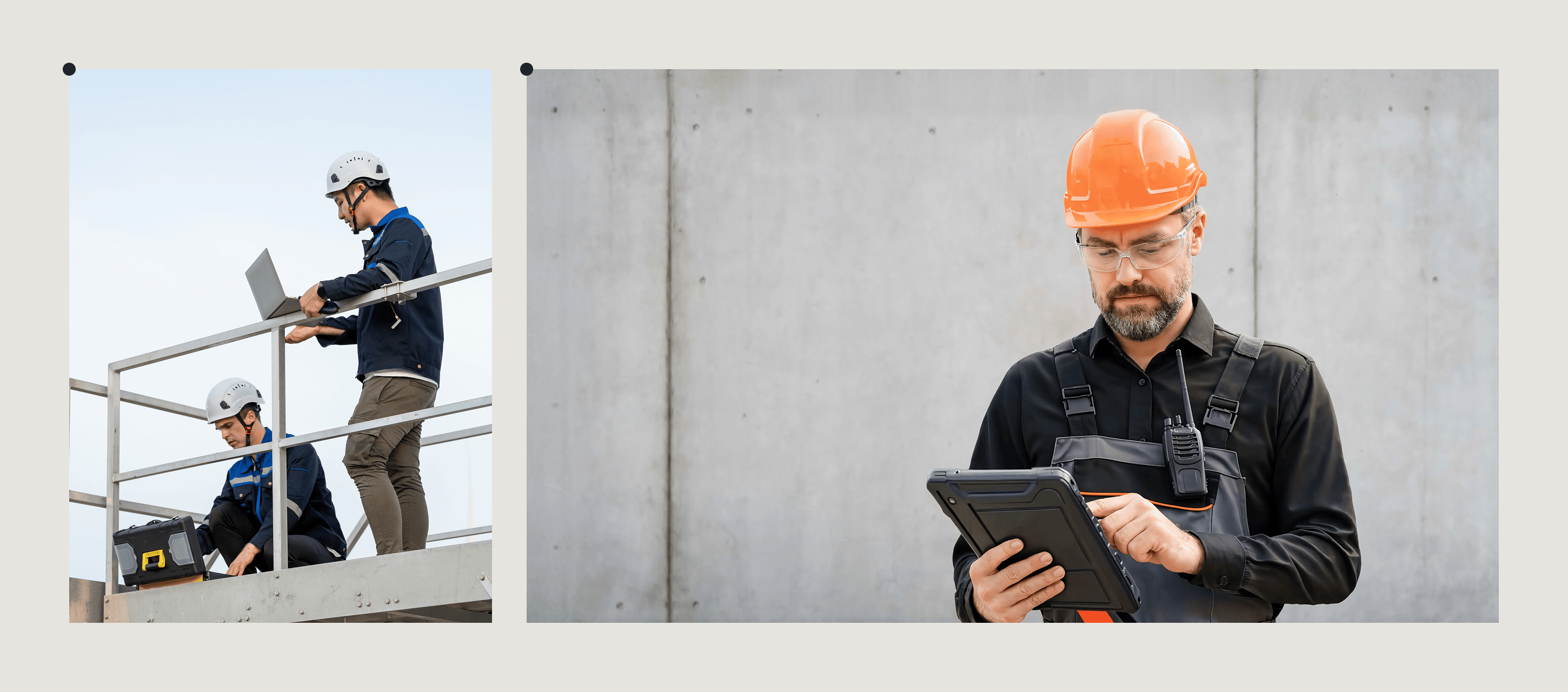
Fluix is inspection management software for field service teams across construction, energy, oil and gas, aviation, and utilities used to run safety inspections, equipment checks, site audits, and quality control walkthroughs.
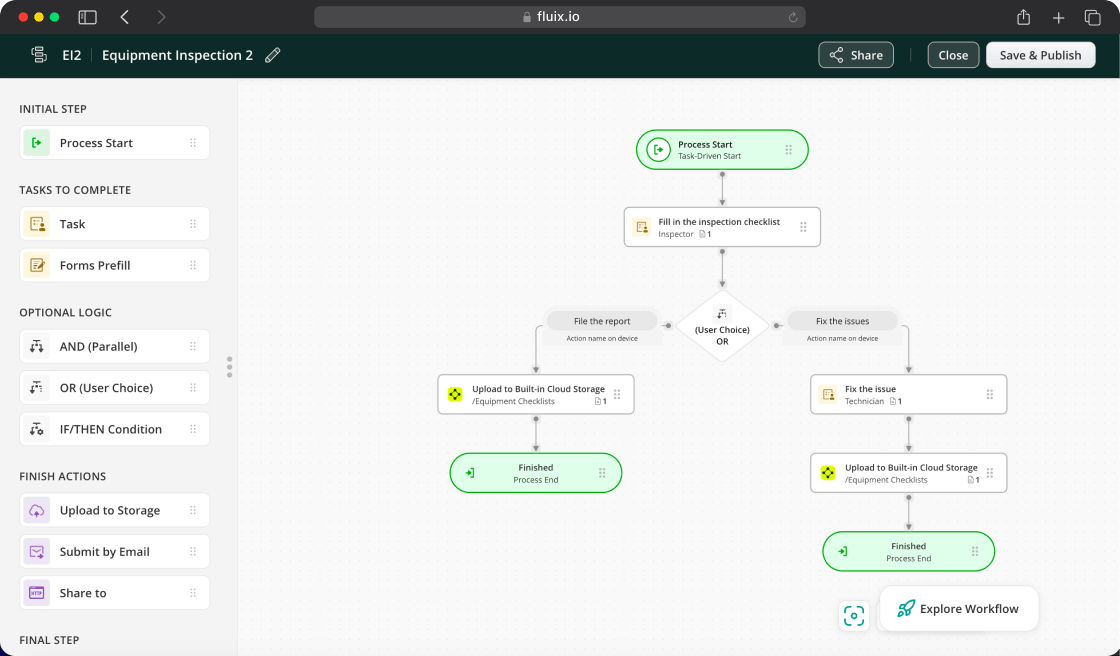
The distinction from Inspectivity: Inspectivity tracks inspection history against a specific asset record. Fluix manages the full inspection event — what gets checked, what gets flagged, who needs to act on it, and how that gets documented. For field teams where inspections need to trigger a corrective action, route through an approval chain, and generate an audit-ready report automatically, that distinction is the reason teams choose Fluix over an asset-centric platform like Inspectivity.
Teams coming from Inspectivity often arrive running three separate tools alongside it: a form builder for general inspections, a task manager for follow-up, and a spreadsheet for reporting consolidation. Fluix replaces all three.
Key Features
- Mobile inspections with AI form generation
- Full offline mode
- Multi-step review workflows and automated approvals with push-back capability
- Issue tracking and incident reporting
- Task scheduling and assignment with visual calendar
- Automated notifications and alerts
- Audit-ready reports generated automatically on inspection completion
- Charts, dashboards, and analytics
- Field Intelligence MCP connector — query live inspection data through Claude, Copilot, or ChatGPT
Fluix Pros
- Multi-step approval chains. A senior reviewer can push an inspection back with notes before it closes, a capability missing from most alternatives on this list.
- Offline reliability including photos. Forms complete and sync cleanly in poor site connectivity.
- Fast deployment with real onboarding support. A named Customer Success Manager and Solutions Architect support most teams from day one, with most live within four weeks.
Fluix Cons
- Not an asset maintenance platform. Fluix handles inspections and workflows, not the kind of long-term asset condition history and maintenance scheduling.
- Android experience is still catching up to iOS. Worth checking against your team’s device mix before committing.
- Minimum user requirement. The entry plan requires 5+ users, which may not suit very small or temporary teams.
Pricing
- Crews: $29/user/month (5+ users)
- Operations: $49/user/month (15+ users)
- Enterprise: Custom (25+ users)
Ratings
4.8 — Capterra, 4.8 — G2
Need an Inspection App with Offline Mode?
Fluix is built for exactly that
2. Mitti (formerly SafetyCulture): Best for Broad EHS Inspections
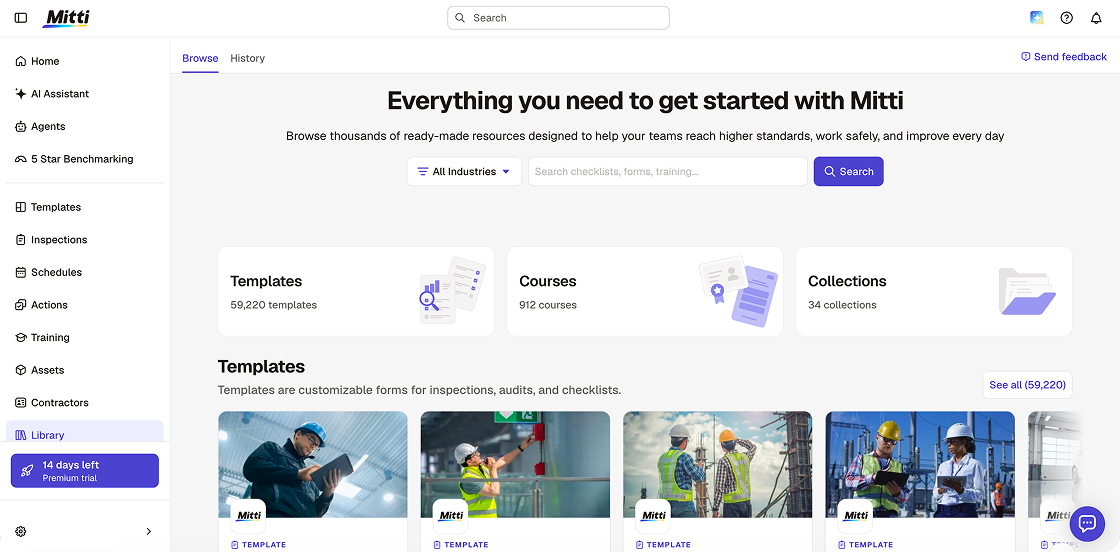
Mitti (formerly SafetyCulture, originally iAuditor) is the broadest platform on this list by scope. Where Inspectivity is built around asset-specific inspection tracking, Mitti has grown into a full environment, health, and safety operations platform — covering incident investigation, training, and asset condition monitoring alongside inspection workflows.
The reason it surfaces as an Inspectivity alternative is breadth. If your team needs inspections as one part of a much larger EHS programme, Mitti covers that ground in a way a narrower asset-inspection tool does not. The template library now exceeds 59,000 customisable options, most teams find a ready-made template for their industry and are completing their first inspection the same day they sign up.
In August 2026, alongside the rebrand from SafetyCulture, Mitti launched AI Agents that monitor site activity and run routine tasks in the background, an AI Assistant that surfaces patterns and compares against safety standards, AI Issue Creation that converts photos and voice into structured issues automatically, and 5-Star Benchmarking that scores each site in a portfolio.
Where it gets complicated is for teams that need approval workflows beyond a single sign-off. Mitti’s task management is largely one-directional: once a worker completes an inspection or closes an action, that is effectively final. There is no native multi-tier review chain where a senior reviewer can push a completed inspection back with notes before it counts as resolved.
Key Features
- Audit checklists with drag-and-drop builder
- 100,000+ customisable templates across all major industries
- AI Agents — background monitoring and automated routine task execution
- AI Issue Creation — photos and voice to structured issues automatically
- 5-Star Benchmarking — portfolio-level site performance scoring
- Investigation workflows
- Corrective action tracking
- Real-time EHS analytics dashboards
- IoT sensor integration for condition-based monitoring
Mitti Pros
- Broadest EHS feature set on this list. Inspections, training, incident management, and asset tracking in one platform.
- AI suite. AI Agents, AI Assistant, 5-Star Benchmarking, and AI Issue Creation are particularly useful for multi-site operators who need portfolio-level visibility.
- Free tier is usable. Up to 10 users with core inspection features.
Mitti Cons
- Breadth adds complexity. Teams that only need asset-specific inspection tracking may find the full platform more than they need.
- No multi-tier approval routing. A single user closes the check, there’s no built-in workflow for a senior reviewer to push a completed inspection back with notes before it’s considered final.
- Report layout is rigid. Building the form itself is easy, but the final PDF report keeps Mitti’s (SafetyCulture) standard layout. You can’t easily move the summary box or adjust formatting if you need a report that matches your own branding for a client.
Pricing
- Free: Up to 10 users
- Lite Seat: $5/user/month
- Lite Seat: $5/user/month
- Enterprise: Custom
Ratings
4.6 — G2, 4.6 — Capterra
3. MaintainX: Best for Maintenance-Heavy Processes
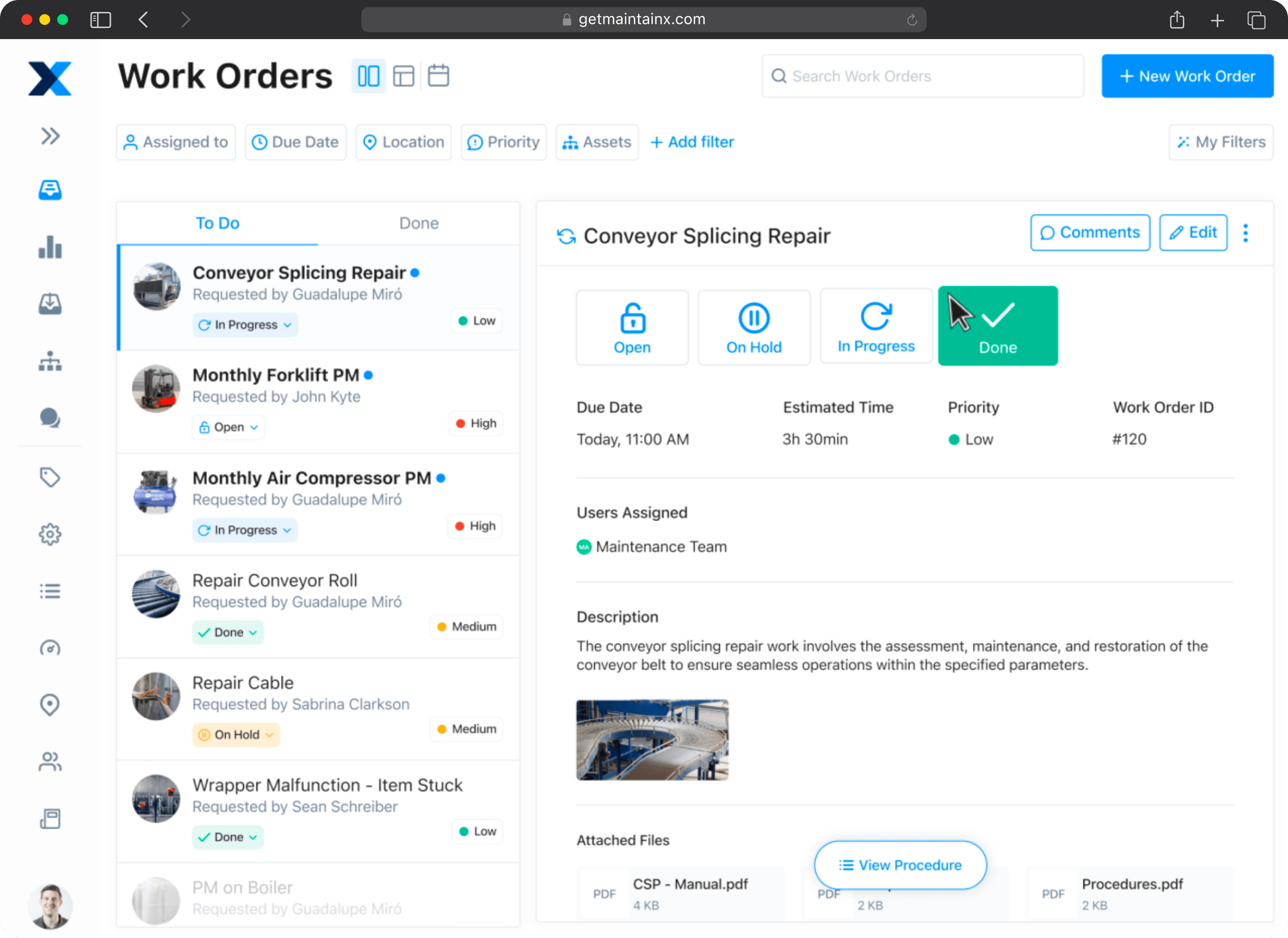
MaintainX is a CMMS (Computerized Maintenance Management Software) built around the full maintenance lifecycle of physical assets – work orders, preventive maintenance scheduling, parts inventory, and AI-powered maintenance recommendations.
This is the closest direct comparison to Inspectivity on this list, since both platforms are fundamentally asset-and-maintenance oriented rather than pure inspection tools. The distinction between them comes down to depth and AI tooling: MaintainX’s CoPilot feature surfaces relevant procedures and helps generate work orders from natural language, which Inspectivity doesn’t offer in the same form. MaintainX has recently expanded its AI suite, adding AI-powered work order descriptions, parts suggestions from historical data, failure prediction, and demand forecasting. The platform also added IoT Data Connectors supporting Ignition 8.3 and Custom MQTT for SCADA-connected environments.
Where MaintainX and Inspectivity converge is the underlying model: an inspection is typically tied to an asset, triggered by a maintenance schedule, and linked to a work order. That’s the right model for a manufacturing plant or facilities team managing physical equipment. It’s a different model from field inspections conducted at customer sites, remote locations, or varied environments without a fixed maintenance schedule.
Key Features
- Work order creation, assignment, and tracking
- Preventive and predictive maintenance scheduling
- AI-powered maintenance suggestions (CoPilot)
- Asset management with full maintenance history
- IoT sensor integration for condition-based maintenance triggering
- Multi-site management and reporting
MaintainX Pros
- CMMS + inspections in one platform. Eliminates the need for separate maintenance management and form collection tools.
- AI-powered maintenance guidance. CoPilot surfaces relevant procedures and helps generate work orders from natural language descriptions.
- Strong mobile experience. Reviewers consistently praise the app’s usability across technical and non-technical users.
MaintainX Cons
- Asset-and-schedule-driven model. If your inspection work isn’t tied to a maintenance schedule or fixed asset, MaintainX’s model is a less natural fit than a field-inspection-first tool.
- Setup requires investment. Asset database population and PM schedule configuration takes time; reviewers consistently flag the initial data entry burden.
- Reporting customization has limits. Several reviewers request more flexible dashboard and report options, particularly for mobile.
Pricing
- Basic: Free forever
- Essential: $20/user/month
- Premium: $65/user/month
- Enterprise: Custom pricing
Ratings
4.8 — Capterra, 4.8 — G2
4. Fiix: Best for Asset-Centric Processes
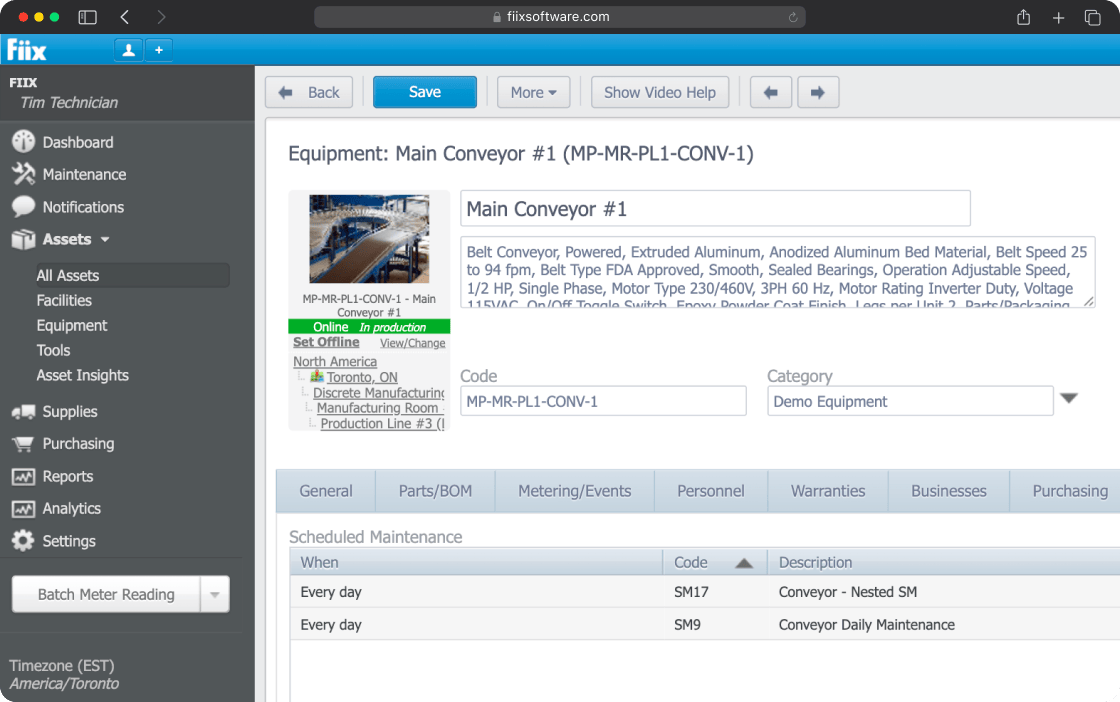
Fiix is a CMMS platform built around asset management at depth – full maintenance history, parts and inventory tracking, and predictive maintenance powered by asset condition data.
Of all the alternatives on this list, Fiix’s core orientation is the closest match to what Inspectivity already does well: tracking the long-term history and condition of a specific asset over its lifecycle. If what drew your team to Inspectivity in the first place was deep asset history tracking, Fiix is worth evaluating closely.
Where it diverges from a field inspection tool like Fluix is scope. Fiix is built for teams managing physical equipment with predictable maintenance schedules, not for teams running varied, ad hoc safety or compliance inspections across changing sites.
Key Features
- Asset hierarchy and full maintenance history tracking
- Work order management
- Preventive maintenance scheduling
- Parts and inventory management
- Predictive maintenance using asset condition data
- Mobile access for technicians
- Reporting and analytics dashboards
Fiix Pros
- Deep asset hierarchy. Built specifically for tracking complex, multi-component assets over their full lifecycle — closely matching what teams value about Inspectivity.
- Predictive maintenance capability. Uses historical asset data to flag likely failures before they happen.
- Established CMMS player. Mature product with a long track record in industrial and facilities maintenance.
Fiix Cons
- Not built for varied field inspections. Teams running safety walkthroughs, compliance audits, or inspections not tied to a fixed asset record will find the model constraining.
- Pass/fail inspection tasks require a paid plan. The free tier doesn’t include this — it’s available starting on the Basic plan at $45/user/month.
- Setup and configuration overhead. Like other asset-centric CMMS tools, getting the asset database populated correctly takes meaningful upfront investment.
Pricing
- Free: $0 — work orders, asset management, and mobile app for up to 25 active PMs, no credit card required
- Basic: $45/user/month — unlimited preventive maintenance, reports, pass/fail inspection tasks
- Professional: $75/user/month — multi-site management, AI-powered insights (Fiix Foresight), custom analytics
- Enterprise: Custom pricing — failure codes, custom workflows, e-signatures, audit trail, SSO
Ratings
5 – Capterra
5. GoAudits: Best for Checklist-Based Audits
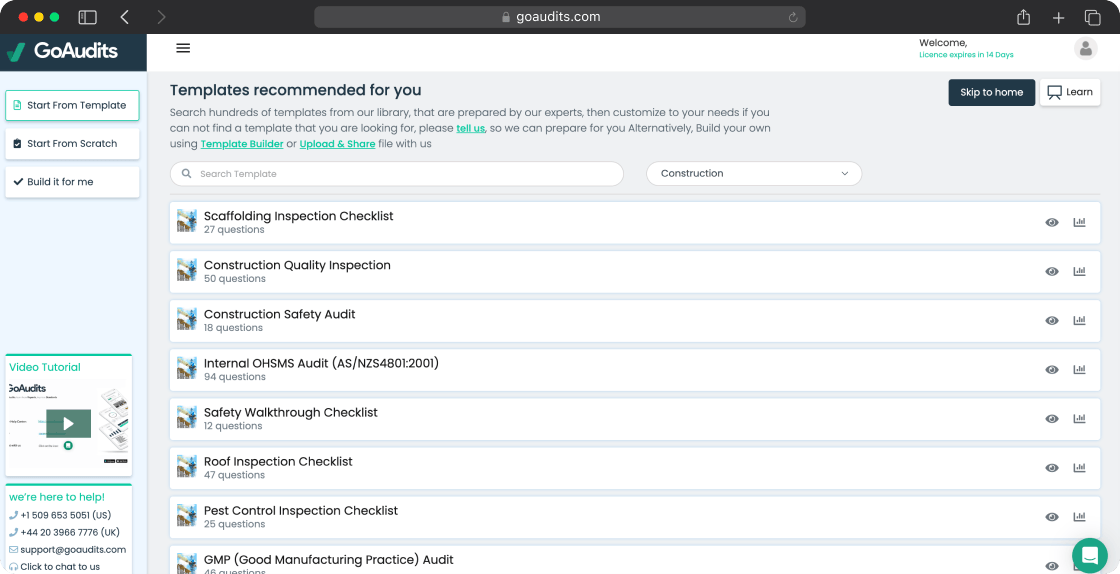
GoAudits is an audit and inspection platform used primarily by teams in retail, hospitality, food and beverage, and facilities management. For straightforward, checklist-based audits across multiple locations, it does a reasonable job – and it’s worth considering as an Inspectivity alternative specifically for teams whose inspection needs are simple, recurring, and don’t require deep asset history tracking.
The reason it’s positioned as “best for simple audit checklists” rather than a broader fit: GoAudits’ strength is ease of setup for basic compliance checklists, not workflow depth or asset management. Teams that need either Inspectivity’s asset tracking or Fluix’s full inspection-to-corrective-action workflow will find GoAudits comparatively limited once requirements grow.
Key Features
- Mobile and offline audit checklists
- Photo capture, signatures, and annotations
- Automatically generated branded PDF reports
- Corrective action tracking
- Analytics dashboard
GoAudits Pros
- Fast template setup. Straightforward to get basic audit checklists running quickly.
- Branded PDF reports generated automatically. Useful for teams submitting audits to clients or stakeholders.
- Simple, focused scope. For teams that only need checklist-based audits, the lack of extra modules keeps the platform easy to learn.
GoAudits Cons
- No asset tracking depth. Offers nothing comparable to Inspectivity’s asset history model — not a fit for teams whose core need is asset-centric inspection tracking.
- Workflow automation is limited. Once a form is submitted, there’s minimal native mechanism to route findings or track resolution beyond basic corrective action tagging.
- Web interface is less polished than mobile. Several reviewers note administrative setup works better on tablet than desktop.
Pricing
- Starter: $12/user/month
- Enterprise: $30/user/month
Ratings
“GoAudits has assisted us to move dramatically through our quality control scores, internal and external. Any recommendation or request we made was immediately actioned upon.” Remus Palimaru, Rosewood London
“With instantly compiled and emailed reports, we get real-time data that allows our supervisors to sign off corrective actions and resolve issues much quicker.” Eddie Odie, Nissin Foods
How to Choose the Best Alternative to Inspectivity
The right Inspectivity alternative depends on why it stopped fitting your team’s needs in the first place. Inspectivity’s strongest vertical is oil and gas — asset integrity tracking for pressure vessels, pipelines, and rotating equipment.
Teams in this space evaluating alternatives typically have one of two needs: a deeper asset management system (Fiix handles this) or a broader field inspection platform that covers safety walkthroughs, permit to work, and incident reporting alongside equipment checks (Fluix handles this, and is used by oil and gas teams in offshore and remote environments where full offline mode is a hard requirement). See how Fluix handles oil and gas field inspections.
If you need a broader EHS programme beyond inspections alone, Mitti by SafetyCulture covers more ground than any other tool on this list.
If your inspections are fundamentally tied to maintenance schedules and physical assets, MaintainX or Fiix are closer matches to Inspectivity’s underlying model.
If your inspection needs are simple and checklist-based, GoAudits offers a lighter, faster-to-deploy option.
A few questions worth answering before you commit to anything:
- Is your core need asset history tracking, or inspection event management?
- How quickly does the new platform need to be live?
- What does your team’s device mix look like — iOS, Android, or both?
- What does success look like in measurable terms, defined before go-live rather than after?
Before signing anything, run a short bake-off rather than relying on a demo alone. Time how fast a field user can complete one real inspection from start to finish, check whether forms can be standardized across multiple sites, and confirm a manager can pull exceptions and recurring failures without manually reading through every report.
How to Migrate from Inspectivity to Your Tool of Choice
Moving away from Inspectivity is manageable as asset records and inspection history are typically exportable. What takes more preparation is the informal process logic that lives in people’s heads rather than the platform itself.
Before you start:
- Export your Inspectivity data. Asset records, inspection history, and any custom fields – download everything before you begin. Access to historical data can become complicated once a transition is underway.
- Document which workflows you actually use. Most teams build informal processes around a platform’s limitations. Write those down before trying to replicate or improve on them elsewhere.
- Map your integration requirements. If Inspectivity connects to other systems in your stack, identify those dependencies before configuring anything new.
- Prioritize your highest-traffic use cases. Don’t migrate everything at once – identify the two or three inspection types your team runs most often and get those right first.
- Run a structured pilot before full rollout. Test with one site or one team, collect honest feedback, and resolve issues before expanding.
- Budget for training time. Field staff who’ve built habits around Inspectivity’s asset-tracking model will need adjustment time, even with an intuitive replacement.
If you choose Fluix, onboarding is structured to get you operational quickly. A named Customer Success Manager and Solutions Architect handle template migration, workflow configuration, and training alongside your team. Most teams are live within four weeks. See how inspection data management works once your data is in Fluix.
FAQ
- What is the best alternative to Inspectivity for field inspections?
Fluix is the closest alternative for teams whose primary need is field inspection management rather than asset history tracking. Where Inspectivity tracks inspection records against specific assets, Fluix manages the full inspection event — from checklist completion to corrective action routing to audit-ready report — without the asset-centric model.
2. What are the best alternatives to spreadsheet-based inspections?
The five platforms that most consistently replace spreadsheet inspection tracking are Fluix, Mitti (formerly SafetyCulture), MaintainX, Fiix, and GoAudits. Fluix and Mitti are the strongest replacements for teams running varied safety and compliance inspections. MaintainX and Fiix suit teams whose inspections are tied to maintenance schedules and fixed assets.
3. Which Inspectivity alternatives work offline and sync later?
Fluix, Mitti, MaintainX, Fiix, and GoAudits all offer offline capability. Fluix is specifically built for high-risk, low-connectivity field environments — offshore platforms, remote pipelines, and construction sites — where offline reliability is a hard requirement rather than a convenience feature.
4. Is there an Inspectivity alternative for oilfield asset integrity software?
Fluix is used by oil and gas field teams for equipment inspections, safety walkthroughs, permit to work, and incident reporting in remote and offshore environments. For asset-centric integrity tracking specifically, Fiix provides the deepest asset hierarchy and maintenance history model on this list.
5. How do you migrate from Inspectivity to a new inspection platform?
Export all asset records and inspection history from Inspectivity before starting. Document the informal workflows your team has built around the platform’s limitations. Identify integration dependencies. Pilot the new platform with one site or inspection type before full rollout. With Fluix, a dedicated Customer Success Manager and Solutions Architect handle template migration and team training — most teams are live within four weeks.