
GoAudits is an audit and inspection platform used primarily by teams in retail, hospitality, food and beverage, and facilities management. For audits across multiple locations, it does a reasonable job. But as inspection processes become more complex, a few consistent gaps tend to surface.
In this article I’m comparing four GoAudits alternatives across inspection features, reporting, offline mode, and pricing. For each tool you’ll find a product description, feature breakdown, honest pros and cons, verified pricing, and real customer quotes.
Top Picks at a Glance
| Alternative | Best For | Key Strengths | Key Weaknesses | Price |
| Fluix | Overall inspections | Multi-step workflows, reliable offline, external access included | Not a CMMS | From $29/user/mo |
| TrueContext | Custom reports | Branded reporting, enterprise integrations | Team-based pricing from $400/mo; slow ROI | From $400/mo (whole team) |
| FastField | Form building | AI form converter, OCR label scanning | Workflow automation gated to Pro plan | From $24/user/mo |
| Mitti (by SafetyCulture) | Web application | Broad platform, 10,000+ templates, free tier | Can be complex for smaller teams | Free; paid from $24/user/mo |
Why Look for GoAudits Alternatives?
GoAudits positions itself as an easy-to-use audit platform, and for basic compliance checklists it does that well. But my testing and a read-through of user reviews on G2 and Capterra tell a more nuanced story.
- The web version is unstable. Multiple reviewers flag that the web interface lags and feels less polished than the mobile app. Most administrative setup tasks work better on tablet than desktop.
- Minimal in-app help. When something isn’t working or you don’t know how to configure a template, the in-app documentation and support materials are thin.
- Mobile app reliability. Occasional glitches on the mobile app happen, which matters when inspections are happening in the field.
- Limited flexibility at the price point. GoAudits is priced above many competitors, but reviewers consistently note the absence of features you’d expect at that level, including the inability to remove GoAudits branding on reports without additional cost.
- Onboarding is more sales than setup. This comes up repeatedly in reviews. Users describe their onboarding sessions as feeling like a pitch continuation rather than a genuine walkthrough of the platform.
My Selection Framework
I analyzed GoAudits reviews across G2 and Capterra, and cross-referenced with hands-on testing to confirm the patterns above weren’t outliers. The limitations translate directly into the evaluation criteria I used for each alternative.
- Onboarding and implementation quality — Is there genuine setup support, or does the team have to figure it out alone?
- Platform stability across web and mobile — Does the tool work reliably in both environments, not just one?
- Report customization — Can teams produce branded, professional reports without additional fees or professional services?
- Workflow beyond the checklist — Does the platform support corrective actions, approvals, and follow-up tracking?
- Offline reliability — How does the platform behave when connectivity is poor?
- Support quality and accessibility — Is help available when something goes wrong in the field?
1. Fluix: Best for Overall Inspections
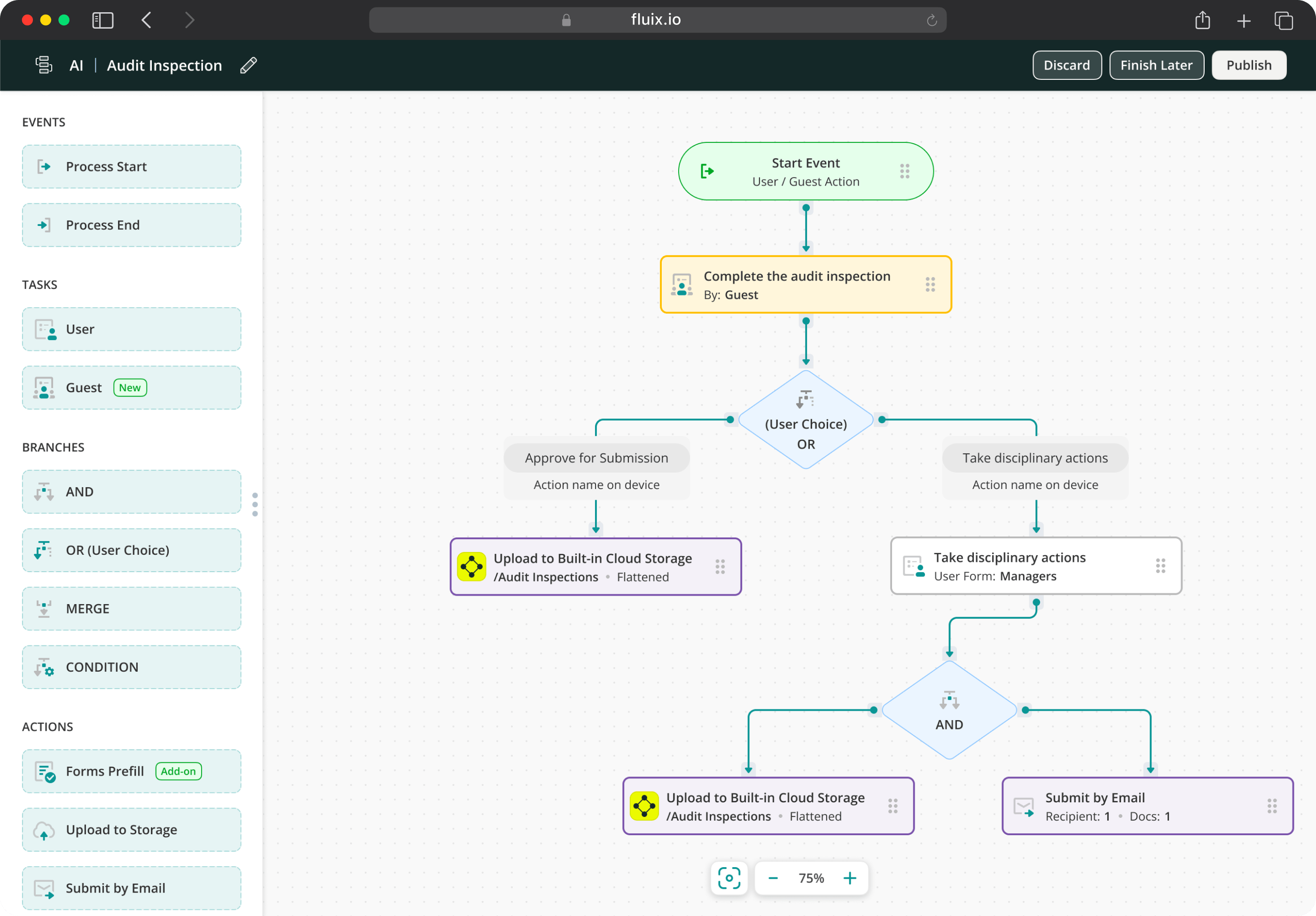
Fluix is inspection management software for field teams running safety, equipment, vehicle, facility inspections, and more. The distinction from GoAudits isn’t in checklist building — both handle that. The difference is in what the platform does before and after the checklist. In Fluix, inspectors complete forms in a structured, role-guided workflow. Completed inspections flow directly into corrective action assignment then, without manual handoffs.
Where GoAudits is primarily a tool for compliance scoring, Fluix is built around the full operational lifecycle of an inspection. For many teams, that removes the need for a form builder, a task manager, and a reporting spreadsheet, because the workflow handles all three.
It runs on web, iOS, and Android, with SOC 2 Type II and ISO 27001 (for ISMS) certification for teams in regulated industries. Every migrating customer gets a dedicated Customer Success Manager and Solutions Architect from day one — the onboarding experience that GoAudits reviewers consistently say they didn’t get.
Key Features
- Mobile inspections and checklists
- Full offline mode
- Multi-step review workflows with push-back capability
- Automated corrective action routing
- AI form generation
- Task scheduling with visual calendarIssue and incident reporting
- Automated notifications and alerts
- Audit-ready PDF reports generated automatically on inspection completion
- Charts, dashboards, and analytics
- Guest access for external contractors and auditors
- Integrations: Procore, Power BI, Salesforce, HubSpot, Airtable, Claude, Copilot
Fluix Pros
- End-to-end inspection workflow. Data capture, corrective action, approval, and report in one platform.
- Report quality. Audit-ready PDF reports generate automatically from inspection data.
- Offline reliability. Inspections complete and sync reliably in low-connectivity environments.
Fluix Cons
- Setup takes time to get right. The workflow flexibility is real, but it means more upfront configuration than a simpler audit tool.
- Android is still catching up to iOS. Some features are more limited on Android.
- Minimum user requirement. The entry plan requires 5+ users, which may not suit very small or temporary teams.
Pricing
- Crews: $29/user/month (5+ users)
- Operations: $49/user/month (15+ users)
- Enterprise: Custom (25+ users)
What Do Customers Say About Fluix?
4.8 — Capterra, 4.8 — G2
“Fluix has transformed the way we work. We’ve got control over all documentation, and it’s one of the best tools we’ve invested in.” Arwel Jones, WTG Maintenance Manager, RWE
“Fluix reduced the average time needed to complete a vehicle inspection checklist, including time to take photos, from 22 minutes to 12.5 minutes — almost in half.” Paul Wilson, Project Manager, CPP
Need Inspections to Go Further Than Just Data Capture?
Bring your requirements and we’ll tell you honestly if Fluix is the right fit
2. TrueContext (Formerly ProntoForms): Best for Custom Reports
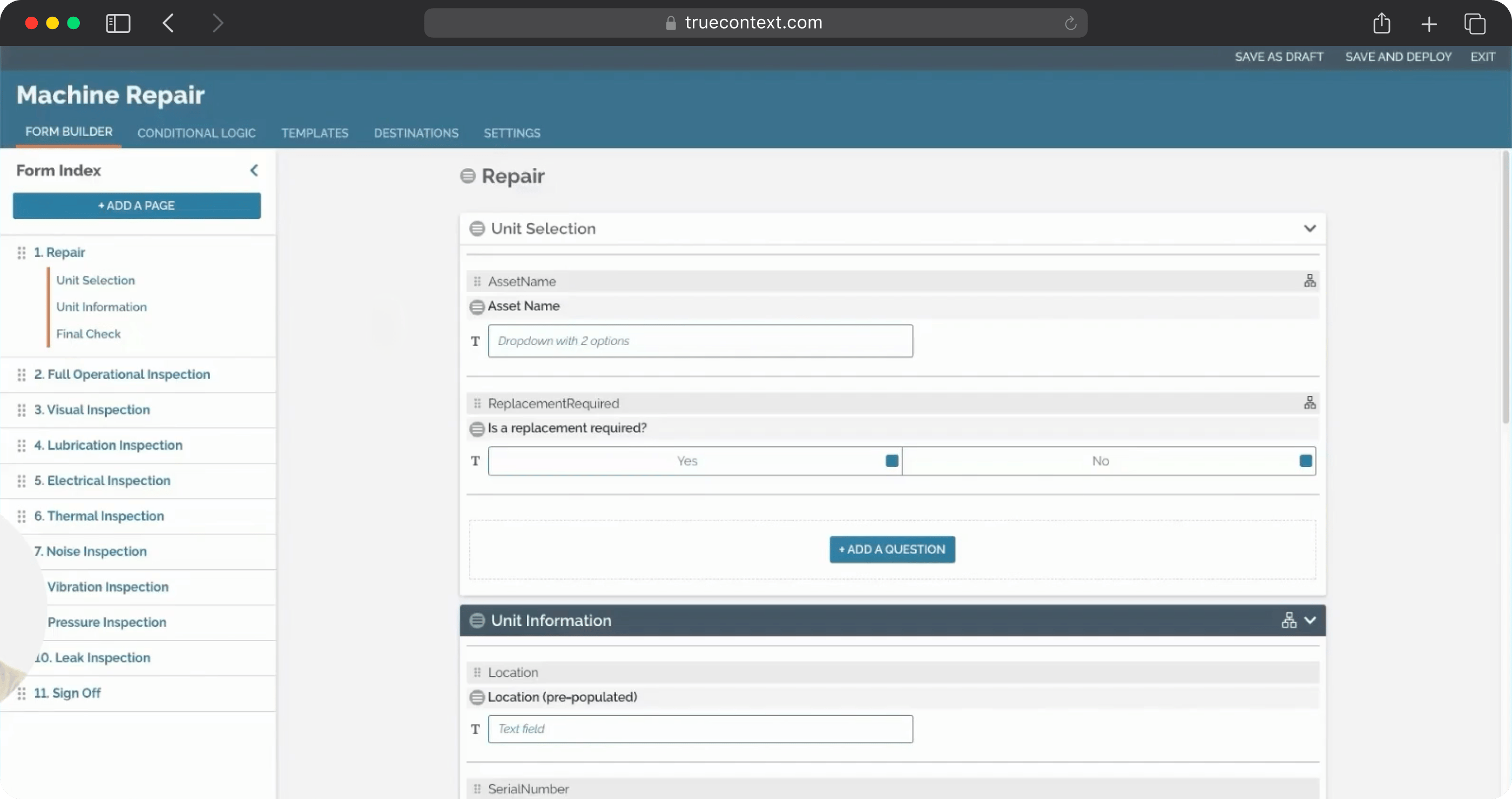
TrueContext (rebranded from ProntoForms in 2022) is a workflow platform that focuses much on the context for technicians. Before a job, they get instructions. During it, AI guides them through the steps. Afterward, the data they’ve captured moves automatically into whatever enterprise system needs it.
What makes it relevant here is a specific GoAudits pain point — reporting. GoAudits ties branding and format flexibility to additional fees. TrueContext doesn’t. For teams submitting inspection outputs to clients or regulators regularly, that removes a recurring cost and dependency.
TrueContext’s 2026 roadmap includes Advanced Data Capture — smart text recognition, intelligent photo profiling, video capture with analysis, and voice-to-form, so technicians can describe what they see and the system structures it automatically. The Elite tier’s Work History feature already surfaces past service records, asset trends, and previous findings inside the active workflow before a job begins.
Key Features
- Context-aware mobile forms
- Automated workflows and camera-to-text
- Fully branded and customizable reporting
- Work management
- Native integrations: Salesforce, SAP, Oracle, ServiceNow
- Multi-language forms (Elite plan)
TrueContext Pros
- Report customization. Full control over branding, layout, and output format.
- Deep enterprise integration. Native connectors to Salesforce, SAP, and ServiceNow reduce reliance on Zapier for large organizations.
TrueContext Cons
- Digital plan has form caps. 750 questions per form and 100 conditional logic rules maximum — complex workflows will hit these limits
- Slower ROI. G2 reviewers consistently flag the configuration investment; it’s real and should be budgeted for
Pricing
- Digital: From $400/month (entire team, billed annually)
- Intelligent: Custom pricing
- Elite: Custom pricing
What Do Customers Say About TrueContext?
4.6 — Capterra, 4.5 — G2
“Gathering information for OSHA and client requests is easier as form data is automatically consolidated.” PrimeLine customer story
“The biggest savings for our field engineers is not having to enter the data again.” Alcon customer story
3. FastField: Best for Form Building
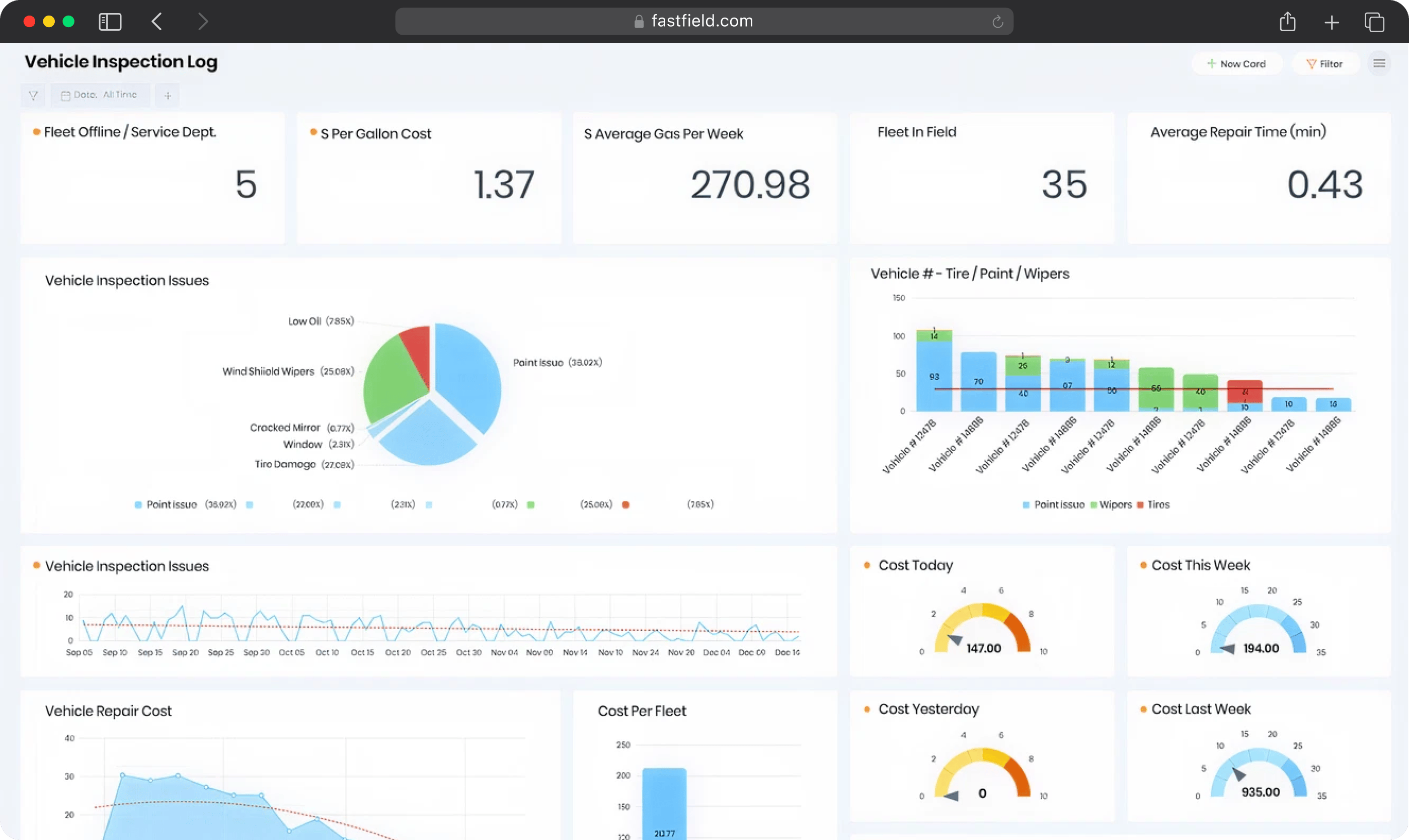
FastField (owned by Quickbase) is a mobile forms platform built around flexibility and speed of form creation. If GoAudits has frustrated you with rigid template structures or limited customization, FastField sits at the other end of that spectrum.
The AI Form Converter is FastField’s most distinctive capability. Teams can photograph a paper form, a PDF, or describe what they need — and FastField builds the digital version. The Label Scanner OCR feature (Pro plan) extends this further: technicians can photograph equipment labels in the field and have text automatically populate form fields.
What it doesn’t do natively (particularly on the Core plan) is close the loop after submission. Workflow automation, multi-step approvals, and corrective action routing require the Pro plan ($36/user/month). External form access is a paid add-on, which is worth factoring into any budget comparison with GoAudits.
FastField is owned by Quickbase, which means the platform’s roadmap is influenced by a broader product strategy. Worth keeping in mind for long-term planning.
Key Features
- No-code form builder with AI Form Converter
- Label Scanner OCR
- Multi-step approvals and AI Workflow
- Custom dashboards and analytics
- GPS and timestamp stamping
- Asset and team tracker
- Integrations
FastField Pros
- AI Form Converter is fast. Photograph a paper form or PDF and get a deployable digital version in seconds.
- Unlimited forms on all plans. Unlike GoAudits, there’s no submission or form count ceiling based on tier.
- Flexible offline capture. Skip logic, barcode scanning, and NFC all work offline.
FastField Cons
- External form access is a paid add-on. Anonymous Forms cost $1.50 per submission — relevant for teams with significant contractor or external inspector networks where submission volume adds up.
- No polygon or GIS capability. GPS stamping is available but this is a form tool, not a spatial data platform.
Pricing
- Core/Basic: $25/user/month (monthly billing)
- Pro: contact FastField for current pricing
- Enterprise: custom pricing
- Add-ons: Anonymous Forms (external submission without an authenticated account) at $1.50 per submission. White Label Branding requires contacting sales for pricing.
What Do Customers Say About FastField?
4.8 — Capterra, 4.6 — G2
“We can now dispatch forms out to contractors and staff, while tracking work order stats.” Capterra review, Construction
“Great for data collection. Where it starts to show limits is when you need the data to actually do something after it’s submitted.” Capterra review, Utilities
4. Mitti (Formerly SafetyCulture): Best for Web Application
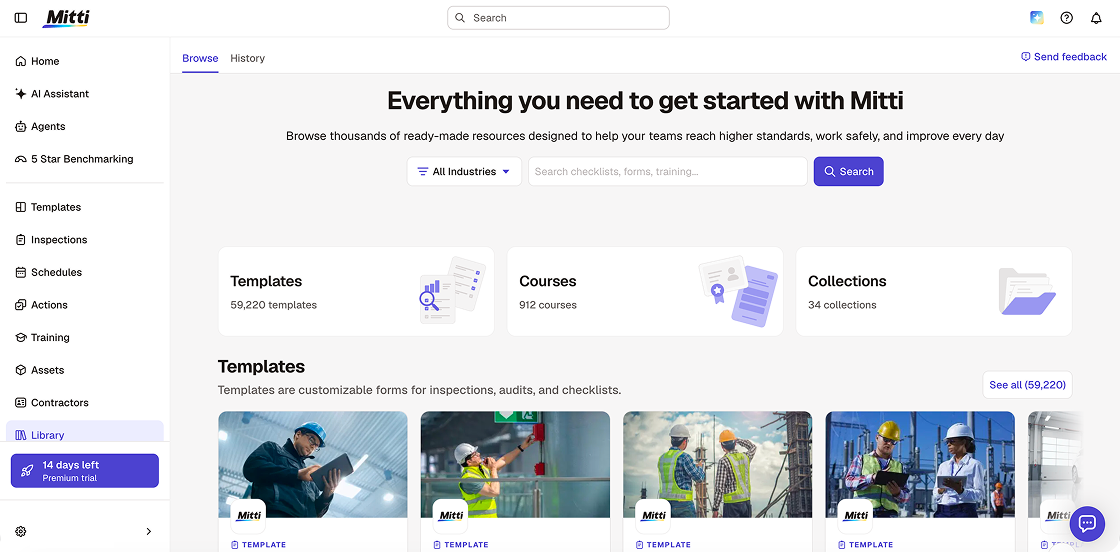
Mitti (formerly SafetyCulture, originally iAuditor) is the broadest platform on this list. Where GoAudits is focused on audit and compliance workflows, Mitti has expanded into a full workplace operations system covering safety, quality, maintenance, training, assets, and insurance.
The web application remains where Mitti genuinely differentiates from GoAudits. Unlike GoAudits — where reviewers flag an unstable and limited web interface — Mitti’s web platform is fully functional. Administrators can build templates, review inspections, manage assets, assign training, and analyze trends without opening the mobile app.
Most teams find a ready-made template for their specific inspection type and are running within hours. The AI layer allows templates to be generated from a photo, PDF upload, or text prompt.
Alongside the August 2026 rebrand, Mitti launched: AI Agents that monitor site activity and run routine tasks in the background, an AI Assistant that surfaces patterns and compares against safety standards, AI Issue Creation that converts photos and voice into structured issues automatically, and 5-Star Benchmarking that scores each site in a portfolio.
The honest limitation from GoAudits evaluators: Mitti’s task management is one-directional. Once a worker closes an action, there is no native mechanism for a senior reviewer to push it back with notes before it counts as resolved. For teams with compliance programmes requiring multi-stage sign-off, this is a real gap.
Key Features
- Form library with a drag-and-drop template builder
- AI template generation
- Asset management with digital register
- Task management and corrective action tracking
- Incident reporting and investigation workflows
- Real-time analytics dashboards
- Real-time analytics dashboards and 5-Star Benchmarking
- AI Issue Creation — photos and voice to structured issues automatically
Mitti Pros
- Fully functional web application. Administrative setup, reporting, and analytics work seamlessly on desktop.
- AI features strengthen multi-site visibility. 5-Star Benchmarking gives portfolio-level performance scoring across locations — useful for operators managing many sites.
Mitti Cons
- Breadth can add complexity. Teams that only need audit checklists may find the full platform more than they need, and the learning curve reflects that.
- Platform scope is expanding rapidly. The addition of insurance, procurement, and asset management modules in 2026 means teams that only need audit checklists are navigating an increasingly large platform.
Pricing
- Free: Up to 10 users
- Premium: $24/user/month (annual billing) / $29/user/month (monthly billing)
- Lite Seat: $5/user/month
- Enterprise: Custom
What Do Customers Say About SafetyCulture (Now Mitti)?
4.6 — Capterra, 4.6 — G2
“Our team is motivated to use SafetyCulture because it’s easy, and they’re seeing the benefits of doing so.” Graham Berry, Group General Manager HSEQ Assurance, Thermosash Group
“Being able to now specifically monitor each car’s condition with full traceability gives us total peace of mind.” Richard Millener, Team Principal, M-Sport Ford World Rally Team
How to Migrate from GoAudits to Your Tool of Choice
Moving away from GoAudits is straightforward — the templates are easy to export. What takes more care is documenting the process logic that lives outside the platform. I’d suggest you get that written down before you touch anything new. Other suggestions include:
- Export your GoAudits templates. Download your active checklists and historical audit records before you begin. Access to historical data can become complicated mid-migration.
- Audit which templates are actually in use. Most organizations have far more templates active than they regularly use. Identify the business-critical ones and prioritize those for migration — don’t rebuild everything at once.
- Document your corrective action workflows. If your team has established processes for flagging, assigning, and closing out issues from audits, write those down explicitly before rebuilding them in a new platform.
- Note your reporting requirements. If you’re submitting audit reports to clients or stakeholders, document the exact format, branding, and content those reports need to include.
- Define success before go-live. What does a successful migration look like in measurable terms? Set those criteria upfront so you can evaluate the switch objectively
- Run a structured pilot first. Test with one team or one audit type before rolling out at scale.
- Plan for training time. Even intuitive platforms have a learning curve. Don’t underestimate the time needed to get field staff comfortable, especially if they’ve been using GoAudits for years
When you choose Fluix, the onboarding works differently from what GoAudits reviewers describe. You get a named Customer Success Manager and Solutions Architect who handle the technical setup — templates, workflows, integrations — alongside you. Four weeks to go live is typical.