At most plants, quality checks, the 5S audit, equipment checks and safety walks are common inspection types. Manufacturing inspection software puts all of that in one flow. Operators and inspectors complete checklists on a phone or tablet at the line, attach photos and sign. Failed items become corrective actions with an owner and a due date. Supervisors approve or push back. Managers see what’s open, what’s overdue, and where the same defect keeps coming back.
In this guide, I compare seven tools across four types of inspection in manufacturing: quality inspections, process audits (LPAs and 5S), equipment inspections and safety inspections.
Contents:
- How I Picked This List
- Quick Comparison
- 1. Fluix – Best for End-to-End Plant Inspections
- 2. Mitti (formerly SafetyCulture) – Best for Template Library
- 3. GoAudits – Best for Scored Audits Across Sites
- 4. MonitorQA – Best for Per-User Audits Across Many Sites
- 5. flowdit – Best for Layered Process Audits, 5S and SAP-Connected Plants
- 6. Tulip – Best for Building Custom Shop-Floor Apps, Including Vision Inspection
- 7. ComplianceQuest – Best for Regulated Plants That Need a Full QMS
- How to Choose: Pick by the Team That Owns Inspections
- FAQ
How I Picked This List
I scored each tool against seven questions — the ones I’d ask if I were running a plant’s inspection program. For a longer version, see my guide on how to choose inspection management software.
- Inspection coverage. Can it run quality checks, process audits, equipment inspections and safety inspections, or is it built for one?
- Floor usability and offline mode. Can an operator finish a check in two minutes, with gloves on, in a steel building where Wi-Fi drops?
- What happens after a failed check. Does a failed item become a corrective action with a named owner and due date? Can a supervisor reject an inspection before it closes?
- Asset and QR workflows. Can someone scan a code at a machine and get the right checklist with asset details filled in?
- Integrations. Does it connect to ERP (SAP), BI tools, MES or a QMS?
- Honest review signal. What do G2 and Capterra reviewers praise and complain about, and how many reviews are there?
- Pricing transparency. Can you estimate cost from the website, or do you need a sales call?
I left out tools that are mainly EHS suites, QMS platforms with no floor app, metrology software and pure vision systems. The exception is ComplianceQuest, included as the QMS benchmark.
Quick Comparison
| Tool | Best for | Inspection types | Offline | QR / asset starts | Approvals | Starting price | Rating |
|---|---|---|---|---|---|---|---|
| Fluix | End-to-end plant inspections | Quality, equipment, safety, process audits | Full (photos, GPS, signatures) | Yes, QR or asset number | Multi-step, with push-back | $29/user/mo (5+ users) | 4.8 Capterra · 4.8 G2 |
| Mitti (formerly SafetyCulture) | Template library | Quality, safety, audits | Yes | Confirm in demo | Confirm in demo | Free (10 seats); $24/seat/mo annual | 4.6 Capterra |
| GoAudits | Scored audits across sites | Quality, 5S, safety audits | Yes | Not confirmed | Not confirmed | $10/user/mo annual | 4.8 Capterra · 3.5 G2 |
| MonitorQA | Per-user audits across many sites | Safety, quality and health audits | Yes, fully offline | Not confirmed | Approve or reject follow-up tasks | $24/user/mo (about $19 annual) | 4.8 GetApp |
| flowdit | LPAs, 5S and SAP-connected plants | Quality, LPA, 5S, maintenance, EHS, FAT/SAT | Yes | Yes, QR, NFC, barcode | Not confirmed | Free (1 user); $12/user/mo from 5 users | 4.9 G2 · 4.9 Capterra |
| Tulip | Custom shop-floor apps with vision | Inline and visual quality, work instructions | Not confirmed | Barcode and datamatrix via devices | App approvals, e-signatures (Regulated plan) | $100/interface/mo, 10-interface minimum | 4.5 G2 |
| ComplianceQuest | Regulated plants needing a full QMS | Inspections inside QMS | Not confirmed | Not confirmed | QMS workflows, CAPA | Quote-based | 4.3 G2 · 4.6 GetApp |
1. Fluix – Best for End-to-End Plant Inspections
Who it’s for: Plants that need digital inspections with offline mode, end to end, from building forms to approvals and sign-offs.
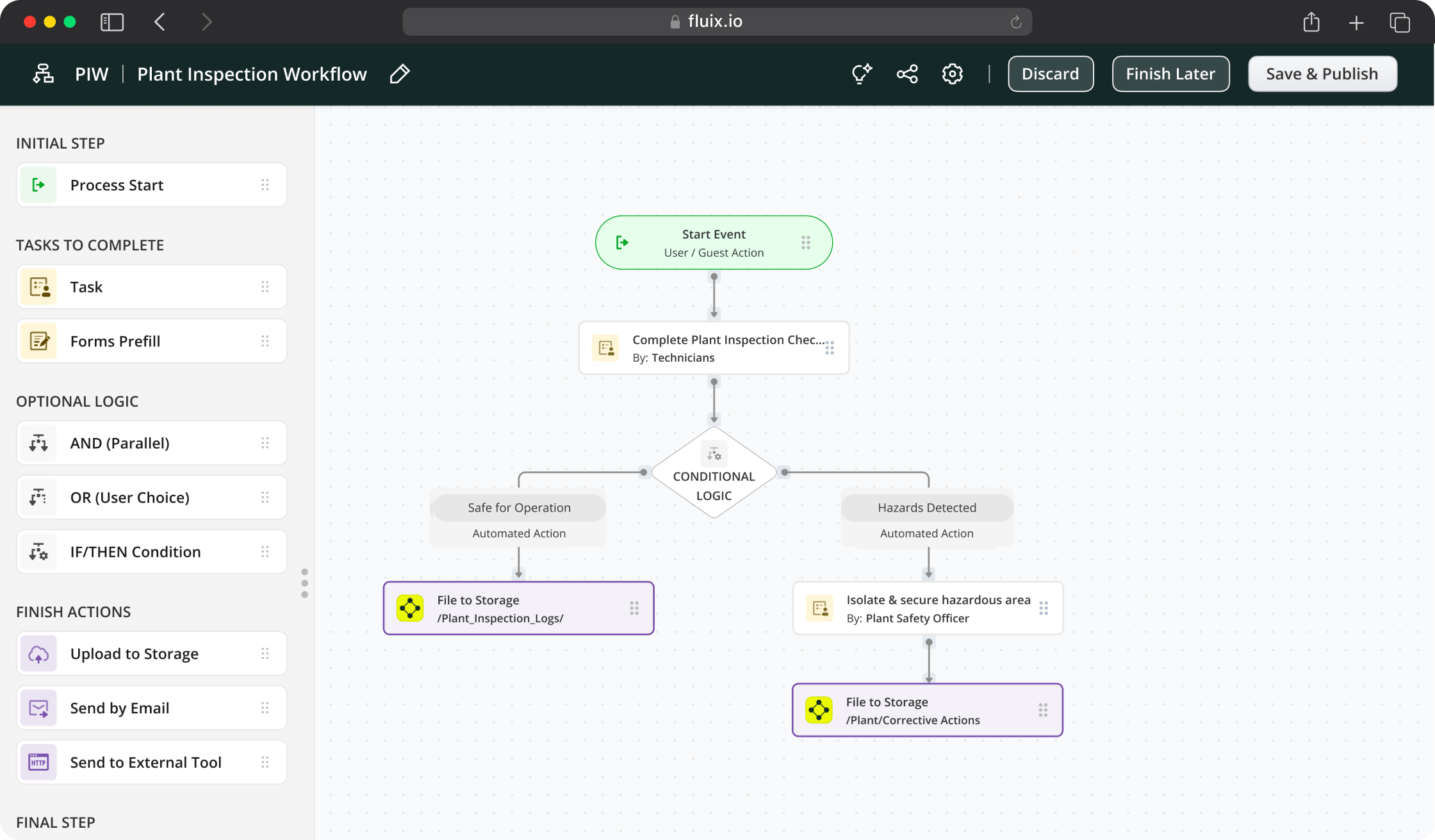
Fluix is an inspection tool for field teams. In a plant, its manufacturing inspection software gives every shift and production line one consistent way to run quality checks, equipment inspections and safety audits — on a phone or tablet, with or without a connection — and stores every result as a record ready for the next audit.
When/if an inspector fails an item, Fluix routes a corrective action to a named owner with a due date. A supervisor reviews the finished inspection and can push it back for correction before it closes. Every record keeps its photos, GPS, timestamps and e-signatures, so when an auditor asks for evidence, you filter and export instead of digging through binders.
Its asset-centric navigation in the app allows operators start an inspection from the asset itself, by scanning its QR code or typing the asset number. The form opens pre-filled, and each asset shows a status: up to date, coming due or overdue. For plants with hundreds of machines it’s big.
Customer example: MULTIVAC, the packaging machinery manufacturer, has used Fluix since 2013. With automated approvals, process completion time dropped from 30 to 15 minutes. “With Fluix I get the time to do my job more effectively.” — Brendan Tilling, Project Proposals Engineer, MULTIVAC UK
Key features
- Mobile inspections with full offline mode: photos, GPS and e-signatures
- Multi-step approvals with push-back before an inspection closes
- Corrective actions routed to a named owner with a due date
- Asset-centric navigation: QR or asset-number starts, pre-filled forms, status indicators
- Guest access for contractors without a paid seat
- Analytics and integrations
- AI suite: form generation, workflow builder, reports
- MCP connector for Claude, Copilot and ChatGPT
- ISO 27001, SOC 2 Type II, HIPAA, GDPR
Pricing
- Crews: $29/user/month (5+ users)
- Operations: $49/user/month (15+ users), includes guest access
- Enterprise: custom
Ratings: 4.8 on Capterra · 4.8 on G2
Try Fluix to run your plant’s quality, equipment and safety inspections, offline included. Book a demo
2. Mitti (formerly SafetyCulture) – Best for Template Library
Who it’s for: Plants that want to start inspecting this week with ready-made templates and a free tier to pilot.
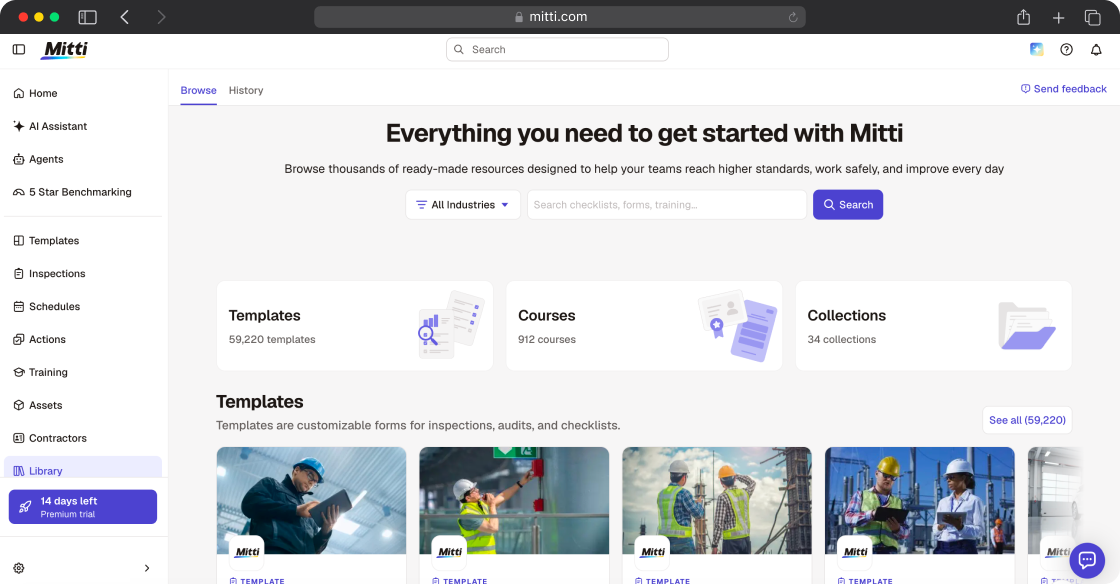
For manufacturing inspections, Mitti’s (formerly SafetyCulture) strength is speed. You pick a template, adapt it and push it to phones. The free tier covers up to 10 seats and 5 active templates, enough to pilot one line, before moving to Premium for unlimited templates, permissions, integrations and SSO.
Mitti’s AI package is also big: an AI Assistant for questions about your operations, AI Issue Creation that turns photos and voice into logged issues, an agent builder, and 5 Star Benchmarking for comparing sites. AI usage is metered in credits per seat: 300 a month on Free, 500 on Premium and 800 on Enterprise.
The trade-off is cost at scale. Pricing is per seat, so a plant where every operator inspects adds up fast. Mitti also offers location-based pricing by quote. I compare the economics in my SafetyCulture alternatives guide.
Key features
- Large template library
- Mobile inspections with photos and issue reporting
- Free guest seats on paid plans
- Analytics, training and asset features on Premium
- AI Assistant, AI Issue Creation, agent builder, 5 Star Benchmarking
- Integrations and API.
Pricing
- Free: up to 10 seats, 5 active inspection templates
- Premium: $24/seat/month billed annually, or $29 billed monthly
- Enterprise and location-based pricing: by quote
- 14-day free trial
Ratings: 4.6 on Capterra
3. GoAudits – Best for Scored Audits Across Sites
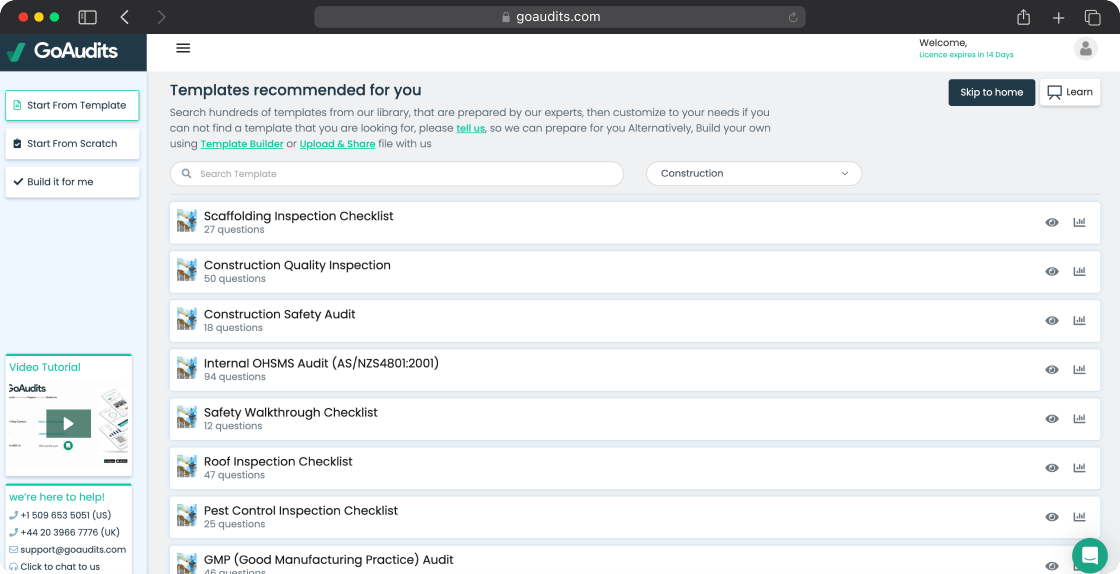
Who it’s for: Multi-site manufacturers that want scored quality, 5S and safety audits.
GoAudits is a mobile audit and inspection app with offline mode, instant branded reports and corrective action tracking. It’s built around scoring: every audit produces a score, and you compare sites and shifts over time. For a plant manager running 5S across three facilities, that’s a clear, simple view.
GoAudits starts at $10 per user per month on annual billing ($12 monthly). Users who only view reports or complete assigned corrective actions don’t need paid licenses, and the GoAudits team builds your existing checklists into the system during onboarding.
The limits show up as you grow. The Starter plan caps you at 25 locations and 10 templates, and scheduling, roles and permissions, advanced reporting and API access need Enterprise. For a deeper comparison, see my GoAudits alternatives review.
Key features:
- Offline audits with photos, annotations and e-signatures
- Instant branded reports
- Action plans from failed items
- Scoring and site comparisons
- Scheduling, roles and API on Enterprise
Pricing
- Starter: $10/user/month billed annually ($12 monthly)
- Enterprise: $30/user/month billed annually ($35 monthly)
- 14-day free trial
Ratings: 4.8 on Capterra · 3.5 on G2 (5 reviews)
4. MonitorQA – Best for Per-User Audits Across Many Sites
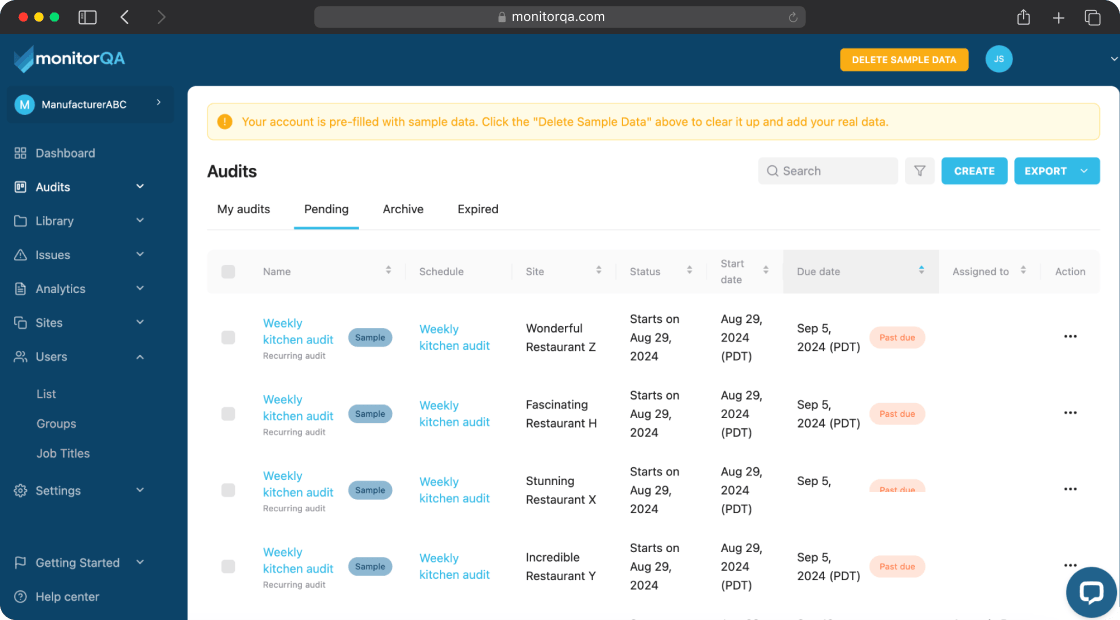
Who it’s for: Multi-site manufacturers that want per-user pricing for safety and health audits.
MonitorQA is an inspection and audit app for building checklists, running audits on mobile and tracking corrective actions. The app works fully offline, photos can be annotated, and corrective actions are assigned from the app with automated follow-up reminders. Supervisors can approve or reject follow-up tasks, which adds a simple review step before work counts as done.
Pricing is per user rather than per location: Compliance at $24/user/month and Full Suite at $29, with about 20% off for annual billing, plus a custom Enterprise tier. The Compliance plan covers up to 50 locations, and MonitorQA converts existing forms during setup.
The trade-off is depth and track record. Review volume is small and reviewer sentiment on stability is mixed. I found no asset or QR-based starts or ERP integrations in public material, so check both in a demo.
Key features
- Checklist builder
- Fully offline mobile app
- Photo annotation
- Corrective actions with automated reminders
- Approve or reject follow-up tasks
- Dashboards and automated reports
- Form conversion during setup
Pricing
- Compliance: $24/user/month, about $19 billed annually
- Full Suite: $29/user/month
- Enterprise: custom
- 14-day free trial
Ratings: 4.8 on GetApp (9 reviews)
5. flowdit – Best for Layered Process Audits, 5S and SAP-Connected Plants
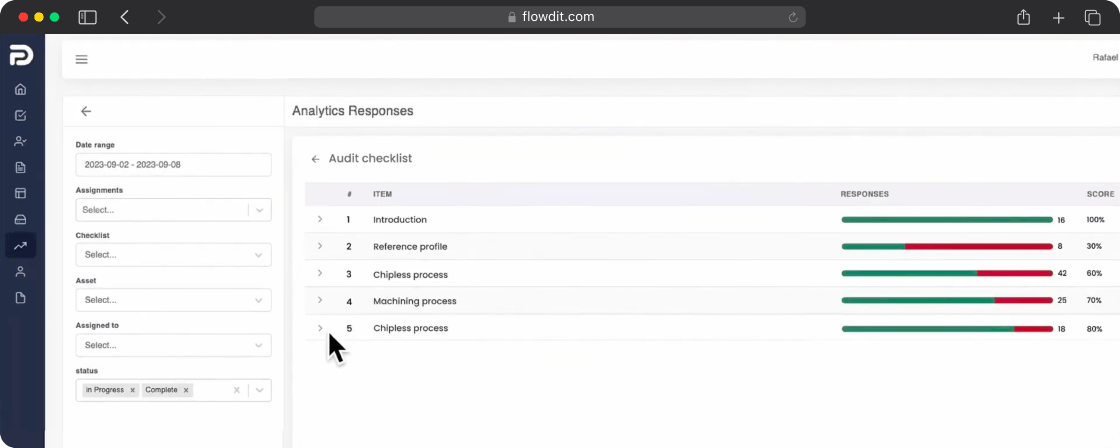
Who it’s for: Automotive and industrial plants running LPAs and 5S that want SAP connectivity.
flowdit is a no-code platform for inspections, audits, digital checklists and work instructions, built for manufacturing. It explicitly supports layered process audits and 5S/6S audits, along with quality inspections, maintenance rounds, EHS and FAT/SAT commissioning checks. Of the inspection apps here, it’s the most clearly aimed at automotive-style process audits.
Asset workflows are a strength: a QR code or NFC tag at a machine opens the right checklist, and inspections work offline. flowdit runs in the cloud or on-premise, which some plants with strict IT policies still require, though on-premise starts at 50 users. It connects to SAP and other ERP systems through a REST API and integration projects — plan for a project, not a plug-and-play connector.
flowdit lists AI checklist generation, AI translation and AI image recognition. I couldn’t find dated release notes for these, so ask for a demo of each.
Key features
- LPA and 5S/6S audits
- Maintenance rounds
- FAT/SAT
- QR, NFC and barcode starts
- Offline mobile and desktop
- SAP, ERP and IoT connectivity via REST API
- Cloud or on-premise
Pricing
- Free: $0 (1 user)
- Standard: $12/user/month, from 5 users
- Premium: $22/user/month
- Enterprise: custom; on-premise from 50 users
Ratings: 4.9 on G2 · 4.9 on Capterra
6. Tulip – Best for Building Custom Shop-Floor Apps, Including Vision Inspection
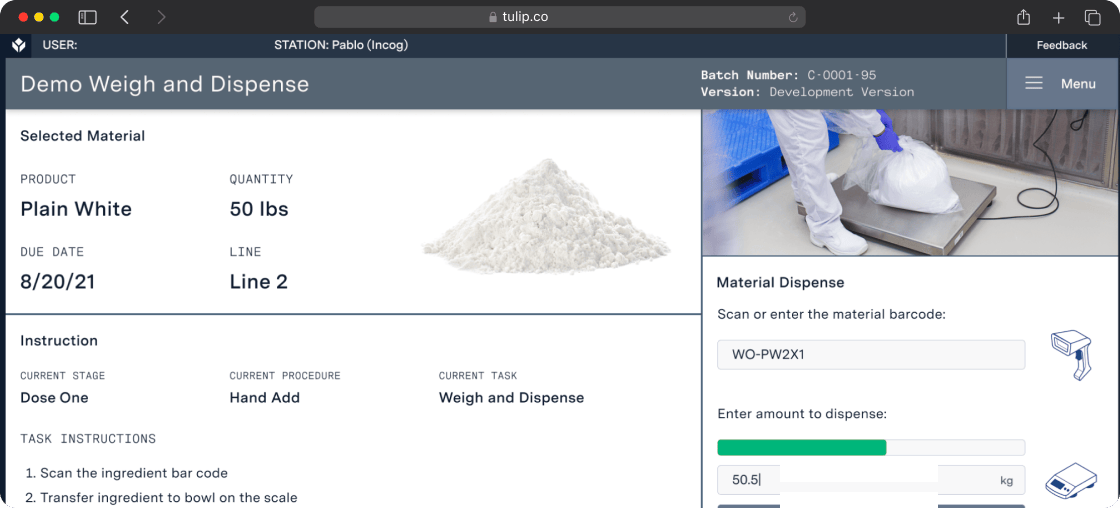
Who it’s for: Plants with an engineering team that wants to build its own inspection, traceability and work-instruction apps, connected to machines and cameras.
Tulip is a no-code frontline operations platform. You don’t configure a checklist; you build an app. That app can guide an operator through an inspection, pull data from a gauge over USB, read a datamatrix code and run a vision check on the part. For inline and visual quality inspection, Tulip goes further than any inspection app on this list.
Tulip has shipped a lot of AI in the past 18 months: AI Composer turns SOPs into apps, Composable AI Agents arrived in beta in July 2026, and vision detectors for color, datamatrix and jigs are now available by default. Factory Playback, first announced with NVIDIA in March 2026, syncs factory video with production events and is now deployed with customers such as Terex.
The trade-offs are cost and effort. Pricing is per interface (each device running Tulip apps), with a 10-interface minimum, so the practical entry point is about $12,000 a year on Essentials. Someone on your team has to own app design and upkeep.
Key features
- No-code app builder for inspections, work instructions, traceability and OEE
- Device and machine connectivity
- Tulip Vision
- AI Composer, Frontline Copilot, Composable AI Agents
- Factory Playback
- Regulated Industries plan with 21 CFR Part 11 e-signatures
Pricing
- Essentials: $100/interface/month billed annually, 10-interface minimum, up to 50 interfaces
- Professional: $250/interface/month billed annually, 10-interface minimum
- Enterprise and Regulated Industries: custom
Ratings: 4.5 on G2 · no Capterra reviews as of November 2026
7. ComplianceQuest – Best for Regulated Plants That Need a Full QMS
Who it’s for: Life sciences, medical device and regulated manufacturers that need inspections tied to formal CAPA, document control and supplier quality.
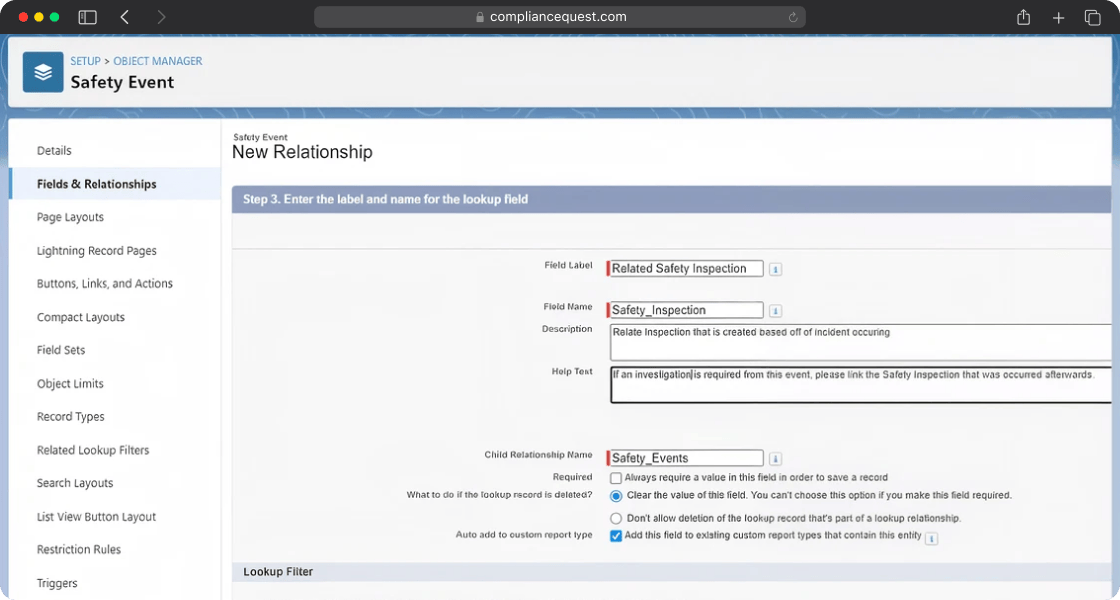
ComplianceQuest is an AI-powered quality management system built natively on Salesforce. I include it as the QMS benchmark: it’s not a floor-first inspection app, and that’s the point. It brings CAPA, nonconformance, audits, document control, change management, training, complaints, supplier quality, inspections and risk into one platform. If your auditors expect every inspection failure to trace into a validated CAPA process, this is the category you need.
In 2026, ComplianceQuest was named a Leader in Gartner’s first Magic Quadrant for QMS software, launched BatchQuest for electronic batch records, and was selected by the U.S. FDA to modernize the agency’s own enterprise quality management system.
The trade-offs are implementation and dependency. Pricing is quote-based and depends on users, modules, sites, integrations and validation needs, and you’re committing to Salesforce as a platform. G2 reviewers mention implementation delays and difficulty customizing.
Key features
- Inspections for incoming, in-process and audit checks inside the QMS
- CAPA, nonconformance, deviations, change control
- Document control, training, supplier quality
- BatchQuest electronic batch records
- Salesforce-native workflows and audit trails
- AI for trends, investigations and summaries
Pricing
Quote-based.
Ratings: 4.3 on G2 · 4.6 on GetApp
How to Choose: Pick by the Team That Owns Inspections
- Quality-led plant. If the quality manager owns inspections and the pain is unclosed findings, start with an inspection app that has strong approvals and corrective actions — Fluix or Mitti. If you already run a QMS, confirm the app can export or push data into it. If customers demand a QMS you don’t have, add ComplianceQuest or another QMS later; don’t force operators into it.
- Multi-site manufacturer. You need the same checklist, the same scoring and one view across sites. GoAudits is the cheapest way to compare scored audits across facilities. Fluix and Mitti suit sites that also need approvals and asset-level history.
- EHS-led plant. If safety walks come first, choose an app that also covers quality and equipment, so the floor doesn’t end up with two apps. Fluix and Mitti both cover this. If you need incident management and OSHA logs at the core, that’s an EHS suite — my manufacturing safety software article covers that category.
- Maintenance-led plant. If equipment checks dominate, look for QR or asset-number starts and status by asset. Fluix’s asset-centric navigation and flowdit’s QR/NFC tags both do this. If you also need work orders, spare parts and PM schedules, add a CMMS and connect the inspection app to it.
- Automotive or LPA-heavy plant. flowdit is the most explicit fit for layered process audits and 5S among inspection apps. EASE is a dedicated LPA platform worth a look if LPAs are your only use case. Fluix and Mitti can run LPAs as scheduled checklists, but they’re not LPA specialists.
- Regulated plant that needs a QMS. If you face FDA, 21 CFR Part 11 or strict ISO audits, the QMS comes first. ComplianceQuest is the benchmark here, and Tulip’s Regulated Industries plan suits plants that want validated shop-floor apps. Many regulated plants still add a lightweight inspection app for checks that don’t need validation.
FAQ
- How do I choose manufacturing inspection software?
Start with who owns inspections and what keeps failing. If findings don’t get closed, prioritise corrective action routing and approvals; if equipment checks dominate, look for QR or asset-number starts; if you need formal CAPA and document control, add a QMS. Then test offline mode on the floor and price the tool at full headcount, not just a pilot.
2. What features should manufacturing inspection software have?
At minimum: offline mobile inspections with photos and signatures, failed items routed to corrective actions with owners and due dates, review and approval before closure, scheduling, and dashboards across lines and sites. Equipment-heavy plants should add QR or asset-based starts; regulated plants need an audit trail and integration with their QMS or ERP.
3. What’s the difference between an inspection app and a QMS?
An inspection app runs checklists on the floor and routes what fails. A QMS manages document control, formal CAPA, supplier quality and audit trails for standards like ISO 9001 or FDA rules. Many plants use both: the app captures findings, and the QMS owns the formal quality record.
4. Which manufacturing inspection apps work offline?
Fluix, Mitti, GoAudits, MonitorQA and flowdit all support offline inspections.
5. Can I start inspections by scanning a QR code on a machine?
Yes, in tools built for asset inspections. In the Fluix mobile app, an operator scans the machine’s QR code or types its asset number, and the right form opens pre-filled with the asset’s status: up to date, coming due or overdue. flowdit supports QR, NFC and barcode starts too.
6. How much does manufacturing inspection software cost?
As of November 2026, published prices for inspection apps range from about $10 to $49 per user per month. GoAudits starts at $10 (annual), flowdit at $12, MonitorQA at about $19 (annual), Mitti at $24 (annual) and Fluix at $29. Tulip prices per device from $100 per interface, and QMS platforms like ComplianceQuest are quote-based.
7. How do I replace paper inspection checklists in a factory?
Start with one inspection type on one line and digitize the existing form as-is — in Fluix you can keep the PDF. Add required photos and sign-off, set who gets corrective actions when a check fails, then run it for two weeks before expanding.