
Fulcrum is a field data collection platform that is well-suited for GIS-heavy workflows, environmental surveys, and utility asset mapping. I’ve spoken with teams who’ve used it productively for years.
But as a product manager who evaluates these platforms regularly, I also hear consistent feedback about where it falls short. Like the price increases have been significant, report customization is limited unless you pay for professional services, and there are structural gaps (for example, the inability to capture lines).
In this article I’m comparing six Fulcrum alternatives across workflow capability, offline reliability, reporting quality, pricing transparency, and post-capture automation. For each tool you’ll find a product description, feature breakdown, honest pros and cons, verified pricing, and real customer quotes.
Top Picks at a Glance
| Alternative | Best For | Key Strengths | Key Weaknesses | Price |
| Fluix | Inspection management | End-to-end workflows, reliable offline, external access included | Upfront setup investment; not a CMMS | From $29/user/mo |
| Jotform | Small businesses | A lot of templates, free tier, 150+ integrations | Not built for field inspections or offline use | Free–$99/mo |
| ArcGIS Survey123 | GIS-native data collection | Esri ecosystem integration, spatial analysis, smart forms | Requires ArcGIS subscription; steep for non-GIS teams | Included with ArcGIS user types |
| Connecteam | Frontline workforce management | HR + ops in one app, flat pricing, 24/7 support | Not an inspection tool; conditional forms gated to Advanced | From $29/mo (30 users) |
| TrueContext | Field service | AI-augmented workflows, enterprise integrations | Team-based pricing from $400/mo; slow ROI | From $400/mo (whole team) |
| MaintainX | Manufacturing & facilities | CMMS + inspections, AI-powered maintenance | Not a field data collection or GIS tool | From $0 (free tier available) |
Why Look for Fulcrum Alternatives?
Fulcrum does GIS-enabled field data collection well. I’ve tried it hands-on, and for its core use case it holds up. But testing it directly reveals friction points that user reviews confirm:
Report customization is limited. When I tested Fulcrum’s reporting, the gap between what the auto-generated PDF produces and what a client-facing report needs was apparent. For teams submitting reports to clients or regulators on a regular cadence, that’s a recurring cost and dependency that doesn’t scale well.
No polygon or line capture. Fulcrum records points only. For teams mapping routes, delineating survey areas, or capturing linear infrastructure assets, the platform requires workarounds like additional direction-of-travel fields, separate tools, or simply accepting the limitation.
Workflow automation stops at submission. There’s no native routing, corrective action assignment, or approval workflow. Teams that need a closed loop have to stitch that together outside the platform.
Sync performance under load. In testing with photo-heavy forms, sync behavior slowed noticeably.
My Selection Framework
My hands-on testing of Fulcrum identified the friction points above. I then cross-referenced those findings against G2, Capterra, and Reddit discussions to confirm they weren’t isolated experiences. And they weren’t.
From that combined picture, I built the criteria below. Each alternative was evaluated against the specific gaps that Fulcrum leaves open.
- Workflow beyond data capture – Does the platform do anything meaningful after submission? Routing, corrective actions, approvals?
- Report quality out of the box – Can teams generate professional, audit-ready reports without additional services or post-processing?
- Offline reliability – How does the platform behave in genuinely low-connectivity environments, including with photo-heavy forms?
- Pricing transparency and value – Is the pricing model sensible at different team sizes? Are there hidden upgrade paths?
- GIS and location capability – Where relevant, does the platform support location-aware data collection?
- Ease of form customization – Can non-technical administrators build and modify forms without coding?
- Support quality – How accessible is the team when something goes wrong in the field?
1. Fluix: Best for Inspection Management
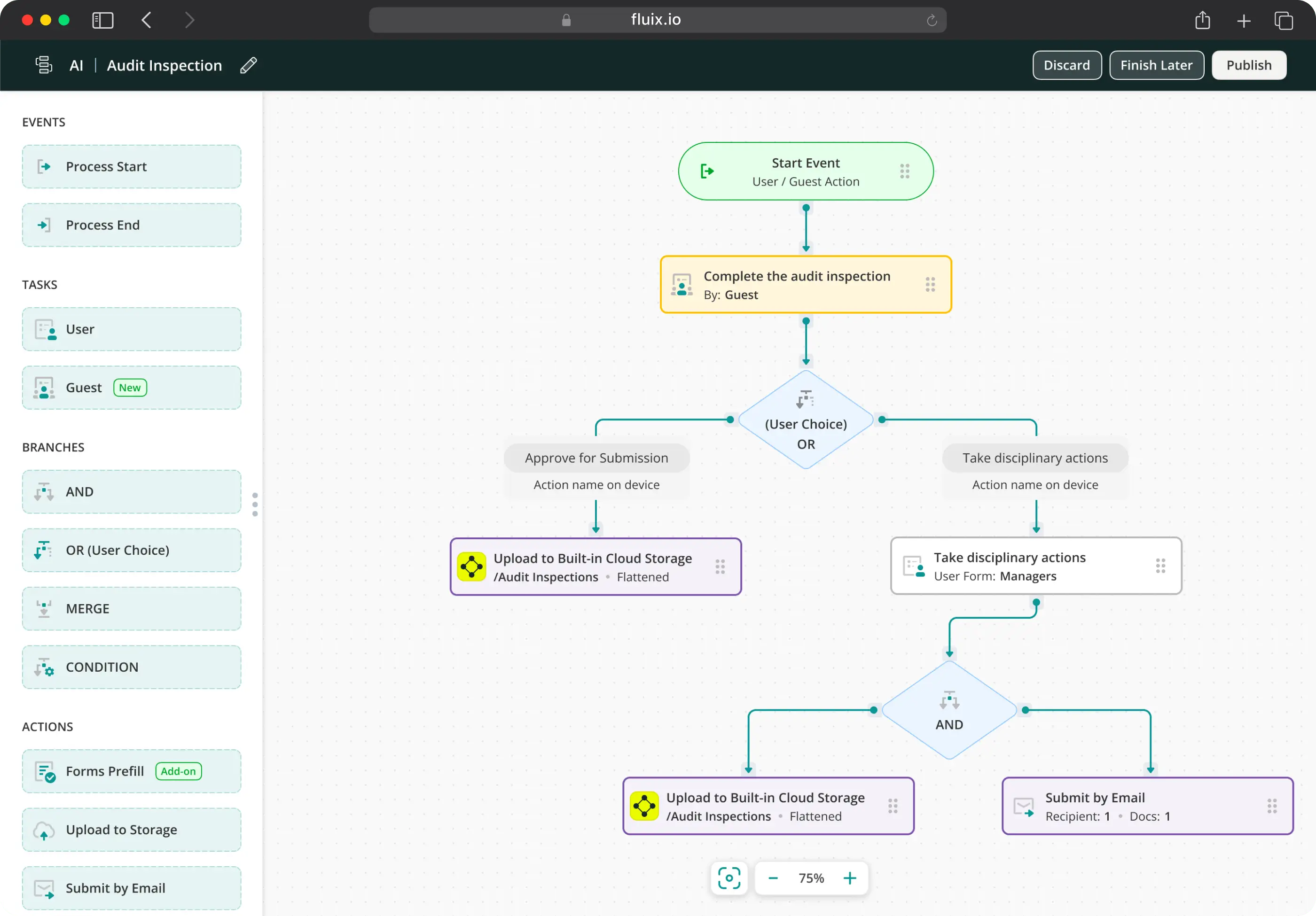
Fluix is inspection management software built for field teams running safety, equipment, vehicle, and facility inspections. The key difference from Fulcrum is what happens after an inspection form is submitted. In Fluix, a completed inspection flows directly into corrective action assignment, multi-step approval routing, and audit-ready report generation, without manual handoffs or separate tools.
Workflows in Fluix are visual and flowchart-based. Every step is mapped, so it’s always clear who needs to act next. I’ve seen teams replace three separate tools – a form builder, a task manager, and a reporting spreadsheet – with Fluix because the workflow handles all three.
It runs on web, iOS, and Android, with SOC 2 Type II and ISO 27001 (for ISMS) certification for teams in regulated industries.
Key Features
- Mobile checklists and inspections
- Robust offline mode
- Photo capture
- Multi-step review workflows
- Task scheduling
- Issue reporting
- Automated notifications and alerts
- Audit-ready reports, auto-generated on completion
- Charts and dashboards
- External user collaboration
Fluix Pros
- End-to-end inspection workflow. Data capture, corrective action, approval, report in one platform
- Report quality without professional services. Audit-ready PDF reports are generated automatically from inspection data
- Offline reliability including photos. Specifically addresses the sync-under-load issues that Fulcrum users flag
Fluix Cons
- Not a GIS platform. If polygon capture, spatial analysis, or Esri integration is central to your work, Fluix won’t replace Fulcrum on that.
- Android is still catching up to iOS. Some features are more limited on Android.
- Minimum user requirement. The entry plan requires 5+ users, which may not suit very small or temporary teams.
Pricing
- Crews: $29/user/month (5+ users)
- Operations: $49/user/month (15+ users) — includes external user access
- Enterprise: Custom (25+ users)
What Do Customers Say About Fluix?
4.8 – Capterra, 4.8 – G2
“Fluix has transformed the way we work. We’ve got control over all documentation, and it’s one of the best tools we’ve invested in.” Arwel Jones, WTG Maintenance Manager, RWE
“Fluix reduced the average time needed to complete a vehicle inspection checklist, including time to take photos, from 22 minutes to 12.5 minutes – almost in half.” — Paul Wilson, Project Manager, CPP
Need Inspections to Go Further Than Just Data Capture?
Bring your requirements and we’ll tell you honestly if Fluix is the right fit
2. Jotform: Best for Small Businesses
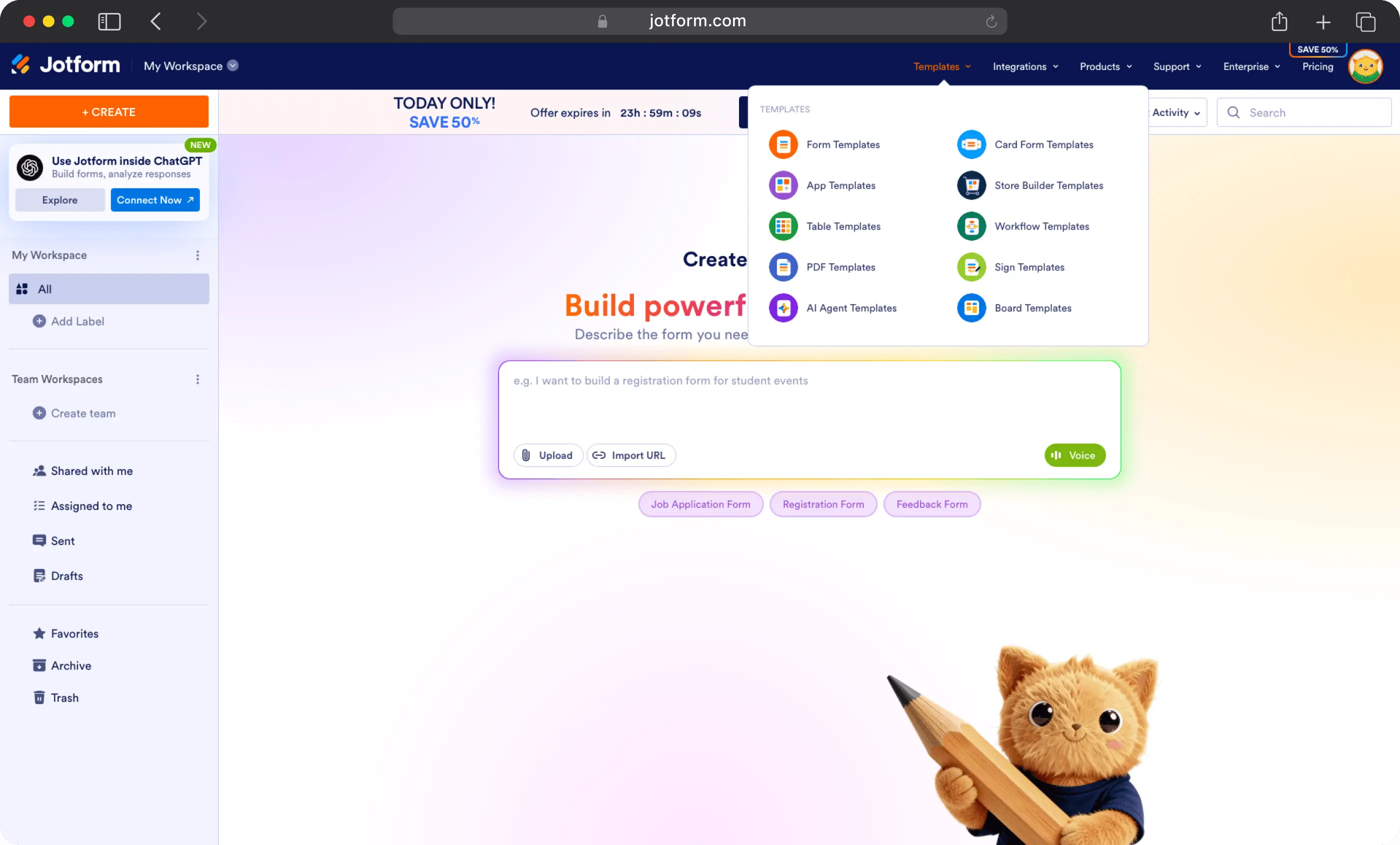
Jotform is a general-purpose online form builder trusted by users worldwide. It’s accessible, approachable, and works for an enormous range of use cases, from event registration forms to payment collection to simple data gathering.
For small businesses that need to digitize paper forms quickly and without a large budget, Jotform is one of the strongest options available. The form builder is intuitive, the template library is vast (20,000+ templates), and the free tier is genuinely usable.
Where Jotform diverges from Fulcrum is in its core identity. Fulcrum is a field data collection platform with GIS at its center. Jotform is a web-first form builder that happens to work on mobile. For teams that need GIS-aware spatial data capture, Jotform is not the right tool. But for small teams that primarily need professional digital forms and want to get started in minutes, it’s hard to beat at the price point.
Key Features
- Drag-and-drop form builder with 20,000+ templates
- Payment collection (40+ payment gateway integrations including Square, PayPal, Stripe)
- App integrations (Google Drive, Dropbox, Salesforce, HubSpot, and more)
- eSignature collection
- Report generation and PDF output
- Team collaboration features
Jotform Pros
- Largest template library in this comparison – 20,000+ forms across virtually every industry and use case
- Free tier is genuinely functional – suitable for individuals and small teams getting started
- Fast to get started – most users describe building their first form in minutes
Jotform Cons
- Not built for field inspections – there is no corrective action workflow, approval routing, or audit trail native to the platform
- Offline capability is limited – Jotform is primarily web-based
- Free plan carries Jotform branding – forms and documents on the Starter plan display Jotform’s logo; paid plan required to remove it
Pricing
(Billed annually)
- Starter: Free — 5 forms, 100 submissions/month
- Bronze: $34/month — 25 forms, 1,000 submissions/month
- Silver: $39/month — 50 forms, 2,500 submissions/month
- Gold: $99/month — 100 forms, 10,000 submissions/month
- Enterprise: Custom — unlimited usage
Nonprofit and education discounts available (up to 50% off Bronze, Silver, and Gold).
What Do Customers Say About Jotform?
4.7 – Capterra, 4.7 – G2
“One-stop shop for clients or businesses, like an intranet. I don’t have a developer background but it is easy to create an app that’s visually appealing and user-friendly.” Nicole W., Jotform user
“We can put it together in one spot, rather than having to send out each form individually. Having the app, collecting everything, and having one area is perfect.” John L., Jotform user
3. ArcGIS Survey123: Best for GIS-Native Data Collection
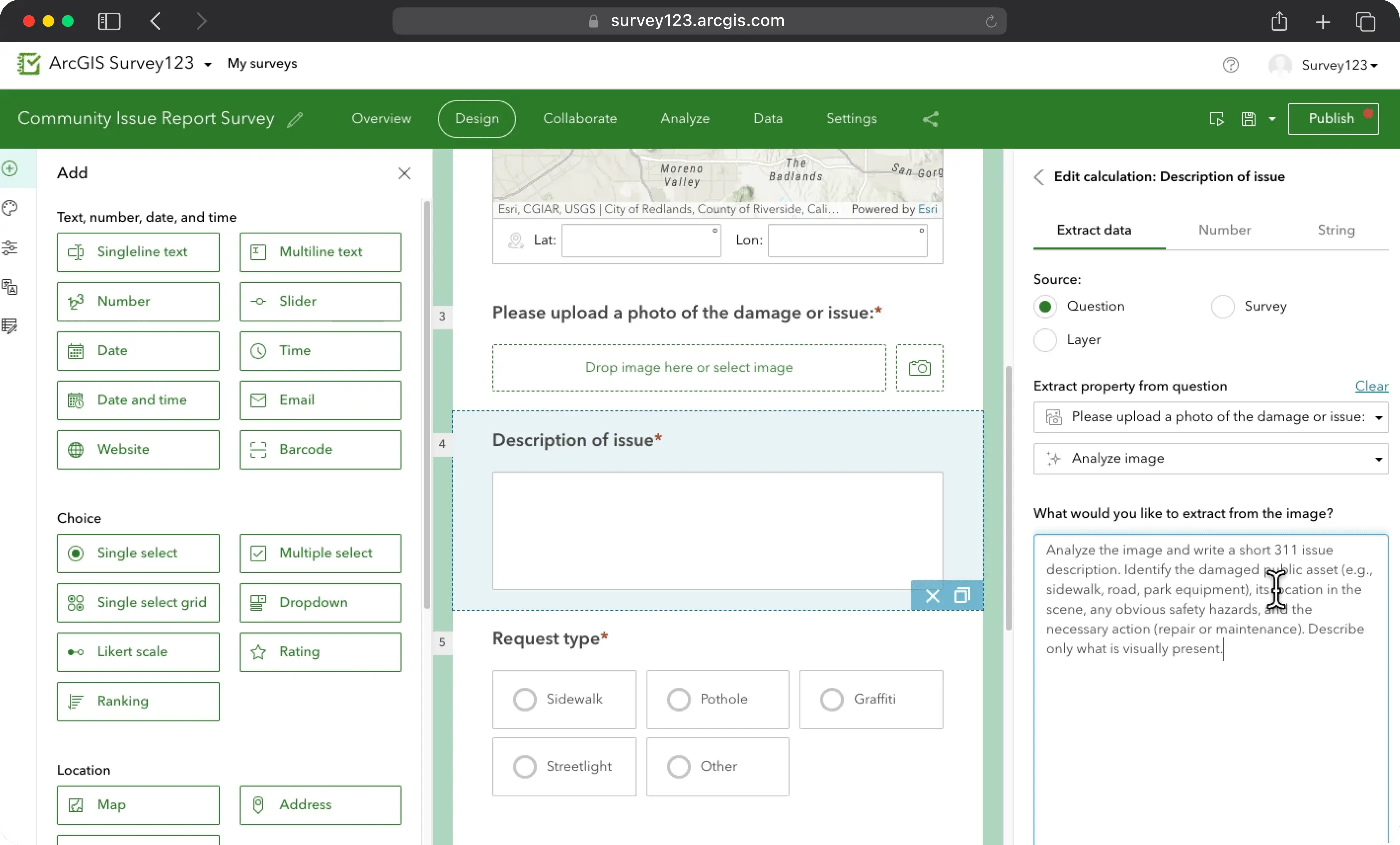
If your organization already uses the Esri ecosystem, ArcGIS Survey123 is the natural choice for adding field data collection. It’s a form builder built directly into ArcGIS, which means collected data lives natively in your GIS environment, ready for spatial analysis, map visualization, and dashboard integration without any export or conversion steps.
Survey123 supports both a web designer for standard form creation and Survey123 Connect for more complex XLSForm-based forms with full conditional logic, calculated fields, and multi-language support. For organizations where spatial context is central to decision-making this tight integration is genuinely valuable.
The important caveat: Survey123 isn’t a standalone product with standalone pricing. It’s included with ArcGIS user types, which means it makes most sense for organizations already committed to the Esri platform.
On G2, reviewers note it’s easier to set up than Fulcrum for organizations already in the Esri world, but slower to reach ROI for those who need to build the broader ArcGIS context first.
Key Features
- Web-based form designer
- Native integration with ArcGIS Online and ArcGIS Enterprise
- Spatial analysis and map visualization of collected data
- Offline data collection with automatic sync
- Report export (PDF, CSV, Excel)
- Real-time dashboards and charts
- High-accuracy GPS support for survey-grade data collection
ArcGIS Survey123 Pros
- Native Esri integration – collected data flows directly into ArcGIS without conversion, ready for spatial analysis and mapping
- Serious spatial analysis capability – the combination of field collection and ArcGIS’s analytical tools is powerful for location-driven decision-making
- Flexible form builder – both the web designer and XLSForm path give admins options depending on complexity level
ArcGIS Survey123 Cons
- Only makes sense inside the Esri ecosystem – teams not already using ArcGIS would be taking on a large platform adoption to access Survey123
- Learning curve for XLSForm – the web designer is accessible, but the more powerful Survey123 Connect requires comfort with spreadsheet-based form logic that non-technical users may find daunting
- No native corrective action or workflow routing – like Fulcrum, it’s a collection tool; what happens after submission requires other ArcGIS components or external tools
Pricing
Survey123 is included with ArcGIS user types — there is no separate standalone price. Organizations access it through their ArcGIS Online or ArcGIS Enterprise subscription.
Contact Esri or your regional Esri distributor for ArcGIS pricing.
What Do Customers Say About ArcGIS Survey123?
4.3 – G2 (59 reviews)
“Using Survey123 within our existing ArcGIS environment made the transition seamless. The data just appears where we need it, ready for analysis.” G2 review, Government Administration
“Powerful for GIS-integrated data collection, but expect a learning curve if your team isn’t already familiar with Esri’s ecosystem.” G2 review, Environmental Services
4. Connecteam: Best for Frontline Workforce Management
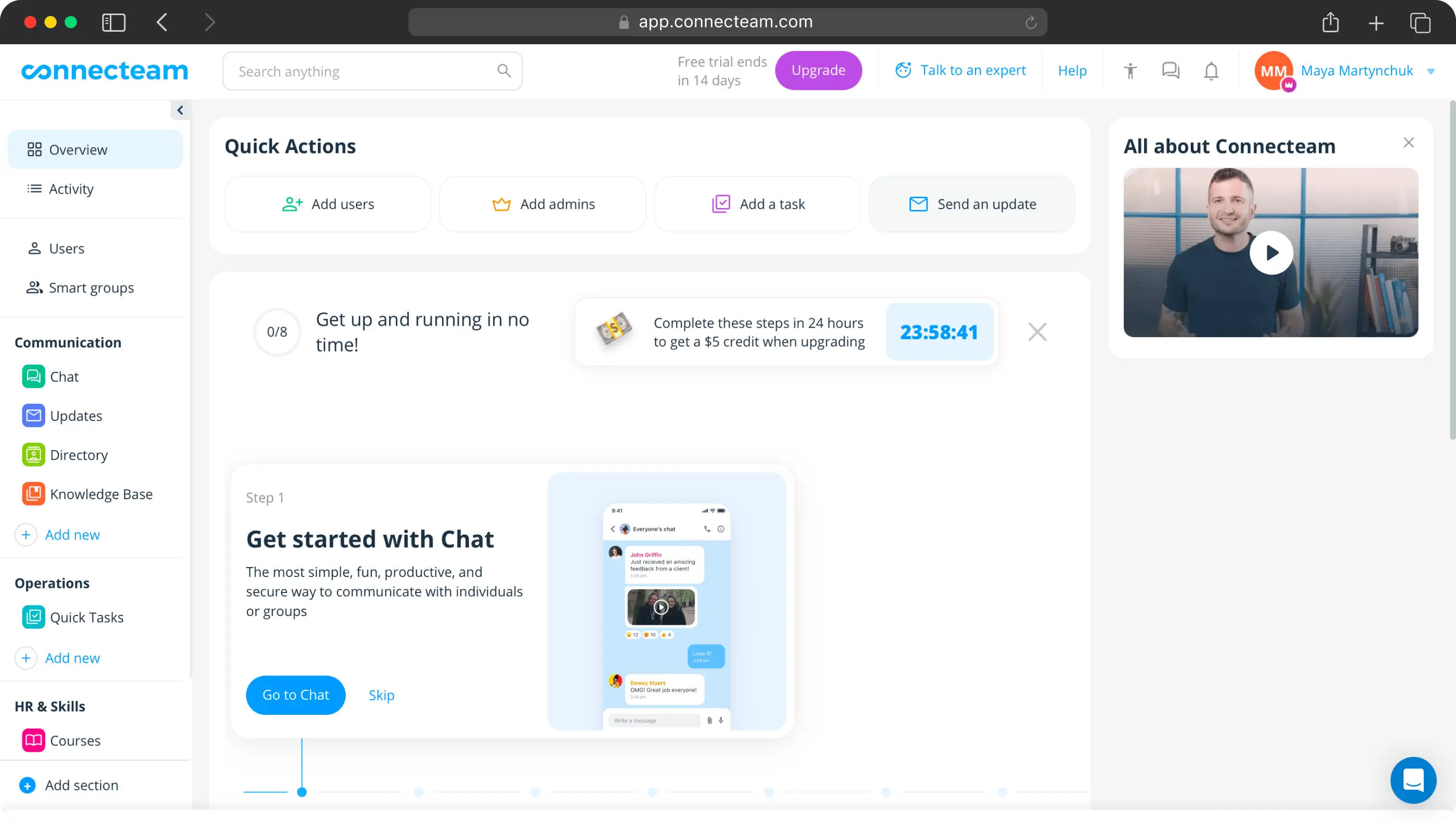
Connecteam is a frontline workforce management platform: time tracking, scheduling, team communications, HR processes, training, and compliance for deskless workers in hospitality, retail, food and beverage, and field services.
The overlap with Fulcrum is limited to digital forms and checklists, which are a feature in Connecteam, not the product. Where it differs from everything else on this list is scope: Connecteam replaces multiple tools at once (scheduling app, internal messaging, training platform, HR portal) in a way that no other tool here does. For organizations where staff management is the primary pain point, that’s genuinely compelling.
I want to be clear about what Connecteam isn’t though: it’s not a field inspection platform, it doesn’t offer closed-loop corrective action workflows, and its offline capability is limited. If inspection quality and audit documentation are your primary concern, it won’t solve that.
Key Features
- Time clock and attendance tracking with GPS geofencing
- Employee scheduling and labor forecasting
- Leave and absence management
- Team chat and broadcast messaging
- Digital forms and checklists (conditional logic on Advanced plan and above)
- Compliance and certification tracking
- Training modules and knowledge base
- AI-powered features (Expert plan and above)
Connecteam Pros
- Replaces multiple tools – scheduling, communications, HR, and basic forms in one platform reduces app sprawl for large frontline teams
- Flat pricing for first 30 users – cost-effective for large deskless teams compared to per-user models
- Free forever for teams under 10 – a functional free tier, not just a trial
Connecteam Cons
- Offline capability is limited – not appropriate for teams working in genuinely poor connectivity environments
- Not suitable for compliance-grade inspections – no audit trail, corrective action tracking, or multi-step approval workflows
Pricing
- Free: Up to 10 users
- Basic: $29/month per hub
- Advanced: $49/month per hub
- Expert: $99/month per hub
- Enterprise: Custom
What Do Customers Say About Connecteam?
4.7 – Capterra, 4.6 – G2
“We were tired of juggling 10 apps. This all-in-one solution is perfect for large, multi-location teams.” Heather, IT Manager, Capterra
“Great for workforce management. Just don’t expect it to replace a proper inspection or audit platform.” G2 review, Retail
5. TrueContext (Formerly ProntoForms): Best for Field Service
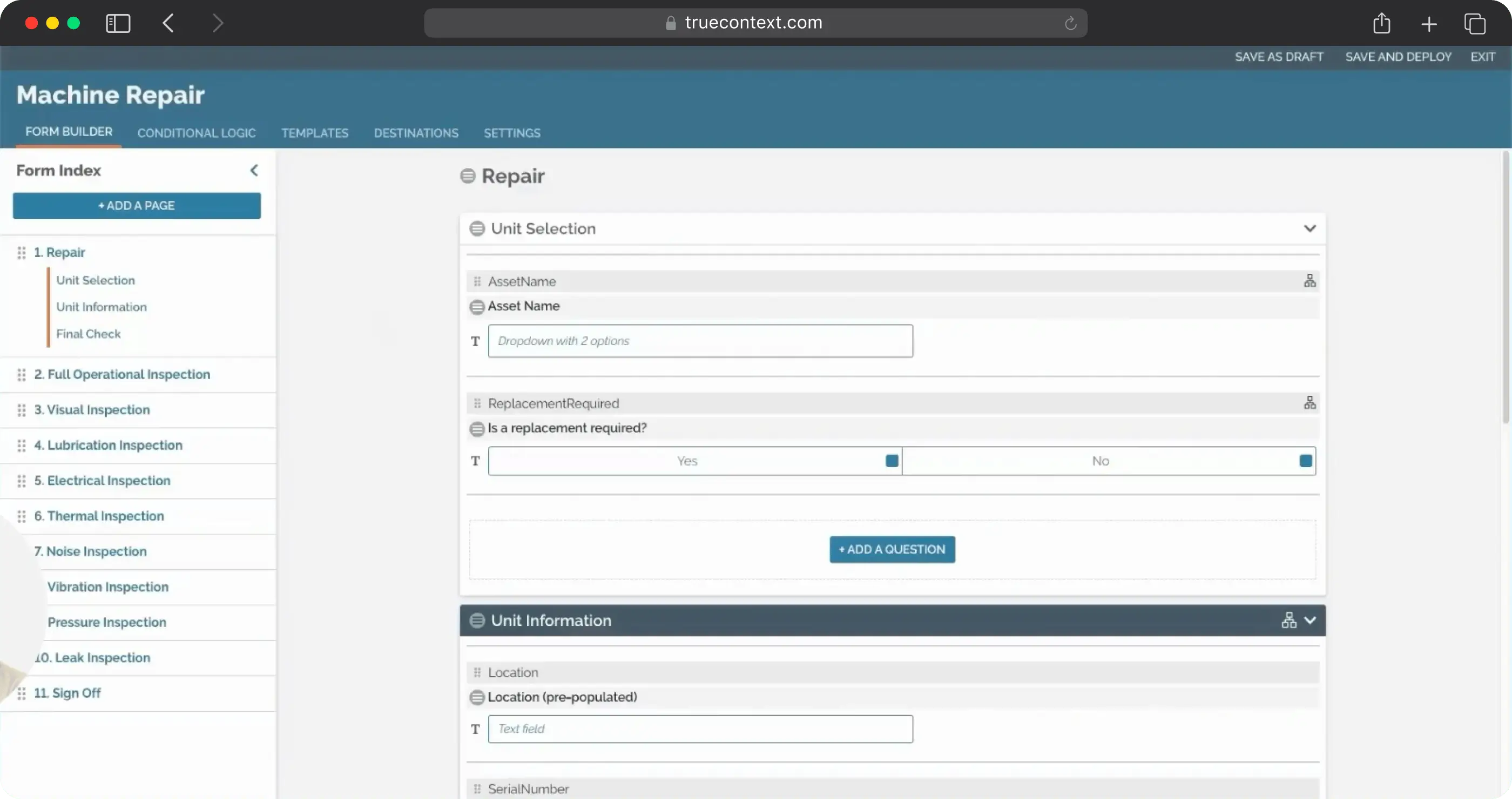
TrueContext (rebranded from ProntoForms in 2022) is a field service workflow platform where field workers can receive contextual guidance before a job, follow AI-assisted workflows during execution, and feed structured data back into enterprise systems afterward.
The platform’s real strength is in its enterprise integration depth and the sophistication of its form logic. For complex field service operations where forms need to adapt based on what a technician finds, and where completed data needs to trigger actions in other enterprise systems, TrueContext is among the most mature options available.
It runs on iOS, Android, Windows, and macOS, with offline support across all plans. The rebranding from ProntoForms reflects a genuine pivot toward AI-augmented workflows and connected worker intelligence, not just mobile forms.
Key Features
- AI-augmented guided workflows and camera-to-text
- Job dispatching and work management
- Automated reporting (PDF, DOCX, XLSX)
- Offline data capture
- Bi-directional enterprise system integrations
- Multi-language forms (Elite plan)
TrueContext Pros
- AI-guided technician workflows – context-aware forms surface the right information at the right step
- Strong security certifications – SOC 2, HIPAA, and CFR 21 make it appropriate for regulated industries including healthcare and energy
TrueContext Cons
- Digital plan has form caps – 750 questions per form and 100 conditional logic rules maximum on the entry plan; complex workflows will hit these
- Interface feels dated – multiple reviewers note the mobile UI hasn’t kept pace with newer platforms
Pricing
- Digital: From $400/month (entire team, billed annually)
- Intelligent: Custom pricing
- Elite: Custom pricing
What Do Customers Say About TrueContext?
4.6 – Capterra, 4.5 – G2
” Gathering information for OSHA and client requests is easier as form data is automatically consolidated.” PrimeLine customer story
“Powerful platform once configured, but expect a few weeks before your team is fully comfortable. The ROI takes time to materialize.” G2 review, Utilities
6. MaintainX: Best for Manufacturing and Facilities Teams
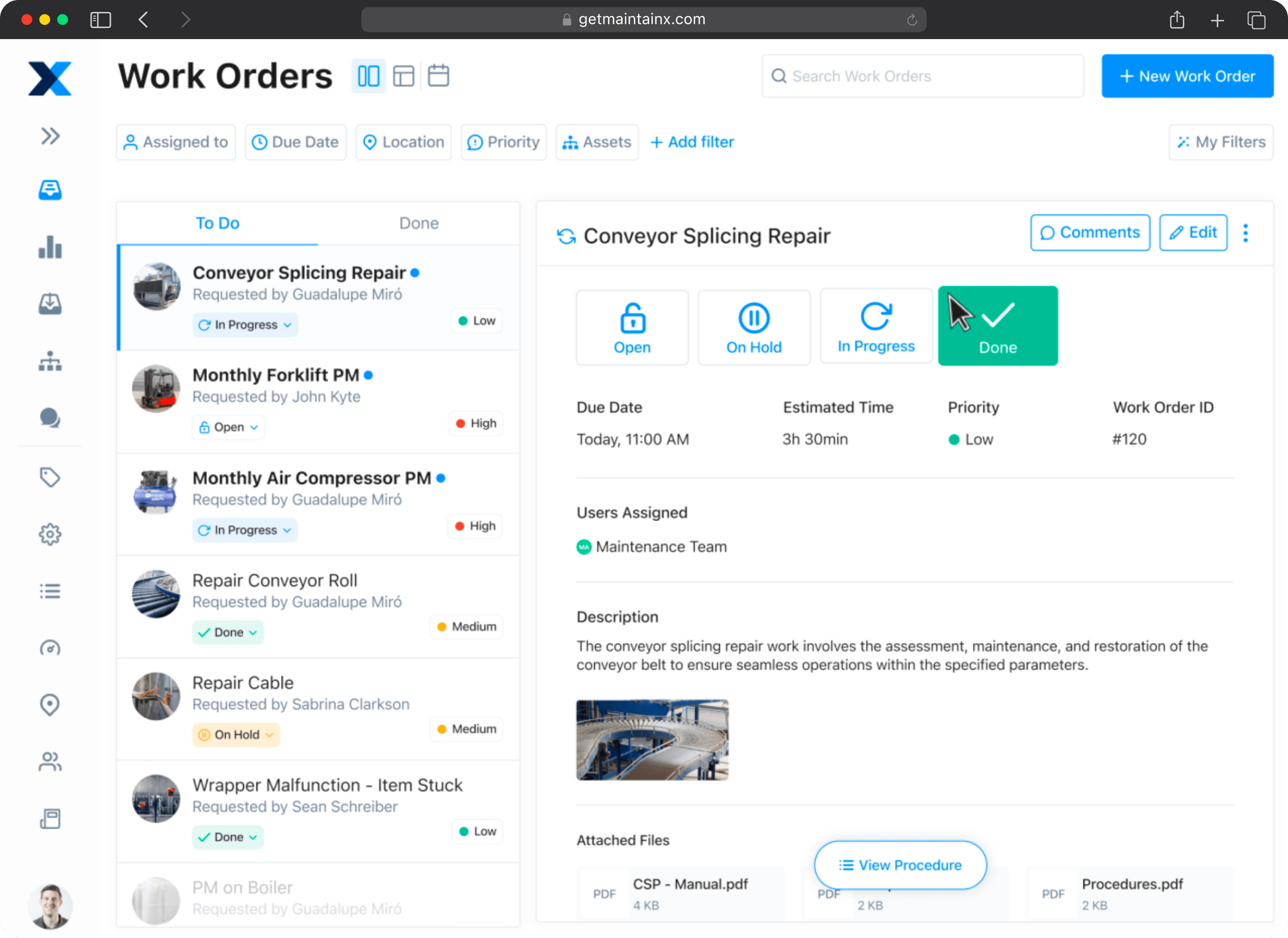
MaintainX is a CMMS and it does something none of the other tools on this list does: it manages the full maintenance lifecycle of physical assets. Work orders, preventive maintenance scheduling, parts inventory, asset condition tracking, IoT sensor integration, and AI-powered maintenance recommendations.
The checklists and inspections capability in MaintainX is strong – it includes conditional logic, photo capture, digital signatures, required fields, and audit logging. But it’s built within a CMMS context. An inspection in MaintainX is typically tied to an asset, triggered by a maintenance schedule, and linked to a work order. That’s exactly the right model for a manufacturing plant or facilities team. It’s a different model from field inspections conducted at customer sites, remote locations, or across varied environments.
Where MaintainX doesn’t compete with Fulcrum is in GIS, spatial data, or environmental fieldwork. It’s an industrial operations tool, not a field survey platform. That distinction matters when choosing.
Key Features
- Work order creation, assignment, and tracking
- Preventive and predictive maintenance scheduling
- AI-powered maintenance suggestions (CoPilot)
- Asset management with full maintenance history
- IoT sensor integration for condition-based maintenance triggering
- Multi-site management and reporting
MaintainX Pros
- CMMS + inspections in one platform – for manufacturing and facilities teams, this eliminates the need for separate maintenance management and form collection tools
- AI-powered maintenance guidance – CoPilot surfaces relevant procedures, suggests likely failure causes, and helps generate work orders from natural language descriptions
- Strong mobile experience – reviewers consistently praise the app’s usability across technical and non-technical users
MaintainX Cons
- Not a field data collection or GIS platform – if your inspection work involves spatial data, environmental surveys, or asset mapping in the field, MaintainX isn’t the right fit
- Setup requires investment – asset database population and PM schedule configuration takes time; reviewers consistently flag the initial data entry burden
- Reporting customization has limits – several reviewers request more flexible dashboard and report options, particularly for mobile
Pricing
- Starter: Free
- Basic: $16/user/month (billed annually)
- Essential: $49/user/month (billed annually)
- Premium: $69/user/month (billed annually)
- Enterprise: Custom
What Do Customers Say About MaintainX?
4.8 – Capterra, 4.8 – G2
“Since adopting MaintainX, we haven’t had any of our networking equipment go down due to anything preventable.” Ellis J., Maas Systems Project Coordinator
“MaintainX has revolutionized how we work – automatic work assignments, centralized information, ease of ordering and creating POs, documented proof attached to inspection reports.” Plant Manager, G2 review
How to Migrate from Fulcrum to Your Tool of Choice
Switching platforms is less disruptive than it feels, but only if you prepare properly. In my experience, the migrations that go smoothly are the ones where the team did the groundwork before touching the new platform.
Before you start:
- Export everything from Fulcrum now. Records, photos, and app configurations. Don’t wait until after you’ve committed to a switch: access may become complicated and historical data is worth preserving
- Audit your active apps and forms. Document what each one does, who uses it, and how often. You’ll likely find forms that are rarely used alongside ones that are business-critical, prioritize the critical ones for migration
- Document your workflows, even the informal ones. The process that lives in someone’s head (“after the form is submitted, Sarah emails the photos to the client”) needs to be written down before you can rebuild it properly elsewhere
- Identify your no-polygon workarounds. If you’ve been working around Fulcrum’s point-only limitation with direction-of-travel fields or other hacks, document those clearly, your new platform may handle them natively
- Define what success looks like before go-live. Set measurable outcomes so you can evaluate whether the switch actually worked
- Run a structured pilot with one team or workflow first. Don’t attempt a full cutover at once, start with your highest-priority use case, collect feedback formally, and resolve issues before expanding
- Plan for training time. Even intuitive platforms have a learning curve. Field staff who’ve been using Fulcrum for years will need time to adjust, and that’s a real cost to factor in
At Fluix, every migrating customer works with a dedicated Customer Success Manager and Solutions Architect from day one – they handle form migration, workflow configuration, and training as part of the onboarding process. Most teams are live within four weeks.
Evaluating inspection tools and not sure which fits your operation? Talk to our team and we’ll walk through your specific setup before you commit to anything.