


What is Document Status in Fluix?
Document Status provides a full audit trail for all documents, a clear overview of the progress and current state of any document within a workflow in your company’s Fluix account. Here are the key details that you may find helpful to track the progress of projects you are working on with your team in Fluix:
- The current state of the document allows you to see the file’s progress at a glance: whether it is “Finished” and submitted to the preconfigured destinations or “In Progress ” by a member of your team.
- Timestamp and Date Information: By selecting the specific document and tapping the Show History button, you can see the dates and times when the document moved to each stage. This will allow you to see how long each part of the process is taking.
- Users working on the document: In Document Status, you will see the names of the users or groups in Fluix responsible for the document at that stage which helps track accountability.
How to export data from Document Status to third-party platforms?
In Document Status, in the top right corner, you will see the Export button, there will be three options available for you:
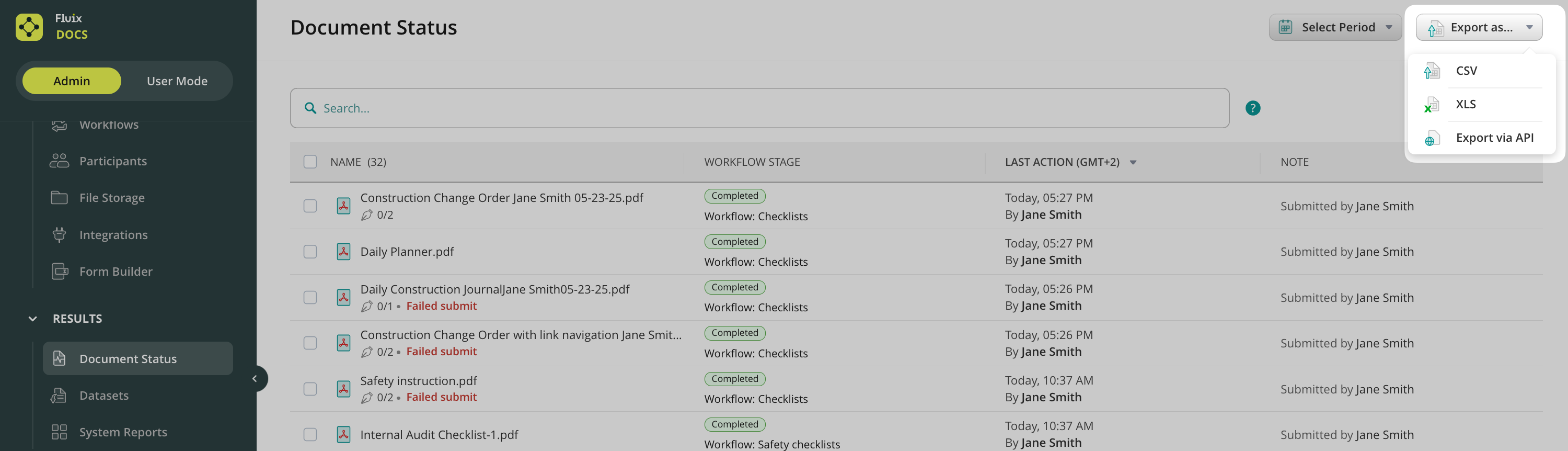
Options Download CSV and Download XLS let you download all the data or the selected part from Document Status to a file in the respective format for further manual analysis afterward.
Export via API lets you export data directly to the external software you use, e.g. Power BI, Tableau and other services that help analyze and visualize data.
By selecting Export via API option from the list, the window with Authorization Details will be opened, allowing you to copy the authorization link for further export.
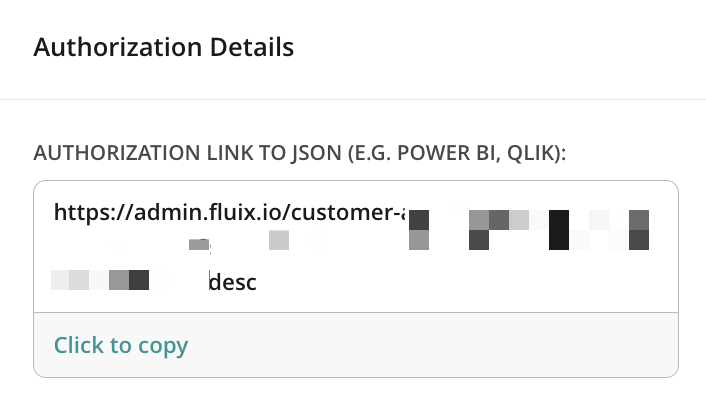
After that, you may use this link to create a request in the third-party platform to an endpoint to receive a response (data from the Document Status).
Example of the request:

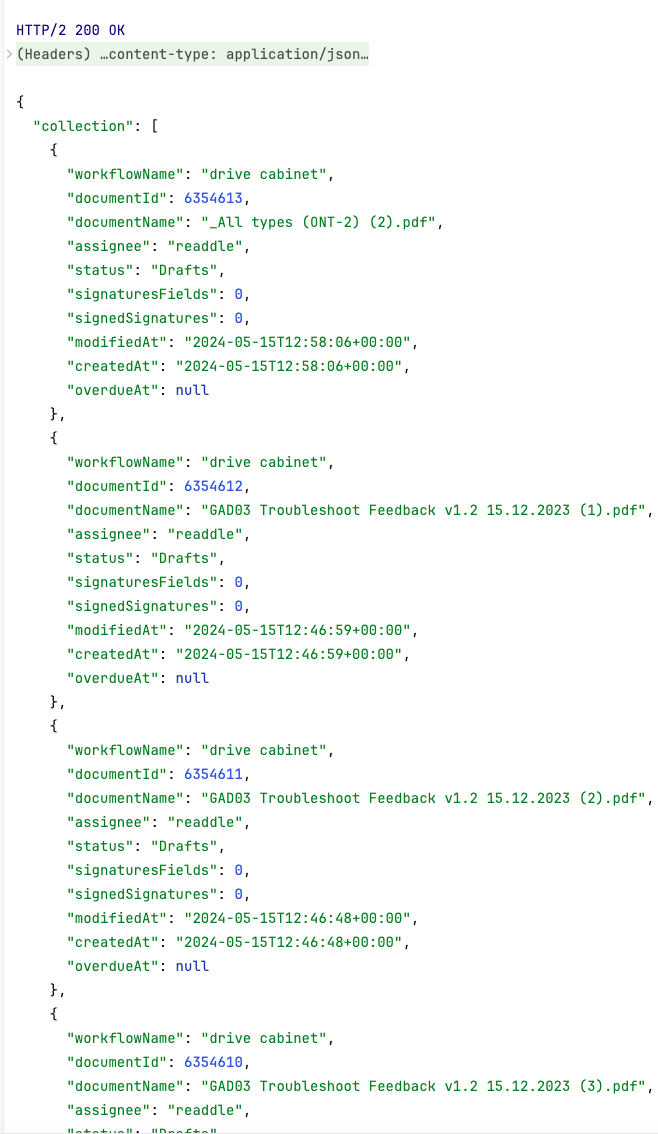
Example of the response from Fluix with data from Document Status:
Feel free to contact us at support@fluix.io if you have any questions or comments.