




Event

Meet us at WindEnergy Hamburg

Capterra scores G2 scores

Wind Turbine Inspection Software
built for wind farms.

Deployed across 2,000 wind projects worldwide, Fluix replaces paper-based,
disorganized processes that cost you time on every turbine, stealing hours from your technicians’ day.

Fluix Wind Turbine Inspection Software and Mobile App
Blurred image of an onshore wind farm
  • RWE logo
  • Ziton logo
  • Siemens logo
  • SAS logo
  • NKT logo
  • Zurich logo
  • Multivac logo
  • Drax logo
  • Centuri Logo
  • RWE logo
  • Ziton logo
  • Siemens logo
  • SAS logo
  • NKT logo
  • Zurich logo
  • Multivac logo
  • Drax logo
  • Centuri Logo

Inspect, maintain, optimize

Keep turbines performing at their peak –
longer, with higher returns

A blurred photo of a field
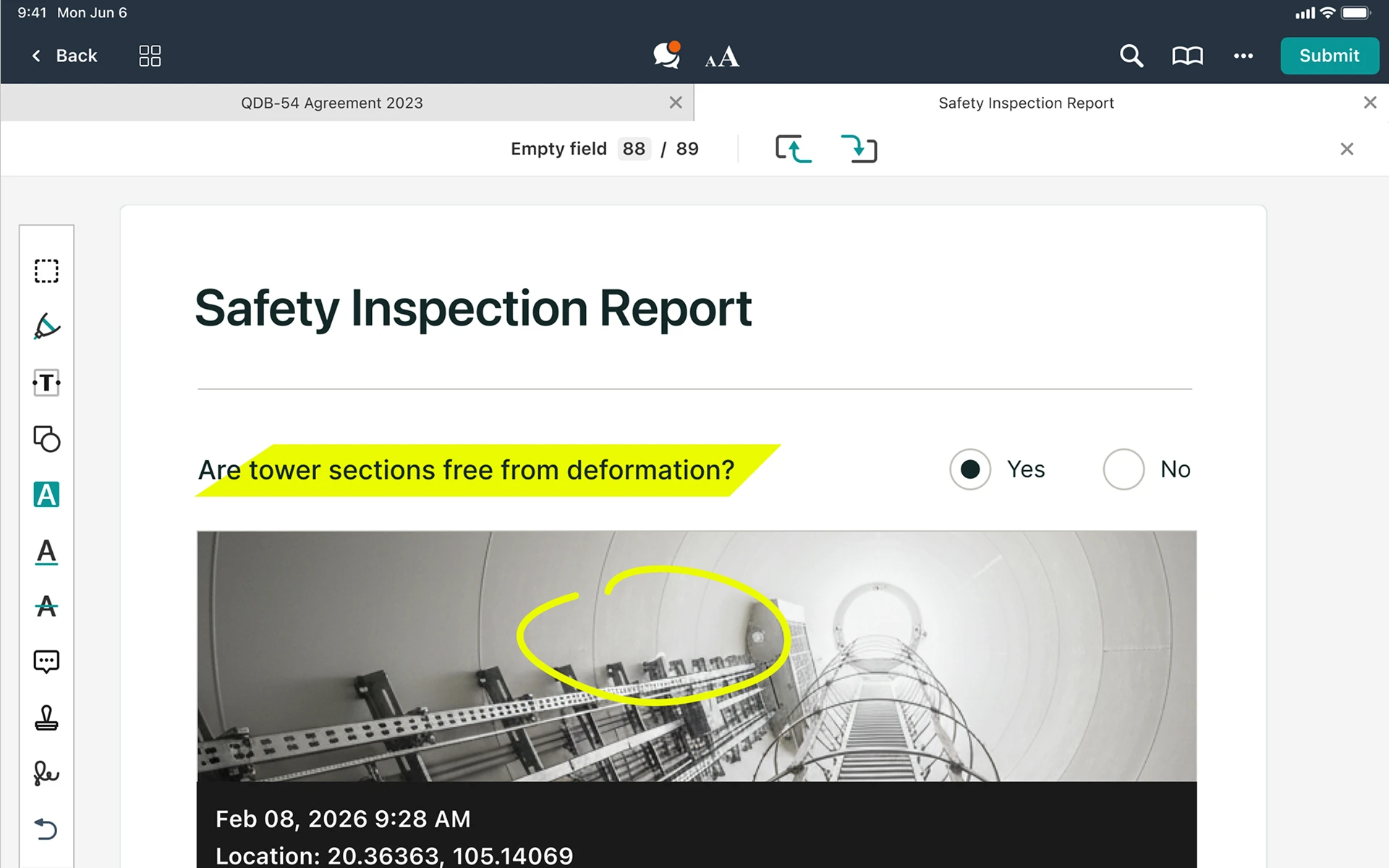
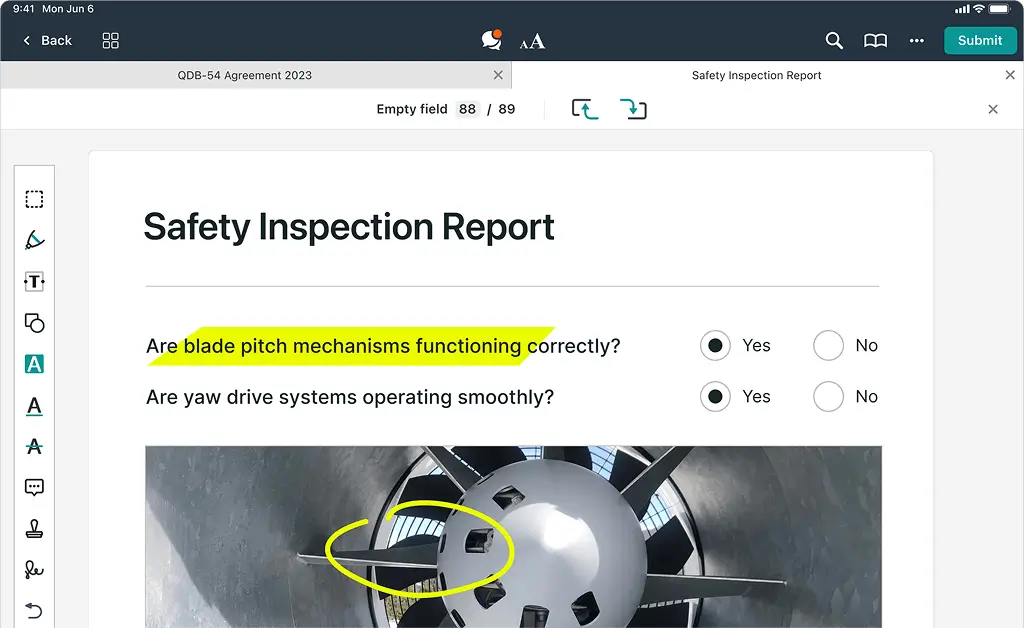
Screenshot of a Wind Turbine Safety Report in Fluix
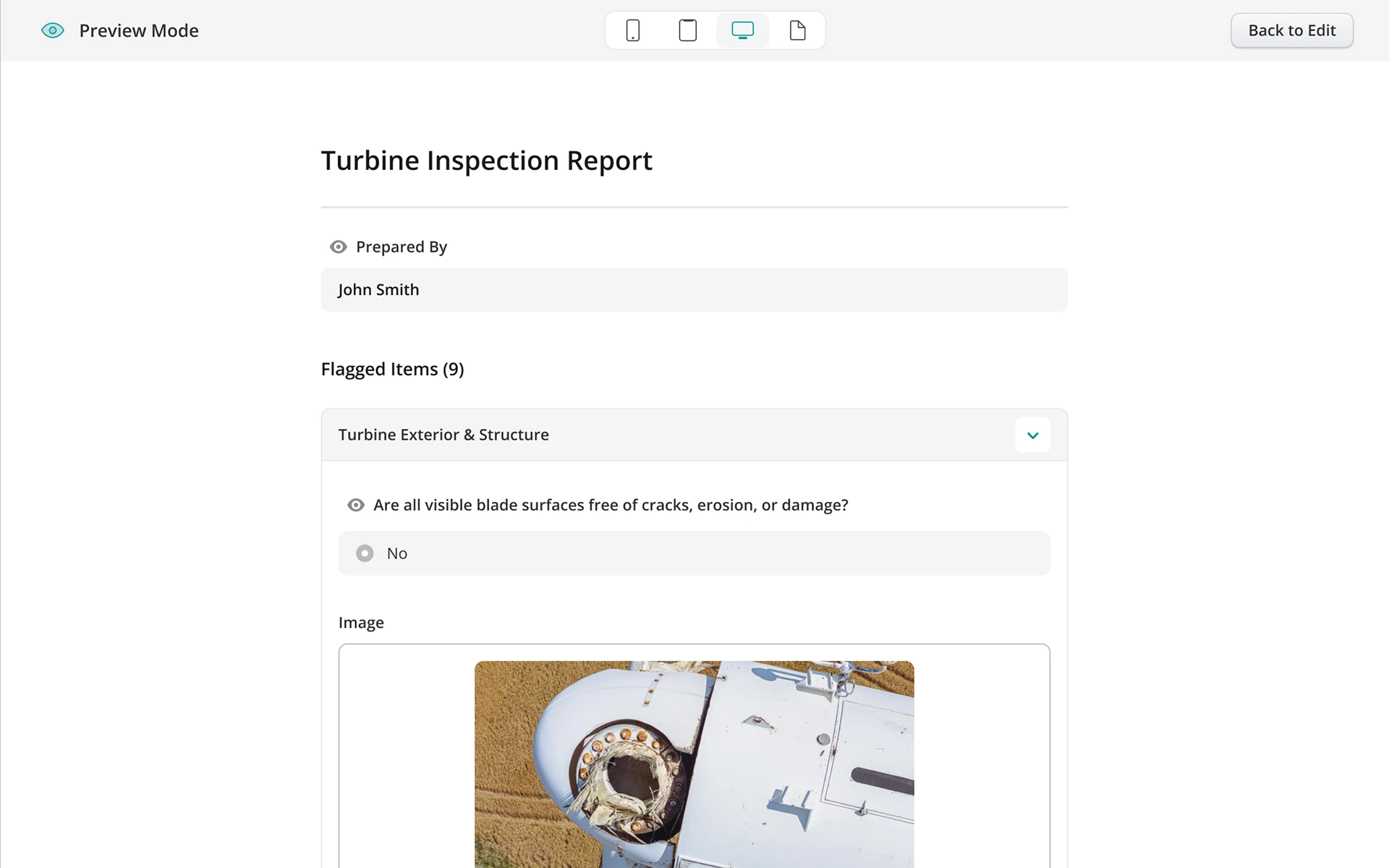
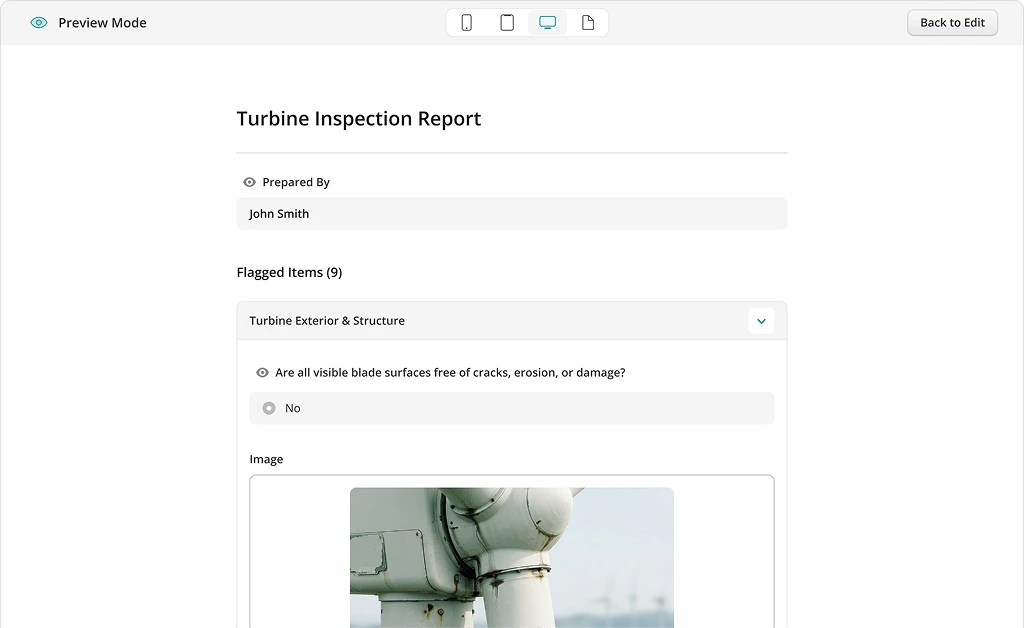
Screenshot of a Wind Turbine Inspection Report in Fluix
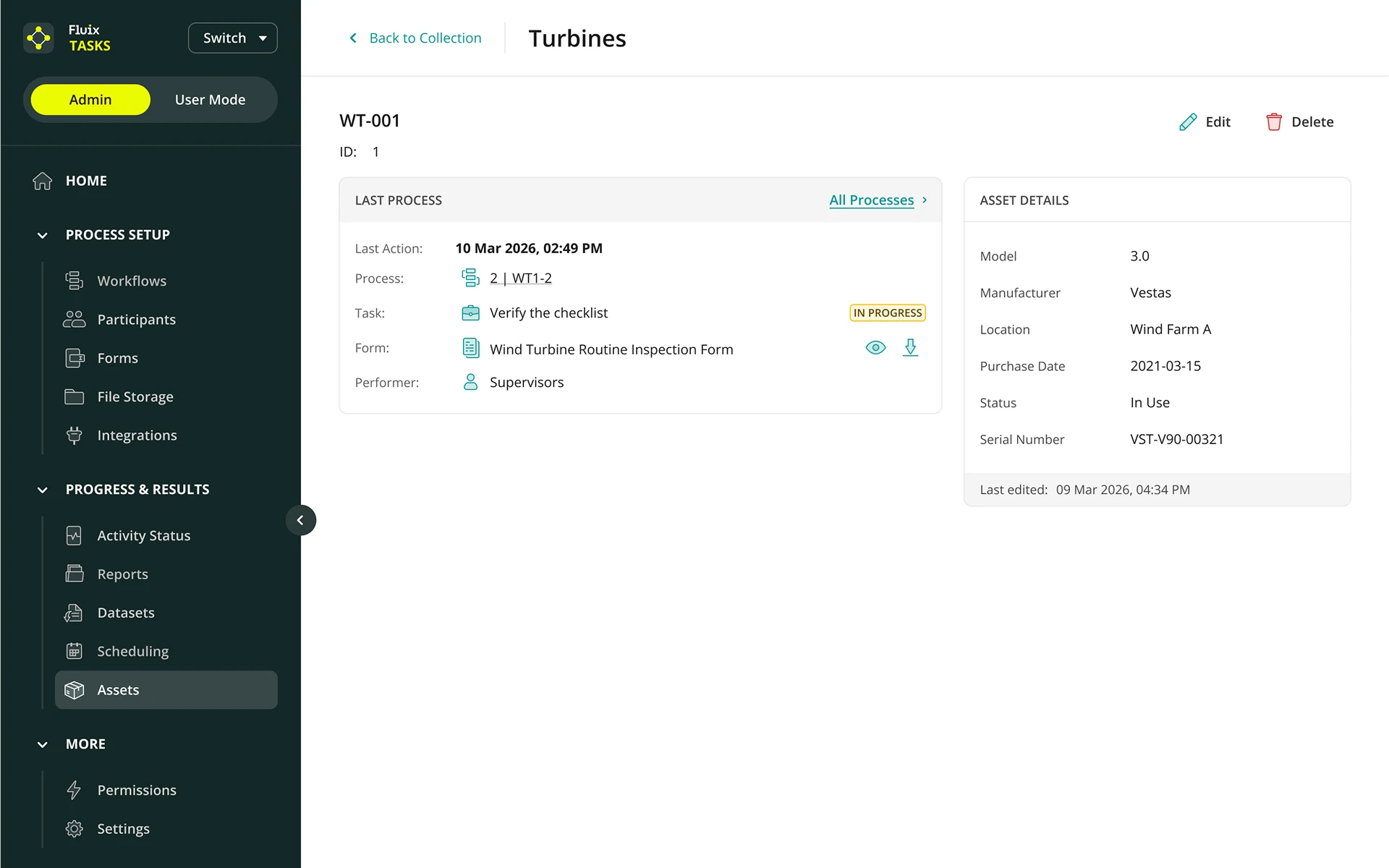
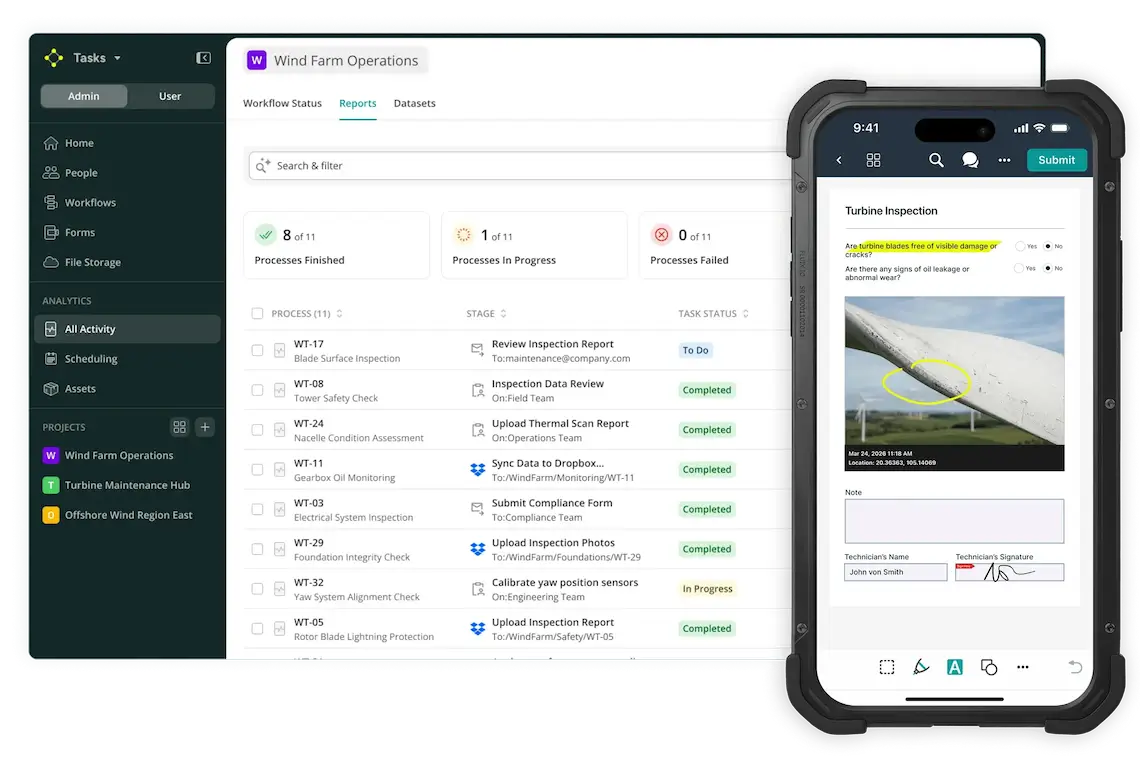
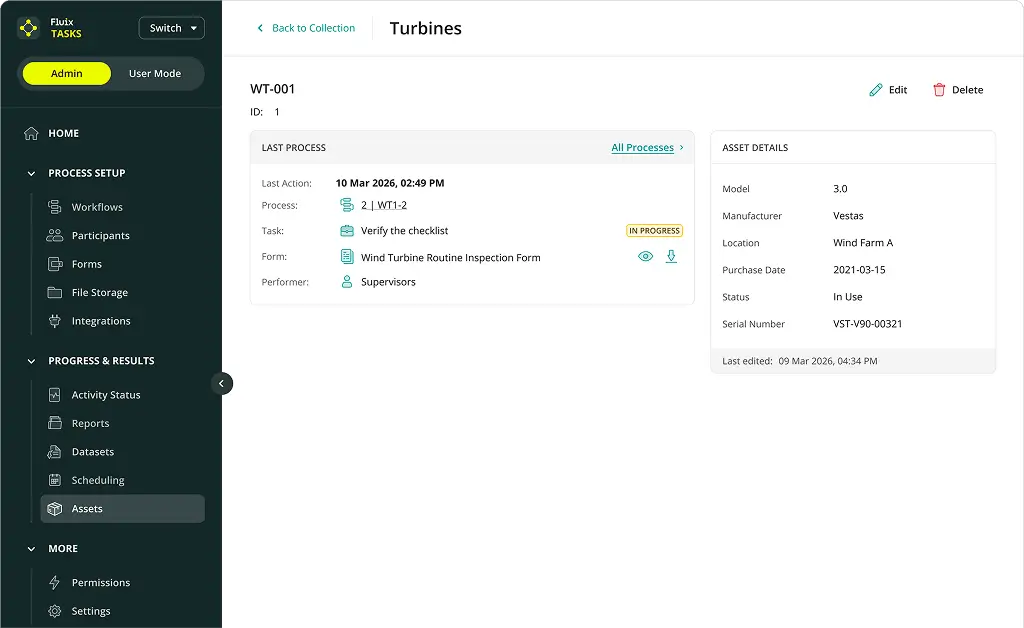
Viewing an Individual Turbine on the Fluix Admin Dashboard
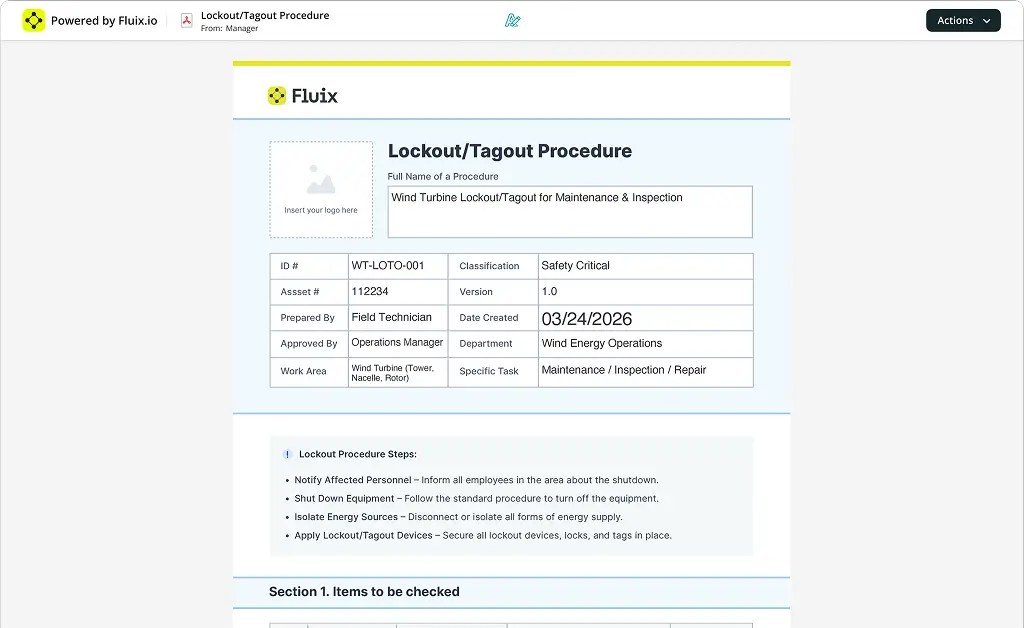
Screenshot of the Lockout/Tagout Procedure Checklist in Fluix.

2,000

Annual work hours saved at 
Siemens Gamesa

45%

Reduction in daily form completion at RWE Renewables

100%

Shift to paperless operations at 
NKT Australia

43%

Decrease in wind farm inspection at CPP

Simple turbine inspection process

By wind sector

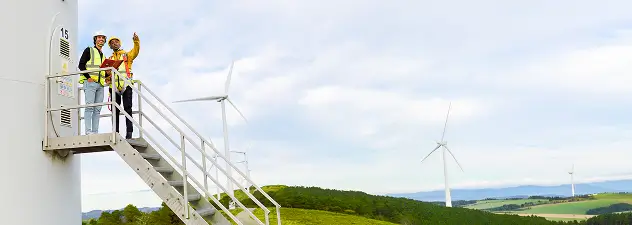
Two workers are standing at the entrance to the tower of an onshore wind turbine.

Fluix for onshore

Keep fast-moving, multi-site operations under control despite terrain, weather, and limited crews. Fluix connects field and office workflows, so inspections and maintenance move smoothly across dispersed sites without delays, rework, or manual coordination.
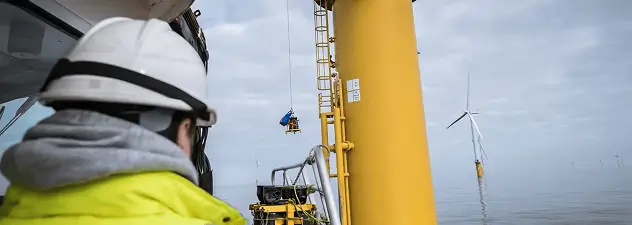
Offshore wind turbine maintenance technician at work

Fluix for offshore

Stay in control of high-risk, high-cost operations where every delay impacts the bottom line. Fluix supports complex, safety-heavy workflows and keeps work progressing in low-connectivity environments. So teams can capture, track, and deliver critical data reliably, even in the middle of the sea.

Want to know where your inspections lose time?

Our team will review your workflows to uncover delays and identify quick changes – in one short call.

Customer stories

How fluix helps Siemens Gamesa Scale
Wind Operations across 26 countries

Opening quotation mark icon Siemens Gamesa logo

One of the biggest benefits of Fluix is its scalability. The solution can be easily used within a small office environment or across multiple departments.

Kathryn Ridsdale

IT Coordinator Team Lead

@ Siemens Gamesa

Kathryn Ridsdale, IT Coordinator Team Lead at SGRE

gained productivity

2,000

Man-hours saved a year.

completed documents

500k+

By 5,000 users.

By team

Work organization icon

Project Management

Gain control of fast-moving projects and track progress even in low-connectivity sites. Instead of chasing updates, you stay ahead of delays caused by outdated documents and late manual reporting.

Construction helmet icon

HSE

Enforce safety standards without drowning in paperwork. Digitize JSAs, LOTO, and audits, streamline approvals, and capture clear, traceable defect data with photos and annotations.

Database icon

IT & Infrastructure

Connect field operations without adding complexity. Integrate with existing systems, eliminate custom coding, and control access with secure, role-based permissions across workflows.

Drawing compass icon

Engineering & Consulting

Work safer in the field and spend less time on reporting. Capture data on-site, add photos to inspections, and automatically generate datasets for faster analysis and client reporting.

Automation gear check icon

Back Office & Logistics

Automate timesheets, track materials with digital records, and get accurate, ready-to-use data for payroll, reporting, and procurement.

Learn how Fluix supports your role

We’ll review how your team works today and show where you can eliminate delays and manual steps.

Book a demo

Product features

HOW we KEEP your projects RUNNING
without delays or rework

Safety Inspection Report in Fluix App

Mobile inspections

Capture inspections directly in the field – safely, quickly – and add photos, geotags and comments.

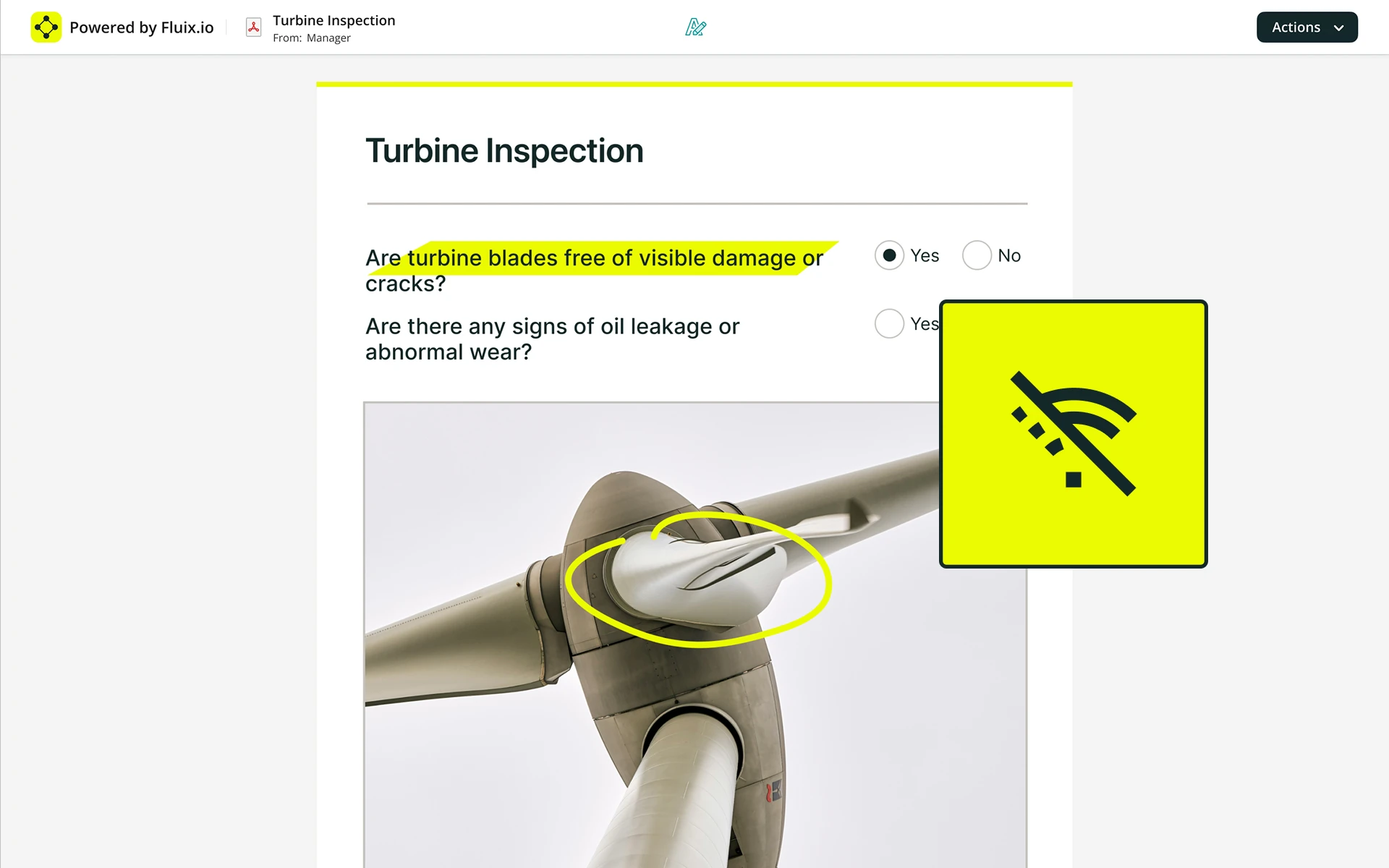
Offline mode

Keep work moving in dead zones. Capture everything on-site and sync automatically when you’re back online.

issue reporting

Report issues with the right asset details, clear defect categories, and annotated photos attached from the start.

Turbine Inspection Report in Fluix in Offline mode

Offline mode

Keep work moving in dead zones. Capture everything on-site and sync automatically when you’re back online.

issue reporting

Report issues with the right asset details, clear defect categories, and annotated photos attached from the start.

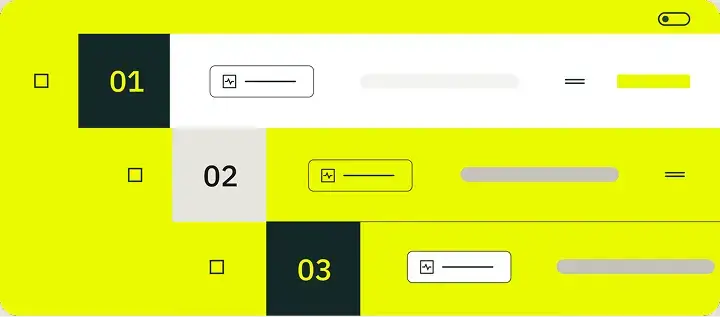
Automated Workflows & Approvals

Completed documents move instantly to the right people, so issues get fixed before they become delays.

Turbine Inspection Report in Fluix app

issue reporting

Report issues with the right asset details, clear defect categories, and annotated photos attached from the start.

Automated Workflows & Approvals

Completed documents move instantly to the right people, so issues get fixed before they become delays.

Asset Management & Data Pre-fill

Skip repetitive data entry. Pull in asset details automatically and focus on the work that matters.

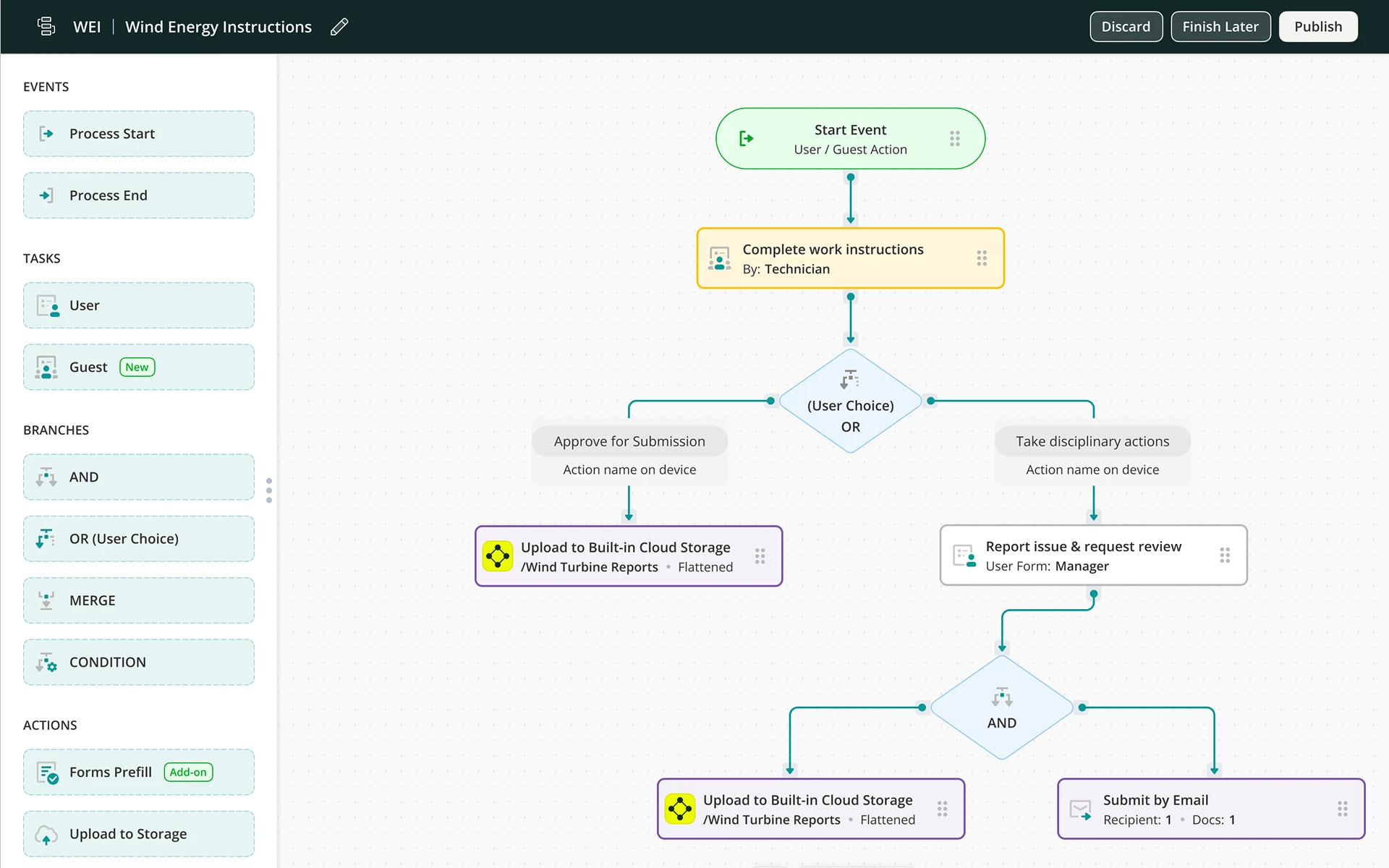
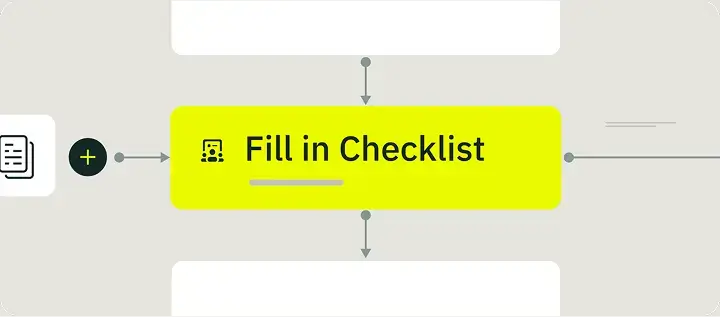
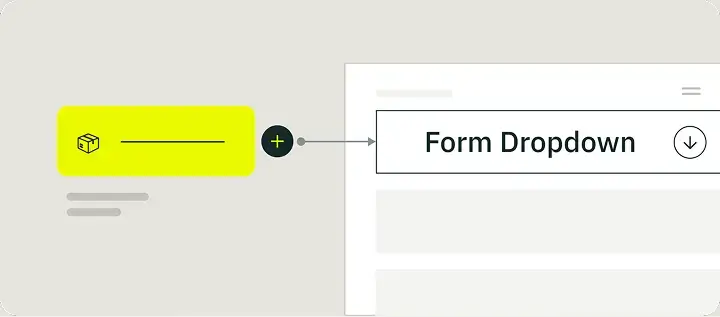
Wind Energy Instruction Workflow, made in Fluix

Automated Workflows & Approvals

Completed documents move instantly to the right people, so issues get fixed before they become delays.

Asset Management & Data Pre-fill

Skip repetitive data entry. Pull in asset details automatically and focus on the work that matters.

Roles & Rights

Give every technician, supervisor, and manager access only to what’s relevant to their role, project, or region.

The Assets in the Fluix Admin Dashboard Represent Turbines.

Asset Management & Data Pre-fill

Skip repetitive data entry. Pull in asset details automatically and focus on the work that matters.

Roles & Rights

Give every technician, supervisor, and manager access only to what’s relevant to their role, project, or region.

Cloud Storage

Keep documents organized and up to date automatically, without manual sorting or version confusion.

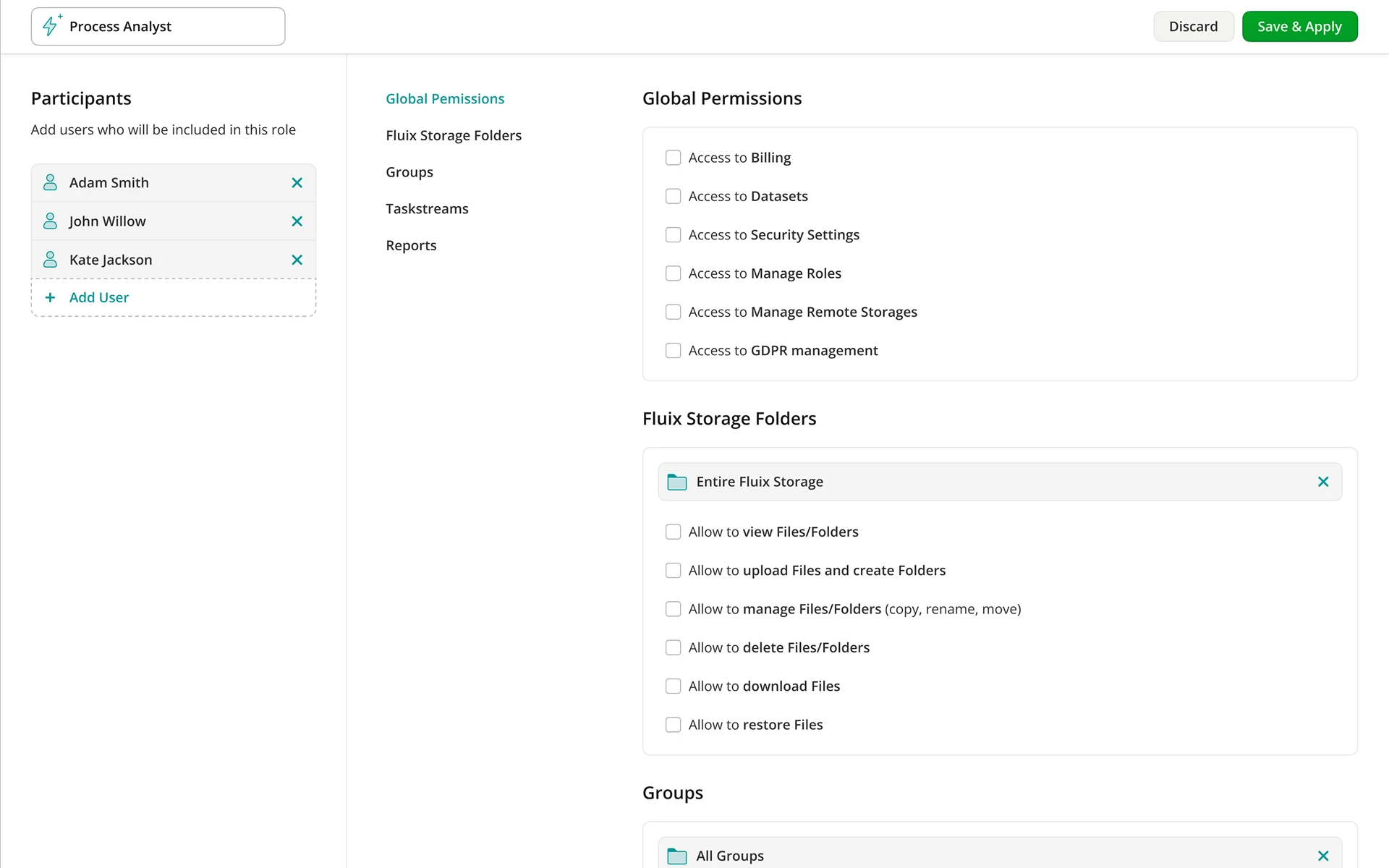
The Permissions Dashboard in the Fluix App

Roles & Rights

Give every technician, supervisor, and manager access only to what’s relevant to their role, project, or region.

Cloud Storage

Keep documents organized and up to date automatically, without manual sorting or version confusion.

Mobile inspections

Capture inspections directly in the field – safely, quickly – and add photos, geotags and comments.

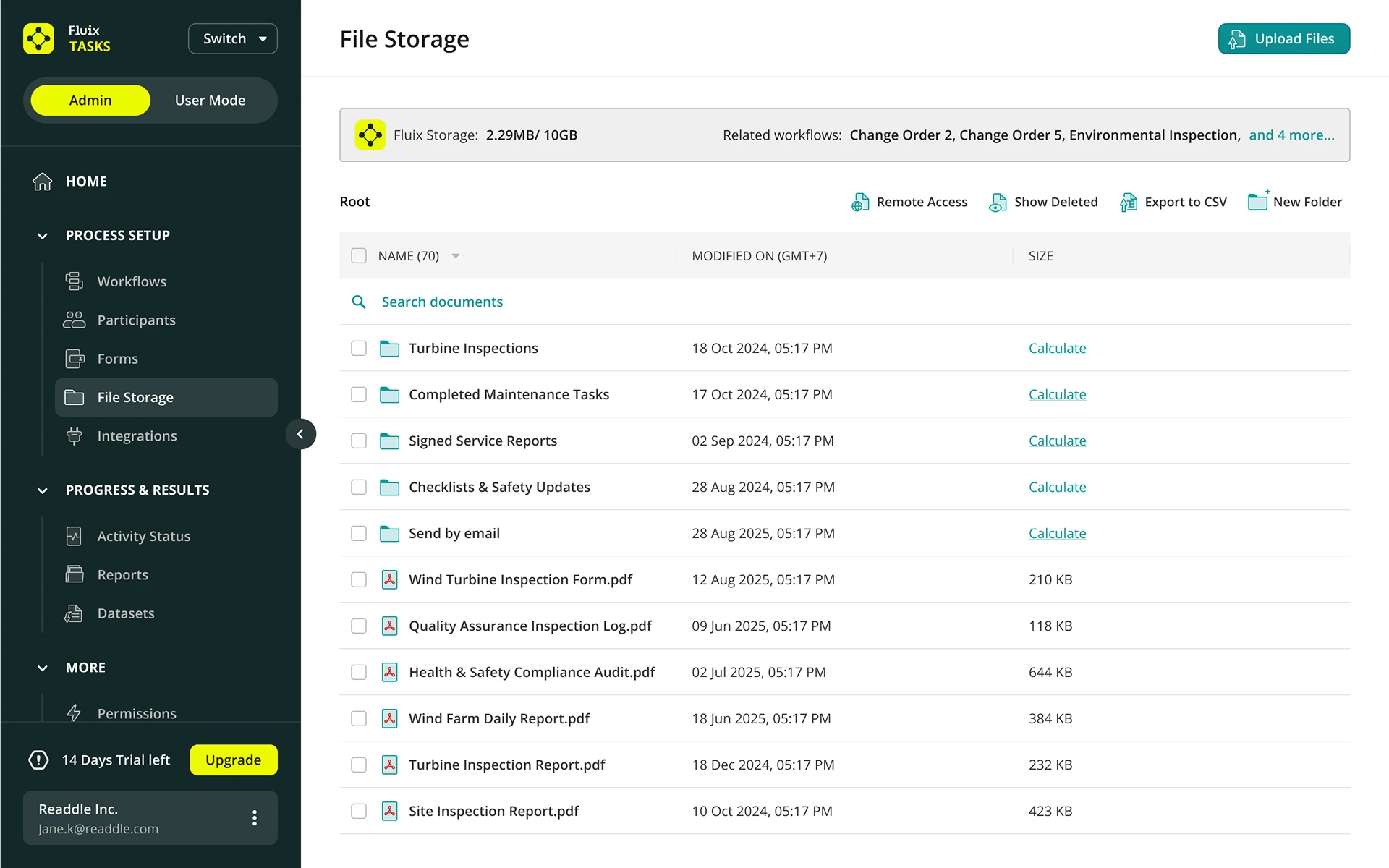
The File Storage Dashboard in the Fluix App

Cloud Storage

Keep documents organized and up to date automatically, without manual sorting or version confusion.

Mobile inspections

Capture inspections directly in the field – safely, quickly – and add photos, geotags and comments.

Offline mode

Keep work moving in dead zones. Capture everything on-site and sync automatically when you’re back online.

Want Better ROI?

Get our free Wind Energy ROI Guide and see how projects worldwide drive real results.

FAQs

Got questions about
wind turbine inspection software?

Field worker performing inspection using tablet

Fluix is inspection management software built for wind turbines. It runs the field side of your inspection processes: structured checklists for every turbine component, offline data capture, automated corrective action tracking, permit-to-work workflows, and audit-ready records you can pull up by turbine and date in minutes.

let’s talk

Discover how we can help
you work safer and smarter

AICPA SOC Certification Badge TUV Nord ISO/IEC 27001 Certification Badge

Keep your processes automated and consistent,
your teams in sync, and your business compliant.