


Who are Participants in Workflows
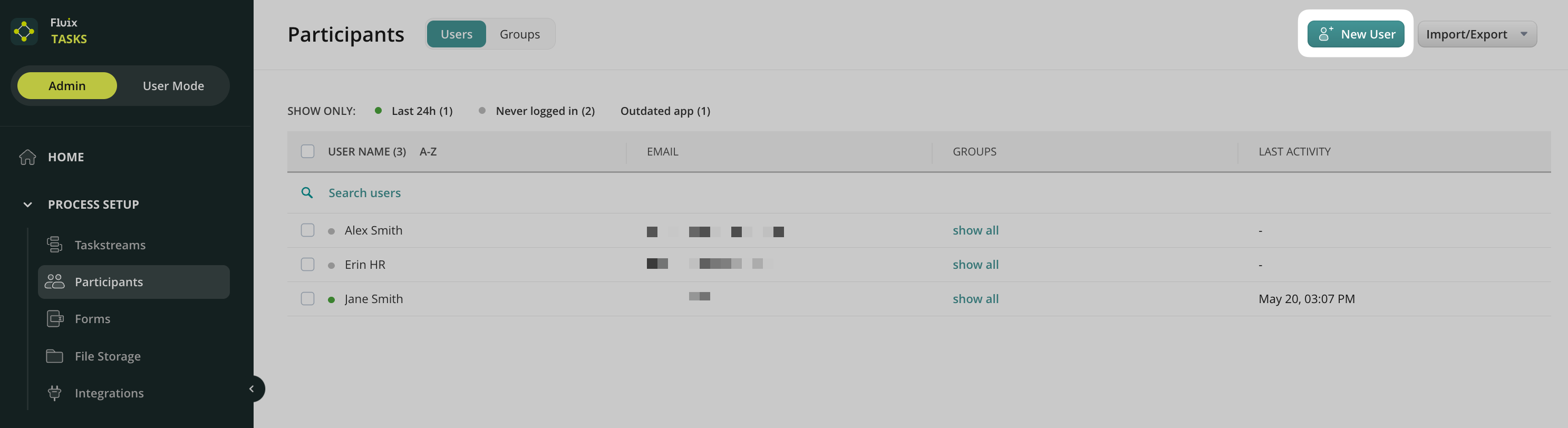
Participants are the users you add to your Fluix Admin Portal and organize them into groups. The first step in Fluix setup is adding users and then assigning them to the groups for further participation in workflows. This way, the users will have assigned tasks to fill out forms, review and approve each other’s work, and submit the completed work through the process. Users and Groups are managed in the Admin Tab -> Process Setup -> Participants section. Then, fill out the form with the new user’s info.
How to Add Users
You can add a user by clicking on the New User button:
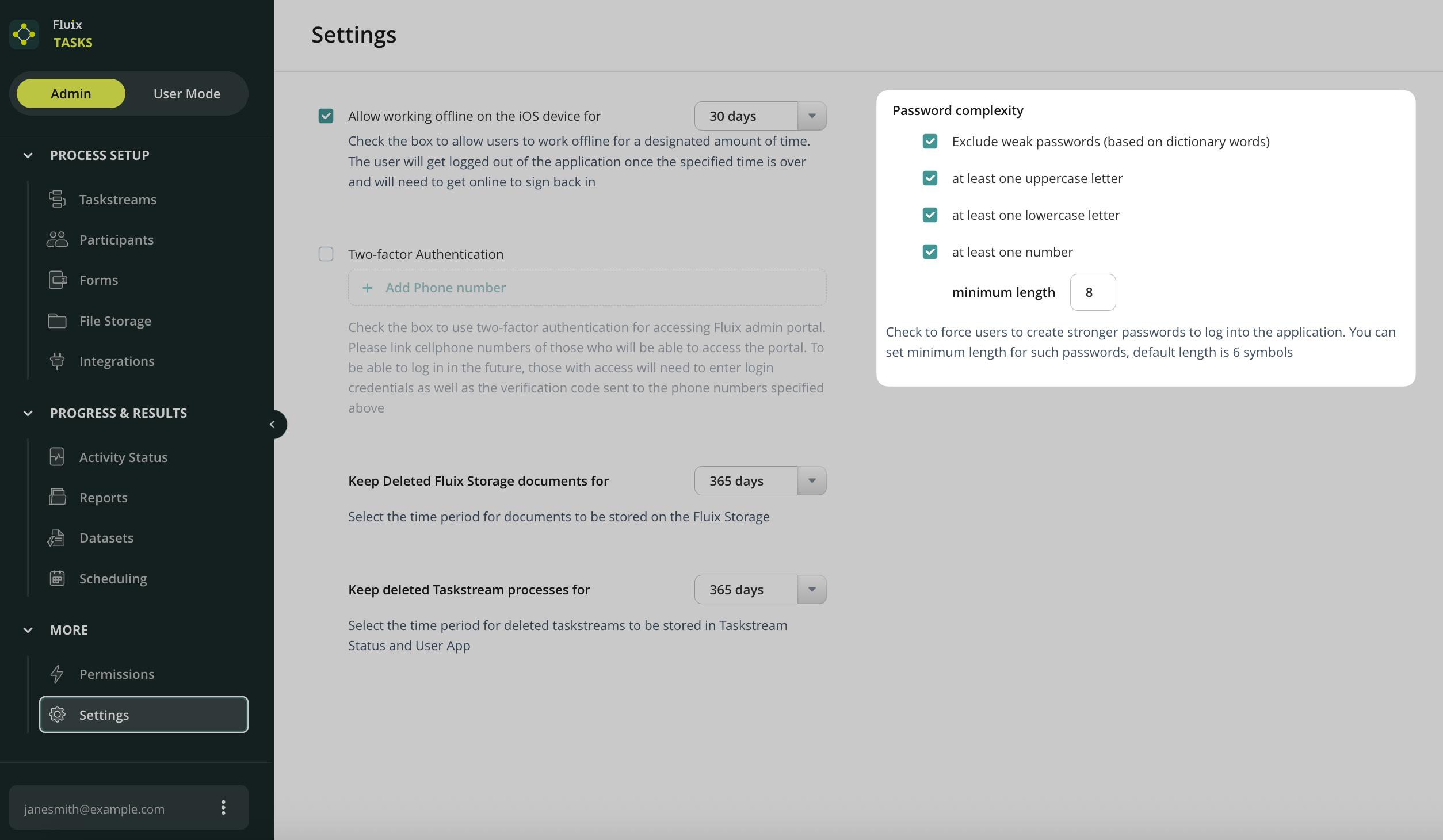
Please note that you can define the complexity of the users’ passwords. This option is available in the Admin tab -> More -> Settings tab.
If a user participates in a couple of accounts, then they will use one password for all accounts.
Invitation Email
Once added to the Fluix account, a user will receive an email invitation to access Fluix via iPad, iPhone, and web application.
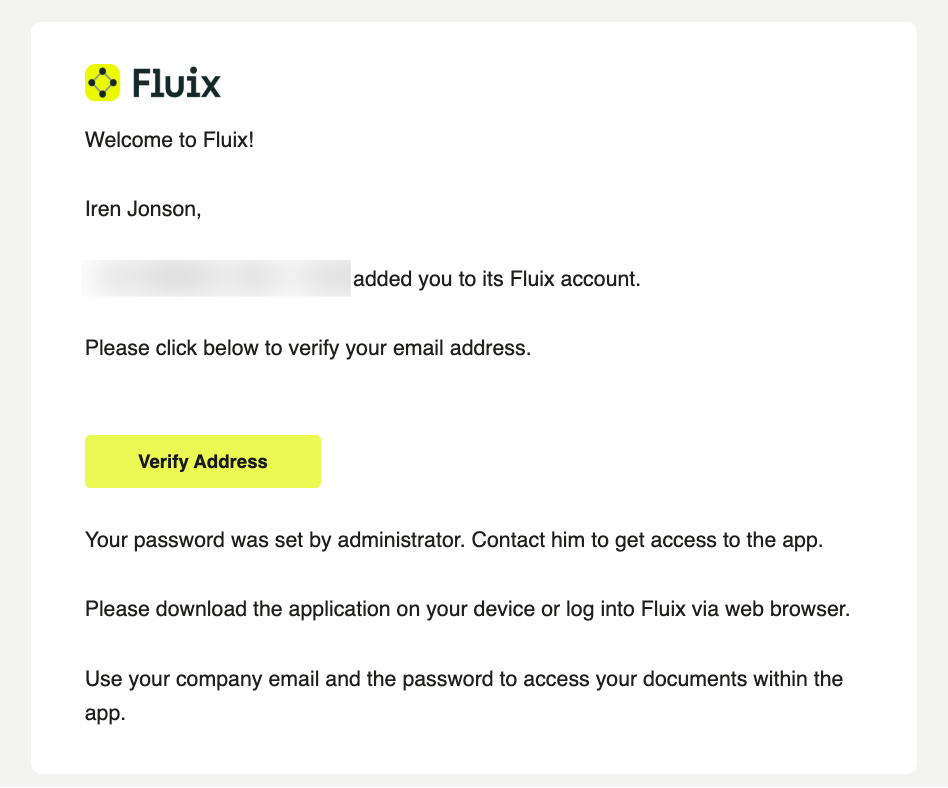
In case the added user didn’t receive the invitation email, you will receive an automatic email notification saying that the system didn’t accept the email address. Please double-check the address, and if that doesn’t help, email us at support@fluix.io for assistance.
Resend Invite
If you need to resend the invite to a user who has never logged into his account, you can do so from the Users section. Check the user to whom you would like to resend the invite and click on the Resend Invite button:
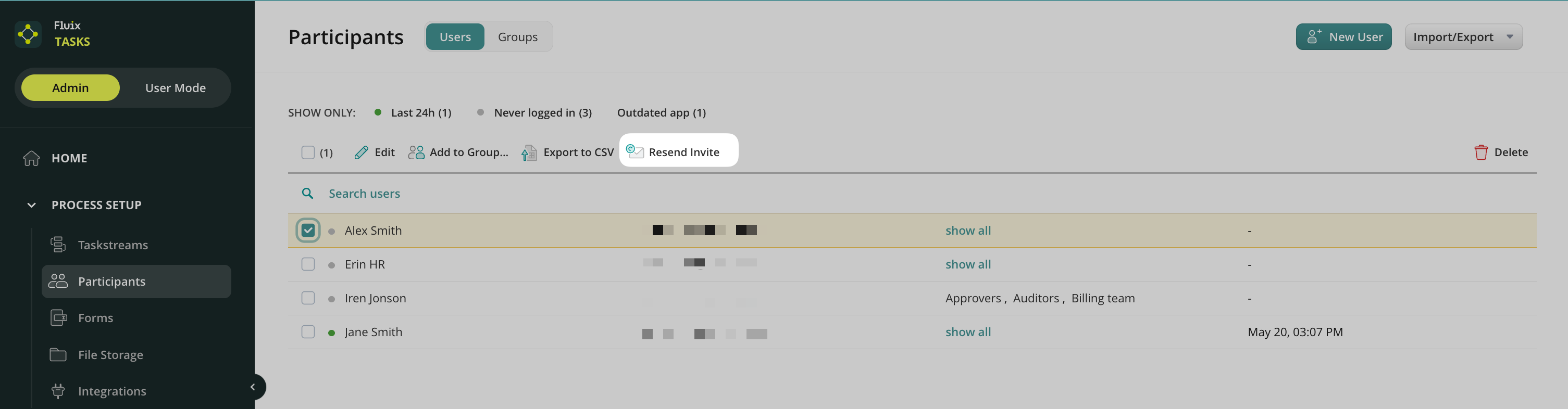
The invitation to access Fluix will be sent again to the selected user who hasn’t logged into the application yet.
Learn how to add Users in bulk in the next article or contact us at support@fluix.io if you have any questions or comments.