


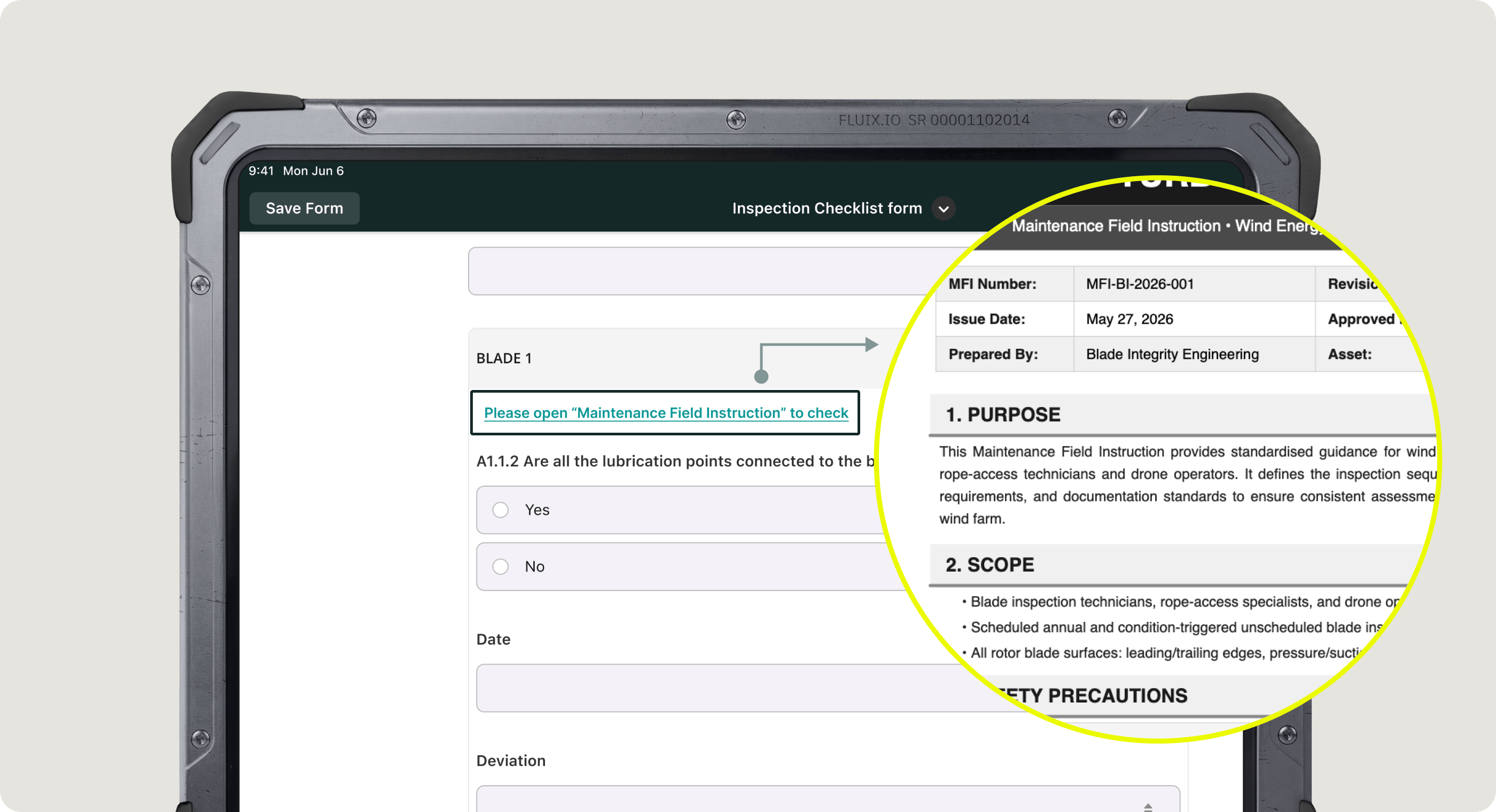
Admins can link PDF documents stored in Fluix Storage directly to the sections within a dynamic form. This way, Fluix app users, e.g., inspectors, field workers, can access the exact page of a manual, policy, or standard operating procedure directly from a checklist.
This allows app users to open the relevant reference material with a single tap, without having to manually search through attachments or switch between multiple applications.
This feature is especially useful when working with lengthy technical documents (100+ pages) during inspections or audits. Linked PDFs can point to a specific page, giving app users instant access to the exact section they need.
Note: All linked PDFs are automatically added to every task that includes this form, appearing in the Attachments for review section. You may not be able to remove linked PDFs at the individual task level.
If you have any questions or feedback about the functionality, please contact our team at support@fluix.io.