


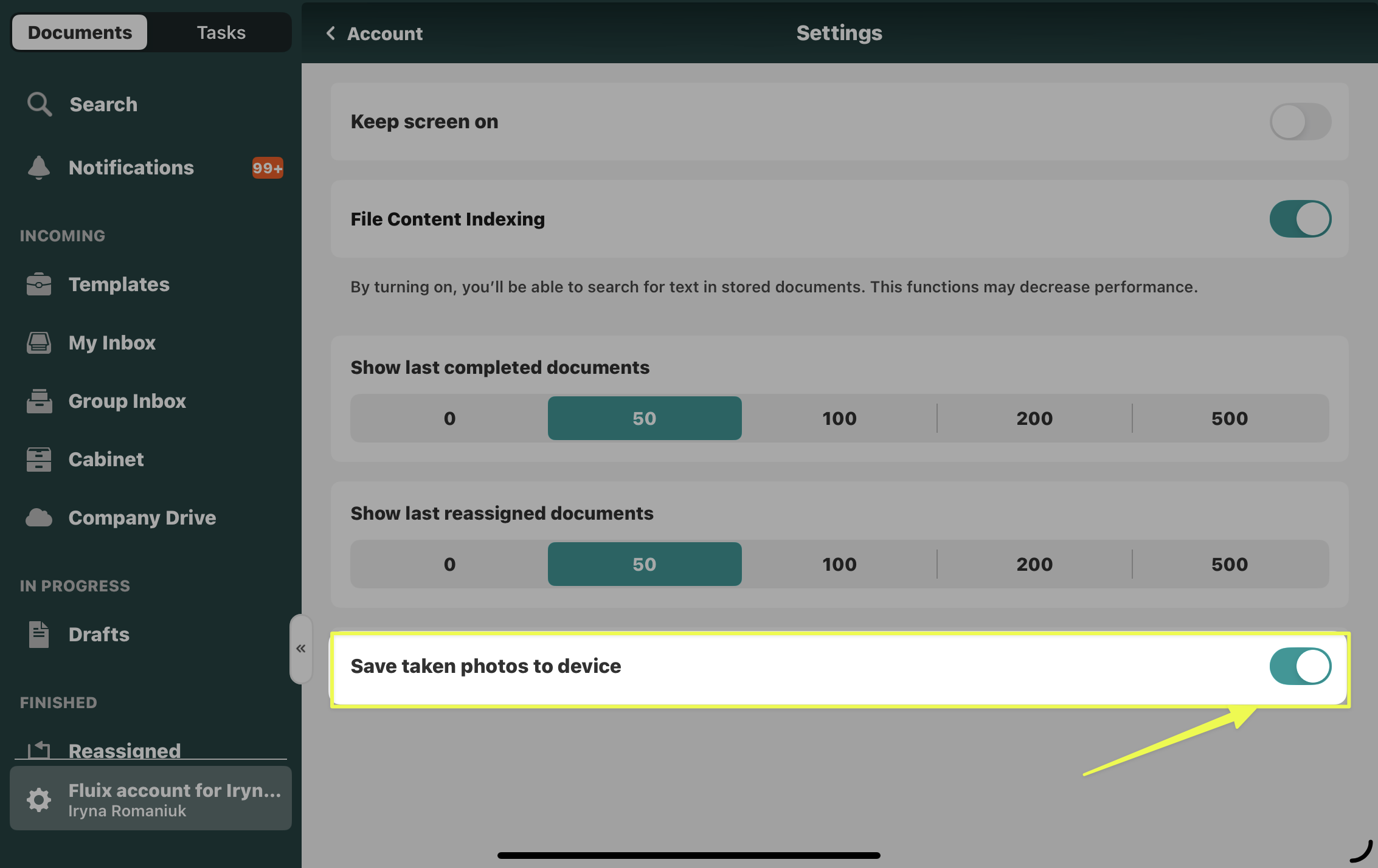
By switching the toggle “Save taken photos to device” on, you can automatically upload photos taken in Fluix to your device’s Camera Roll.
Here is how to enable this functionality:
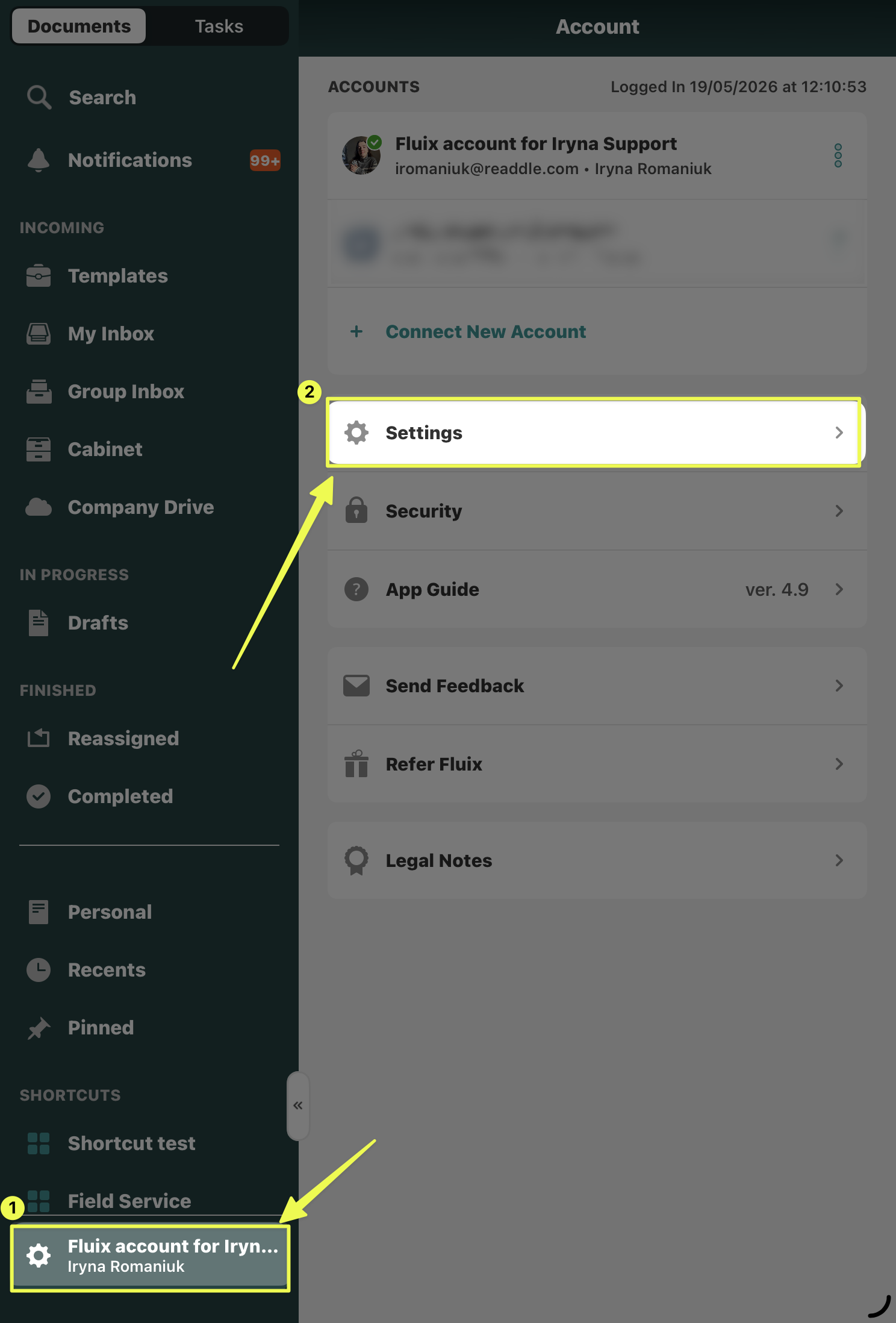
1. Navigate to the account name at the button on the left of your screen
2. Click on “Settings”
3. Switch on the toggle “Save taken photos on device”
Feel free to contact us at support@fluix.io with any questions or comments.