


If you have a complicated folder structure on your cloud storage and your team spends time searching for the necessary folder or file while working in the Fluix app on a mobile device or in the User Web App , there is a way to improve the user experience.
In Fluix, you can create a Virtual Folder Structure and Label Folders for end-users, so that they can access the required folder without having to click through the entire path from the root folder to the subfolder they need. Such a virtual folder structure can be created on the level of Templates, Cabinet, Company Drive, and Group Inbox. To do this, the Fluix admin needs to create the label folder on the workflow level:
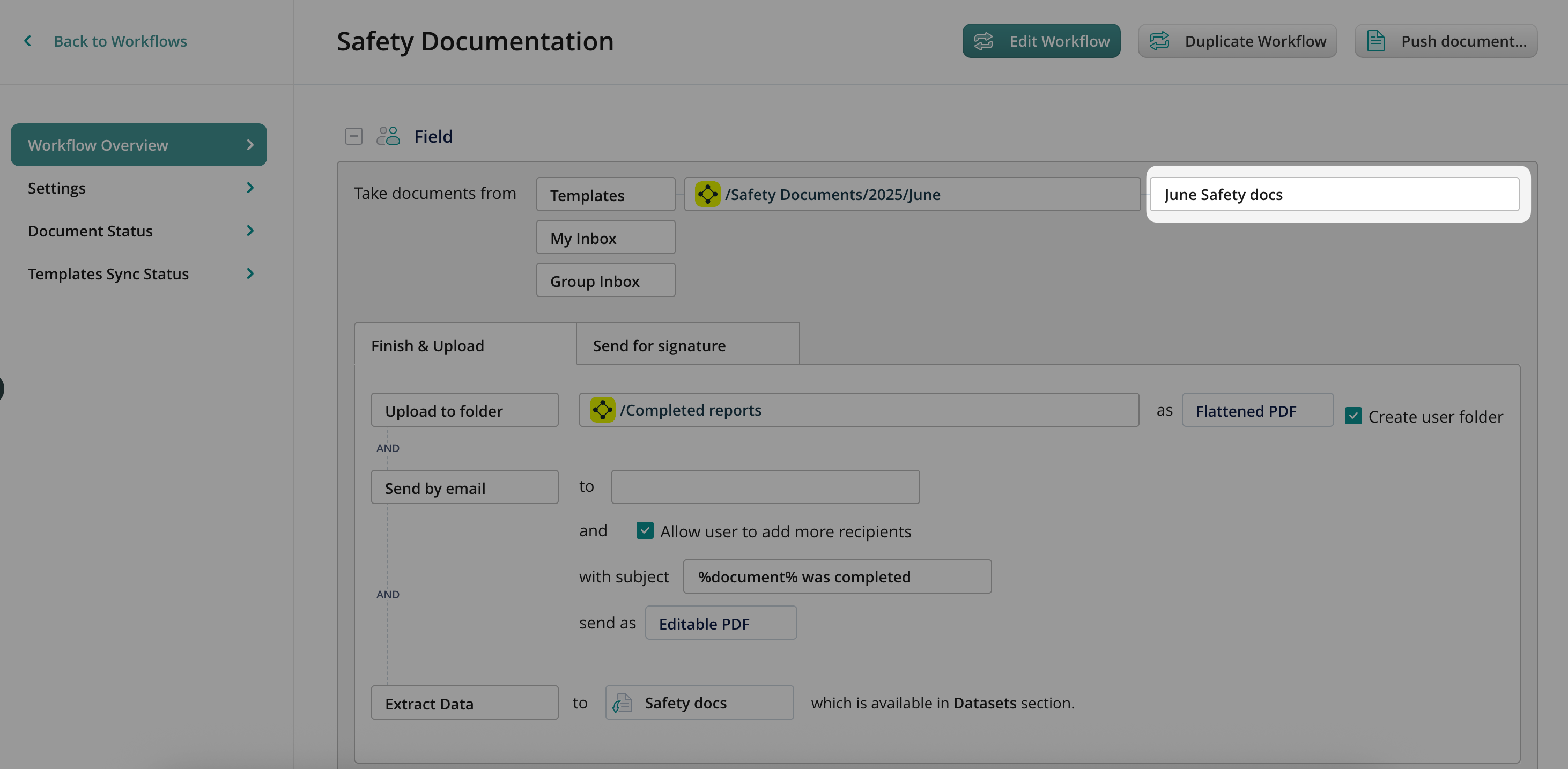
In this case, the end-user will see the June Safety docs in the Templates section on their device, without the necessity to click and open the folders through the entire path from the root folder to the subfolder they need. As a result, the actual folder structure is Templates/Safety Documents/2025/June, while the virtual folder structure, which is displayed to the user, is Templates/June Safety docs.
How To Set Up Multi-Level Virtual Folder Structure
You may also set up a multi-level virtual folder structure on the level of the Templates, Cabinet, and Company Drive document sources. To achieve this, the Fluix admin needs to configure the path, which directs the user to the necessary folder by adding two slashes (//) to the path itself. This creates a subfolder in the parent folder to the left of the // symbols. Virtual folders can be created indefinitely and contain multiple levels (3, 4, 5, etc.); for example, Folder//Subfolder//Subsubfolder//…//Subsubfolder.
As an example, the following path can be used for creating the multi-level virtual folder structure:
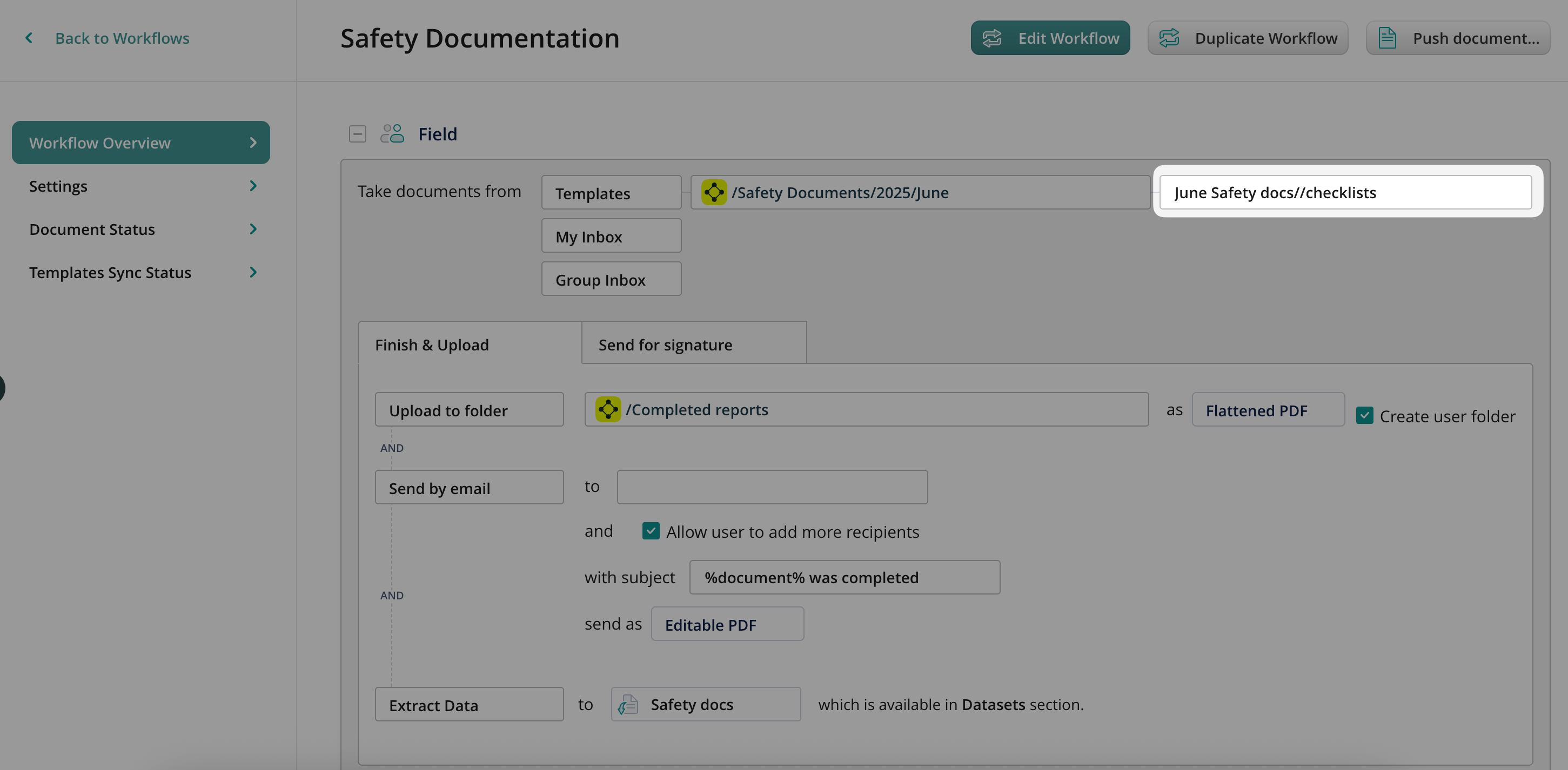
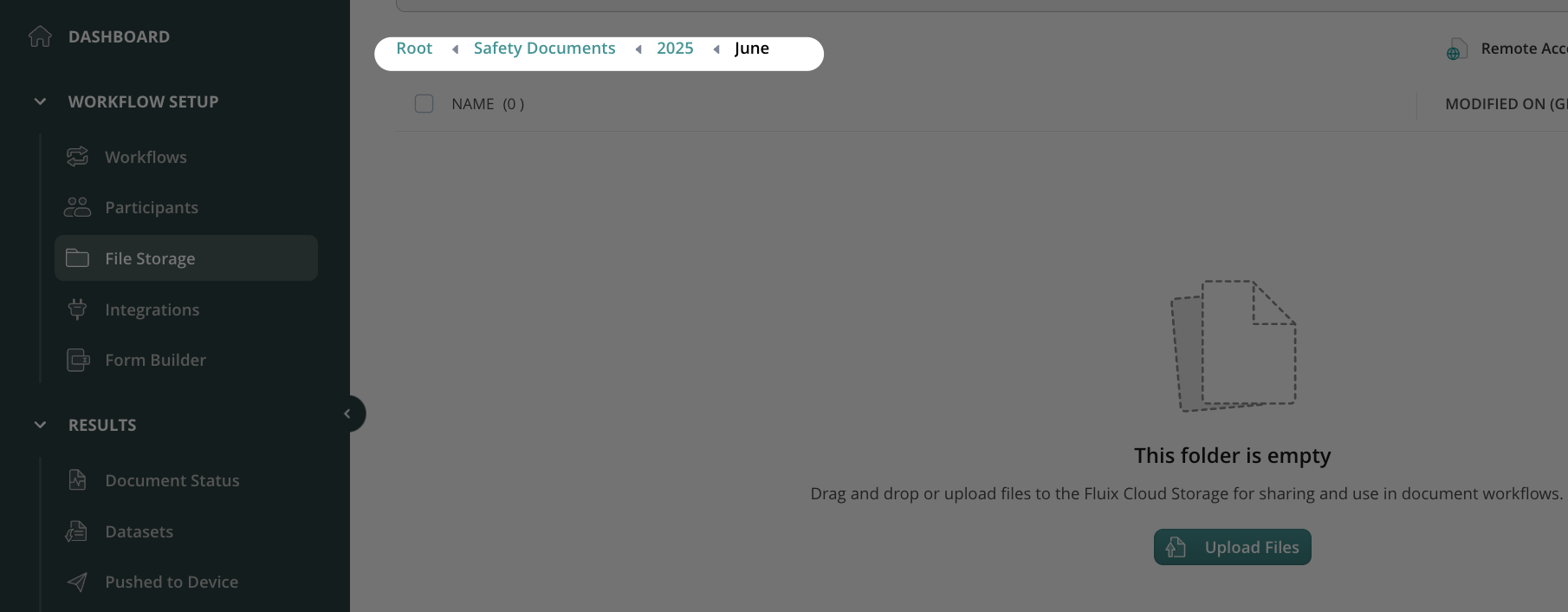
As a result, the actual folder structure is Templates/Fluix Library of Templates/Safety Documents/2025/June/June Safety docs//Checklists.
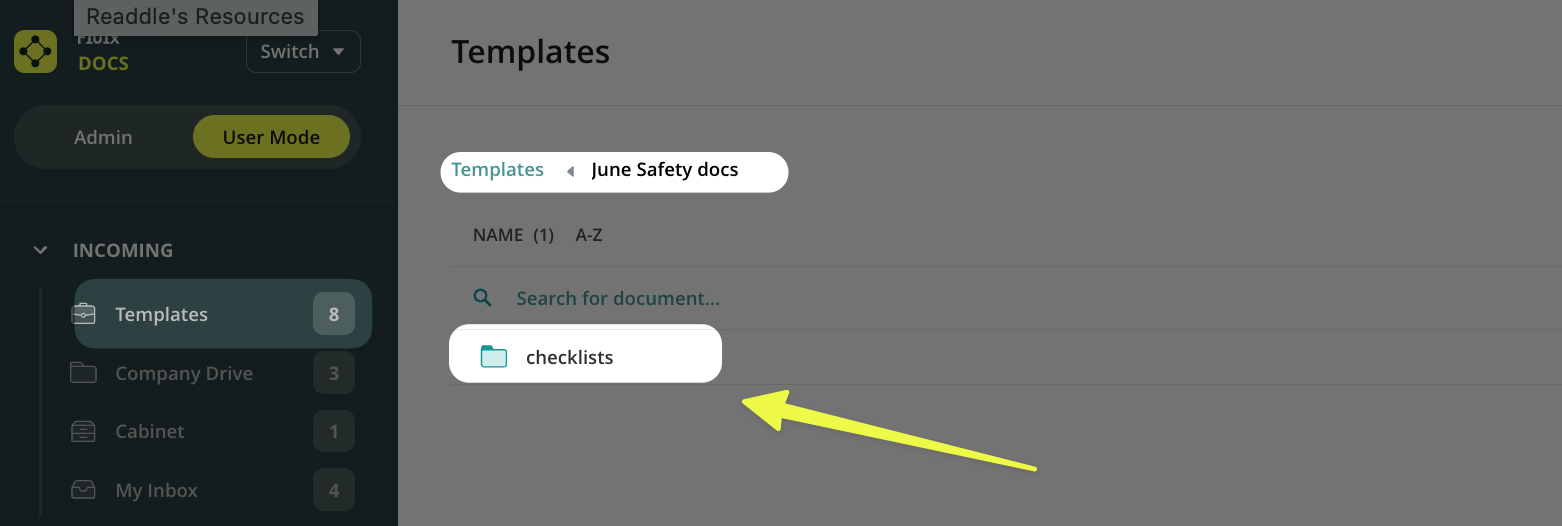
While the virtual folder structure, which is displayed to the user, is Templates/June Safety docs//Checklists.
This configuration offers significant advantages for your end users by enhancing the overall document experience:
- First, it ensures zero disruption to your existing storage setup, serving as a more intelligent layer for displaying files without altering the underlying data.
- Second, it facilitates more straightforward navigation, providing a more intuitive and streamlined interface that allows users to locate the information they need with much greater efficiency.
Feel free to contact us at support@fluix.io if you have any questions.
Check what you can do with Fluix. Explore features >