


You can delete users in Fluix who no longer need access to the platform.
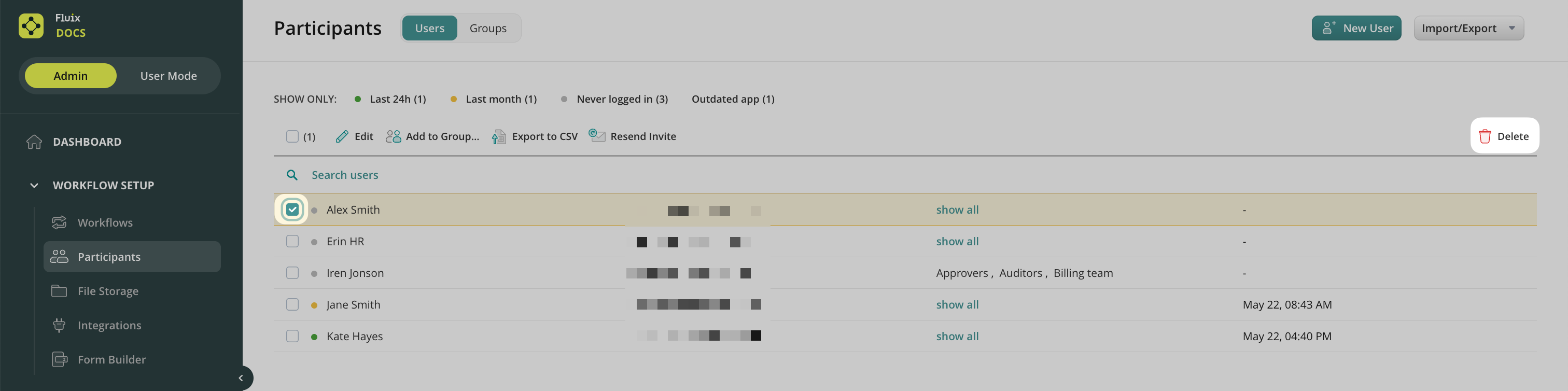
To delete a user, please proceed to Participants->Users in the Workflow Setup section and follow the steps below:
1. Select a User or multiple Users you want to delete by checking the box next to the User’s name.
2. Click on the Delete button in the right corner of the screen. Confirm the selection, and the user’s account will be removed.
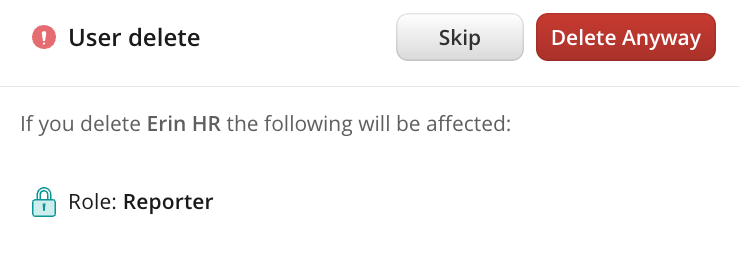
Please note that there are a couple of instances where a user deletion can affect the account:
- The user who has documents in the Drafts section or is assigned to him/her. In this case, you can either proceed with deleting if you do not need those documents or go to Document Status and download or reassign the documents to another user.
- The user has administrative rights.
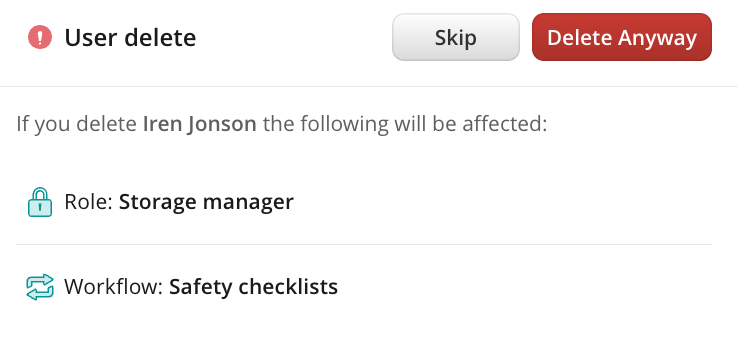
- The user participates in a workflow. In this case, the system won’t let you delete a user until you delete him/her from a workflow:
IMPORTANT: According to the GDPR requirements, the data on the deleted user is stored for 30 days. So, in case you deleted a user by mistake, you can recover him/her within the next 30 days by recreating him/her as a new user and asking the Fluix Support Team to recover their setup.
Was it helpful? Feel free to contact us at support@fluix.io if you have any questions or comments.