Risk-Free Christmas

Enter to Win iPad & H&S Ticket

Find Out More

Add Users to Groups

Groups

Last Updated: May 23, 2025

1 min read

Organize your users into groups and use them as participants in the workflow.

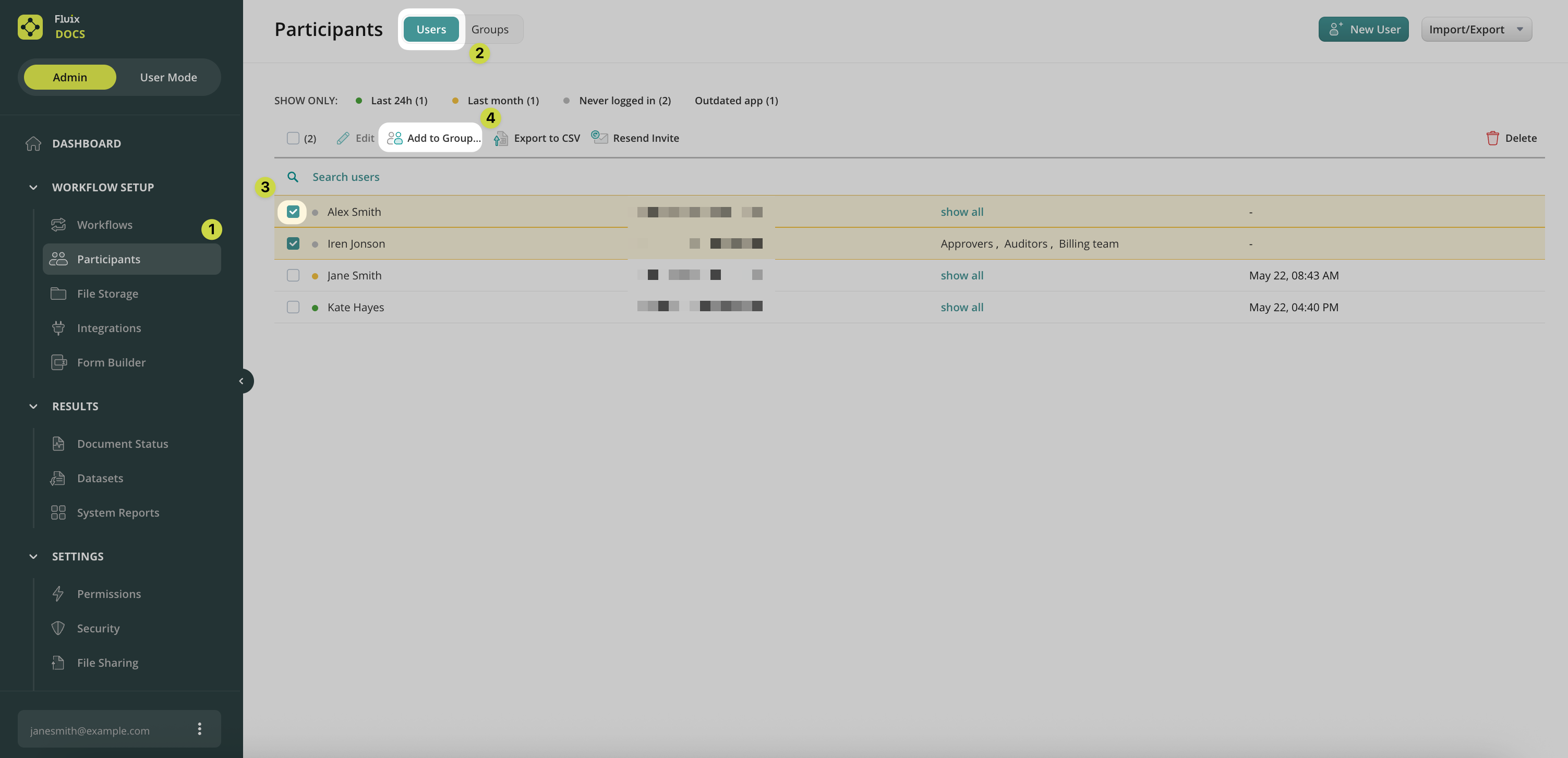
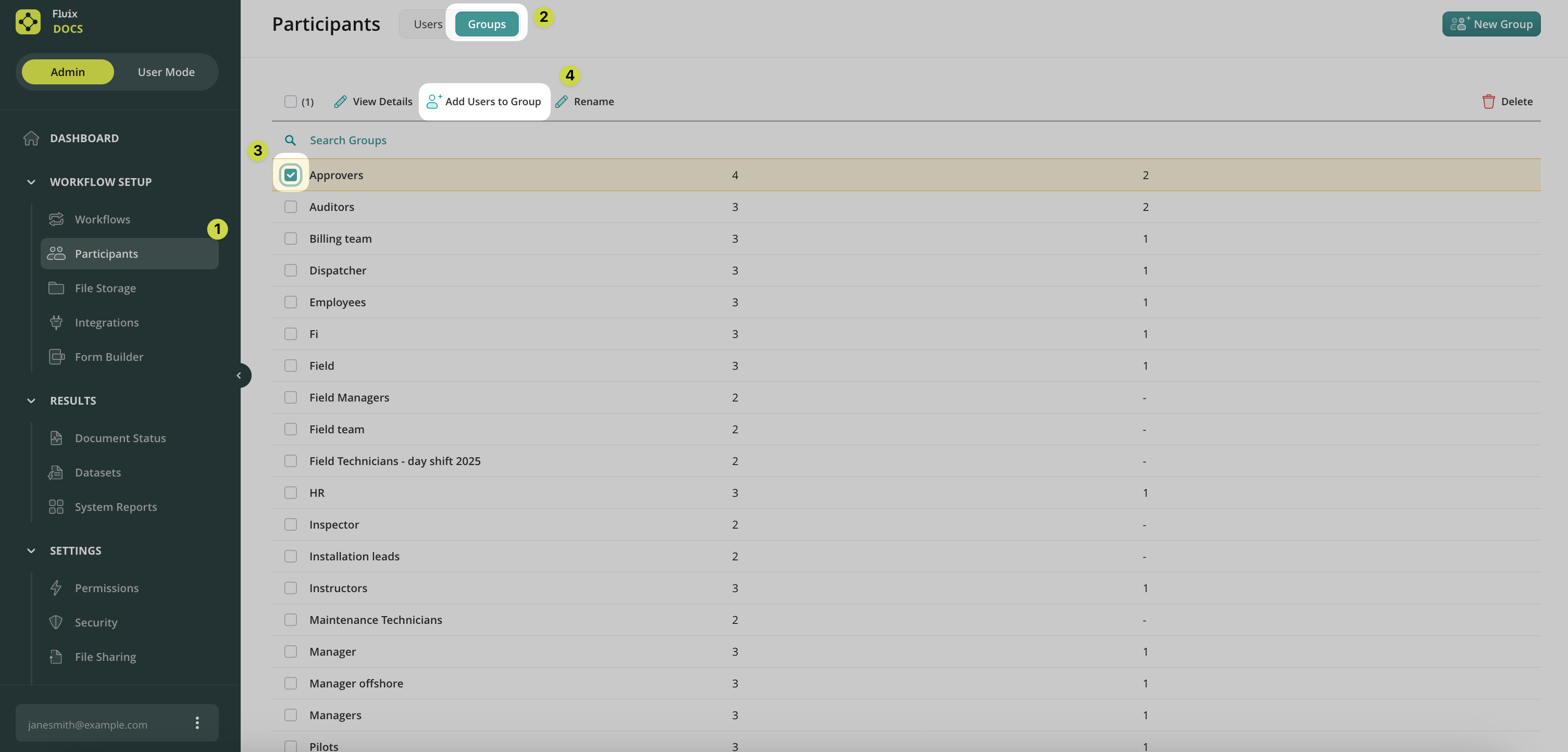
You can add users to Groups in two ways:

1. From the Participants –> Users section:
2. From the Participants –> Groups section:
Was it helpful? Learn about Group Configurations in the next article or contact us at support@fluix.io if you have any questions or comments.

Was this article helpful?
Thanks for your feedback!
Oops, something went wrong. Please, try again later.
Thank you!
What details or examples would have made this article more helpful for you? We appreciate your insights!
Sign Up to Our Product Newsletter

The latest updates from our Product team, straight to your inbox