


Having sensitive information in PDF might be tricky, but you can always password protect it, so people outside your organization wouldn’t have a way to even open it.
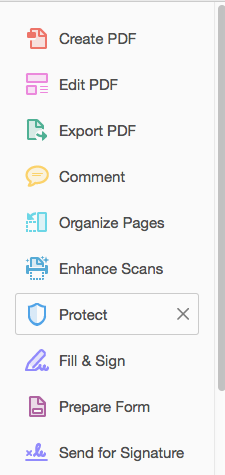
Steps 1. Open your PDF in Adobe Acrobat Pro and proceed to the Protect option under Tools or in the right side bar:
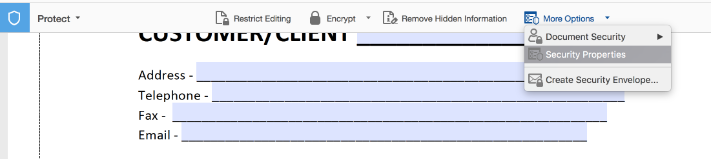
Step 2. Under More Options select Security Properties:
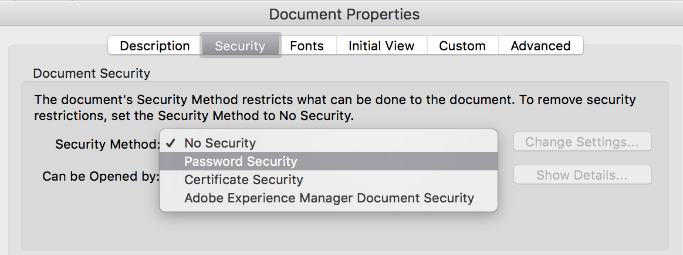
Step 3. Choose Password Security in the dropdown below:
Step 4. Tick the checkbox next to Require a password to open a document and come up with a password for this file:

Step 5. Save changes to the PDF form and upload it to the folder that is used in a workflow.
As a result, any person will need to enter a password in order to open a PDF.
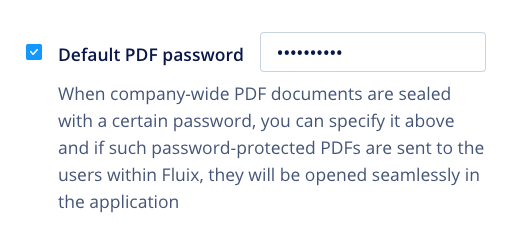
In case you’d like your users to open such protected PDFs without entering password manually each time they open a document, consider a document management software solution like Fluix.
Make form filling fast and accurate
See how Fluix can work for you.