


The Submit by HTTP action in Fluix allows you to automatically transfer data from completed forms to a preconfigured URL or external tool. This feature is especially useful for integrating Fluix with other platforms and automating data exchange between them.
What Is HTTP Submission?
HTTP Submission enables Fluix to send form data directly to an external endpoint once a workflow step is completed. For example, you can use it to:
- Send completed forms to your company’s internal database
- Pass field data to an API endpoint
- Transfer documents to third-party tools that accept HTTP POST requests
Once configured, the submission happens automatically after a user completes the document.
How to Set Up HTTP Submission
- In the Workflow, add a new step or edit an existing one.
- Under Submit Actions, select Submit by HTTP.
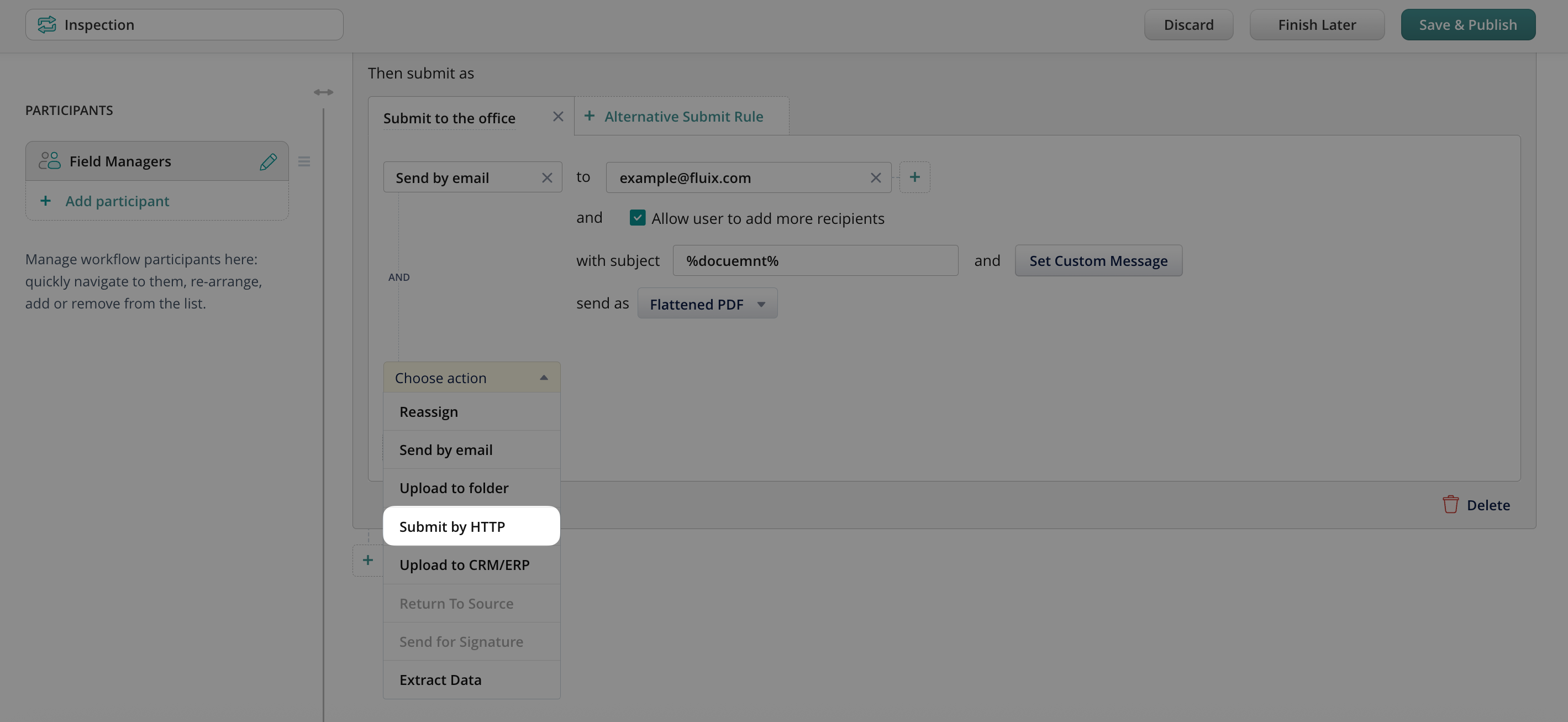
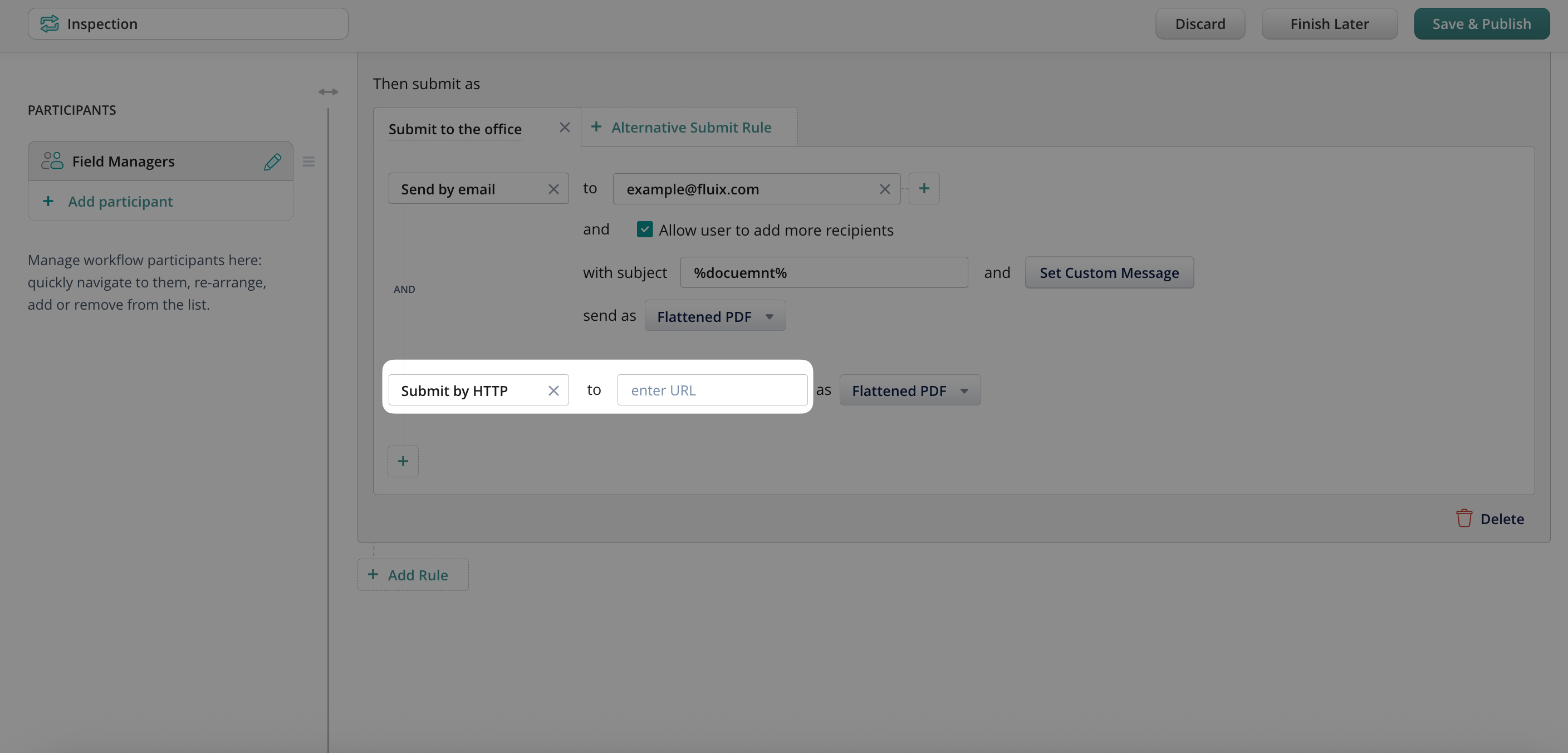
- Enter the destination URL – this is the endpoint where the data will be sent.
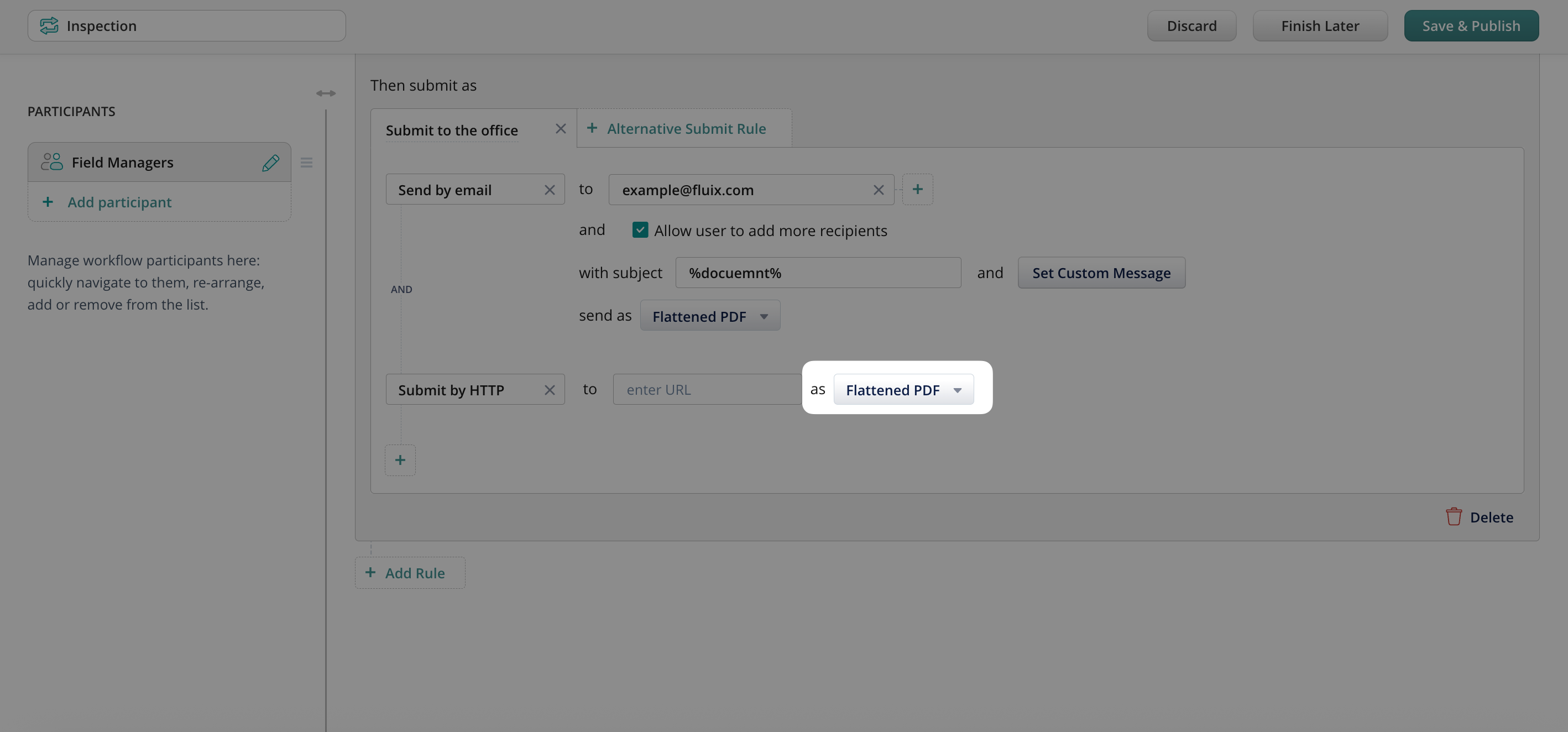
- Select the file format for your submission.
- Click Save & Publish.
Submit by HTTP can be performed in the following formats and methods:
- Editable PDF
The entire document is sent as a single, editable PDF file.
Ideal when the receiving system needs access to the original form layout and editable fields. - Flattened PDF
The document is submitted as a non-editable PDF file.
Useful for archiving or when no further edits are needed. - XFDF
Only the form field data is extracted and submitted – not the full PDF file.
Recommended for integrations where the external system stores data fields rather than full documents. - POST Values
Extracts key-value pairs from the form fields and submits them to the specified HTTP URL using the POST method.
Commonly used for API-based integrations, where each field corresponds to a parameter in the request body.
Feel free to contact us at support@fluix.io if you have any questions or comments.