


A Retention Policy in Fluix Tasks defines how long forms and processes will remain on Fluix servers. You may set the retention policy for the following options before their automatic removal:
- Deleted Fluix Storage documents determine how long they remain on Fluix Storage and can be restored. Check the tutorial on How to Restore Deleted Documents in Fluix Tasks during your retention period.
- Deleted workflow processes in Dashboard. If you need to restore the deleted process during the retention period, contact us at support@fluix.io, and we will assist you.
Key Benefits of Retention Policy:
- Manage data efficiently and maintain compliance with company policies
- Get outdated form/process versions automatically deleted
- Be ready for audits
Note: once the retention period has expired, the document or workflow process will be permanently deleted and cannot be restored by the Fluix team. Therefore, we suggest regularly reviewing and adjusting the policy if needed.
To manage the Retention Policy settings, you should have the permission to access the Security Settings, which your account admin can grant by following the guidelines below:
- Log in to the Fluix Admin Portal.
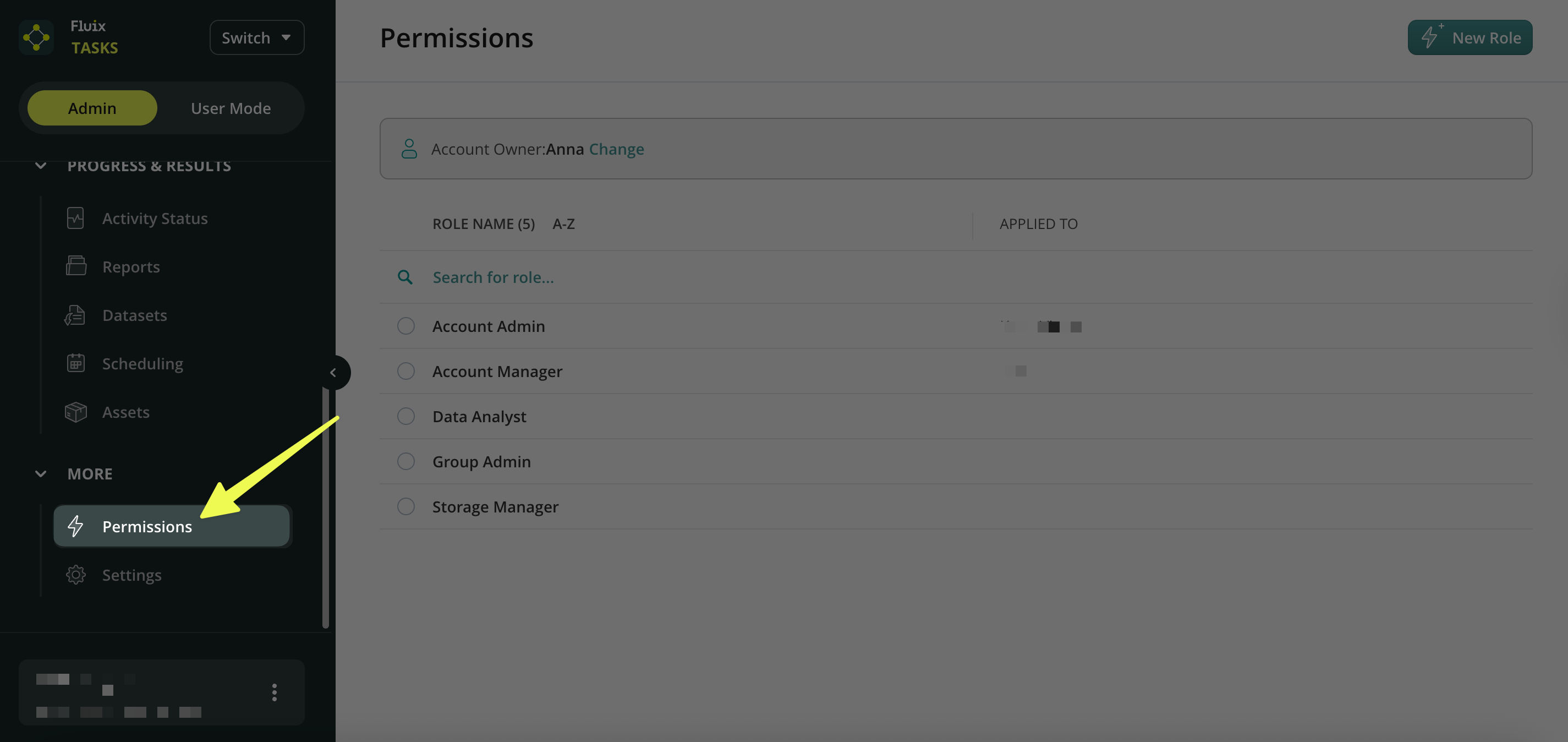
- On the left-side menu, scroll down and navigate to Permission under the More section.
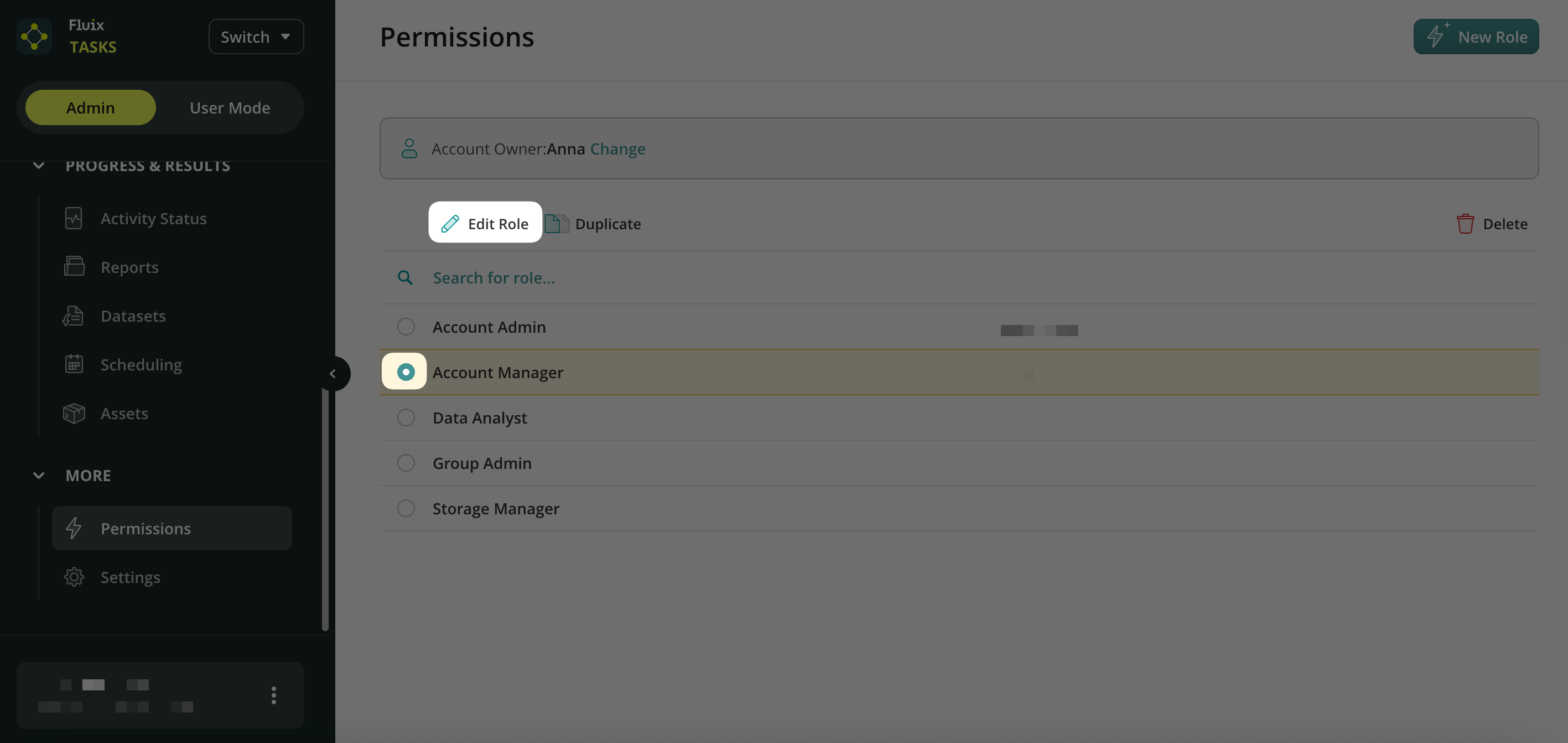
- Select the respective role → click “Edit Role.”
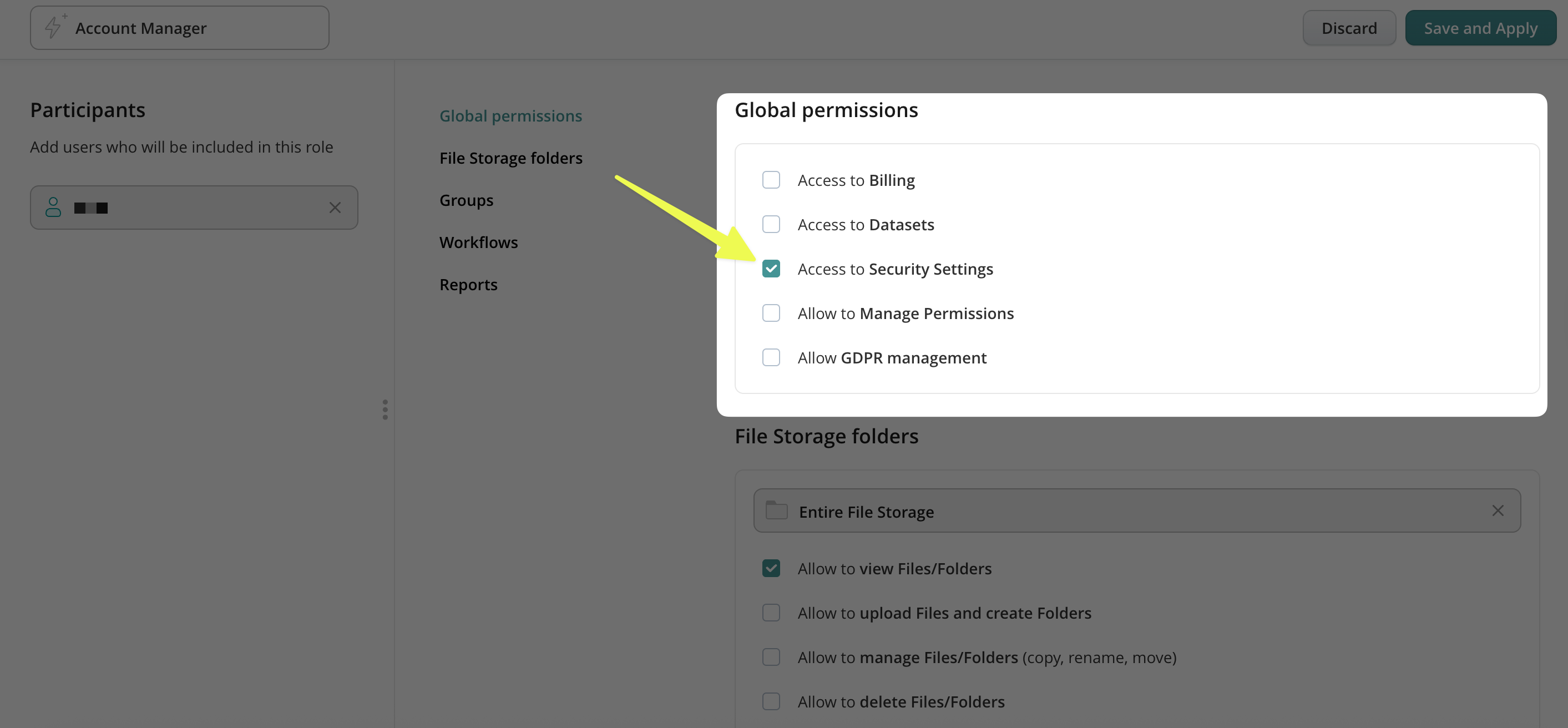
- In the Global Permissions, select the “Access to Security Setting” permission by placing a check mark next to it.
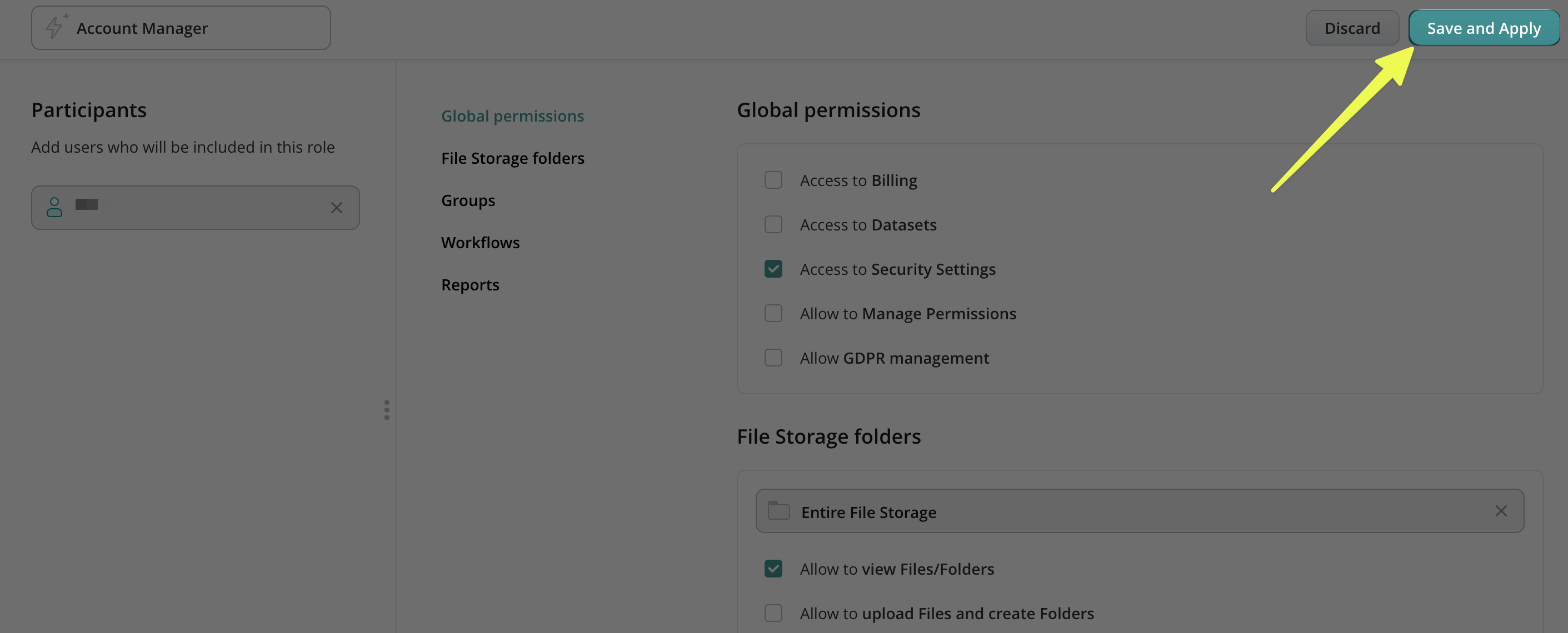
- Click Save and Apply.
How to Set the Retention Policy in Fluix Tasks?
- Log in to Fluix Admin Portal.
- On the left-side menu, scroll down and navigate to Settings under the More section.
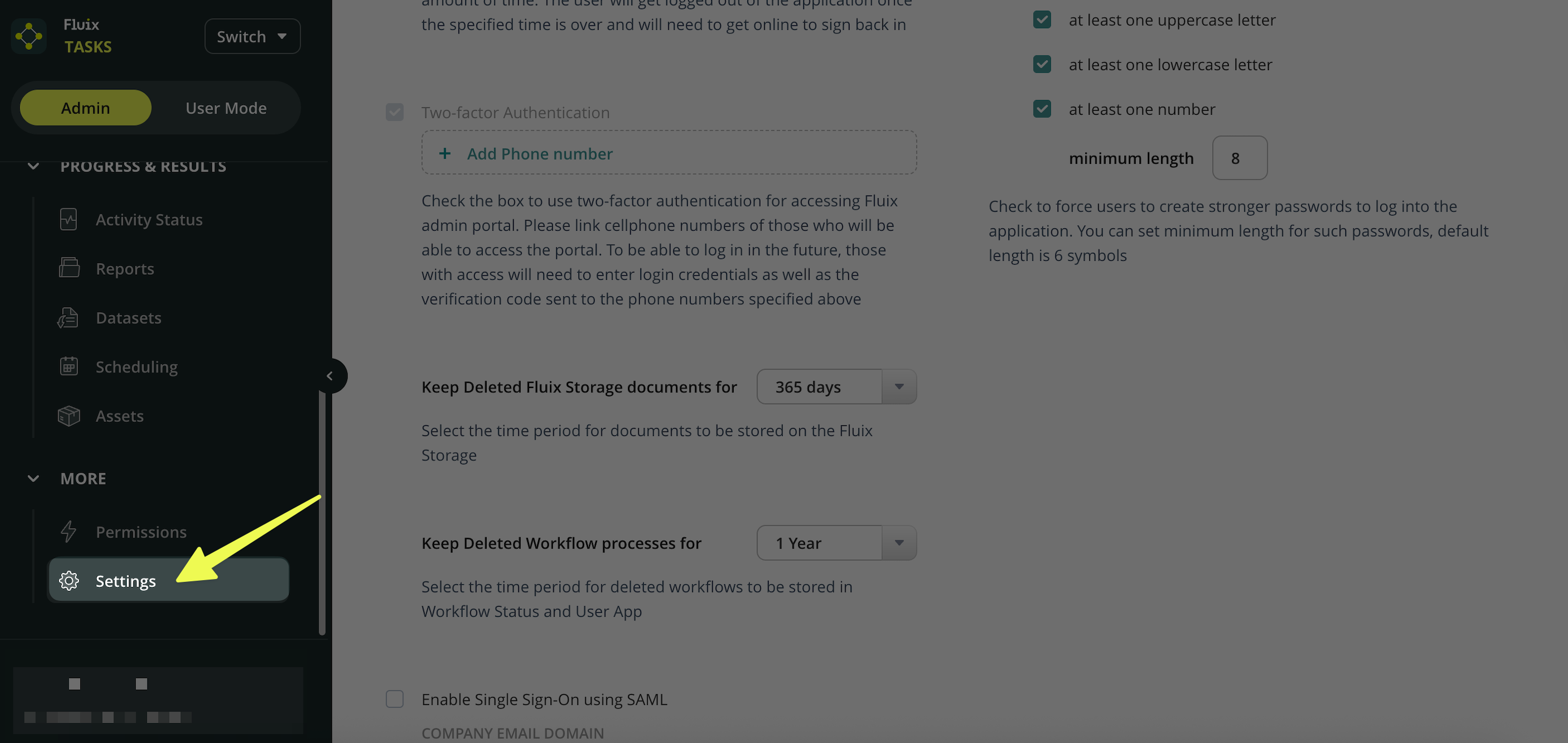
- In the Settings section, find the following options:
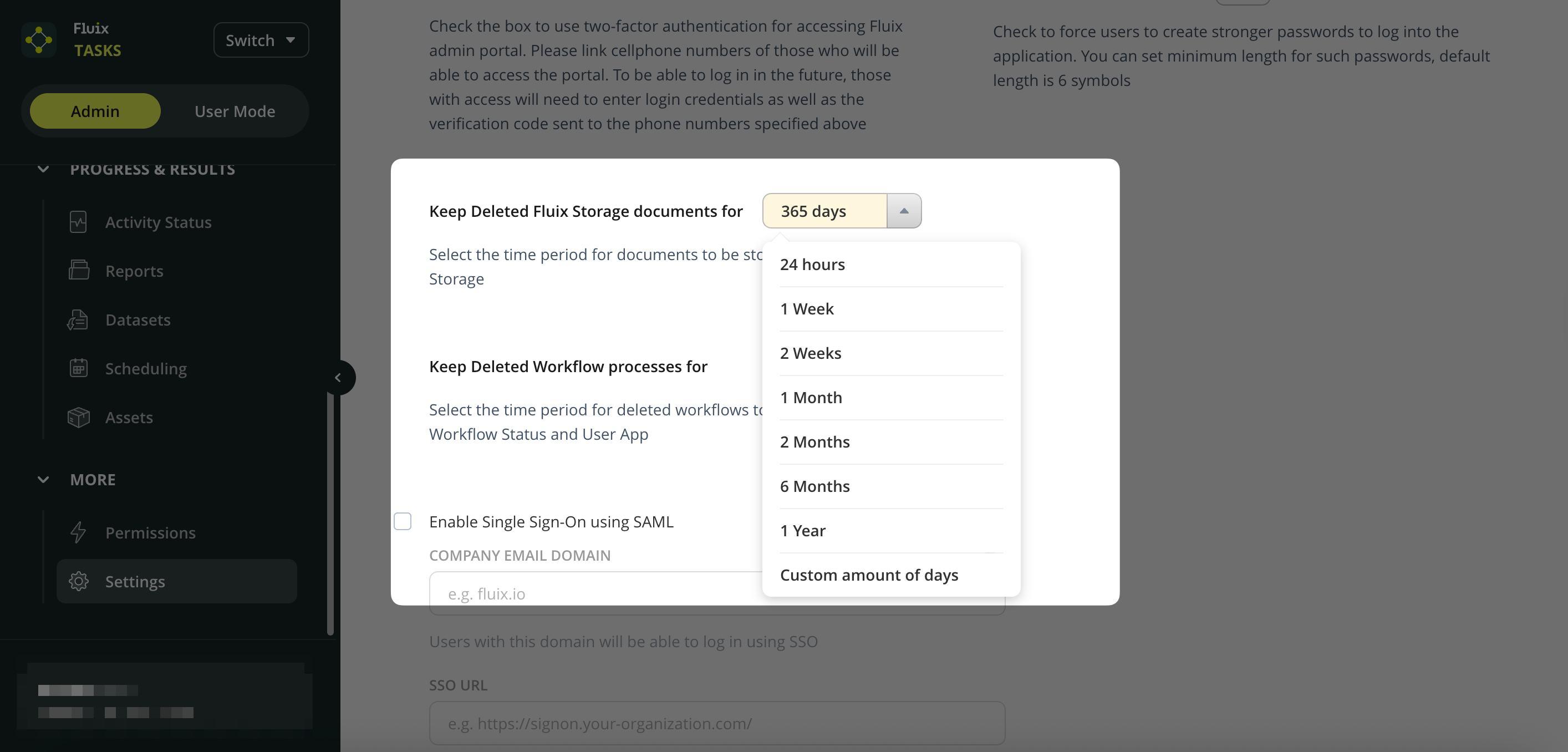
Keep Deleted Fluix Storage Documents For
Keep Deleted Workflow Processes For - Select the Retention Period → use the dropdown menu to select the desired time frame (e.g., 1 week, 1 month, 1 year, etc.). Note: the maximum period you can choose is 999 days.
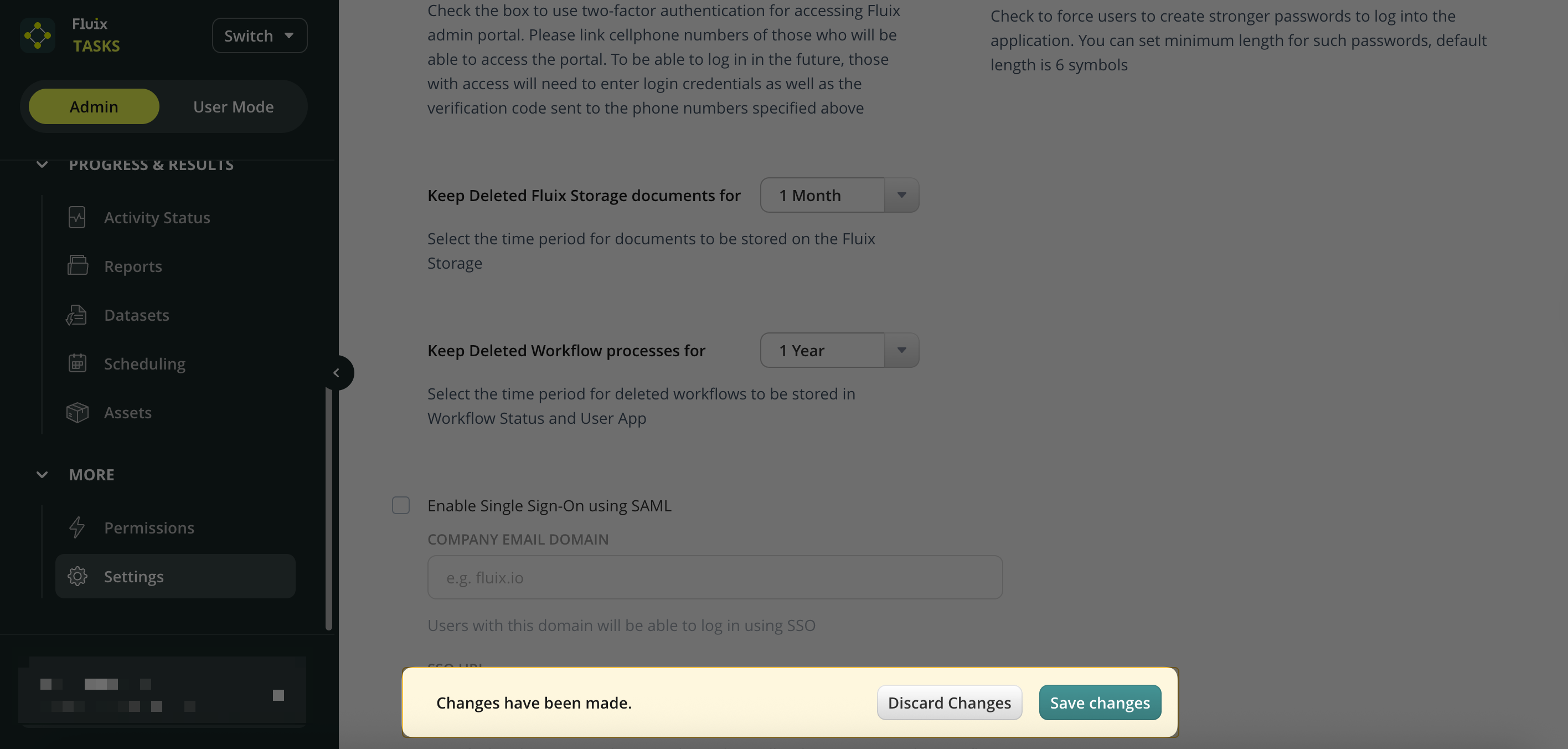
- Save Changes.
Feel free to contact us at support@fluix.io if you have any questions or comments.