Risk-Free Christmas

Enter to Win iPad & H&S Ticket

Find Out More

How can I estimate the time it takes for users to complete a task?

Fluix Tasks

Last Updated: Jun 10, 2025

1 min read

You can review the time users spend on tasks through the Activity Status section in your Admin Panel.

Steps to check task completion time:

1. Go to your Admin Panel and open the Activity Status section under Progress & Results.

2. Locate the task and check the box next to it.

3. Click Show Details.

4. On the next screen, you’ll see:

  • A list of tasks from your workflows.
  • Detailed user data, including the time spent on each task.
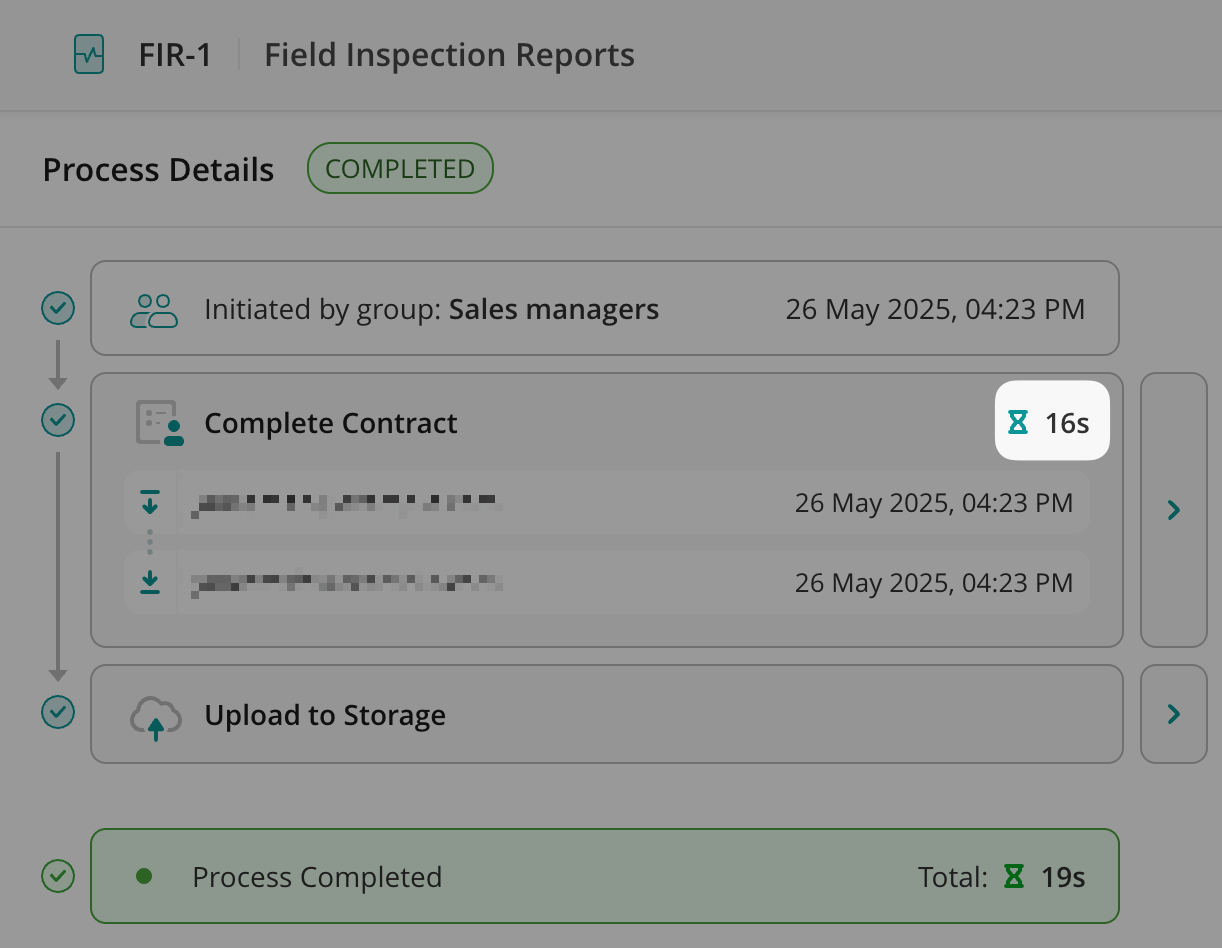
    This allows you to analyze task completion times and monitor team efficiency.

    Was this article helpful?
    Thanks for your feedback!
    Oops, something went wrong. Please, try again later.
    Thank you!
    What details or examples would have made this article more helpful for you? We appreciate your insights!
    Sign Up to Our Product Newsletter

    The latest updates from our Product team, straight to your inbox