


Introducing the Form Reference Number Auto-Generation, which helps automatically assign a unique reference number to the form. This feature eliminates the need for manual numbering, reduces the risk of duplicate or inconsistent document IDs, and makes it easier to track, organize, and identify submissions across your workflows.
How it works
Once the feature is configured by an admin, Fluix automatically generates a unique reference number when a user opens a form in the web or mobile app. The generated reference number:
- Is unique for each form.
- Automatically populated in the designated Reference Number field.
- Displayed as a read-only value and cannot be modified by the user.
- Can be used for document tracking, compliance, and reporting.
How to configure automatic reference numbering
- Open the Dynamic Form in the Form Builder.
- Add the Reference Number field to the form.
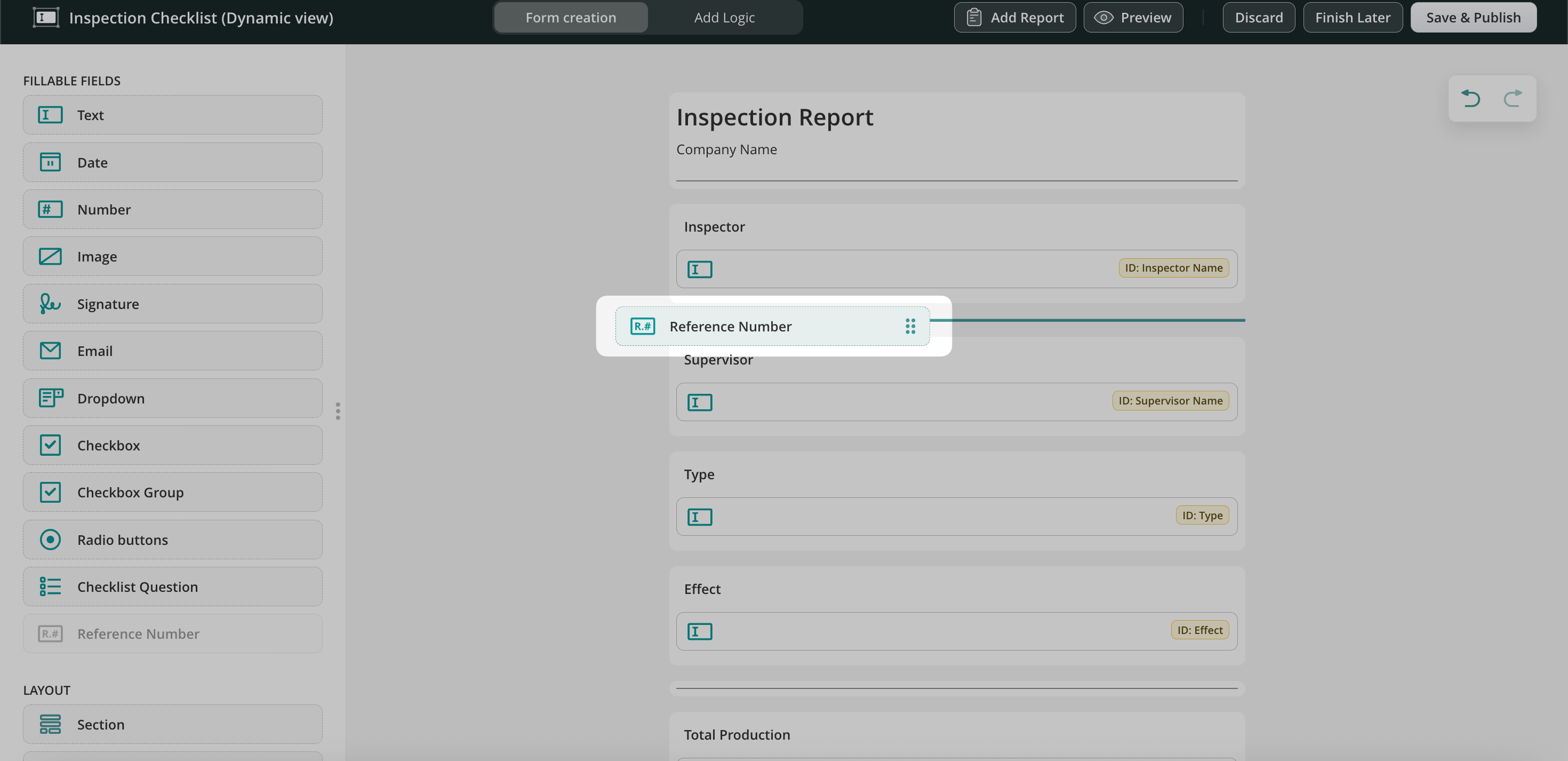
- Configure the desired number format.
- Save and publish the updated form.
Note: Only one Reference Number field can be added to a form.
View and Analyze Reference Numbers
The Reference Number field can be used in the Dashboard to:
- Search for specific submits.
- Filter documents by reference number.
- Create charts and reports using the Reference Number field.
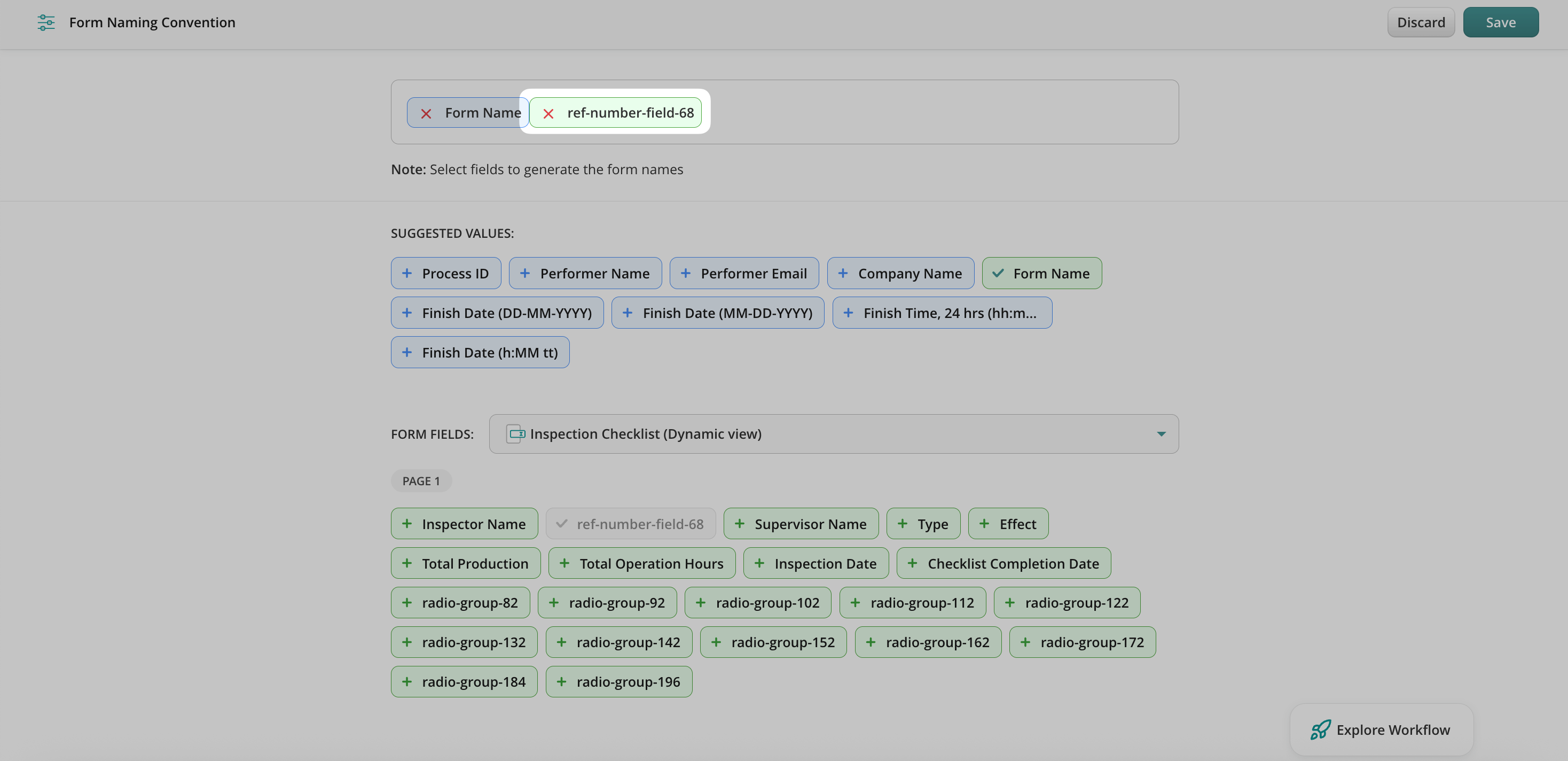
The generated Reference Number can also be used in the document naming convention. This means that once the form is submitted, the reference number can be automatically included in the file name. As a result, admins can easily locate the submitted document in Fluix Storage or connected cloud storage by searching for the reference number:
Feel free to contact us at support@fluix.io if you have any questions or comments.