


In the Fluix Tasks app, you have enhanced navigation with flexible filters that help you manage long task lists more effectively.
You can utilize advanced sorting parameters in the ‘Templates,’ ‘Assigned,’ and ‘In progress’ sections on your device and sort tasks by specific parameters:
- Priority
- Task ID
- Due Date
- Assigned Date
- Assignee
- Groups
- Task Name
- Workflow
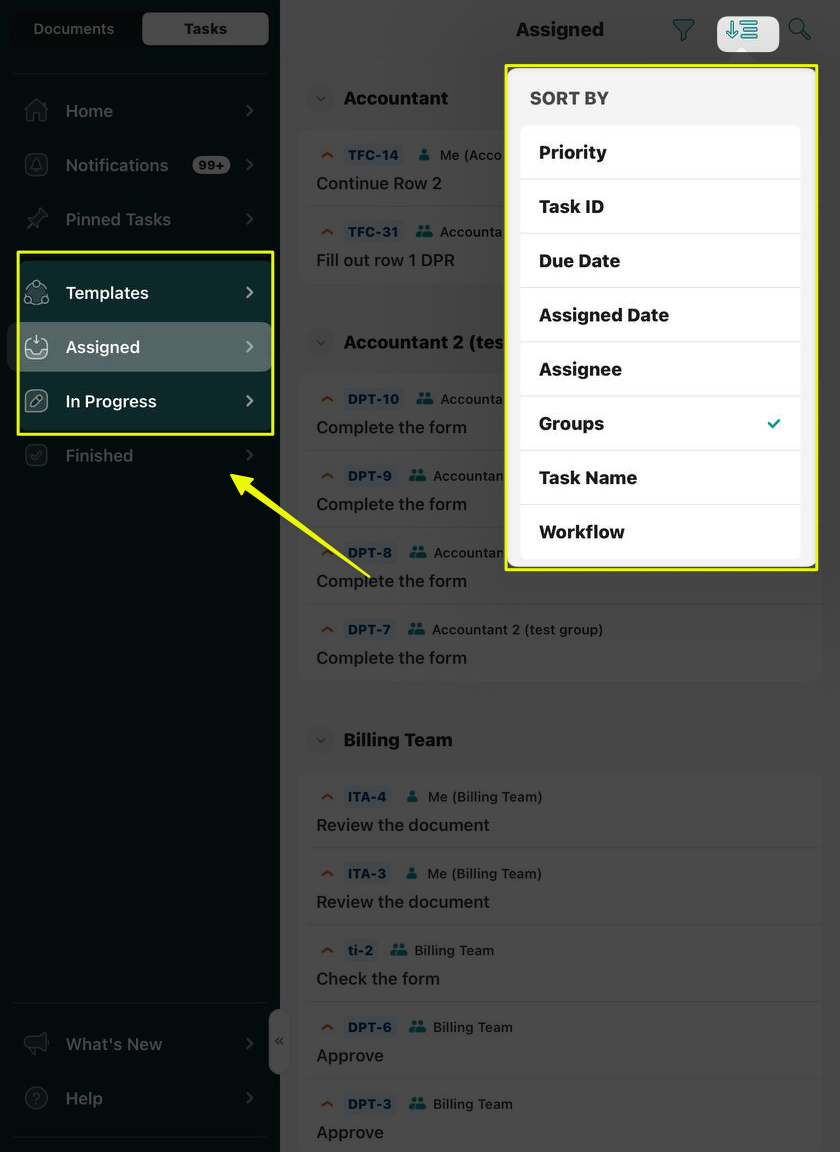
Additionally, the Expand and Collapse options on the sorted list of tasks give a way to organize the tasks respectively and find exactly what you need in seconds, regardless of the list’s length.
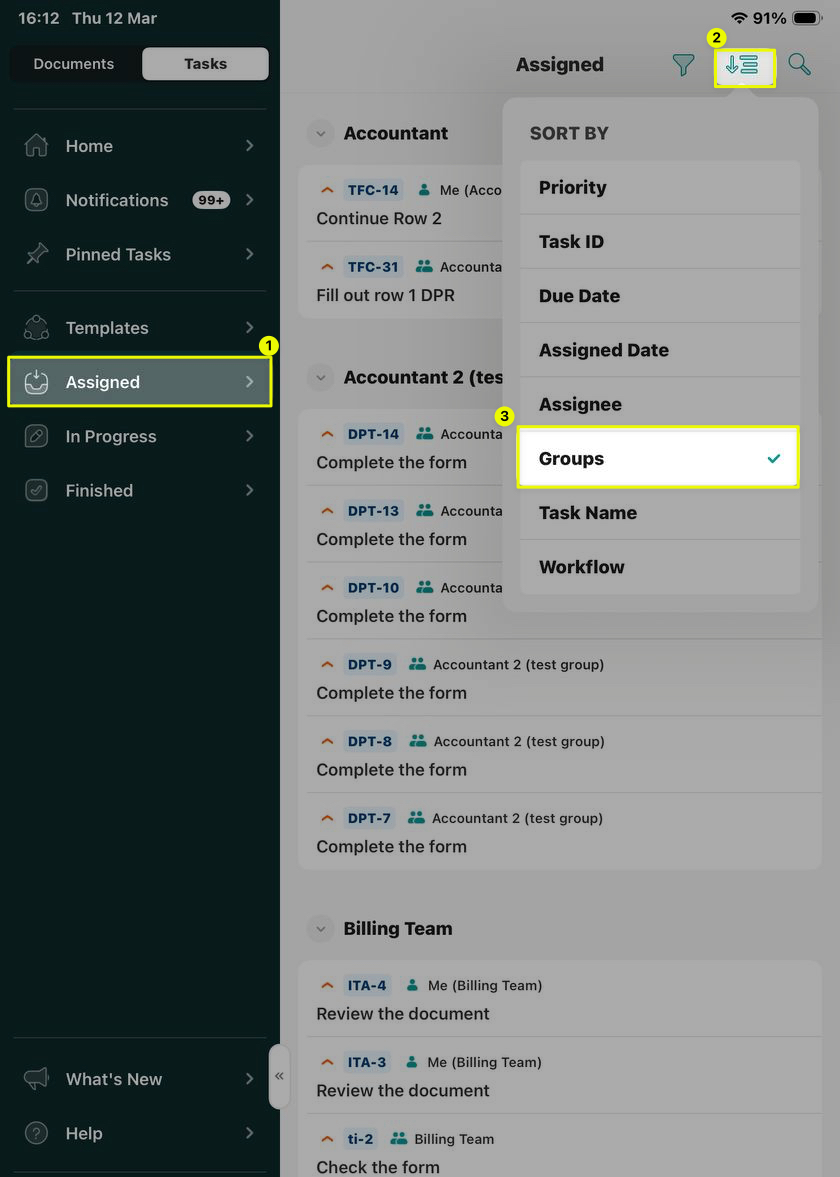
Below is the list of the specific filtering parameters that can be applied to your tasks:
- Priority filters tasks from critical to low priority, as configured by your company’s account admin.
- Assignee filters the tasks by the names of the Groups to which you are added.
- Task ID option lets you sort the tasks by their abbreviation.
- Due Date option lets you sort the tasks by the level of urgency based on the tasks’ due dates, pre-configured by your company’s Fluix account admin.
- Assigned Date filters the tasks by months.
- Assignee filters tasks by the user assigned to each task.
- Groups filter tasks by the participants of the workflow.
- Task Name filters the tasks based on the task name in alphabetical order or vice versa.
- Workflow filter groups tasks into lists for each workflow.
In case you have any additional questions about the functionality, contact us at support@fluix.io to learn more about it.