


Sure! In Fluix Tasks, you can easily manage the assignee working on a specific task. For example, if one of your technicians cannot complete the task due to being on sick leave, vacation, etc., you may reassign it to another user within the same group, or move the task to the next stage if no further action is required from the other technicians.
To reassign the task to another user, please follow the instructions below:
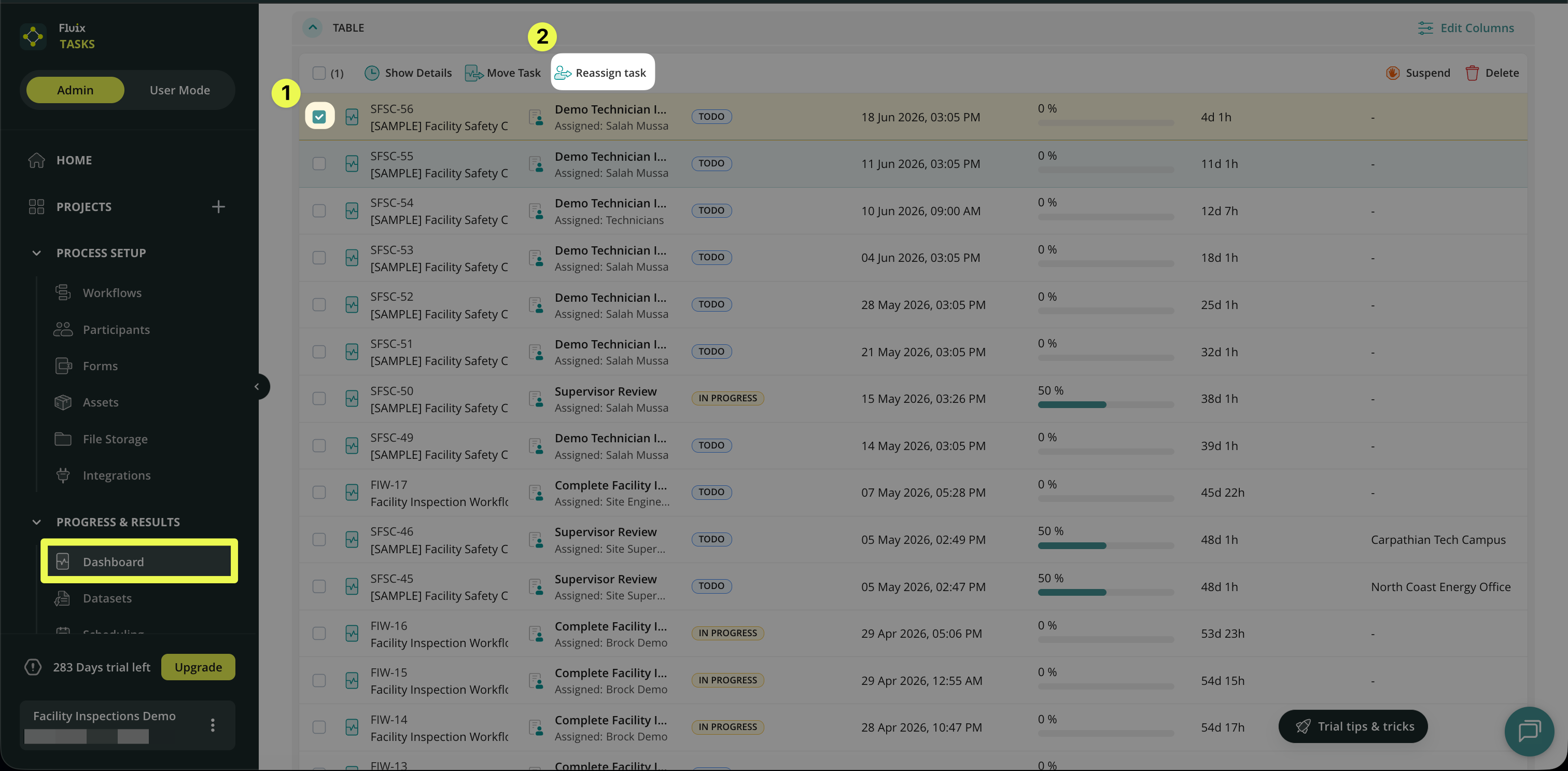
1. Navigate to the Progress & Results section of your Admin Portal -> open Dashboard.
2. Identify the task you would like to re-assign in the list and select it -> click Reassign task in the opened panel:
3. Select the individual from the group or reassign the task to the group:
Note: You can reassign a task within the group that is assigned to a specific task in the Taskstream.
Check the article Actions in Dashboard to learn more about this action.
Feel free to contact us at support@fluix.io with any questions.