


Yes, if a task is no longer relevant at its current stage in your workflow process, you can manually move it to the next stage (e.g., from one Group to another).
Note: This action is only available for tasks in the To Do or In Progress status.
Steps to move a task:
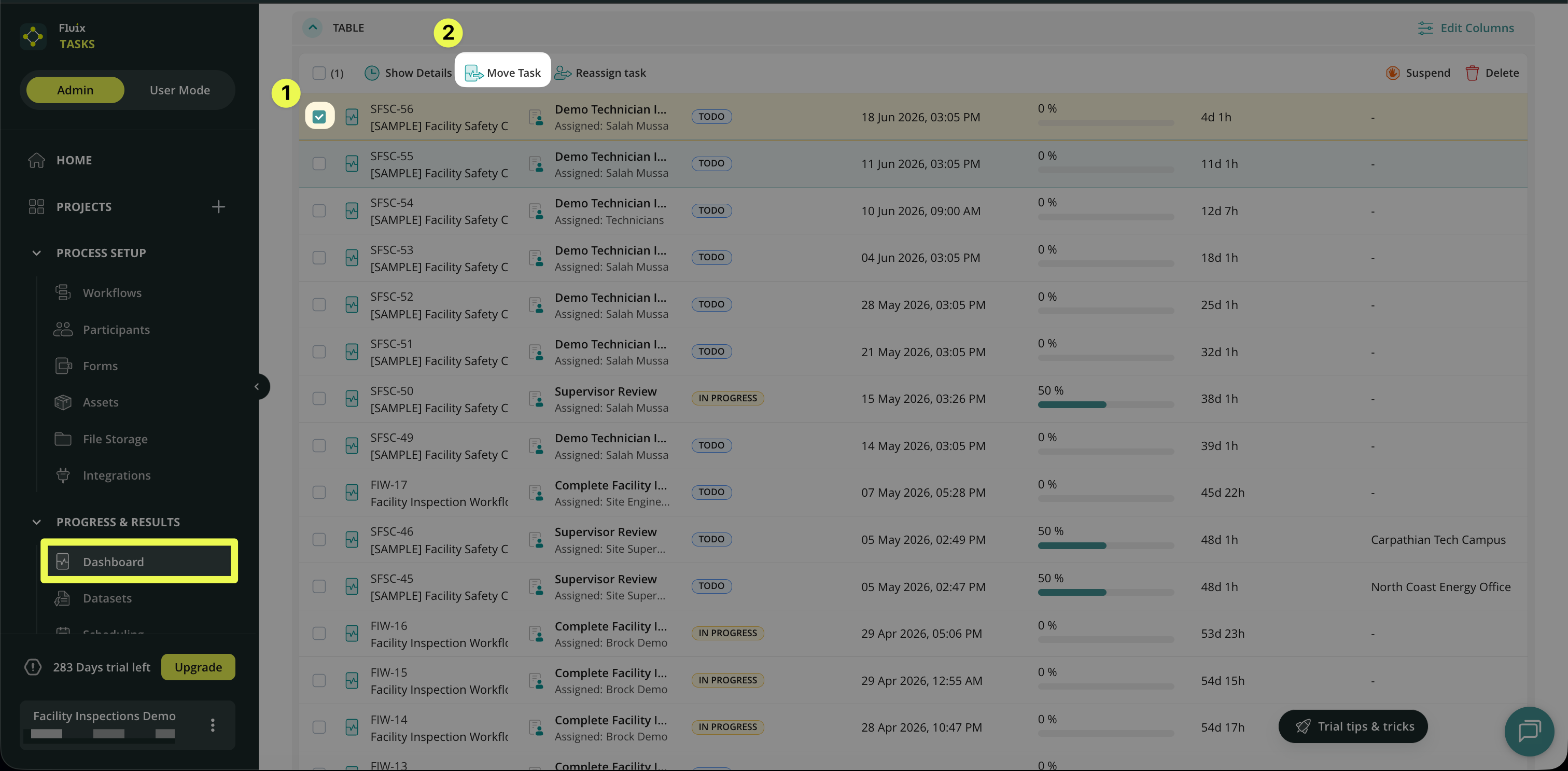
1. Go to the Progress & Results section in your Admin Portal and open Dashboard.
2. Select the checkbox next to the task you want to move.
3. Click Move Task, which will appear in the panel.
Additional options:
You can move tasks individually or in bulk, depending on your needs. Check the article Actions in Dashboard to learn more about this action.
Feel free to contact us at support@fluix.io with any questions.