


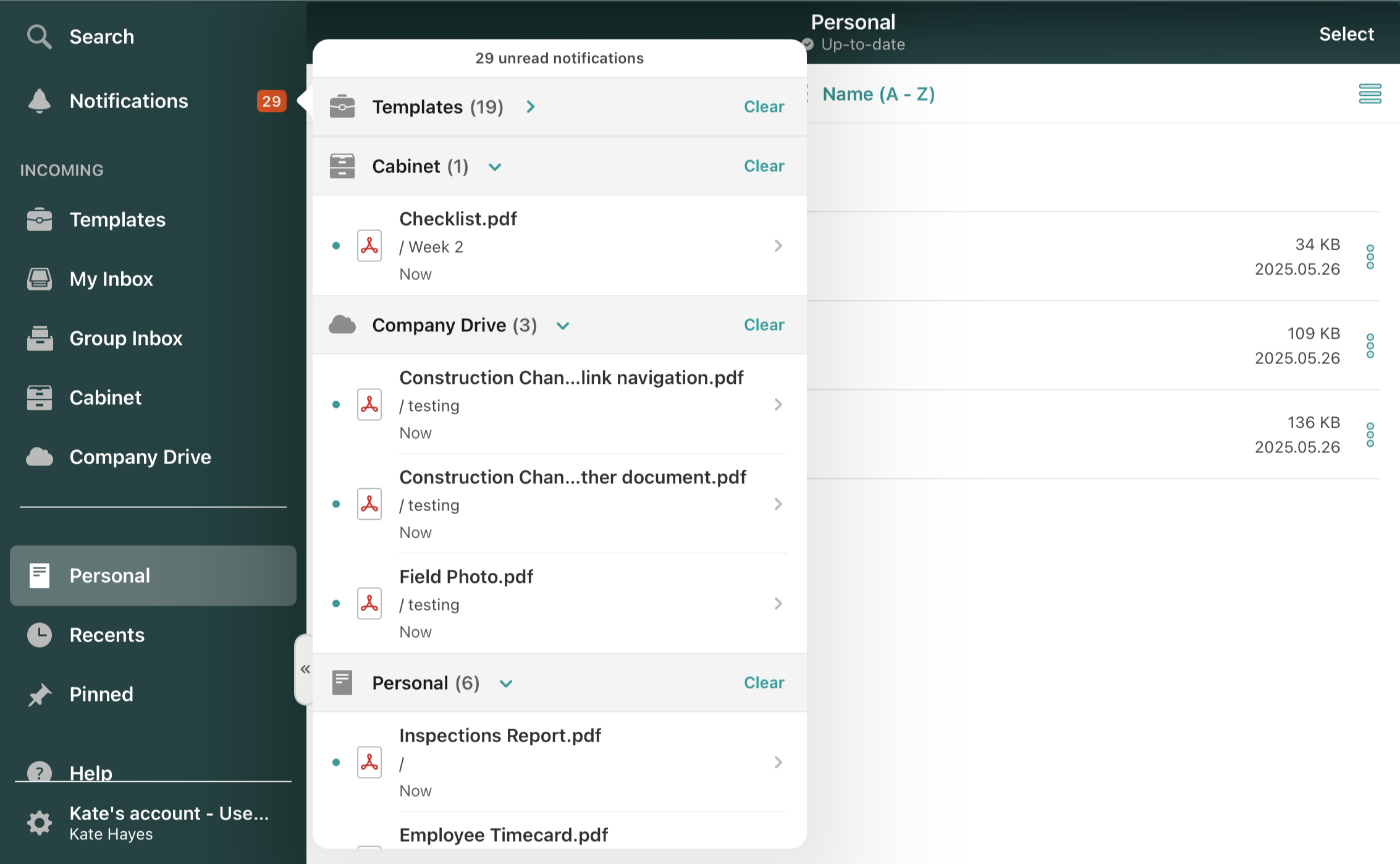
To track all new documents synced on your device, tap on the Notifications section. There, you will see the list of documents that were synced on your device and the section where they are located. On top, you’ll see the number of unread notifications; in the list, they will be marked with blue bullet points next to the document names. Please tap on the document to open it.
Note: Depending on the workflow settings configured by your account admin, you may not receive notifications about new or updated documents; however, documents will still sync to your device as usual.
To collapse a section, tap on it. Also, you can clear all updates in any section by tapping Clear.
Feel free to contact us at support@fluix.io if you have any questions or comments.