


Once the storage is connected to Fluix in the Integrations tab, it may have different statuses:
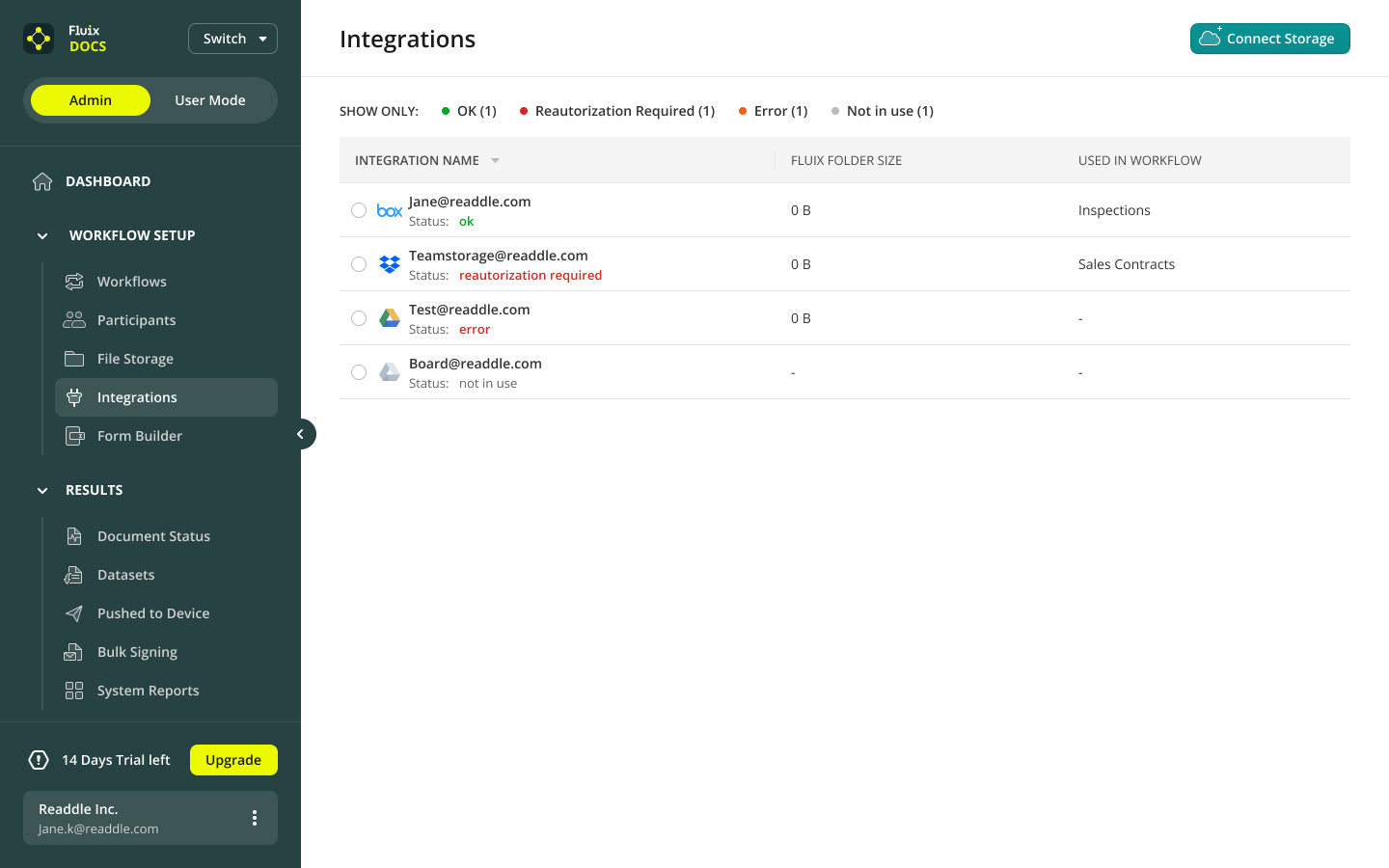
- Not in use status means that the storage is not used in any workflow yet. To proceed, you need to create a workflow and add storage as a source or destination for your documents.
- Reauthorization required status appears when the storage got disconnected from Fluix. To reauthorize, please select the storage and click on Reauthorize.
- Error status shows that there are some problems with the connection between your storage and Fluix. To troubleshoot, please contact us at support@fluix.io.
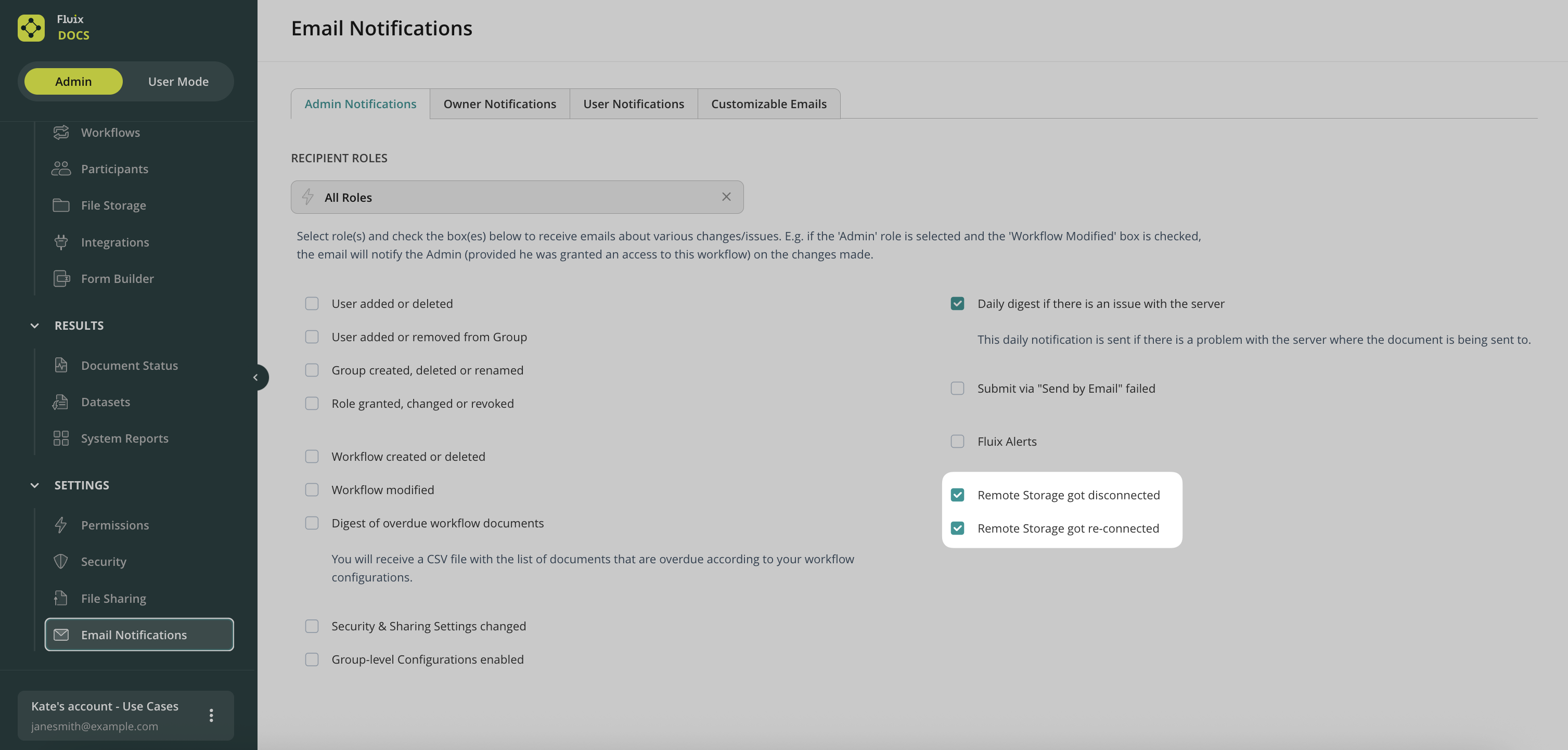
In case you’d like to be notified when the storage is getting disconnected from Fluix, you can enable the respective email notifications in the Email Notifications Settings (Owner and Admins tabs) under the Settings section:
Was it helpful? Feel free to contact us at support@fluix.io if you have any questions or comments.