


To lock access to Fluix on the device that has been lost:
- Navigate to the Users tab under the Configuration section of Fluix Admin Portal
- Find a user who owned the device and open user profile page
- Delete the lost device from the list by clicking on the cross next to the device:
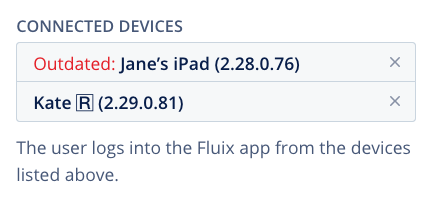
This will lead to automatic logout from the Fluix app on the device.
Was that helpful? Feel free to contact us at support@fluix.io if you have any questions or comments.
Check what you can do with Fluix. Explore features >