


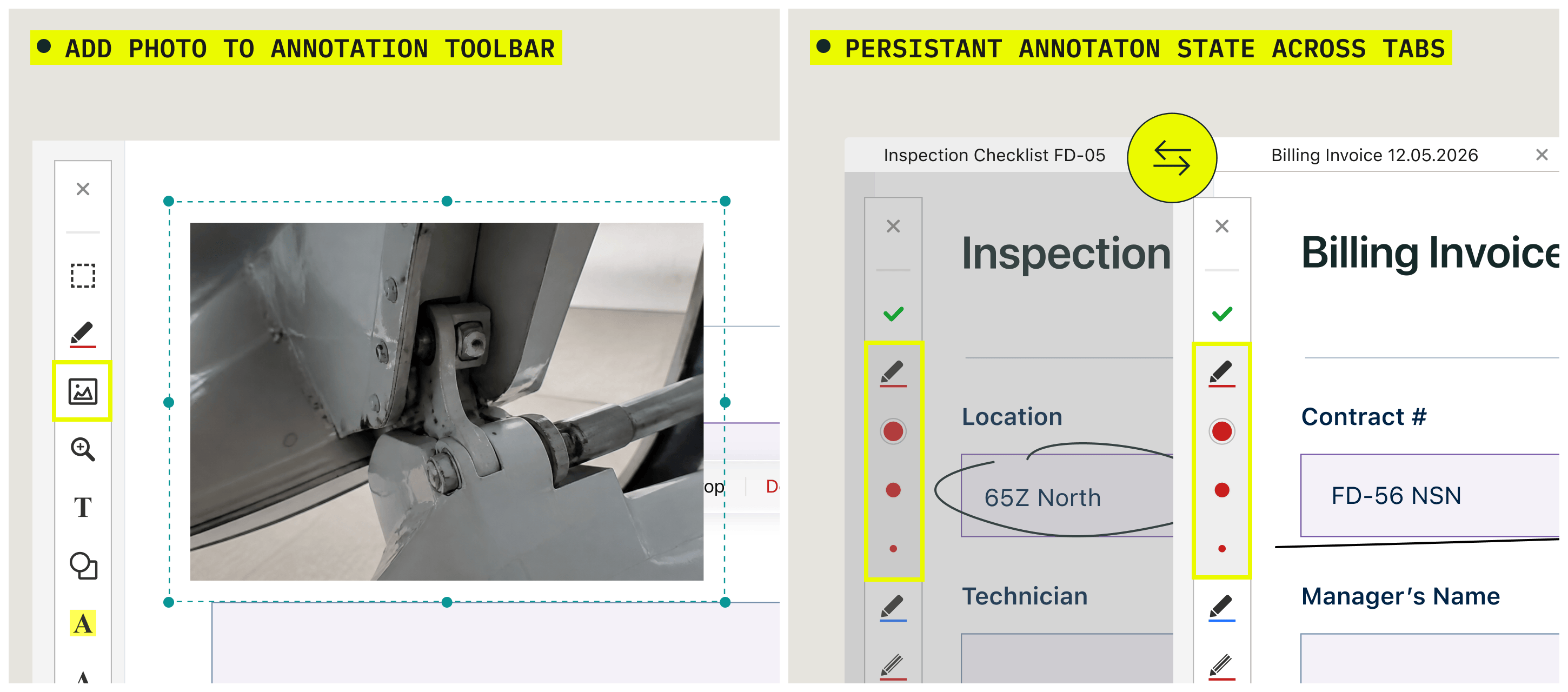
With this release, you can annotate faster and move between open documents without breaking your flow.
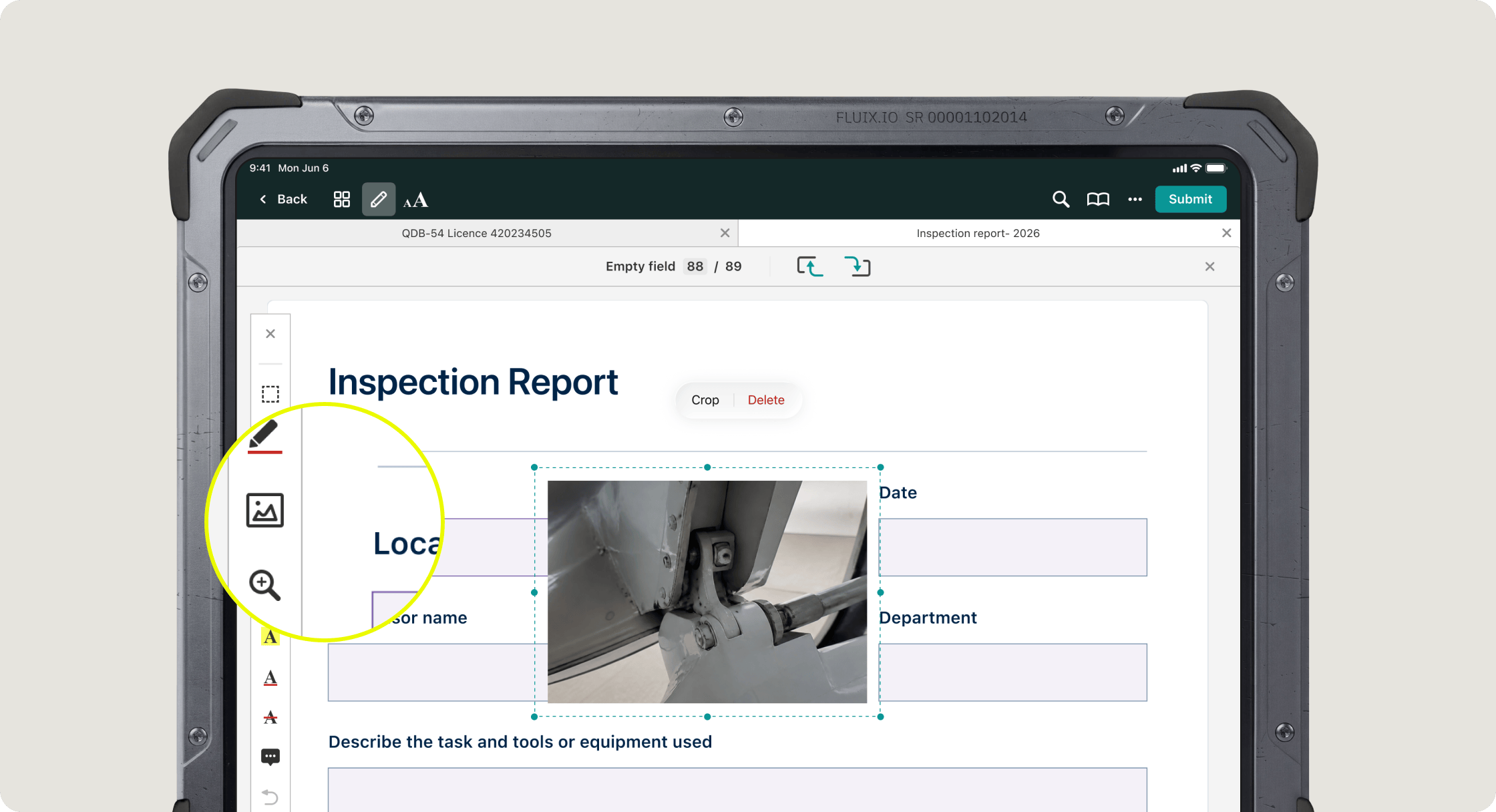
Capture a photo without leaving Annotation mode
Photo capture is now available directly from the Annotation toolbar. Previously, adding a photo required exiting Annotation mode, taking the photo, and re-entering it again to continue. Now it’s one continuous flow, useful when you’re documenting something in the field and don’t want to exit this mode.
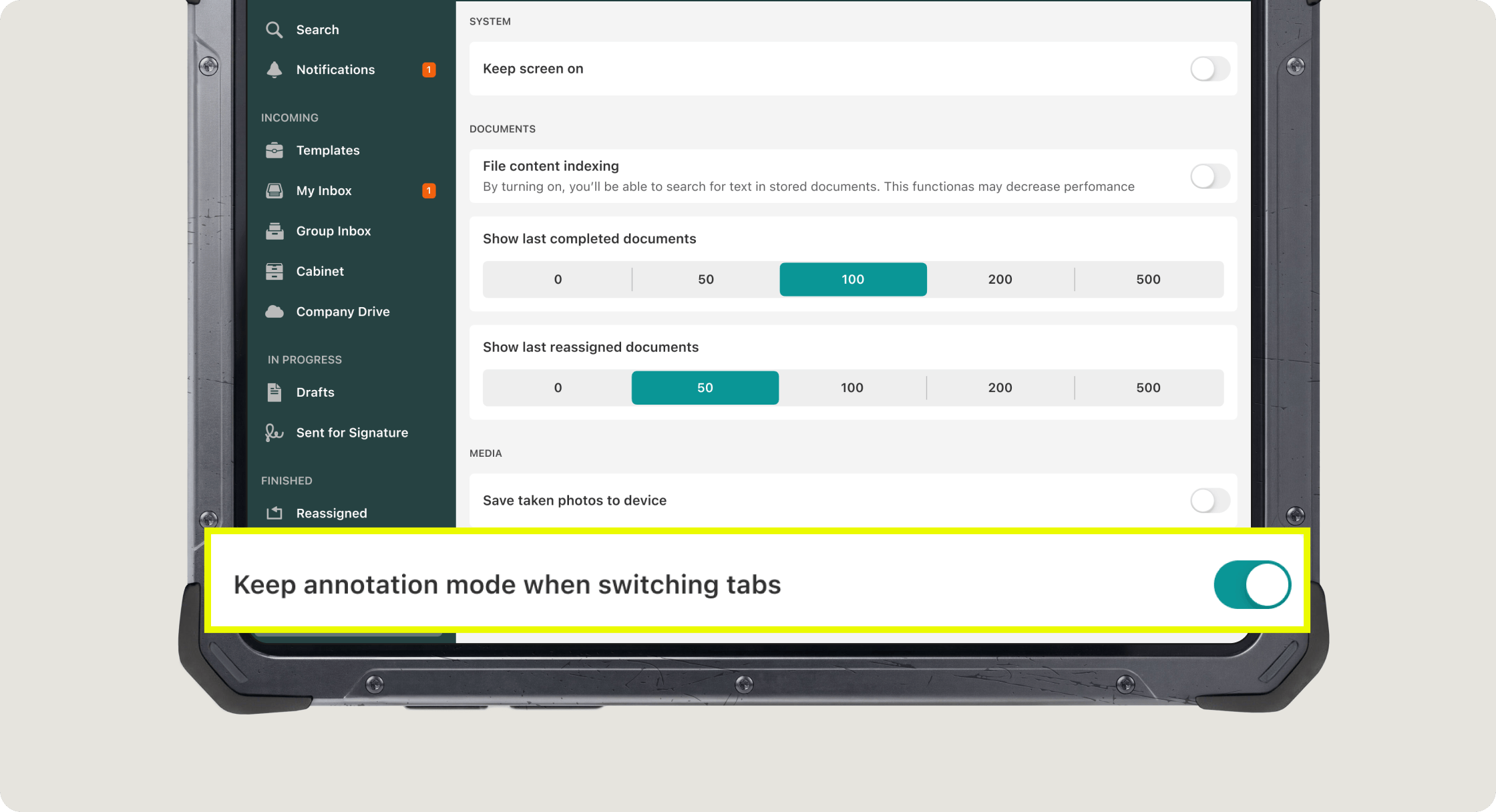
Keep Annotation mode enabled when switching tabs
You can now choose whether Annotation mode stays active when you switch between open documents. If you were drawing on one document, turn on ‘Keep annotation mode when switching tabs’ in Settings, and you can move to another document and continue drawing right away without the need to re-enter Annotation mode.
Stability and UX Improvements
This release also includes a set of refinements under the hood:
- Cropping an image now works with finger touch as well as Apple Pencil.
- Fixed an issue where the screen mirroring toolbar could appear unintentionally.
- General stability and interface polish across the app.
Platform Requirement
This app version 4.10 requires iOS 18 or later. iOS 17 is no longer supported.
If you need help getting started, please email us at support@fluix.io.